
截图
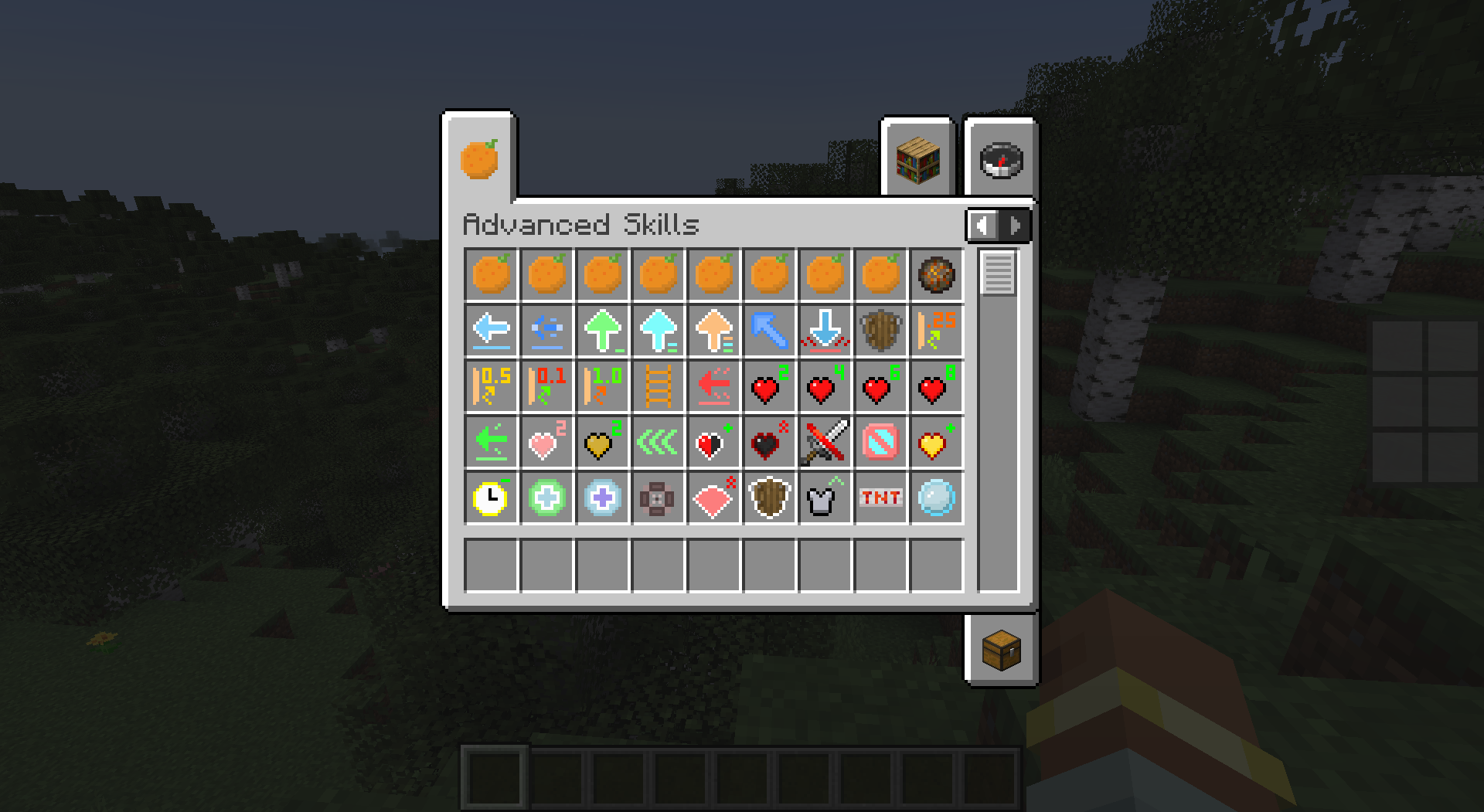
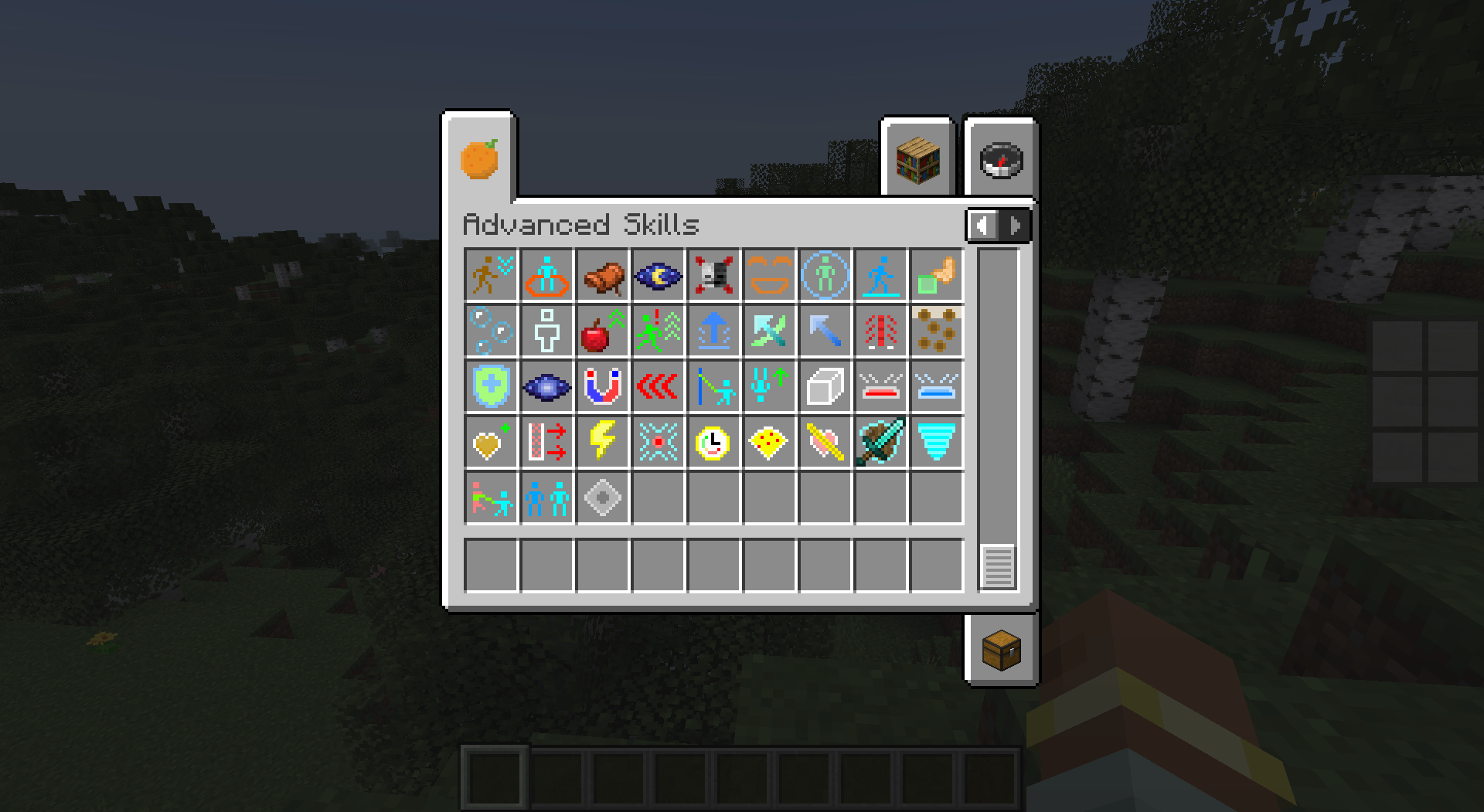
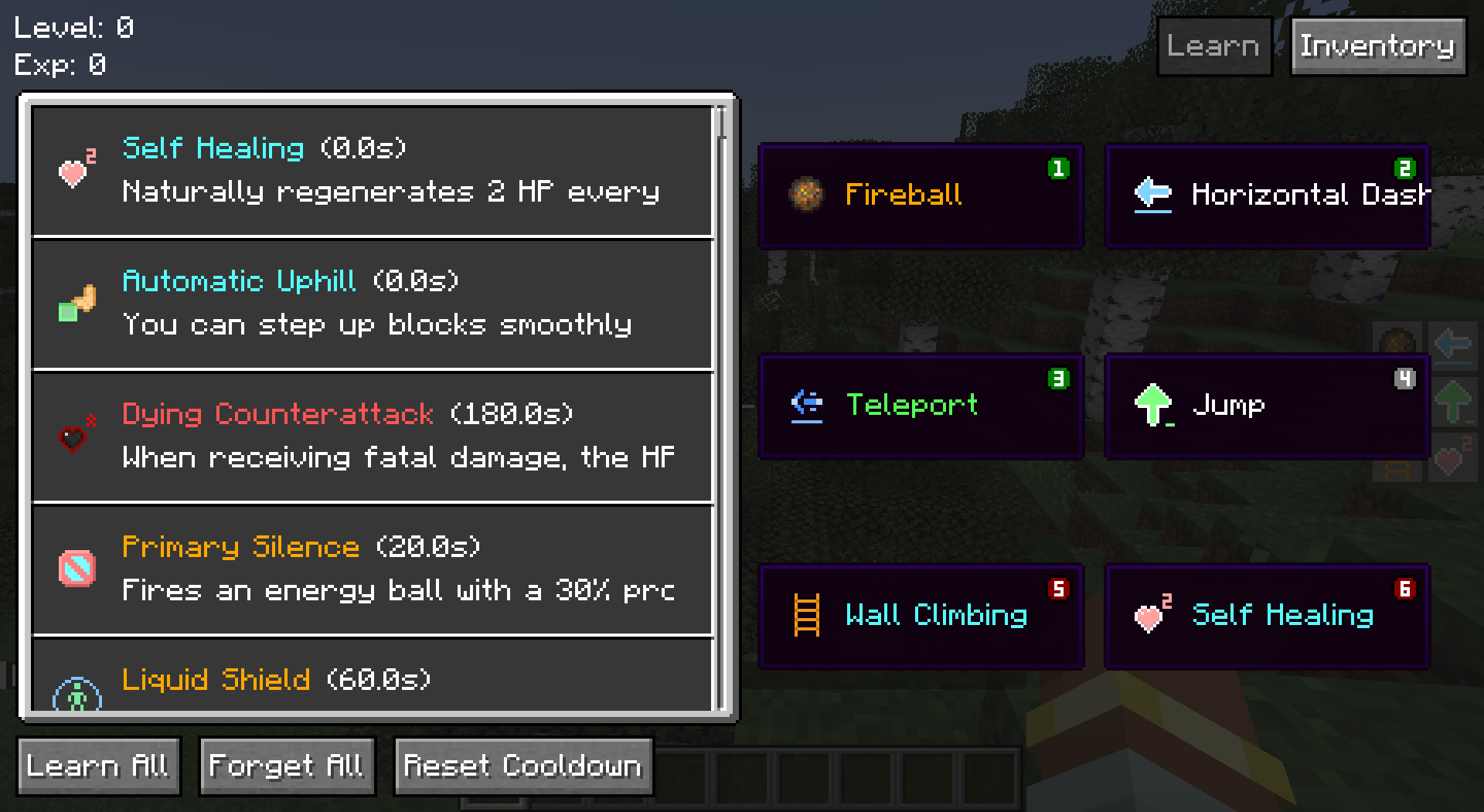
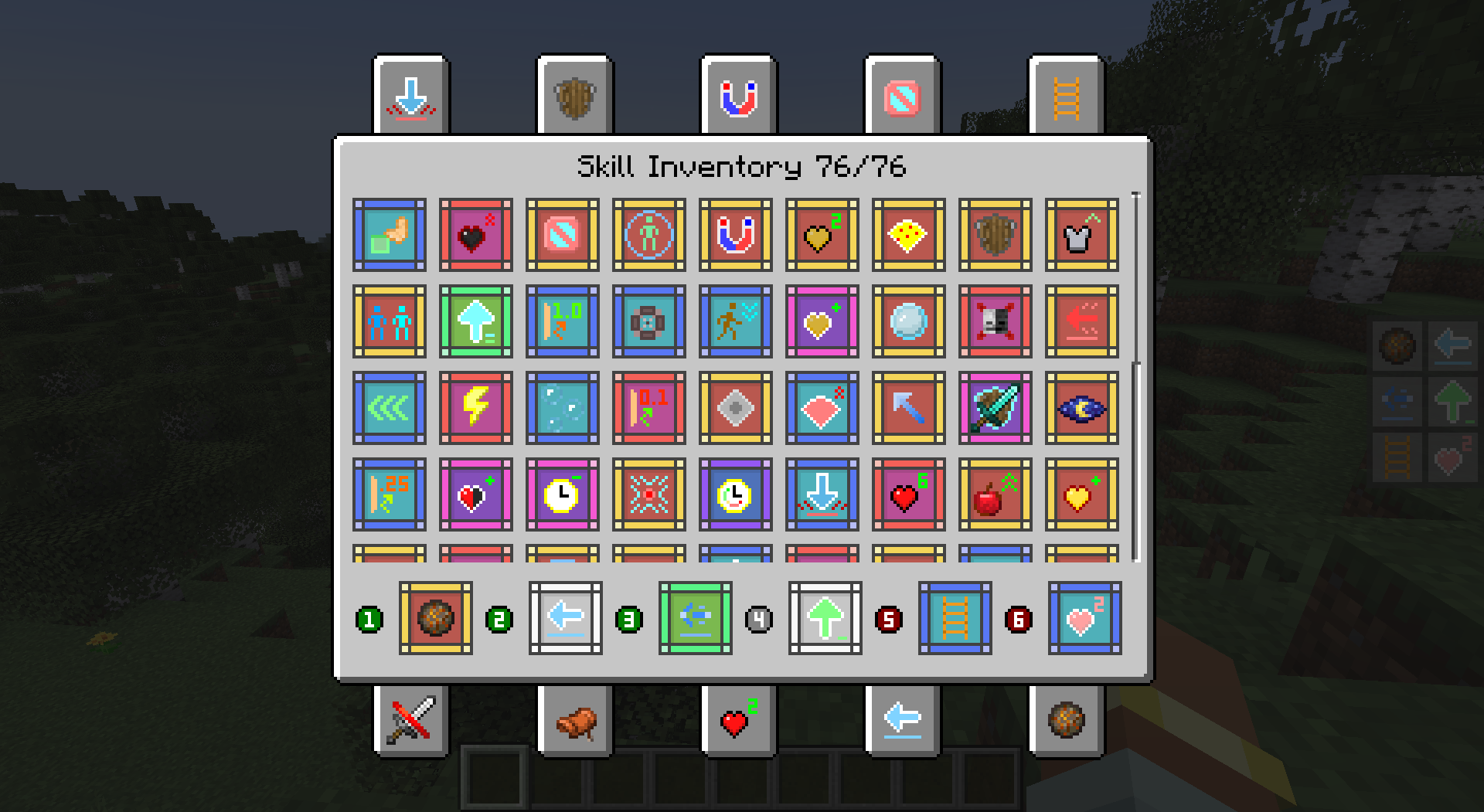
介绍
中文介绍正在准备中,下面暂时显示原文。
This project is no longer updated, please go to the remastered project: Advanced Skills: Remastered (Support Forge)
Play Description
- Players can increase Skill Experience while gaining Original Experience, and can randomly learn a new skill every few levels.
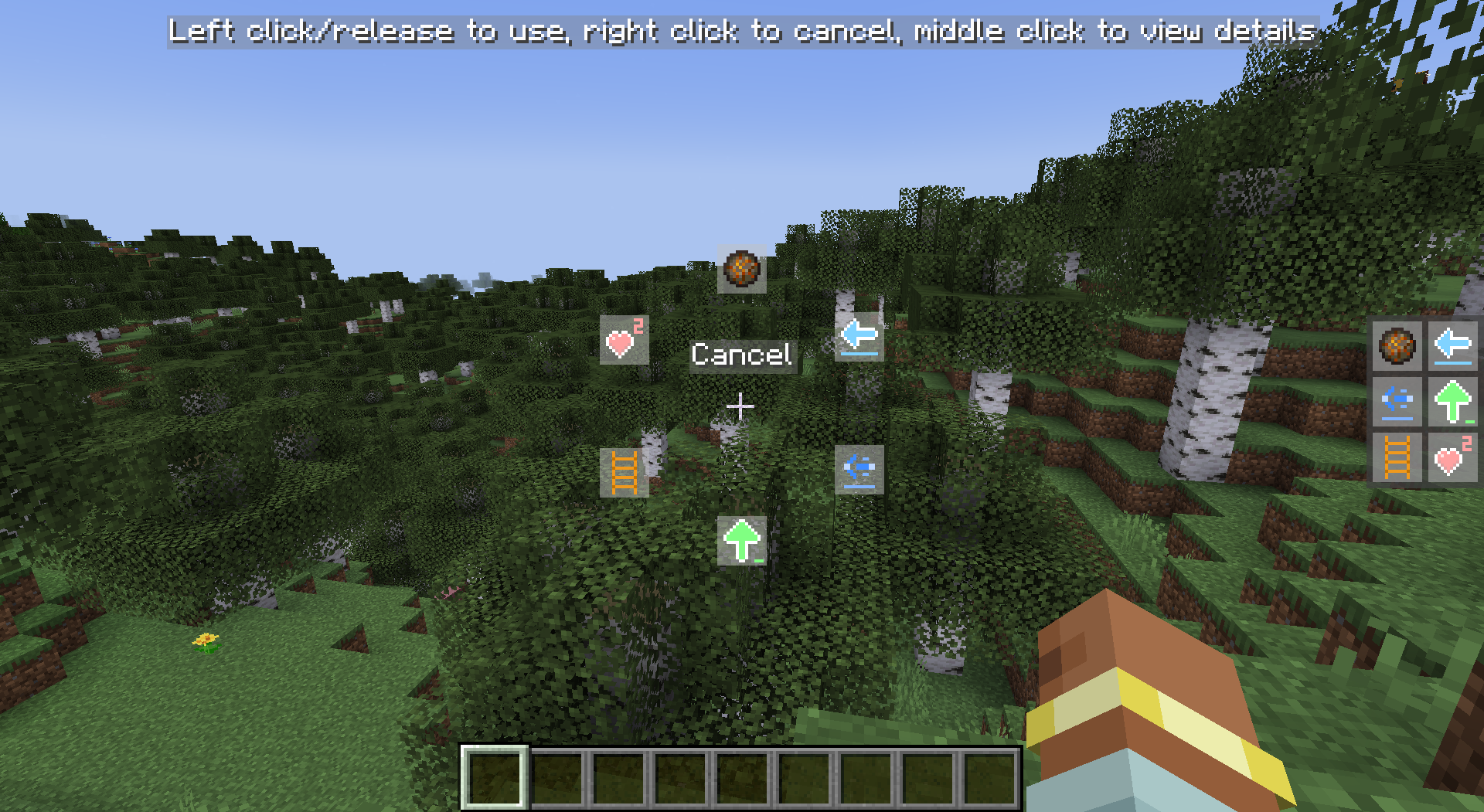
- Open the skill inventory by shortcut key, equip the skill to the skill slot, press the corresponding shortcut key to use the skill, or press and hold the Quick Casting shortcut key and drag the mouse to use the skill.
- Players have 6 skill slots by default, including 3 active skill slots, 1 general skill slot and 2 passive skill slots. Except for the general skill slots, other skill slots can only be equipped with the corresponding type of skill. A maximum of 10 skill slots are allowed to exist at the same time.
- Players can modify the number of skill slots and the types of skills in the skill slots through commands.
- Skills do not consume any resources, but most skills have a cooldown after use. 6.
- Some skills are continuous and require a long press to store power. However, if a skill is used through a quick cast, it does not require a long press and will last until the end of the skill, unless the player manually uses the skill again to interrupt it.
Skills
- Rebound Skills: Bounces back the first damage with a certain probability within a certain period of time.
- Displacement Skills: There are many types of displacement skills, including Dash, Teleport, Dodge, Jump, Grappling Hook, etc.
- Control Skills: There are a variety of control skills, including Imprison, Slow, Silence, etc.
- Passive Skills: Skills other than passive skills are active skills. Passive skills include self-healing, passive effects, wall climbing, stealth, etc.
- Enhancement Skills: There are a variety of Enhancement Skills, including Perspective, Ignore Liquid, Negative Resistance, etc.
- Summoning Skills: e.g. Split, Mount, Servant, etc.
- Healing Skills: Different levels of healing skills can restore different amounts of blood.
- Destructive Skills: Including Fireball, TNT, Meteorite, etc.
Command Description
/skills
- equip [skill] [slot] – equips a skill to a skill slot
- unequip [slot] – Unequip a skill on a skill slot
- list – Lists all learned skills
- learn [skill] – learn a new skill
- learn-all – learn all skills
- forget [skill] – forget a skill
- forget-all – Forget all skills
- reset – Reset all skill data
- reset-cooldown – Reset all skill cooldowns
- slot
- add [active/passive/generic] – Add a skill slot
- remove [slot] – removes a skill slot
- reset – reset to default skill slot
/skill-xp
- add [amount] [points/levels] – adds skill experience/levels
- set [amount] [points/levels] – sets skill experience/levels
- query [points/levels] – query current skill experience/level
Useful tips
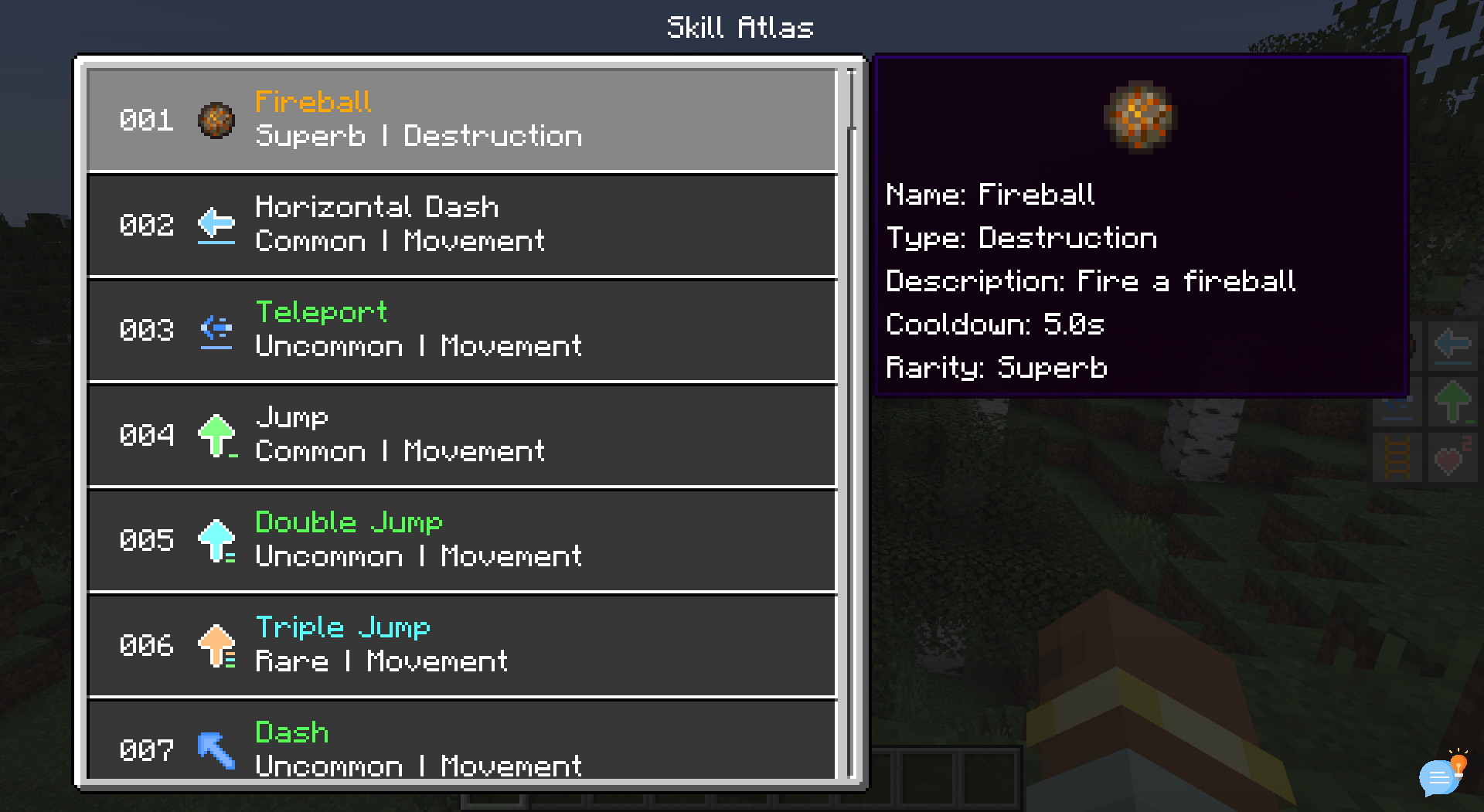
- In the inventory screen, press View Skill List shortcut key to directly open the skill inventory.
- Creative Mode allows you to quickly learn all skills and reset skill cooldowns in the Skill List screen (requires permission).
- In the Skill List screen, left-click and double-click a skill to jump to the detailed description of the icon.
- Skill Backpack screen can quickly equip/exchange skills by shortcut keys (1-0 above keyboard), shift+left mouse button can quickly equip/unequip skills.
常见问题
Advanced Skills 支持哪些 Minecraft 版本?
Advanced Skills 支持 Minecraft Java 版 1.20.1,可用的加载器:Fabric。下载时注意选择和你游戏版本一致的文件。
Advanced Skills 怎么安装?
先用 PCL2 或 HMCL 启动器安装对应版本的 Fabric,再把下载的 .jar 文件放进游戏目录的 mods 文件夹,重新启动游戏即可。开启了版本隔离的,mods 文件夹在 versions/版本名 下面。运行环境:客户端和服务端都要装。
iMoonDay 的其他作品
查看全部 →
Soulbound Enchantment
by iMoonDay
一本可以防止玩家掉落物品的附魔书
651.8万
1 年前
Modrinth · CurseForge
Advanced Skills: Remastered
by iMoonDay
A large number of skills give you a more enjoyable combat experience
10.7万
1 年前
Modrinth
Advanced Skills: Remastered
by iMoonDay
A large number of skills give you a more enjoyable combat experience
10.7万
1 年前
Modrinth
Trade Enchantment Display
by iMoonDay
Automatically display the enchantment name of traded items
6.5万
1 年前
Modrinth
评论
登录后评论和评分