
截图


介绍
Biome Notifier
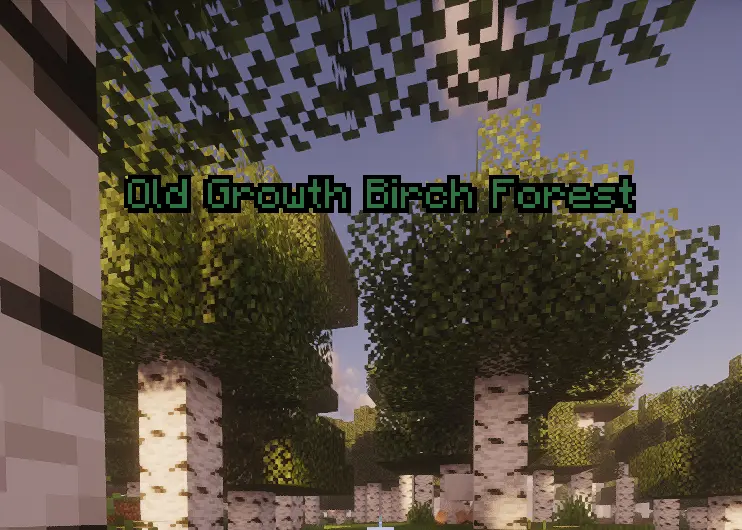
Biome Notifier informs you of new biomes, without having to keep the F3 debug screen up. For the first time you encounter a biome, there will be a larger notification with its own sound effect. Thereafter, you will see a smaller notification in the corner of your choosing.
Discovery notification
Regular notification
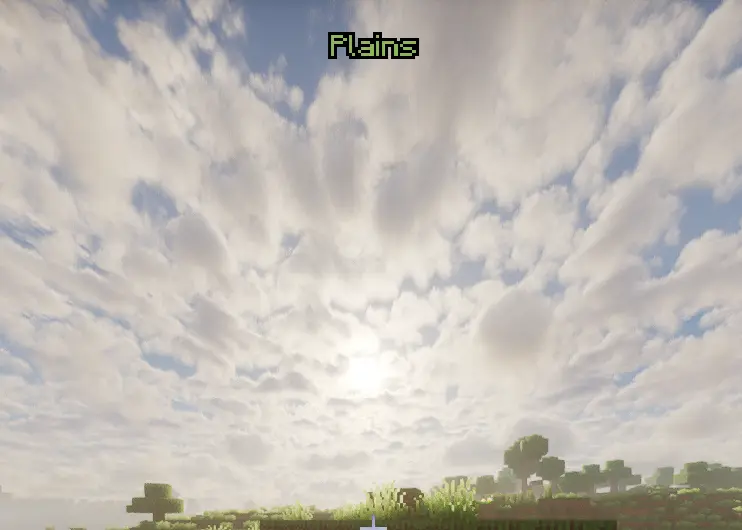
How it works
Entering a biome which you have not yet explored in that world will cause a big discovery message to appear at the top of the screen accompanied by a specific sound. Entering the same biome again at a later time will cause you to receive a smaller, quieter discovery message which can appear anywhere that you choose to configure it in the settings menu (top left, center, or top right). There is an internal journal screen to record all discovered biomes with search capability.
Features
- Configurable via the built-in configuration screen
- Set a keybind to open your Biome Journal instantly
- Keeps track of all the biomes you have discovered in each world individually, including a searchable list and % discovered
- Automatically compatible with modded biomes (for example, Terralith)
- Client side – will work on any server, even vanilla ones, no need for admin permission
常见问题
Biome notifier 支持哪些 Minecraft 版本?
Biome notifier 支持 Minecraft Java 版 1.21.1–26.2,共 7 个版本,可用的加载器:Fabric / NeoForge / Quilt。下载时注意选择和你游戏版本一致的文件。
Biome notifier 怎么安装?
先用 PCL2 或 HMCL 启动器安装对应版本的 Fabric / NeoForge / Quilt,再把下载的 .jar 文件放进游戏目录的 mods 文件夹,重新启动游戏即可。开启了版本隔离的,mods 文件夹在 versions/版本名 下面。运行环境:仅客户端。
Hicham 的其他作品
查看全部 →
Screenshot Gallery
in game gallery to see your screenshots

FPS Overlay
A fully customizable, zero-bloat overlay. Tweak the layout to show exactly what you need to see for PvP and performance testing: FPS, 1% lows, ping, server TPS, and MSPT.

Ores Aura
这个整合包能让你在挖矿时更容易、更快速地发现矿石,尤其是在黑暗的洞穴中。

Elytra End
A Better and More Stylish Elytra end theme
评论
登录后评论和评分