
Menuly
🎨 Design any Minecraft menu with drag & drop! Gallery with 75+ ready-made menus, button styles, animations & backgrounds with particles. Move/hide buttons, add text, images, panels. Undo, smart guides. No config ✨
截图
介绍

🎨 Menuly — Design any Minecraft menu, just drag & drop
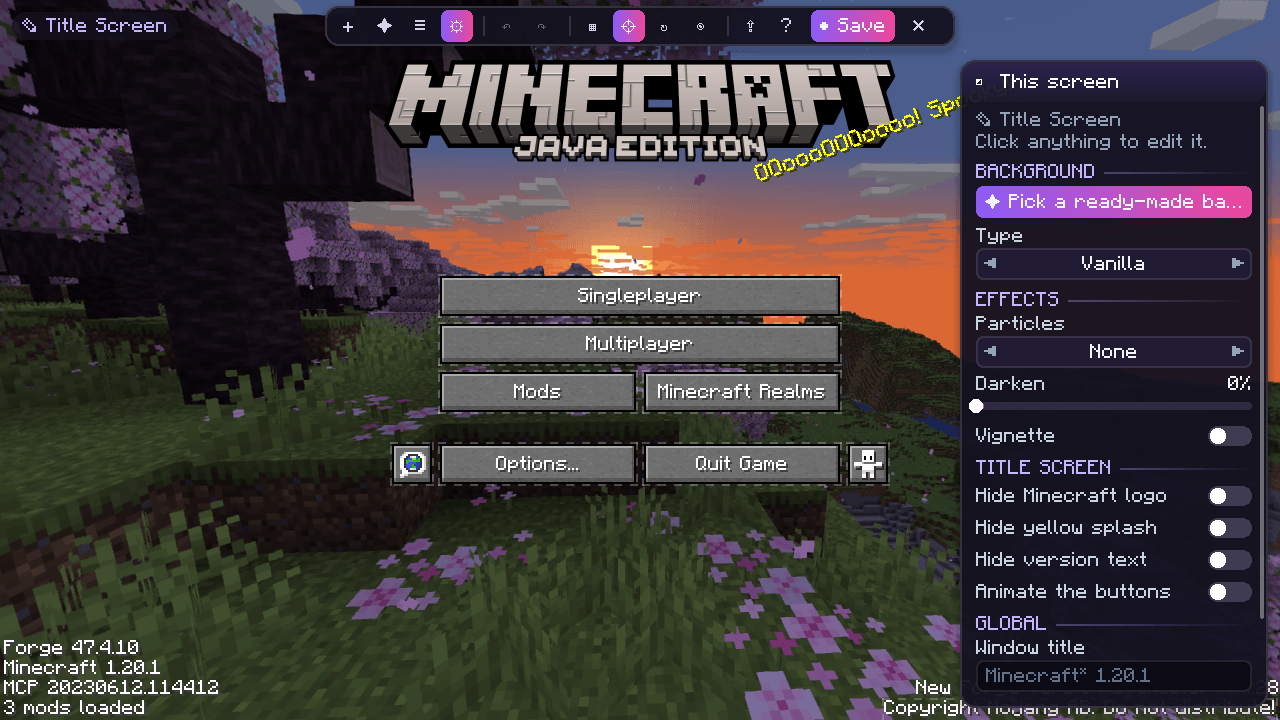
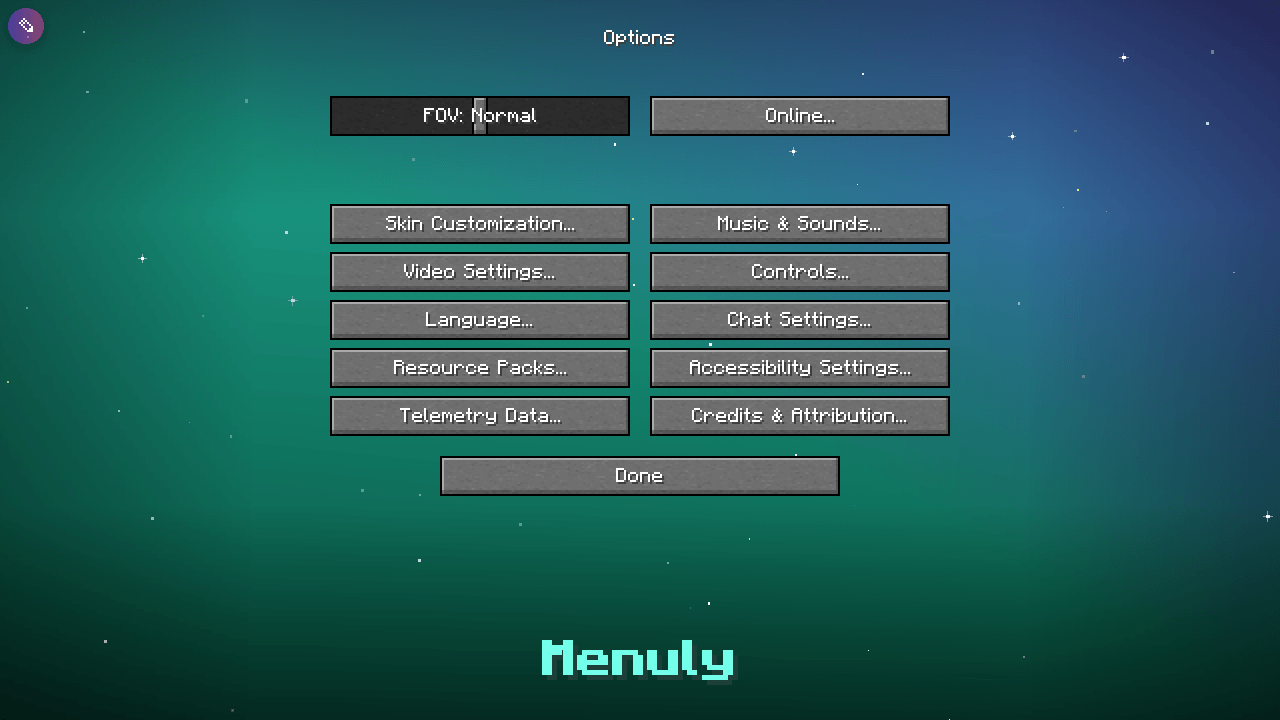
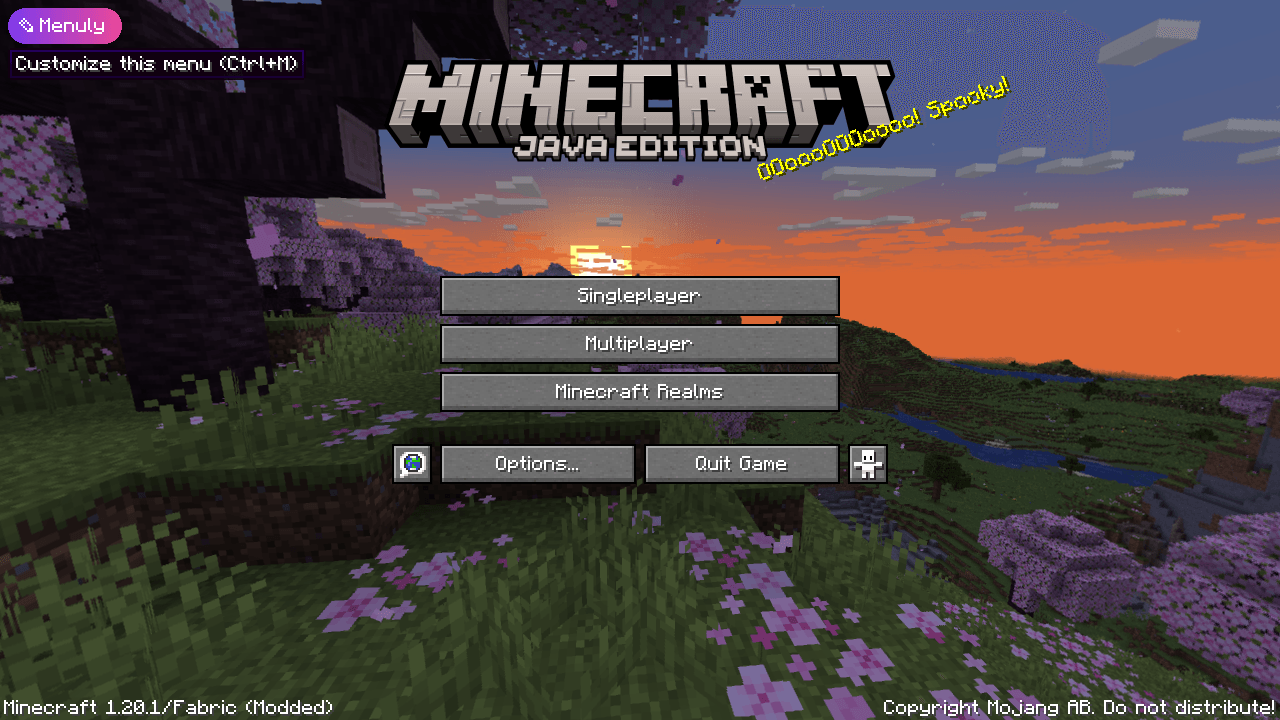
Menuly turns every Minecraft menu into a canvas. Open the title screen (or any screen!), press the little ✎ Menuly button in the corner and start designing — move buttons, add text, images, panels and animations, change the background… no config files, no scripting, no tutorials needed.
💡 If you ever got lost in a menu-customization mod, Menuly is for you: everything is visual, everything has a preview, and everything can be undone.
⚡ Get started in 10 seconds
- 🚀 Launch the game.
- ✎ Click the Menuly button in the top-left corner of the title screen (or press Ctrl + M on any menu).
- ➕ Click Add and pick an element — or apply a one-click template 🧩.
- 🖱️ Drag it where you want. Resize with the corner handles.
- 💾 Click Save. Done! 🎉
✨ Features
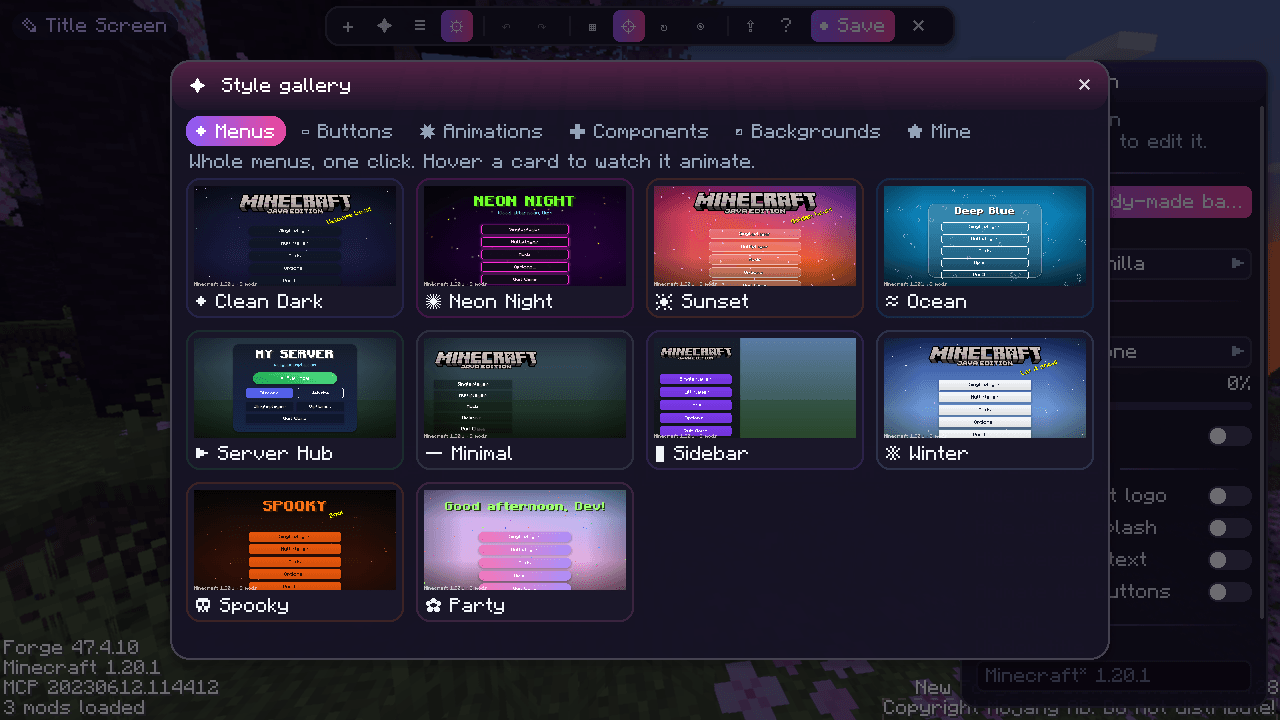
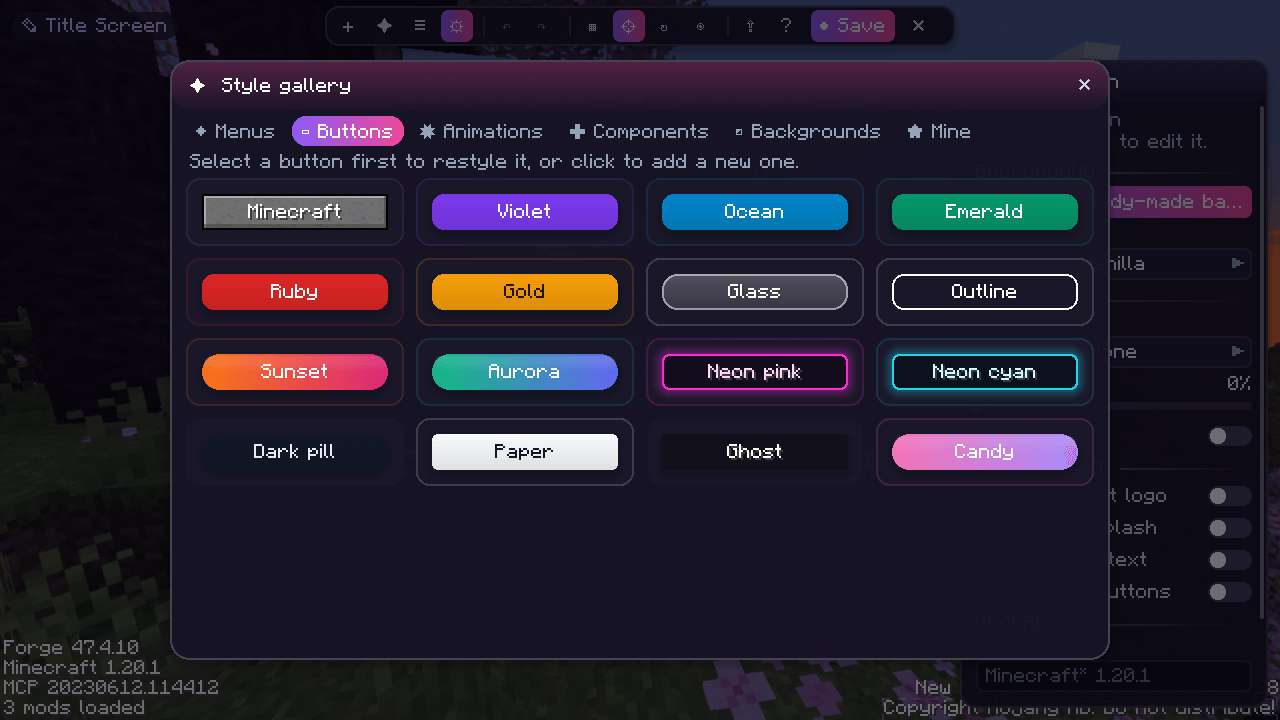
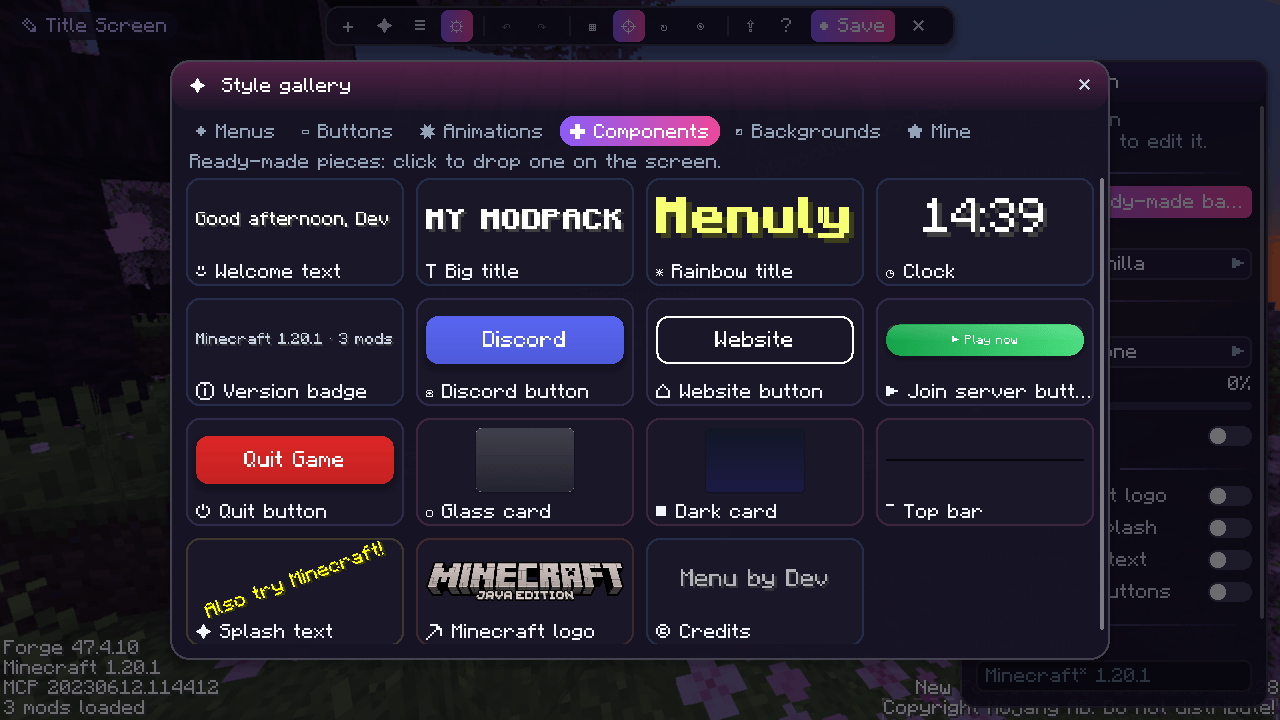
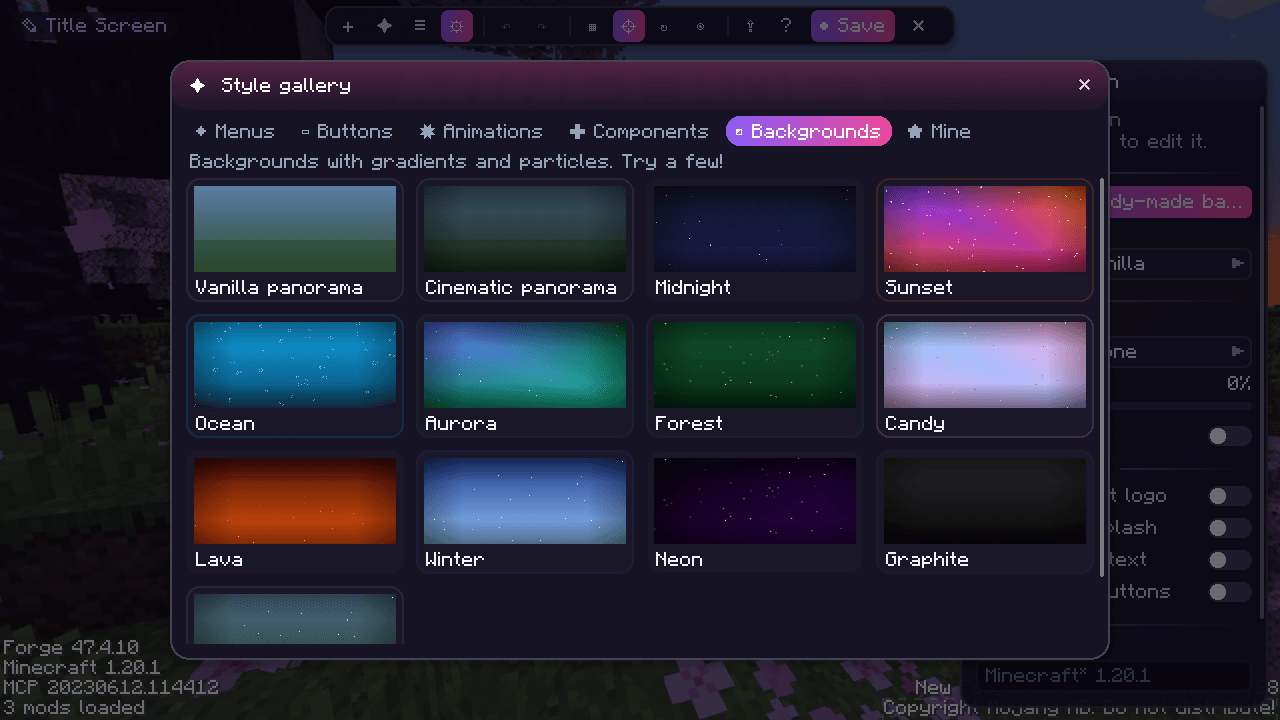
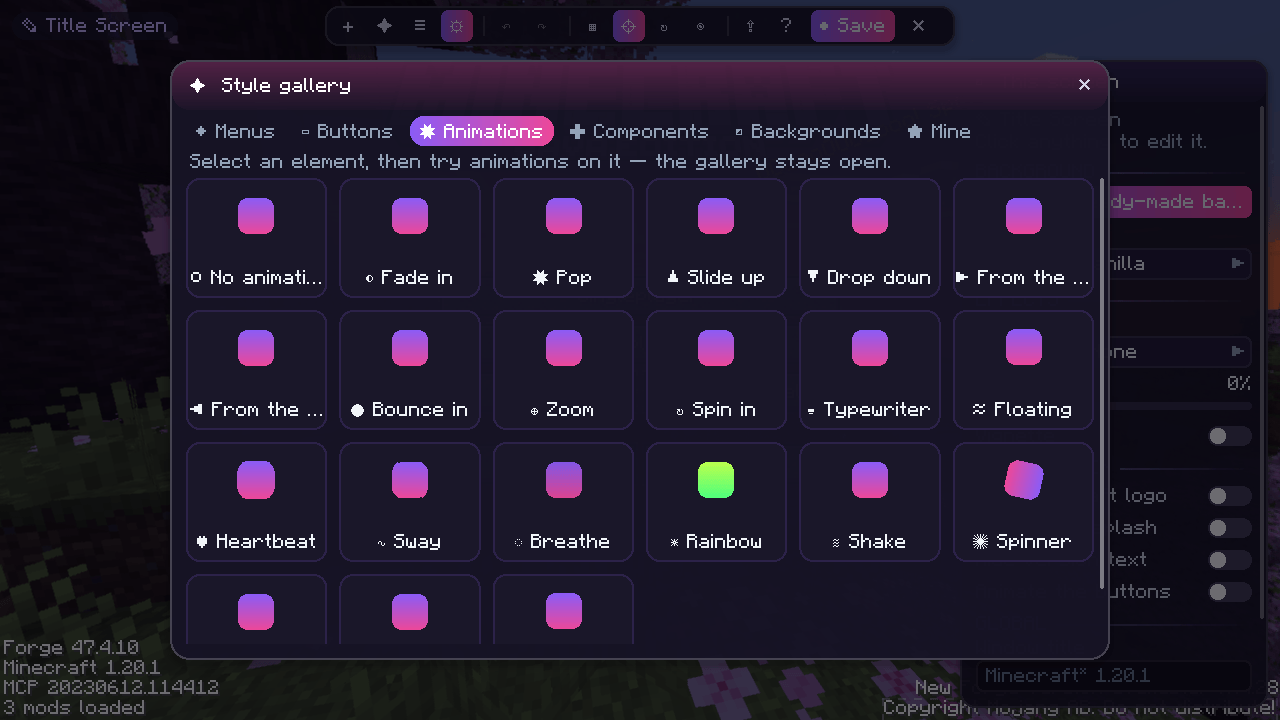
🎁 The Style Gallery — 75+ ready-made pieces to play with
Open ✦ Gallery in the editor and just click. Every card is a live, animated preview: hover it and watch it move!
| Tab | What’s inside |
|---|---|
| ◆ Menus | 10 complete title screens: Clean Dark, Neon Night, Sunset, Ocean, Server Hub, Minimal, Sidebar, Winter, Spooky, Party |
| ▭ Buttons | 16 button styles: Minecraft, Violet, Ocean, Emerald, Ruby, Gold, Glass, Outline, Sunset, Aurora, Neon pink, Neon cyan, Dark pill, Paper, Ghost, Candy |
| ✸ Animations | 21 animation presets: Pop, Bounce in, Spin in, Typewriter, Floating, Heartbeat, Sway, Rainbow, Shake, Hero… |
| ✚ Components | 15 ready-made pieces: Welcome text, Rainbow title, Clock, Discord / Website / Join-server buttons, Glass card, Top bar… |
| ◩ Backgrounds | 13 backgrounds with gradients and particles: Midnight, Sunset, Aurora, Ocean, Forest, Candy, Lava, Winter, Neon… |
| ★ Mine | Your own saved presets and templates — make a style once, reuse it everywhere |
🧪 Select a button and click styles one after another to try them; select anything and click animations to preview them instantly. Everything can be undone with Ctrl+Z.
🖌️ A visual editor that feels like a design app
- 🖱️ Drag & drop to move, corner handles to resize
- 🧲 Smart guides snap to the screen centre and to other elements
- ▦ Optional grid with snapping
- ↶ ↷ Unlimited undo / redo
- 📋 Copy, paste & duplicate
- 📚 Layers list — reorder, hide or lock any element
- 🎛️ A clean properties panel grouped in sections: General · Style · Action · Animation · Visibility
- ⚓ 3×3 anchor picker so your layout looks right on every window size
- ❓ Press F1 for a cheat-sheet of every shortcut
🧱 Elements
| Element | What it does | |
|---|---|---|
| 🔤 | Text | Multi-line, any color, size, shadow, alignment and live variables |
| 🖼️ | Image | Any PNG from config/menuly/images/ with opacity |
| 🔘 | Button | 6 styles (Vanilla, Flat, Glass, Outline, Gradient, Neon) + a click action |
| ▭ | Panel | Rounded rectangles, gradients and borders |
| 💬 | Splash | The classic bouncing yellow text — with your phrases |
| 🎞️ | Slideshow | Images that cross-fade automatically |
| ⛏️ | Minecraft logo | The original logo, now movable and scalable |
🔗 Button actions
🌐 Open a link · 🖥️ Join a server · 🧭 Open a screen (singleplayer, multiplayer, options, mods, language, resource packs) · 📋 Copy to clipboard · 📁 Open a folder · 💬 Run a command · 🚪 Quit the game
🧩 Vanilla buttons, your way
👁 Hide, ↔ move or ✏️ rename any vanilla (or modded!) button straight from the editor. Hidden buttons stay visible as ghosts while editing, so you never lose them.
🌄 Backgrounds
🟦 Solid color · 🌈 Gradient · 💫 Animated gradient · 🖼️ Image with mouse parallax · 🎞️ Image slideshow (with slow zoom) · 🌐 Custom panorama (6 images) · 🌀 Vanilla panorama ✨ Add particles on top: stars, snow, fireflies, bubbles, petals, embers, confetti — plus darken & vignette.
🎬 Animations everywhere
- Entrance (11): fade, slide up/down, from left/right, zoom, pop, bounce, spin, typewriter — with delay & duration
- Loop (7): float, heartbeat, sway, breathe, rainbow, shake, spin
- Hover (5): grow, glow, lift, shrink, wiggle
- The title screen’s own buttons can slide in one after another
- Even the editor is animated: panels slide, popups pop, cards bounce in 🎉
👁️ Smart visibility
Show elements only… 🕒 at certain hours · 🎃 on certain dates (Halloween! Christmas!) · 🧩 if a mod is installed · 🎲 with a random chance · 🖥️ on big windows
🔤 Text variables
{player} {greeting} {time} {date} {day} {fps} {mods} {version} {loader} {random:Hello|Hi|Hey} — and & colour codes like &l or &6. Click a chip in the editor to insert one.
📤 Share your designs
Copy a whole layout as a share code and paste it in another instance. Layouts are also plain JSON files in config/menuly/layouts/ — easy to ship in a modpack.
🪟 Extras
Custom window title · global on/off switch · works on any screen, including screens from other mods.
🆚 Why Menuly?
| Menuly | |
|---|---|
| 🧠 Learning curve | Minutes. Everything is on screen. |
| 🎨 Default look | Modern and polished out of the box |
| 🔁 Undo | Unlimited |
| 📐 Resolutions | Anchors + smart guides |
| 📦 Modpacks | Just copy config/menuly/ |
| 🪶 Performance | Only active on screens you customised |
📦 Requirements & compatibility
- ⛏️ Minecraft 1.20.1 · Forge 47+ or Fabric (+ Fabric API)
- 💻 Client-side only — not needed on servers
- 🤝 No dependencies
❓ FAQ
Can I use it in my modpack? ✅ Yes! Ship your config/menuly/ folder with it. Does it work with other mods’ screens? ✅ Yes, open the editor on any screen. I broke my menu! 😅 Open the editor and press Reset, or delete the file in config/menuly/layouts/. Forge or Fabric? ✅ Both! Same features, same layout files. NeoForge is on the roadmap 🗺️
💜 Made with love 💜
Found a bug or have an idea? Open an issue — feedback shapes the roadmap!
常见问题
Menuly 支持哪些 Minecraft 版本?
Menuly 支持 Minecraft Java 版 1.20.1,可用的加载器:Fabric / Forge。下载时注意选择和你游戏版本一致的文件。
Menuly 怎么安装?
先用 PCL2 或 HMCL 启动器安装对应版本的 Fabric / Forge,再把下载的 .jar 文件放进游戏目录的 mods 文件夹,重新启动游戏即可。开启了版本隔离的,mods 文件夹在 versions/版本名 下面。
tolivator 的其他作品
查看全部 →
Prizm shaders
Great shaders made for all type of computers to enjoy minecraft with amazing graphics.
New Horizons 3 [Horror]
A fog that swallows villages, a story told across 31 chapters and 377 quests, 17 NPCs, random encounters, living caves, mutants and giant dungeons. Will you answer when it calls your name?

LIFE IN THE OCEAN – [HORROR]
A perfect modpack for spending time with your friends building boats and using them for exploring a world with jumpscares and horror surprises.
Hollow dweller
A tall, pale horror that stalks your caves and watches your house at night. It hears chat, steps and voice chat, jump-scares you as it grabs you, drags you far away and may leave you hanging, bleeding. Rescue your friends.
评论
登录后评论和评分