
PortalHistory
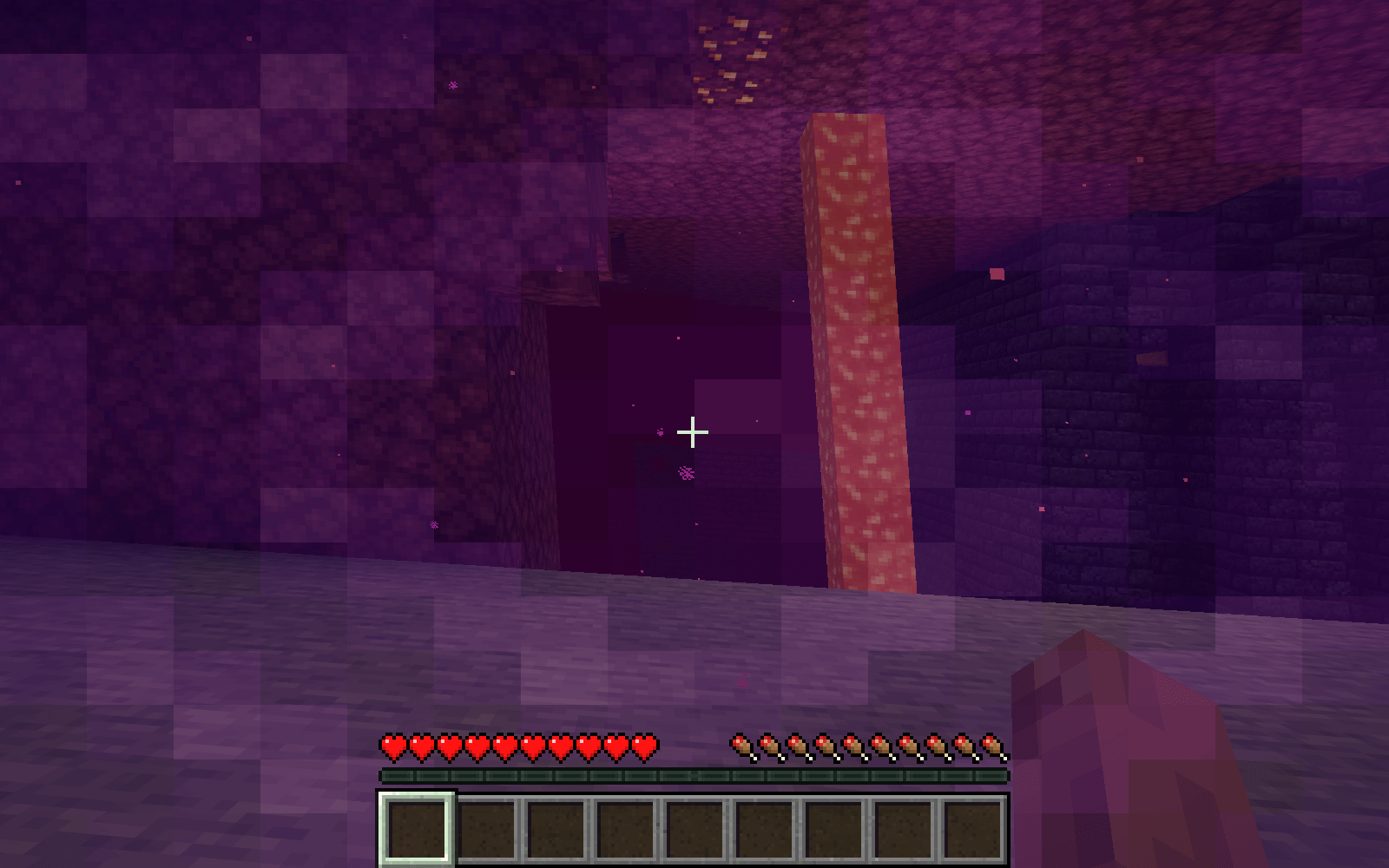
Remember the Nether portals you visit. Browse saved coordinates, rename locations, sort your history and copy coordinates with ease.
截图
介绍
PortalHistory
Never forget where your portals are.
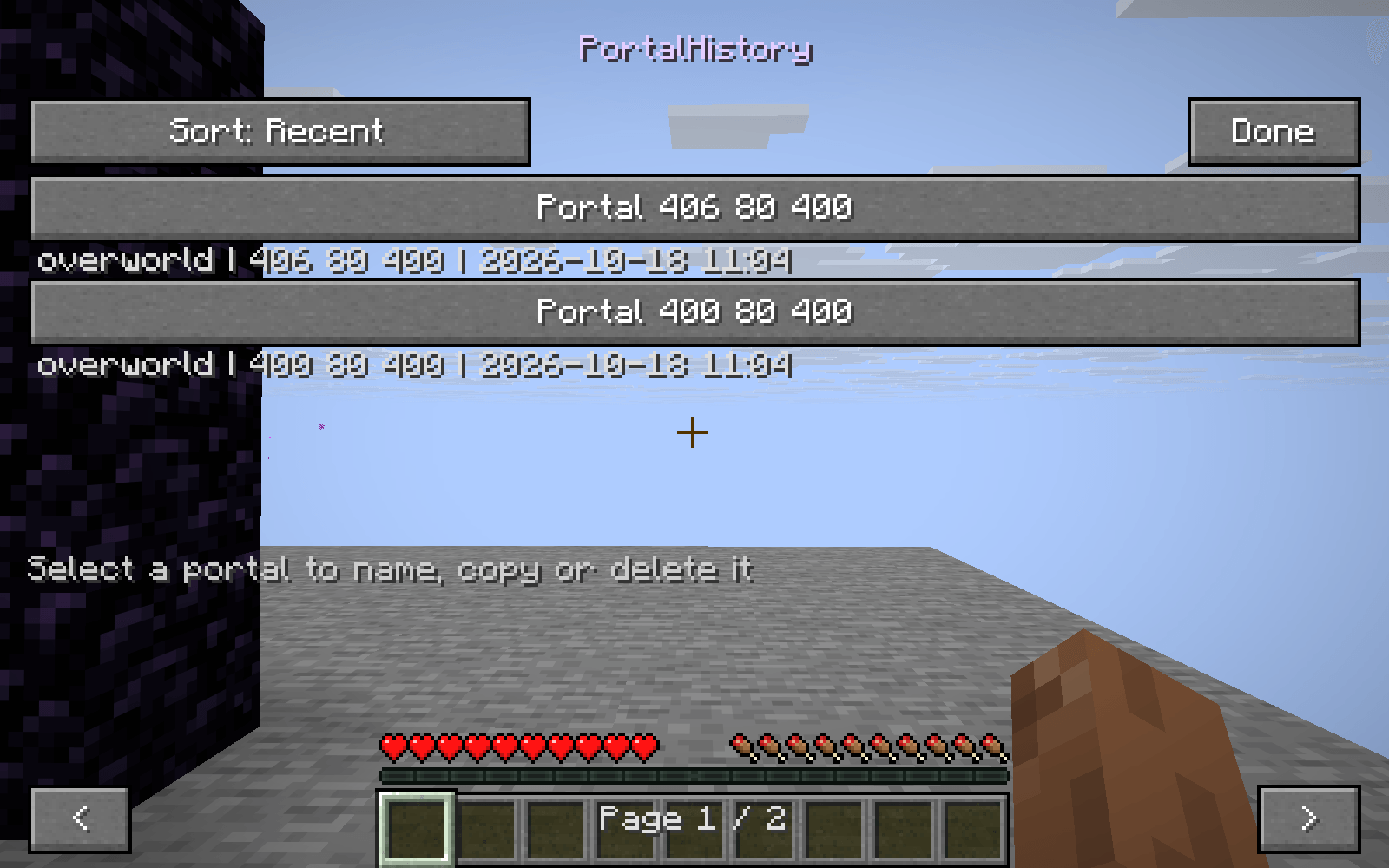
PortalHistory keeps a local history of the active Nether portals you enter. Each location includes its dimension, observed portal coordinates and last-visited time.
Your portal journal
- Automatically records portals you actually enter.
- Saves observed departure and arrival locations as separate records.
- Groups repeated visits to the same portal structure.
- Keeps separate histories for different saves and server endpoints.
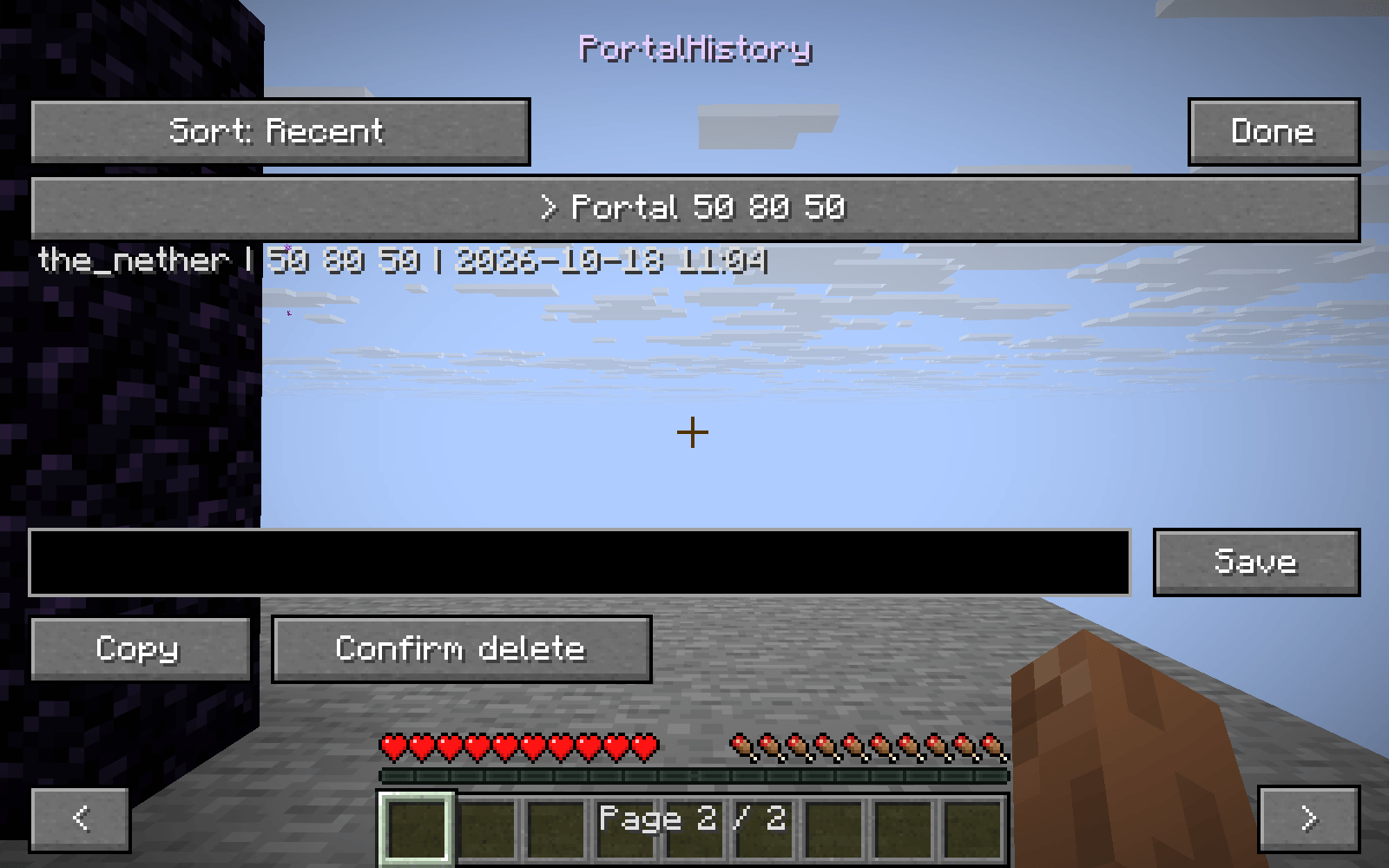
- Supports custom names, including Unicode lettering.
- Sorts by recent visit, dimension or name.
- Copies a selected portal’s coordinates to the clipboard.
- Offers confirmation before deleting a saved location.
Open your history
Use the small Portals button in your inventory. Select a location to give it a name, copy its coordinates or remove its record. Browse additional pages with the arrow buttons or mouse wheel.
Recorded locally
Your history stays on your computer and survives restarts. Locations come from portal blocks you actually intersect, with no guessed coordinate conversion or discovery of hidden portals.
A saved location is a record of a visit: it does not guarantee that the portal still exists or change where it leads.
常见问题
PortalHistory 支持哪些 Minecraft 版本?
PortalHistory 支持 Minecraft Java 版 26.3,可用的加载器:Fabric。下载时注意选择和你游戏版本一致的文件。
PortalHistory 怎么安装?
先用 PCL2 或 HMCL 启动器安装对应版本的 Fabric,再把下载的 .jar 文件放进游戏目录的 mods 文件夹,重新启动游戏即可。开启了版本隔离的,mods 文件夹在 versions/版本名 下面。
Fox_Studios_by_teolm30 的其他作品
查看全部 →
Ultra Shaders
目前优化效果最好的光影

Wearable Lantern
Wearable Lantern 在盔甲栏旁新增专用灯笼栏位,让你把原版灯笼挂在腰间,走到哪儿都能照亮周围。

Mine’s Minimap
一个 250×250 的实时小地图,显示附近地形、玩家、敌对生物和友好生物。你位于中心,是一个蓝色方向箭头。按 M 键切换显示。
Mine’s Minimap 2
The updated and supported version of Mine's Minimap, featuring a compact 380×380 live map, directional arrow, compass, coordinates, and layer-aware mob markers.
评论
登录后评论和评分