
Mine’s Minimap
A 250×250 live minimap showing nearby terrain, players, hostile mobs, and friendly mobs. You are a blue directional arrow at the center. Toggle it with M.
截图

介绍
Mine’s Minimap
Mine’s Minimap adds a live 250×250 minimap to the top-left corner of your screen, giving you a clear view of the surrounding terrain and nearby entities.
The player is shown as a blue directional arrow at the exact center of the map, continuously rotating to match the direction you are looking.
Nearby entities are displayed with simple colored markers:
- 🟡 Yellow: Other players
- 🔴 Red: Hostile mobs
- 🟢 Green: Friendly/passive mobs
The map continuously follows your movement while keeping your position centered, making it easy to quickly see what is around you without opening a full-screen map.
The goal is simple: a clean, lightweight minimap that gives you useful information without overwhelming your screen.
常见问题
Mine’s Minimap 支持哪些 Minecraft 版本?
Mine’s Minimap 支持 Minecraft Java 版 26.2–26.3,共 2 个版本,可用的加载器:Fabric。下载时注意选择和你游戏版本一致的文件。
Mine’s Minimap 怎么安装?
先用 PCL2 或 HMCL 启动器安装对应版本的 Fabric,再把下载的 .jar 文件放进游戏目录的 mods 文件夹,重新启动游戏即可。开启了版本隔离的,mods 文件夹在 versions/版本名 下面。
Fox_Studios_by_teolm30 的其他作品
查看全部 →
Ultra Shaders
The best optimized shaders

Wearable Lantern
Wearable Lantern adds a dedicated lantern slot next to your armor, letting you wear vanilla lanterns at your waist and carry their light wherever you go.
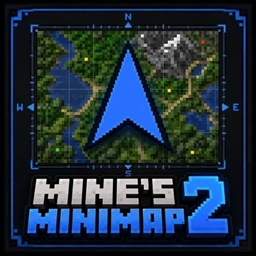
Mine’s Minimap 2
The updated and supported version of Mine's Minimap, featuring a compact 380×380 live map, directional arrow, compass, coordinates, and layer-aware mob markers.

AquaReal
Transform oceans, rivers and lakes with animated waves, angle-dependent reflections, depth-rich water and a calm underwater atmosphere.
评论
登录后评论和评分