
DUATAR: Private Message
Private Message A lightweight, letter-inspired private messaging system for Minecraft. Send private messages to online players through a simple interface and receive incoming messages as clickable letter notifications. Features
截图
介绍
DUATAR: Private Message
A lightweight, letter-inspired private messaging system for Minecraft. Send private messages to online players through a simple interface and receive incoming messages as clickable letter notifications.
Features
– Private player-to-player messaging
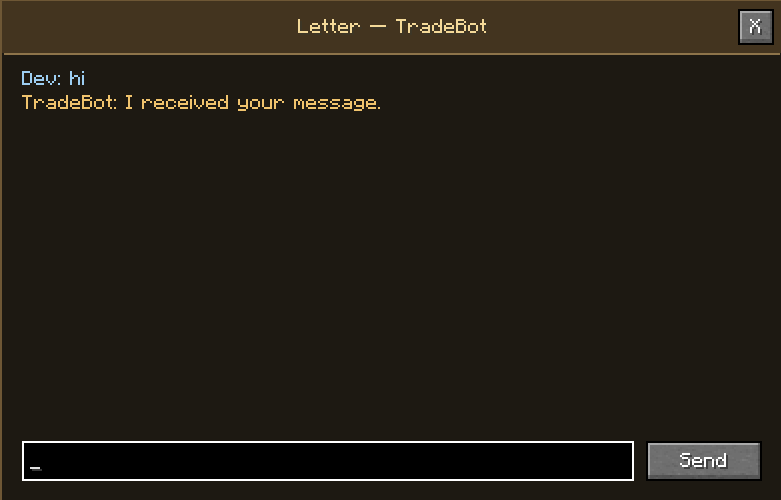
– Letter-style conversation window
– Incoming mail notifications on the HUD
– Separate notifications for multiple senders
– Server-side player validation
– Built-in message rate limiting
– Multiplayer and singleplayer support
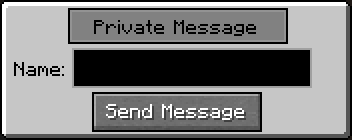
How to Send a Message
1. Press Z to open the Private Message menu.
2. Enter the exact username of an online player in the Name field.
3. Click Send Message.
4. The conversation window will open.
5. Write your message and click Send.
The Z key can be changed from Minecraft’s Controls menu.
How to Read Incoming Messages
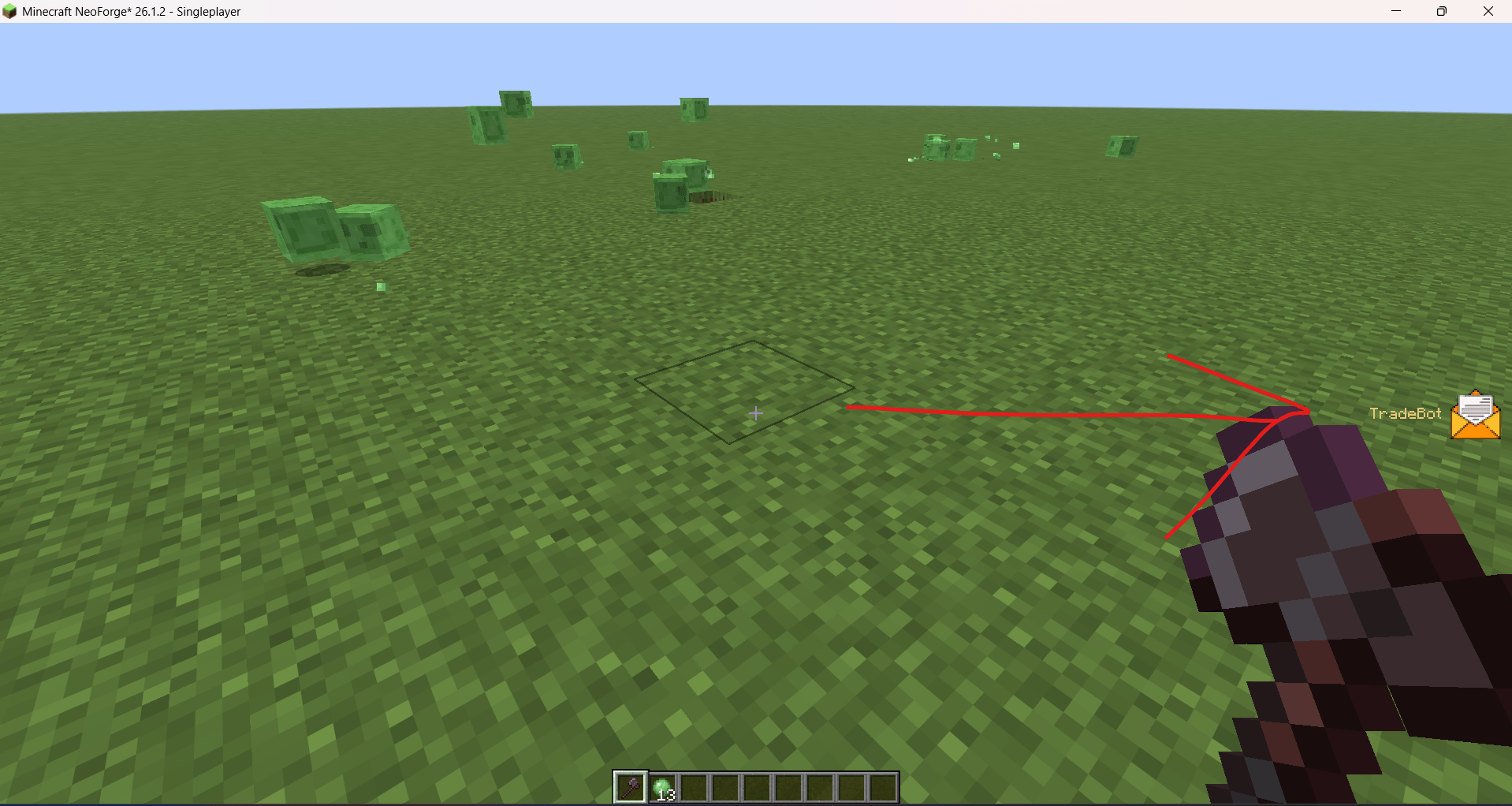
When another player sends you a message, a letter icon appears on the right side of the screen together with the sender’s name.
To open the message:
1. Open your inventory with E or open another menu to release the mouse cursor.
2. Click the letter icon.
3. The conversation with that player will open.
If multiple players message you, their letter notifications are displayed separately.
Requirements
– Minecraft 26.1.2
– NeoForge 26.1.2
– The mod must be installed on both the server and every connecting client.
Important Notes
– The recipient must be online.
– Offline message delivery is not currently supported.
– Conversation history is cleared when leaving the server.
– Messages are handled by the Minecraft server and are not end-to-end encrypted.
常见问题
DUATAR: Private Message 支持哪些 Minecraft 版本?
DUATAR: Private Message 支持 Minecraft Java 版 26.1.2,可用的加载器:NeoForge。下载时注意选择和你游戏版本一致的文件。
DUATAR: Private Message 怎么安装?
先用 PCL2 或 HMCL 启动器安装对应版本的 NeoForge,再把下载的 .jar 文件放进游戏目录的 mods 文件夹,重新启动游戏即可。开启了版本隔离的,mods 文件夹在 versions/版本名 下面。
Toxsin54 的其他作品
查看全部 →
DUATAR: Minimap & Map
A clean minimap and full-screen explored-world map with cave layers, coordinates, and map-only marks—without waypoints, radar, or navigation clutter.

DUATAR: Optimization
More FPS with async occlusion culling and faster vertex writes.

DUATAR: Private Trade
A secure, server-authoritative private trading system for Minecraft. Players can send timed trade requests and safely exchange items with each other.

DUATAR: Safeguard
Keep your inventory after death, prevent zero-durability items from breaking, and display exact durability values for vanilla and modded equipment.
评论
登录后评论和评分