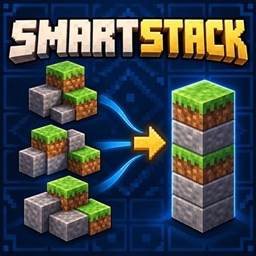
SmartStack
Combine compatible partial stacks with one inventory button. Free space while keeping unrelated items and your selected hotbar slot protected.
介绍
Make room without rearranging your whole inventory.
SmartStack adds a compact Combine Item Stacks button beside your inventory. Click once to merge compatible partial stacks into existing occupied slots.
Features
- Combine several item types in one operation.
- Preserve unrelated item positions and nonstackable equipment.
- Keep custom names, enchantments and other stack-sensitive components separate when they differ.
- Protect your selected hotbar slot by default.
- Optionally protect the entire hotbar.
- Keep armor, offhand, crafting slots and cursor-held items outside consolidation.
- Receive a subtle completion or interruption message.
Using SmartStack
Open your normal inventory and click the small merging-stacks button. Put down any cursor-held item first. Compatible stacks fill existing destinations up to their legal maximum size.
Each inventory interaction waits for confirmation. An interrupted operation can finish partially; SmartStack stops when the inventory state changes unexpectedly. Customized multiplayer rules may restrict the operation.
Created by Fox Studios by teolm30.
常见问题
SmartStack 支持哪些 Minecraft 版本?
SmartStack 支持 Minecraft Java 版 26.3,可用的加载器:Fabric。下载时注意选择和你游戏版本一致的文件。
SmartStack 怎么安装?
先用 PCL2 或 HMCL 启动器安装对应版本的 Fabric,再把下载的 .jar 文件放进游戏目录的 mods 文件夹,重新启动游戏即可。开启了版本隔离的,mods 文件夹在 versions/版本名 下面。
Fox_Studios_by_teolm30 的其他作品
查看全部 →
Ultra Shaders
目前优化效果最好的光影

Wearable Lantern
Wearable Lantern 在盔甲栏旁新增专用灯笼栏位,让你把原版灯笼挂在腰间,走到哪儿都能照亮周围。

Mine’s Minimap
一个 250×250 的实时小地图,显示附近地形、玩家、敌对生物和友好生物。你位于中心,是一个蓝色方向箭头。按 M 键切换显示。
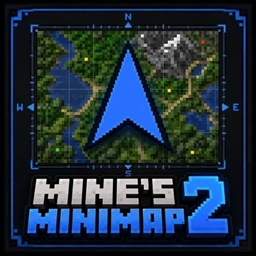
Mine’s Minimap 2
Mine's Minimap 的更新与支持版本,具有紧凑的 380×380 实时地图、方向箭头、指南针、坐标以及感知层级的生物标记。
评论
登录后评论和评分