
chest backpack hs
This is a vanilla-style backpack mod. You only need leather, copper ingots, and thread to make a backpack, which adds 27 inventory slots.
截图
介绍
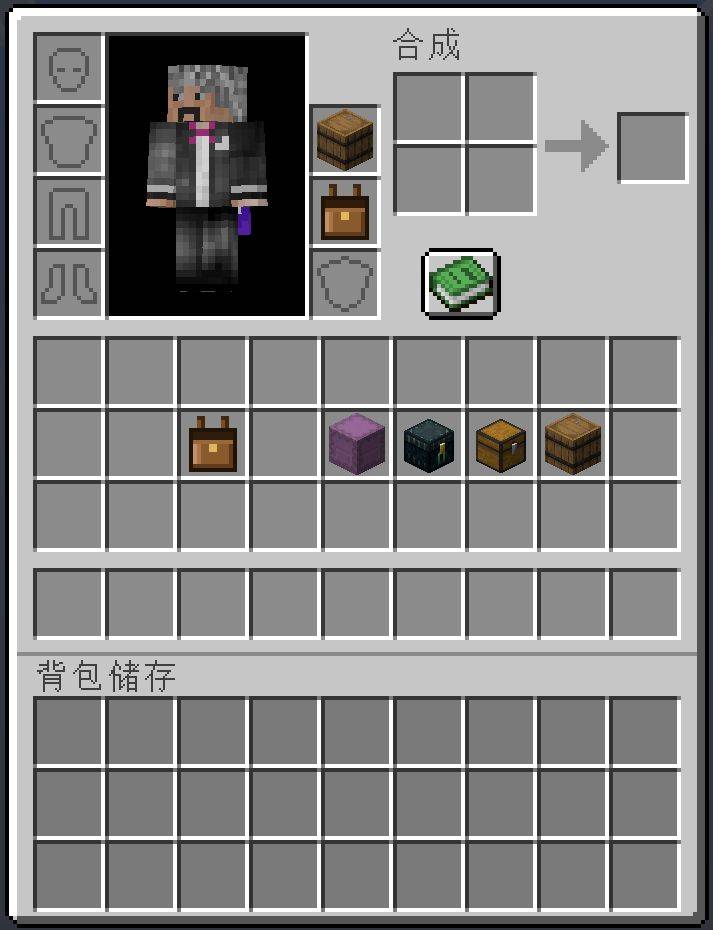
# Chest Backpack —— Minecraft 26.3
## What This Mod Does
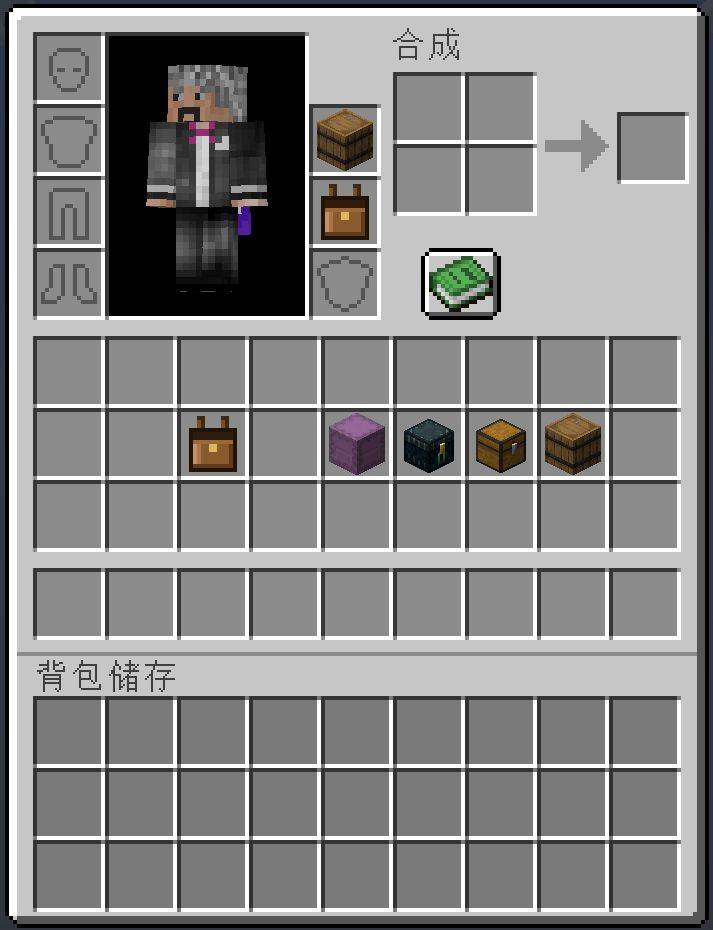
Adds two extra slots to the player inventory:
– **Bottom slot**: place this mod’s “Leather Backpack” (`chestbackpack:leather_backpack`).
– **Top slot**: place an Ender Chest / Shulker Box / Chest / Barrel.
Only **after wearing the backpack first and then attaching a container** will 27 extra storage slots (3×9) appear at the bottom of the inventory.
If you remove the container, these 27 slots immediately disappear.
## Installation
1. Install the prerequisites:
| Loader | Requirement |
|—|—|
| Fabric | Fabric Loader **0.19.5**, Fabric API **0.162.0 26.3** |
| NeoForge | NeoForge **26.3.0.67-beta** |
2. Put the jar for **your loader** into the game’s `mods` folder.
**Only install one**, don’t install both.
3. Requires **Java 25**.
## Usage
| Action | Effect |
|—|—|
| Open inventory (default E) | Two extra slots appear on the right |
| Place the “Leather Backpack” in the bottom slot | Backpack equipped |
| Place Chest / Barrel / Ender Chest / Shulker Box in the top slot | Container attached |
| Both in place | 27 extra storage slots appear at the bottom |
| Shift + left-click backpack | Quickly wear / remove |
Crafting recipe (Workbench):
“`
Leather Copper Ingot Leather
String String
“`
Also available directly in Creative Mode under “Tools & Utility Items”.
## Known Limitations
– The Creative Mode “Inventory” tab hides these two slots (vanilla rearranges them to avoid overlapping the hotbar).
– Shift-clicking items to move them in bulk into the new 27 slots is not supported.
– When opening other containers, the 27 slots are not synced.
– Items inside the expanded backpack **can** be recognized by the recipe book as ingredients, but **cannot** be used for crafting — attempting to craft will show: “Cannot craft using items from expanded backpack, please place items in player inventory.”
The text follows the game language: Chinese shows in Chinese, others show in English.
– In multiplayer, **both players must have the same version of the same loader installed**.
– Minecraft 26.3 itself has rendering glitches; the UI may display incorrectly, which is beyond the mod’s control.
在原版规则下合理扩大玩家背包:玩家先佩戴背包,然后就可以背负各种箱子。
| 项目 | 值 |
|---|---|
| 中文名 | 箱子背包 |
| 英文名 | Chest Backpack |
| 模组 ID | chestbackpack |
| 模组加载器 | NeoForge 与 Fabric(两个加载器都有,选一个装即可) |
| 适用游戏版本 | 1.21.1 / 1.21.11 / 26.1 / 26.2 / 26.3(详见下表) |
| 模组版本 | 1.0.0 |
| 作者 | 黑山大叔 |
| 产物文件名 | chestbackpack-neoforge-<游戏版本>-1.0.0.jarchestbackpack-fabric-<游戏版本>-1.0.0.jar |
直接到 Releases 页面下载对应版本的 jar。
装哪一个加载器? 你的整合包用 NeoForge 就下
neoforge那份,用 Fabric 就下fabric那份。 两个都装会冲突,同一时间只能装一个。
一份源码,五个版本,一次 -All 全出。
| 游戏版本 | NeoForge | Java | 产物 |
|---|---|---|---|
| 1.21.1 | 21.1.256 | 21 | chestbackpack-neoforge-1.21.1-1.0.0.jar |
| 1.21.11 | 21.11.45 | 21 | chestbackpack-neoforge-1.21.11-1.0.0.jar |
| 26.1 | 26.1.0.19-beta | 25 | chestbackpack-neoforge-26.1-1.0.0.jar |
| 26.2 | 26.2.0.88 | 25 | chestbackpack-neoforge-26.2-1.0.0.jar |
| 26.3 | 26.3.0.67-beta | 25 | chestbackpack-neoforge-26.3-1.0.0.jar |
编译版本必须跟实例里真正在跑的那个 NeoForge 对齐,不能图省事挑最新的。 26.1 就有过教训:曾按
26.1.2.114编译、丢进跑着26.1.0.19-beta的实例, 因为AvatarRenderStateModifier这个类 0.19 里还没有,直接NoClassDefFoundError崩在启动阶段。各实例versions/<版本>/<版本>.json里锁的是哪个 NeoForge,就按哪个编译(见build-mod.ps1里$TARGETS的注释)。Java 目标版本同样要对齐,而且它跟「游戏版本新旧」不呈单调关系: **1.21.11 是 Java 21,26.x 才是 Java 25。**曾经想当然把 1.21.11 标成 25, 编出来的 class 是 v69,启动直接
UnsupportedClassVersionError: class file version 69.0——模组在 pre-loading 阶段就废了,还会连带刷一屏Cowardly refusing to send event ... to a broken mod state, 真正的报错被淹在中间。判断依据有两条,都在本机可查: 实例 JSON 的javaVersion.majorVersion, 以及运行期那些 jar 的 class 文件版本(实测 1.21.11 全是 65、26.x 是 69)。还有一个坑:连 loader jar 也要挑对版本。1.21.11 用的是 loader
10.0.36(class v65),而loader-11.x/12.x是 v69。拿 v69 的 loader 配--release 21, javac 会报「类文件具有错误的版本 69.0, 应为 65.0」, 连@Mod/@EventBusSubscriber都解析不了(annotations 在 loader 里)。
功能在五个版本上完全一致。下面这份文档以 1.21.1 为主线描述, 跨版本的差异集中在「八、多版本适配」里。
尽量在原版规则下合理扩大玩家的背包。
流程就一句话:先佩戴背包,然后就可以背负各种箱子。
- 把 牛皮背包 放进背包界面新增的下面那个格子(佩戴)。
- 也可以手里拿着背包右键,或者在背包界面里 Shift 点击 它,直接穿上。
- 把 末影箱 / 潜影盒 / 箱子 / 木桶 放进上面的格子(背负)。
- 只能靠鼠标拖进去(见下面的说明)。
- 背包界面下方立刻多出 3×9 = 27 格储存。
- 容器一拿下来,多出来的 27 格立刻关闭。
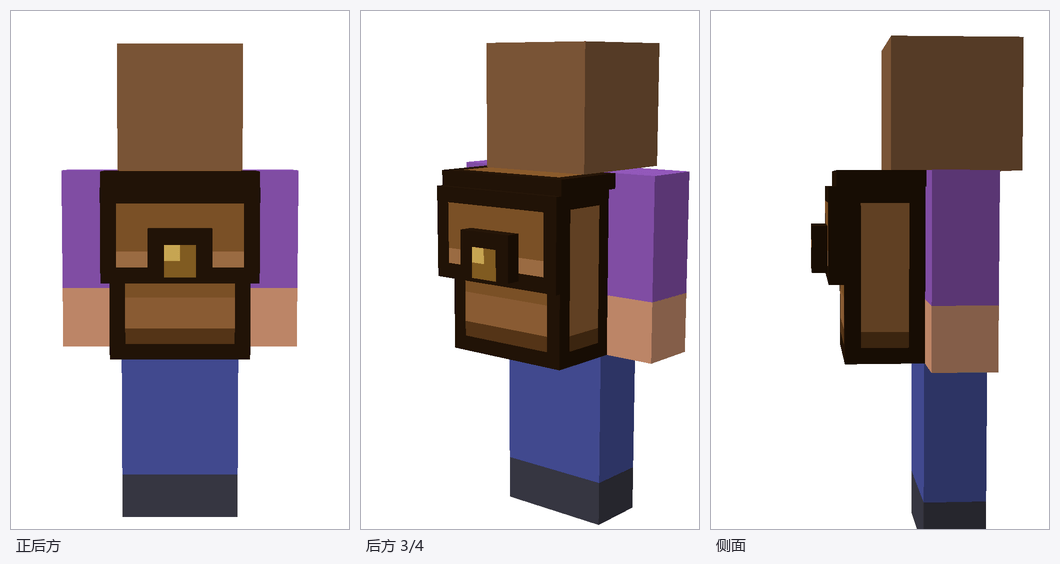
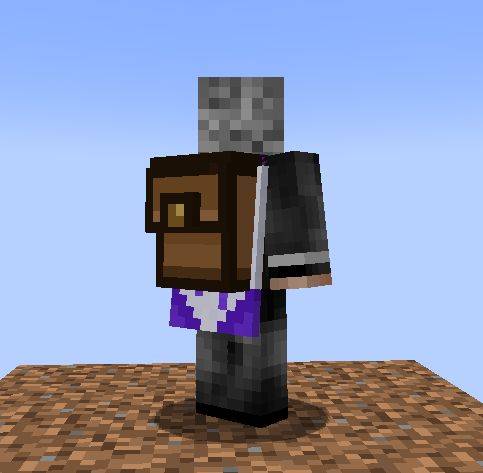
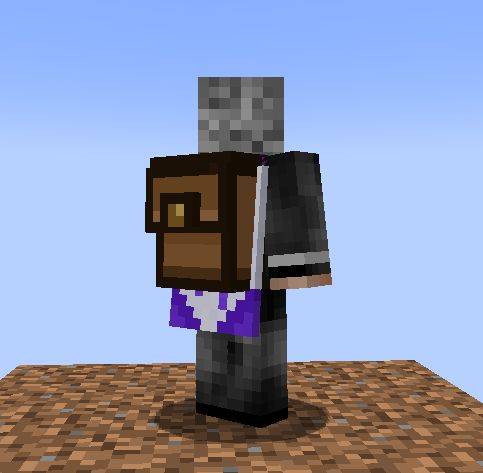
背上背包之后,玩家背后会出现一个 3D 背包(自己看第三人称、别人看你都可见)。
| 项目 | 说明 |
|---|---|
| 外形 | 4 个立方体:主体 + 包盖顶板 + 包盖垂片 + 铜扣 |
| 背带 | 没有(按需求去掉) |
| 配色 | 沿用锁定的物品图标 art/sel_B.png |
| 贴图 | textures/entity/backpack.png(64×64) |
| 挂点 | 玩家渲染器的 RenderLayer,跟着躯干走(潜行前倾也会跟) |
| 不显示的情况 | 隐形、穿鞘翅 |
模型不做自己的动画 —— 硬壳背包跟着躯干就够了。走路时躯干的摆动会带着它一起动, 转头、摆手臂则不会。
| 拖进格子 | 手里右键 | Shift 点击 | |
|---|---|---|---|
| 背包 | ✅ | ✅ | ✅ |
| 容器(箱子/木桶/潜影盒/末影箱) | ✅ | ❌ | ❌ |
为什么容器不开放右键和 Shift 点击:容器那四样都是方块物品, 右键本来是要放置方块的,Shift 点击本来是要在原版背包里快速移动的。 让模组去抢这两个动作,就会跟”想放方块””想整理背包”打架。 只留拖拽这一条路,意图最明确,也不会误触。
容器的落点判定仍然照旧:必须先背着背包,否则拖不进去, 并提示「先佩戴背包,才能背负容器。」
| 规则 | 表现 |
|---|---|
| 容器必须先有背包 | 没背背包时,容器拖不进去(提示「先佩戴背包,才能背负容器。」)。 |
| 摘背包前必须先摘容器 | 容器还挂着时,背包拿不下来(提示「先卸下容器,才能拿下背包。」)。 |
| 箱子/木桶没清空不许卸 | 提示「清空普通箱子和木桶才能拿下背包与容器。」 |
三条都写在 Slot.mayPickup / mayPlace 里,所以所有取出与放入路径 (左键拿起、Shift 快移、Q 丢弃、数字键交换、拖拽)都会被统一挡住, 不存在哪条漏网。
| 操作 | 说明 |
|---|---|
| 拖进格子 | 原版方式,一直可用。 |
| 手里拿着右键 | 只取 1 个。 |
| 在背包界面 Shift 点击 | 物品栏里的背包直接穿到下面那格。 |
右键为什么不会和”放方块”打架:原版只有在没瞄准任何方块(对着空气)时 才会走到 Item#use 这条路径,也就是 PlayerInteractEvent.RightClickItem 触发的地方。一旦瞄着方块,客户端走的是 useItemOn 分支, 根本不会触发这个事件。不过这条对背包其实无所谓 —— 背包不是方块物品, 本来就没有”放置”可言。真正需要避开这个冲突的是容器,而容器已经不给右键了。
工作台中,左右两个牛皮、中间 1 个铜锭,牛皮下各有一格线:
常见问题
chest backpack hs 支持哪些 Minecraft 版本?
chest backpack hs 支持 Minecraft Java 版 1.21–26.3,共 6 个版本,可用的加载器:Fabric / NeoForge。下载时注意选择和你游戏版本一致的文件。
chest backpack hs 怎么安装?
先用 PCL2 或 HMCL 启动器安装对应版本的 Fabric / NeoForge,再把下载的 .jar 文件放进游戏目录的 mods 文件夹,重新启动游戏即可。开启了版本隔离的,mods 文件夹在 versions/版本名 下面。
bwzzgo 的其他作品
查看全部 →
Custom cover image
This tool helps you take screenshots for custom save covers in games.

Iron Farm Design Wheelchair
Brings iron farm logic into the game: three overhead icons tell you at a glance whether a villager can spawn a golem, right-click shows the full status, and the statistics tab tells you what is blocking it.

Villager Breeding Watch
Observe the villagers' breeding information to figure out the cause of any breeding abnormalities.
SwiftMap
SwiftMap is a Minecraft minimap / world map mod built around two goals: fast rendering and low resource usage.
评论
登录后评论和评分