
截图
介绍
This tool helps you take screenshots for custom save covers in games.
Usage
================================================================
1. Enter a single-player save.
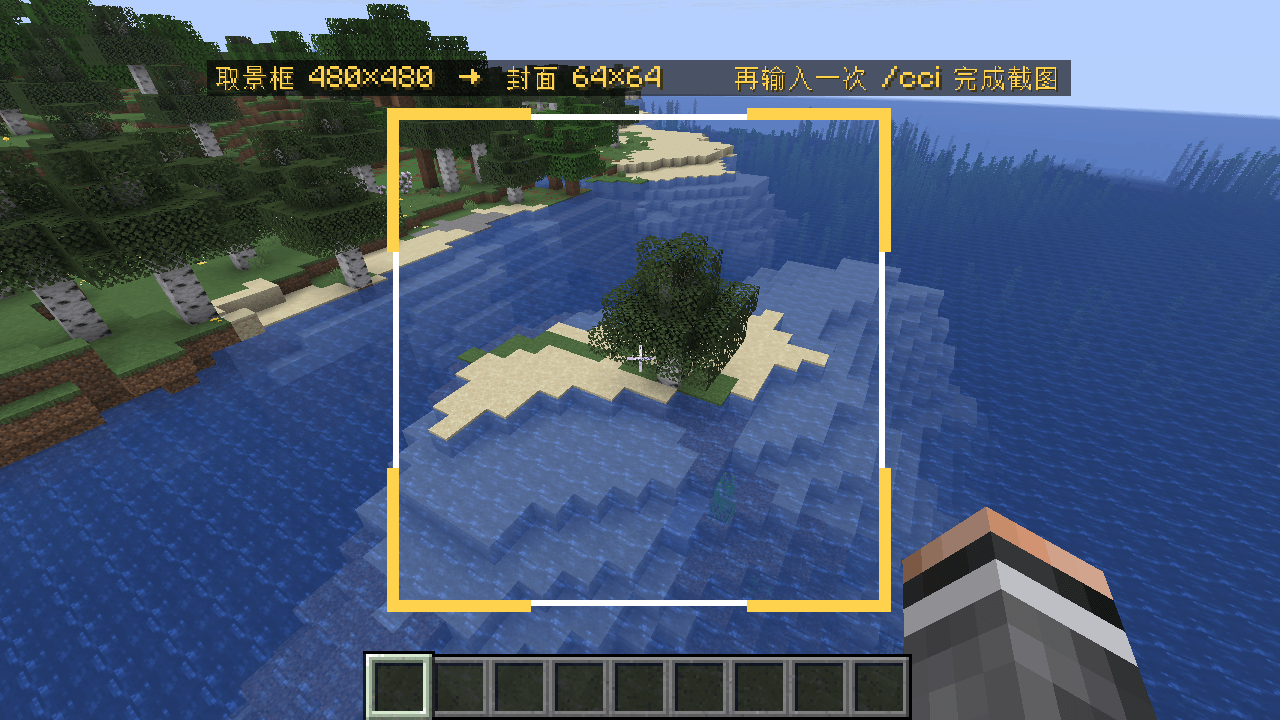
2. Type /cci for the first time — a 480×480 viewfinder appears in the center of the screen.
3. Move the camera freely and put the scene you want as the cover inside the frame.
4. Type /cci a second time — it automatically takes a screenshot, scales it down to 64×64, saves it to the save file, and closes the viewfinder.
5. When the chat says “Cover updated,” it’s done.
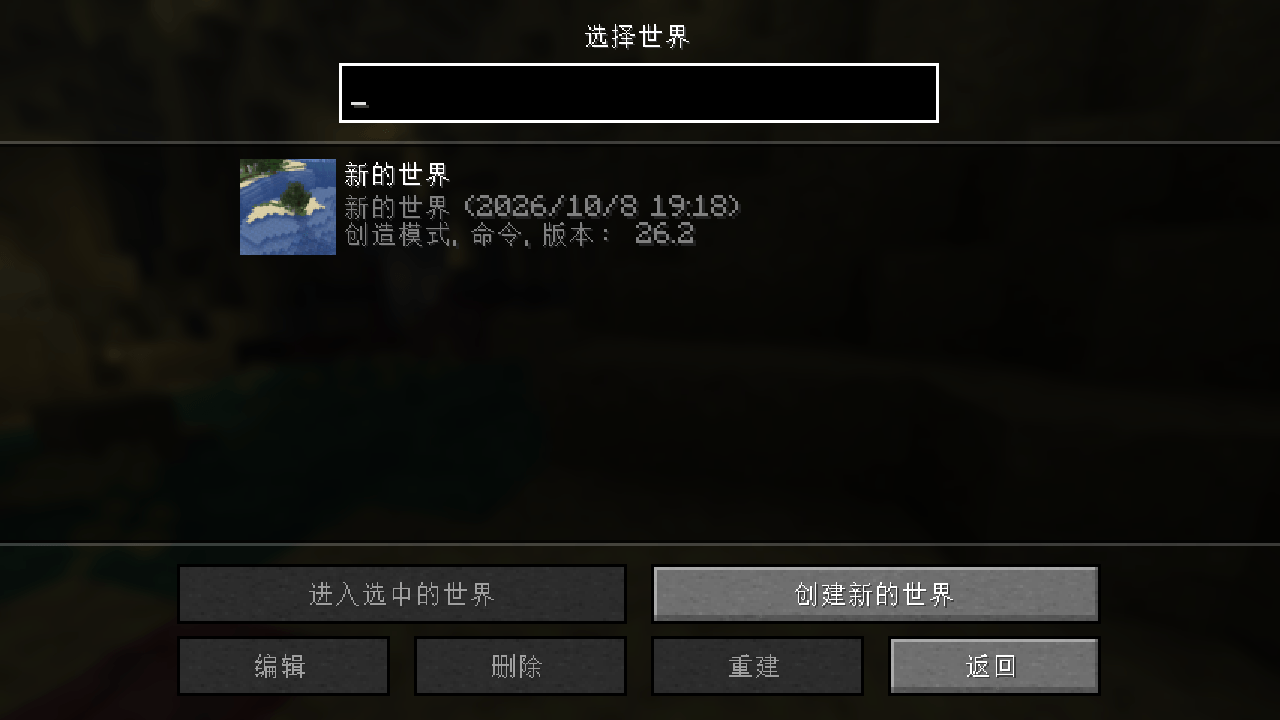
6. Go back to the title screen, open “Single Player,” and the save list will show the new cover.
7. /cci cancel can be used to cancel framing (without taking a screenshot).
Limitations: Can only be used on single-player saves; the cover will directly overwrite icon.png in the save directory, so make a backup yourself.
用法
================================================================
1. 进入一个单人存档。
2. 第一次输入 /cci —— 屏幕中央出现 480×480 取景框。
3. 自由移动视角,把想当封面的画面放进框内。
4. 第二次输入 /cci —— 自动截图、面积平均缩放到 64×64 写入存档,取景框关闭。
5. 聊天栏提示「封面已更新」即成功。
6. 退回标题界面打开「单人游戏」,存档列表就会显示新封面。
7. /cci cancel 可以取消取景(不截图)。
限制:只能在单人存档使用;封面会直接覆盖存档目录下的 icon.png,请自行备份。
常见问题
Custom cover image 支持哪些 Minecraft 版本?
Custom cover image 支持 Minecraft Java 版 1.21.1–26.3,共 4 个版本,可用的加载器:Fabric / NeoForge。下载时注意选择和你游戏版本一致的文件。
Custom cover image 怎么安装?
先用 PCL2 或 HMCL 启动器安装对应版本的 Fabric / NeoForge,再把下载的 .jar 文件放进游戏目录的 mods 文件夹,重新启动游戏即可。开启了版本隔离的,mods 文件夹在 versions/版本名 下面。
评论
登录后评论和评分