
Show Me ID
Instant ID reference in chat, hotbar HUD badges, and clipboard block state copying.
截图
介绍
ShowMeID
Legacy numeric IDs, IDs names, and Copy block state for Minecraft Fabric.
Instant ID reference in chat, hotbar HUD badges, and clipboard block state copying.


Overview
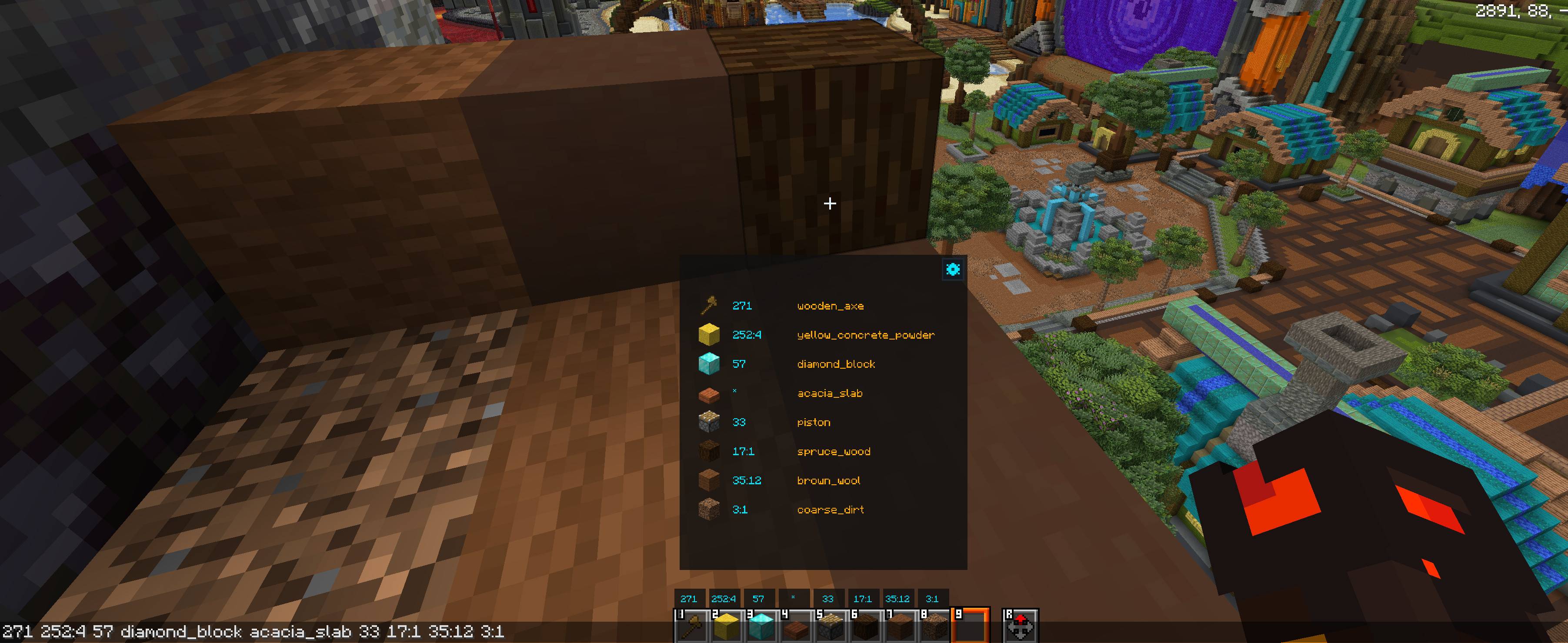
ShowMeID is a client-side Fabric mod that brings legacy numeric item IDs alongside identifier names. It integrates into the chat screen with an search overlay, displays ID badges above your hotbar slots, and lets you copy looking-at block states directly to your clipboard (Useful for WorldEdit).
Works in both Creative and Survival modes, as well as on multiplayer servers.
Features
- Catalog: The item list by ID.
- Dual-ID: View both legacy numeric IDs and name identifiers at a glance.
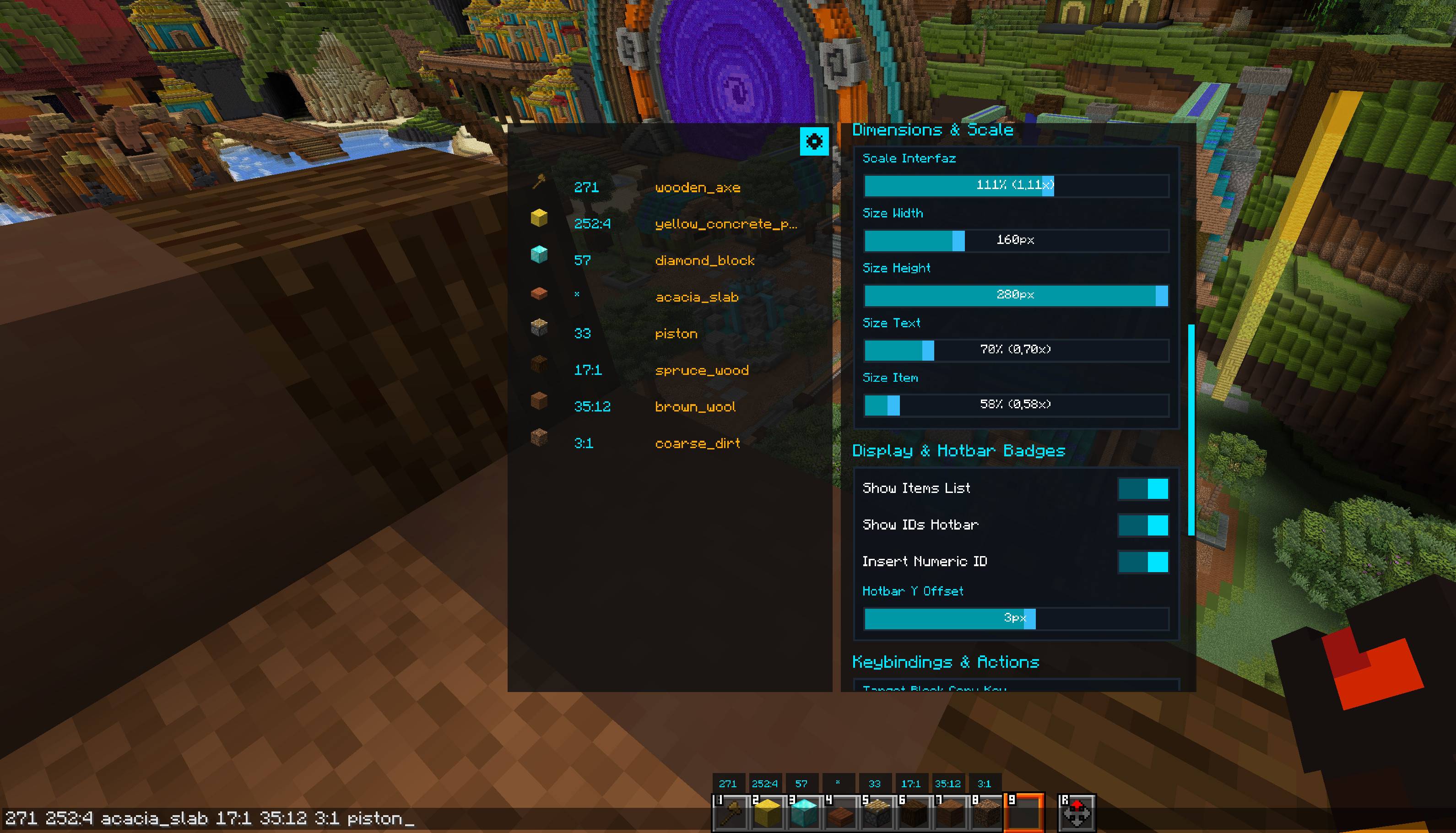
- Customizable UI: Adjust interface scale, badge vertical offset, opacity, and colors in the built-in Config panel.
Chat Overlay & Quick Insertion
- Chat Screen: Opens seamlessly whenever you open the chat screen.
- Click Insertion: Click any item from the catalog or hotbar row to insert its ID into your chat input.
- Dual-Action Clicking: Left-click inserts ID numeric format. Right-click inserts the name ID.
- Insertion Toggle: Easily switch the default left-click insertion mode between numeric ID and modern name in Config.
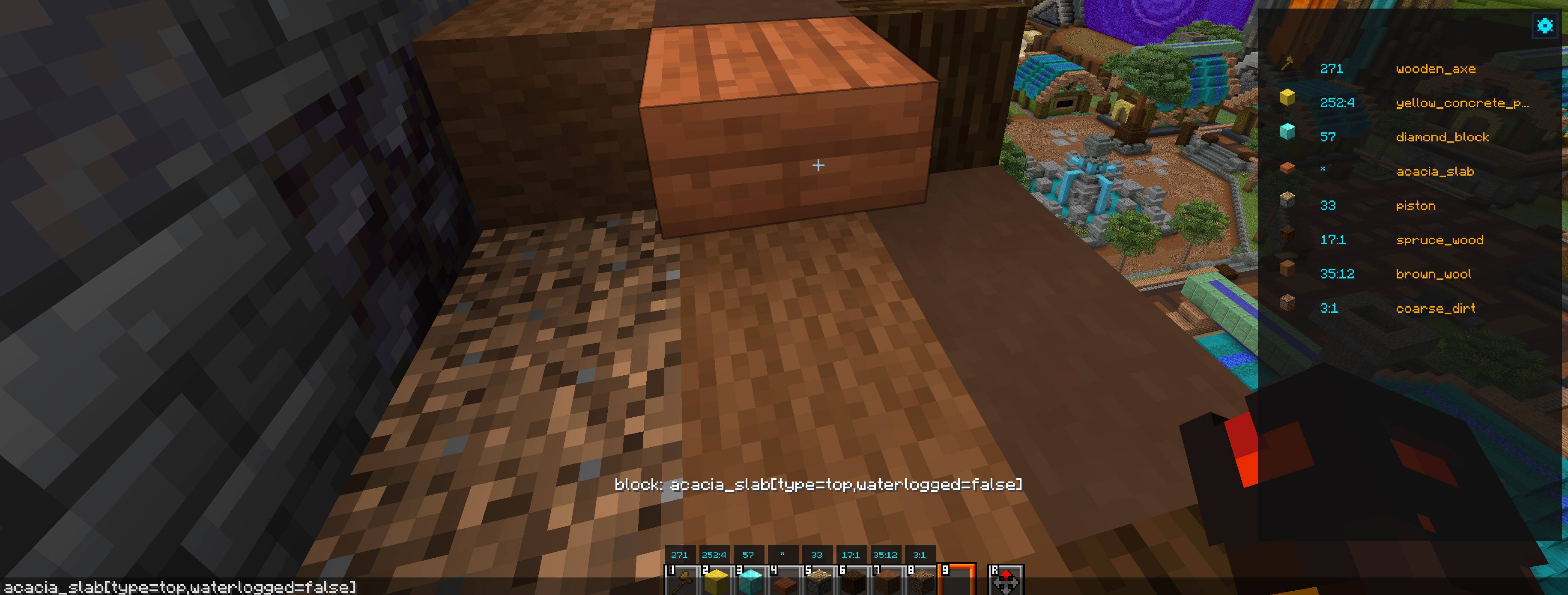
Block State Inspector & Clipboard Copy
- Target Block Detection: Look at any block in the world and press
Numpad 0(configurable) to copy the block identifier and block state properties (e.g.,oak_slab[type=bottom,waterlogged=false]) to your clipboard.
Essential Controls
| Shortcut / Action | Action |
|---|---|
T |
Open Chat & ShowMeID Overlay |
Left Click |
Insert configured ID numeric into chat |
Right Click |
Insert name ID into chat |
Ctrl + 1 – Ctrl + 9 |
Quick-insert hotbar slot 1–9 ID into chat |
Numpad 0 |
Copy targeted block name and block state to clipboard |
Drag Header |
Move overlay window to any screen position |
📥 Installation
- Install Fabric Loader.
- Put Fabric API in your
.minecraft/modsfolder. - Drop the ShowMeID
.jarinto.minecraft/mods. - Open chat in-game to access the overlay, or aim at a block and press
Numpad 0.
Client-side only — works on multiplayer servers without server installation.
常见问题
Show Me ID 支持哪些 Minecraft 版本?
Show Me ID 支持 Minecraft Java 版 26.2–26.3,共 2 个版本,可用的加载器:Fabric。下载时注意选择和你游戏版本一致的文件。
Show Me ID 怎么安装?
先用 PCL2 或 HMCL 启动器安装对应版本的 Fabric,再把下载的 .jar 文件放进游戏目录的 mods 文件夹,重新启动游戏即可。开启了版本隔离的,mods 文件夹在 versions/版本名 下面。
PrimityArtur 的其他作品
查看全部 →
Item Organizer
A visual inventory and palette manager. Sort blocks and items by chromatic color gradient, manage hotbar palettes, and customize your creative workflow.

Command Macros Wheel
Customizable radial macro wheel. Quick command execution, multi-layered wheel HUD, and built-in macro manager.
评论
登录后评论和评分