
Command Macros Wheel
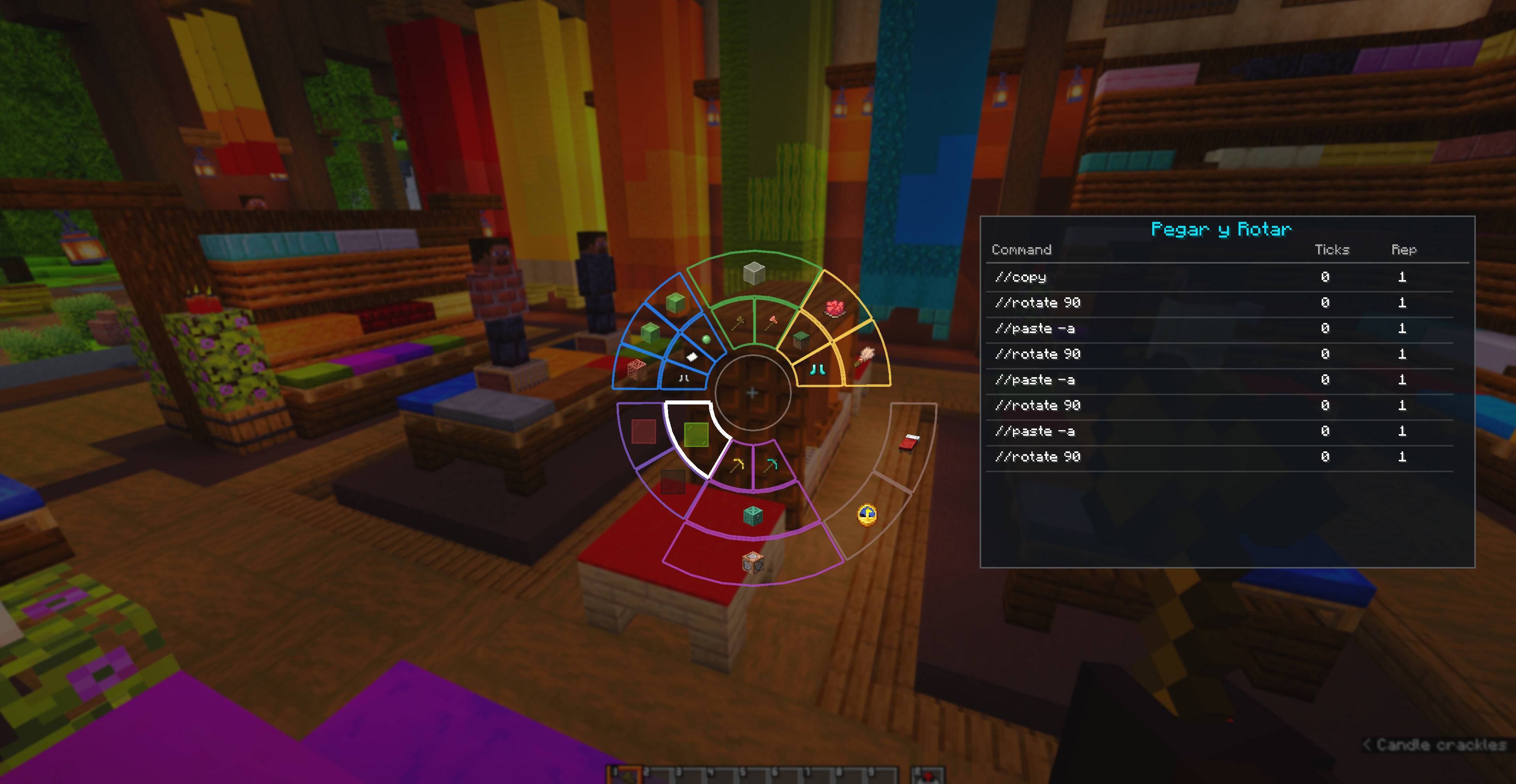
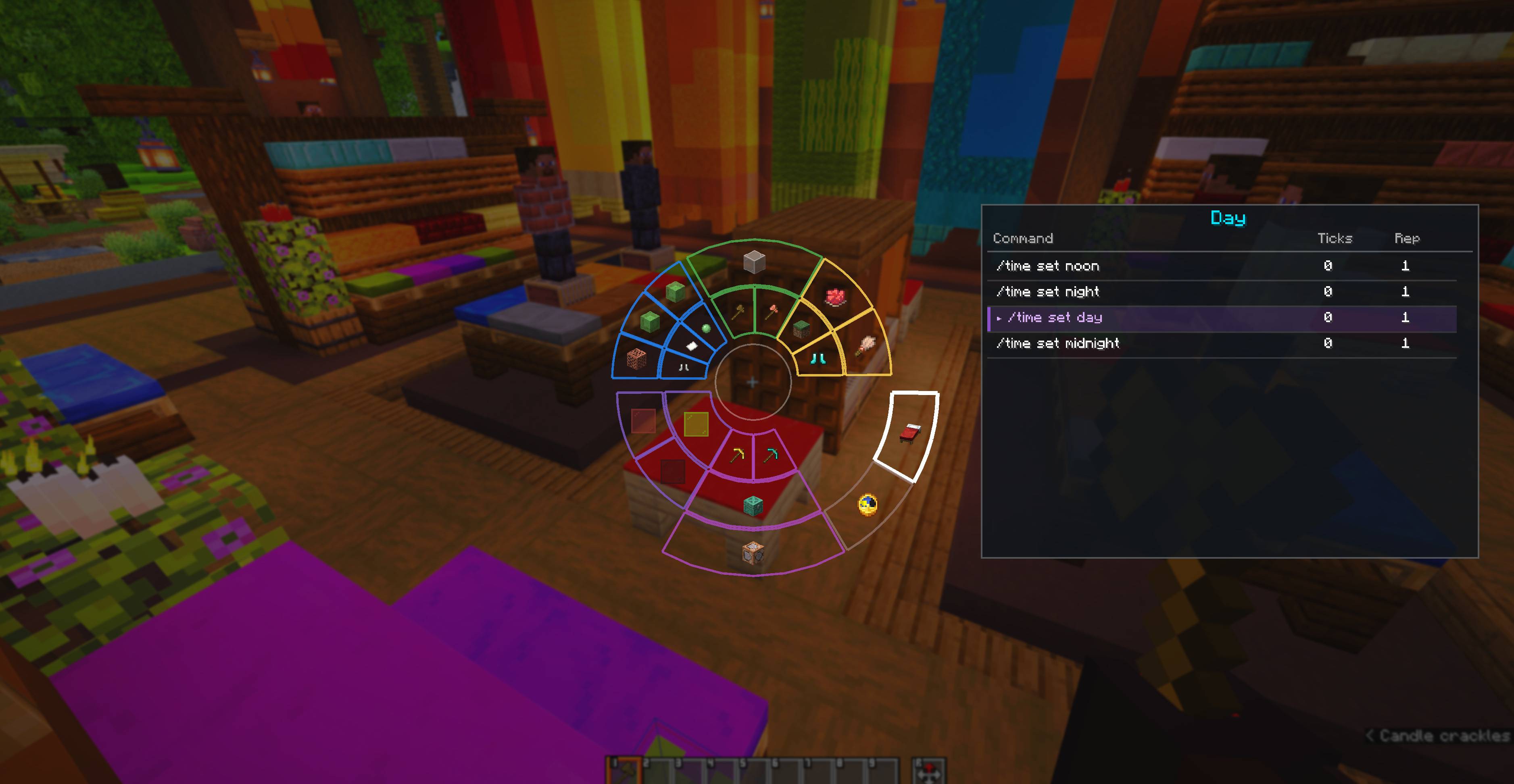
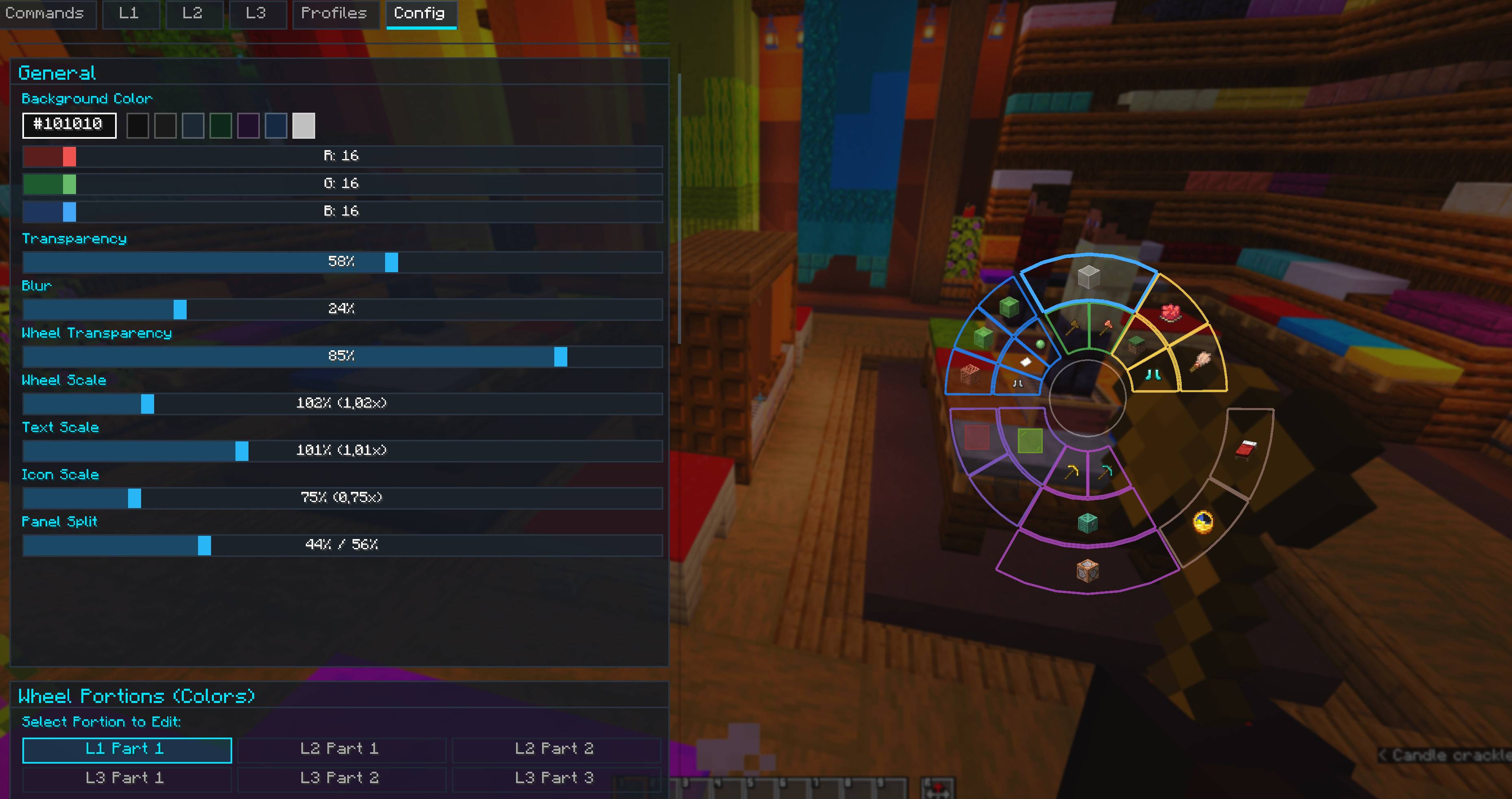
Customizable radial macro wheel. Quick command execution, multi-layered wheel HUD, and built-in macro manager.
截图
介绍
CommandMacrosWheel
Customizable radial macro wheel for Minecraft Fabric.
Quick command execution, multi-layered wheel HUD, and built-in macro manager.


Overview
CommandMacrosWheel is a client-side Fabric mod that adds an interactive radial wheel interface to organize and trigger Minecraft commands, chat messages, and macro sequences with ease.
Works in both Creative and Survival modes, as well as on multiplayer servers.
Features
- Radial HUD: Hold a key to open a responsive radial wheel overlay with smooth animations, custom colors, and instant macro triggers.
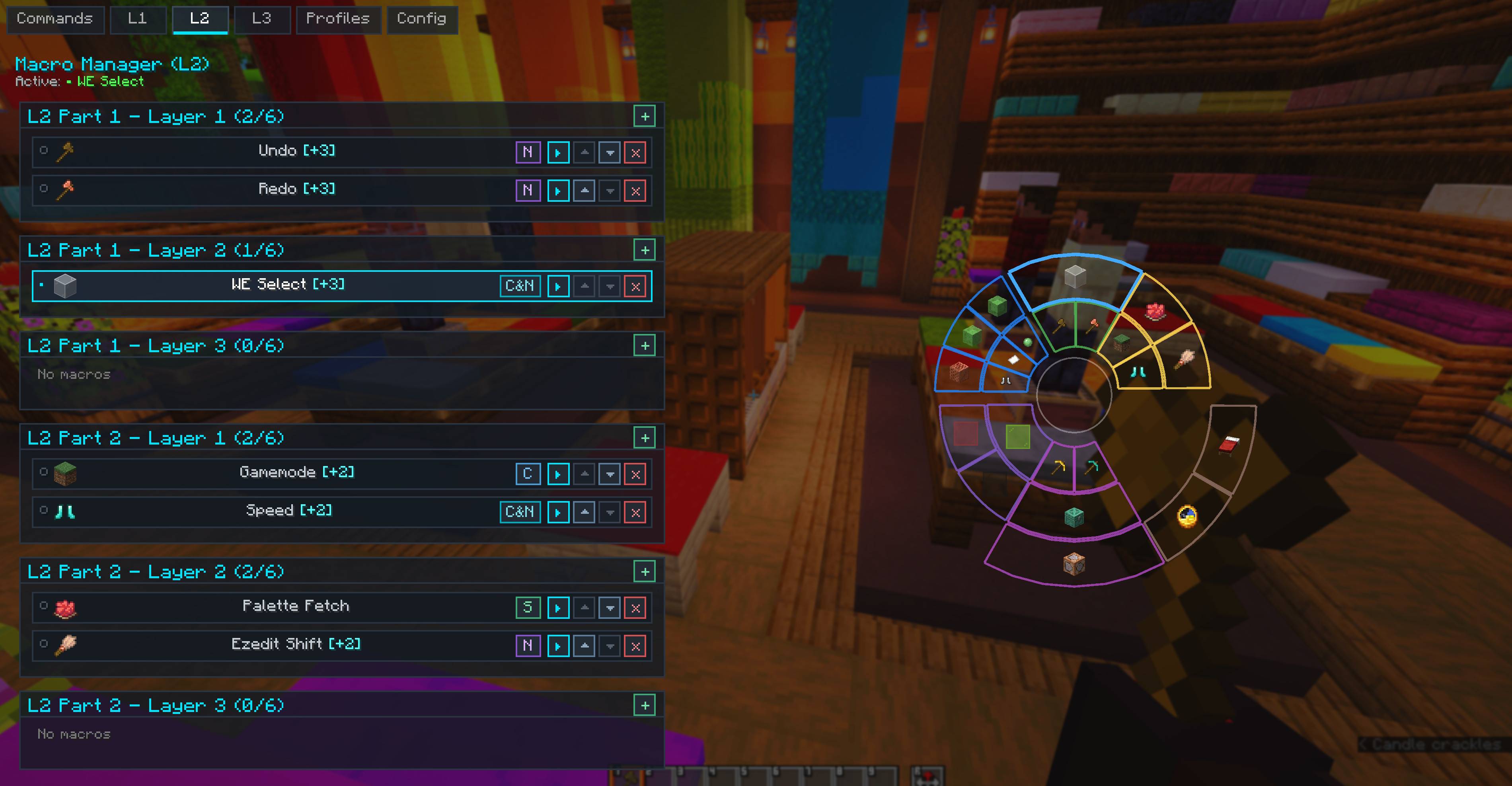
- 3 Macro Layers: Up to 24 macros per profile, divided into 3 distinct layers (L1, L2, L3) with 8 sectors each.
- Multiple Profiles: Create, rename, delete, and switch macro profiles instantly for different servers or gamemodes.
- Customizable UI: Adjust wheel scale, background transparency, native blur level, stroke colors, and preview card position in the settings panel.
Execution Modes
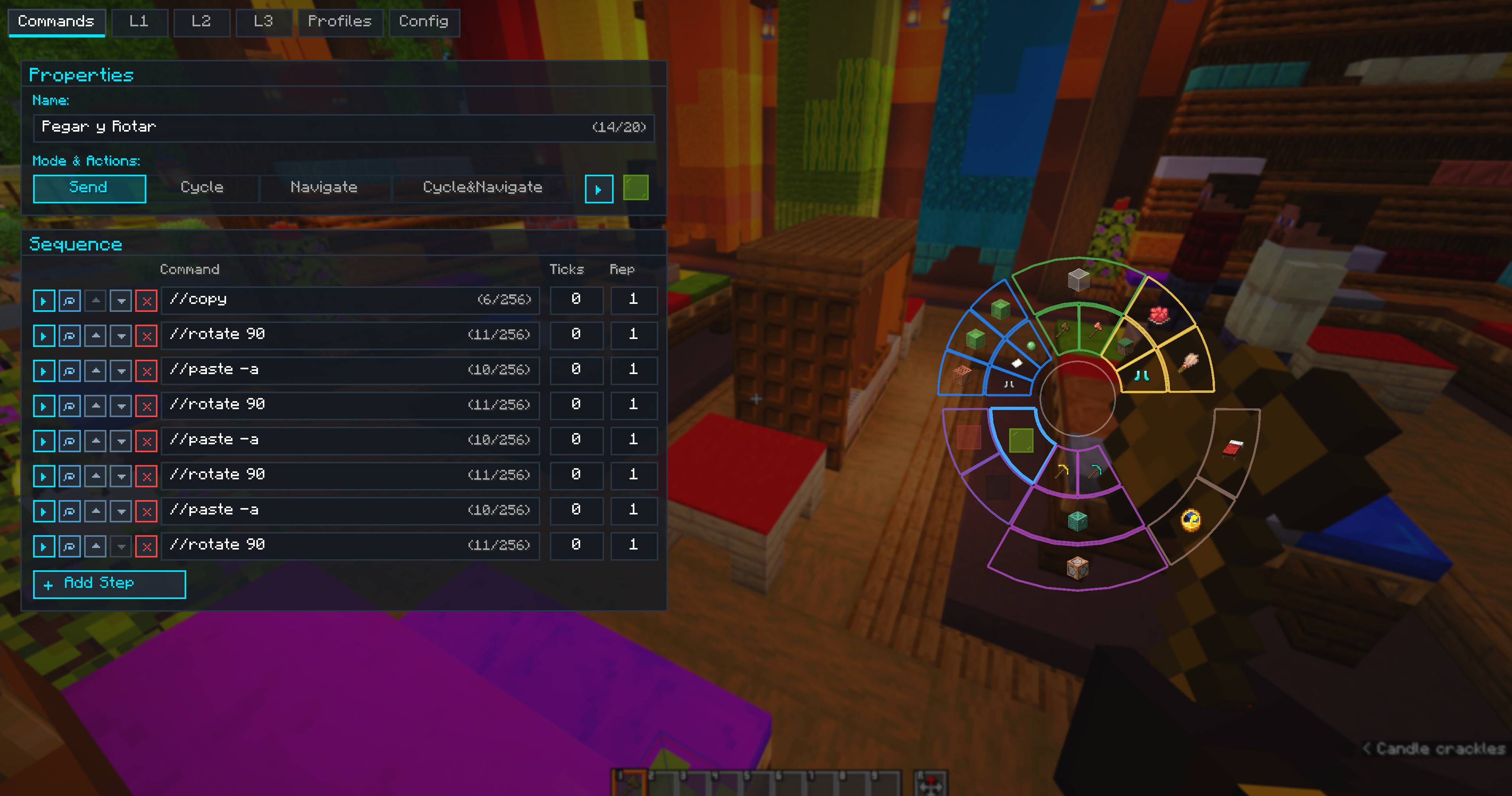
- Send: Executes all commands in sequence with configurable delays (ticks) and repetition counts.
- Repeat: Loops the macro sequence continuously until toggled off or stopped.
- Cycle: Fires the next command in the list on each activation, cycling through all steps sequentially.
- Navigate: Hold
Shiftand scroll the mouse wheel over the macro sector to select a specific command step, executing only that command. - Cycle & Navigate: Advances commands automatically upon execution while also allowing manual step selection via
Shift + Scroll. - Step Persistence: Current command positions for Cycle and Navigate modes remain saved across game restarts.
In-Game Editor & Safety
- Command Editor: Reorder commands with arrow buttons, duplicate rows, set tick delays, and edit commands comfortably with multi-line wrapping and text selection.
- Undo & Redo: Built-in
Ctrl + ZandCtrl + Ysupport for adding, editing, reordering, and deleting macros and commands. - Item Icon Picker: Assign custom in-game item icons to any macro using the integrated catalog search.
- Spam Safety Queue: Built-in adjustable delay prevents command floods and server kicks.
Essential Controls
| Shortcut / Action | Action |
|---|---|
Left Alt (Hold) |
Open Radial Wheel HUD (configurable) |
K |
Open Main Editor & Settings (configurable) |
Left Click |
Execute hovered macro on the wheel |
Right Click |
Open hovered macro directly in Editor |
X |
Quick-execute hovered macro |
Shift + Scroll |
Select command step in Navigate / Cycle & Navigate mode |
Ctrl + Z |
Undo last action in Editor |
Ctrl + Y / Ctrl + Shift + Z |
Redo action in Editor |
Esc |
Close HUD or Editor |
📥 Installation
- Install Fabric Loader.
- Put Fabric API in your
.minecraft/modsfolder. - Drop the CommandMacrosWheel
.jarinto.minecraft/mods. - Press
Left Altin-game to open the radial wheel, orKto open the macro editor.
Client-side only — works on multiplayer servers without server installation.
常见问题
Command Macros Wheel 支持哪些 Minecraft 版本?
Command Macros Wheel 支持 Minecraft Java 版 26.2–26.3,共 2 个版本,可用的加载器:Fabric。下载时注意选择和你游戏版本一致的文件。
Command Macros Wheel 怎么安装?
先用 PCL2 或 HMCL 启动器安装对应版本的 Fabric,再把下载的 .jar 文件放进游戏目录的 mods 文件夹,重新启动游戏即可。开启了版本隔离的,mods 文件夹在 versions/版本名 下面。
PrimityArtur 的其他作品
查看全部 →
Item Organizer
A visual inventory and palette manager. Sort blocks and items by chromatic color gradient, manage hotbar palettes, and customize your creative workflow.
Show Me ID
Instant ID reference in chat, hotbar HUD badges, and clipboard block state copying.
评论
登录后评论和评分