
截图
介绍
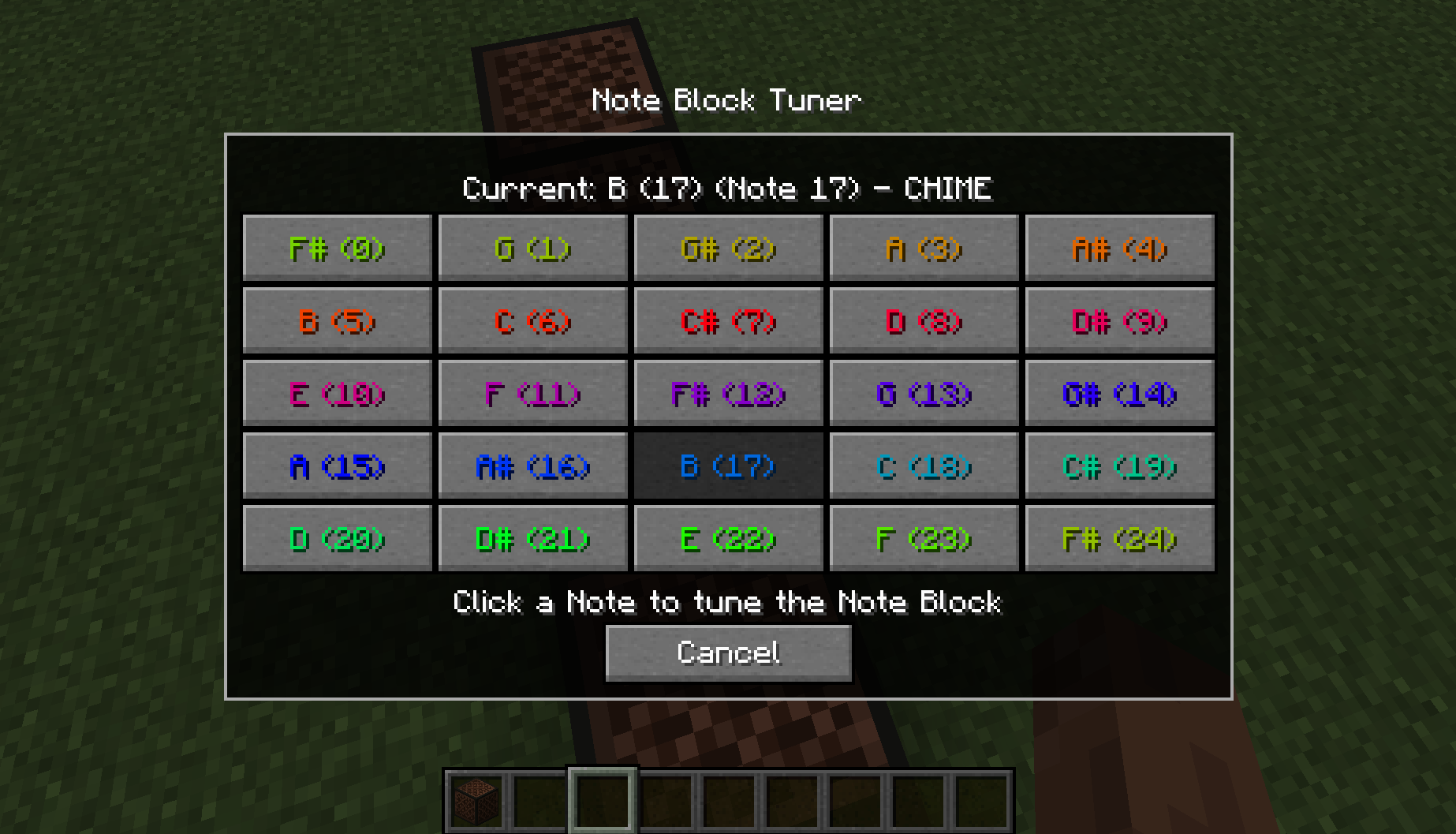
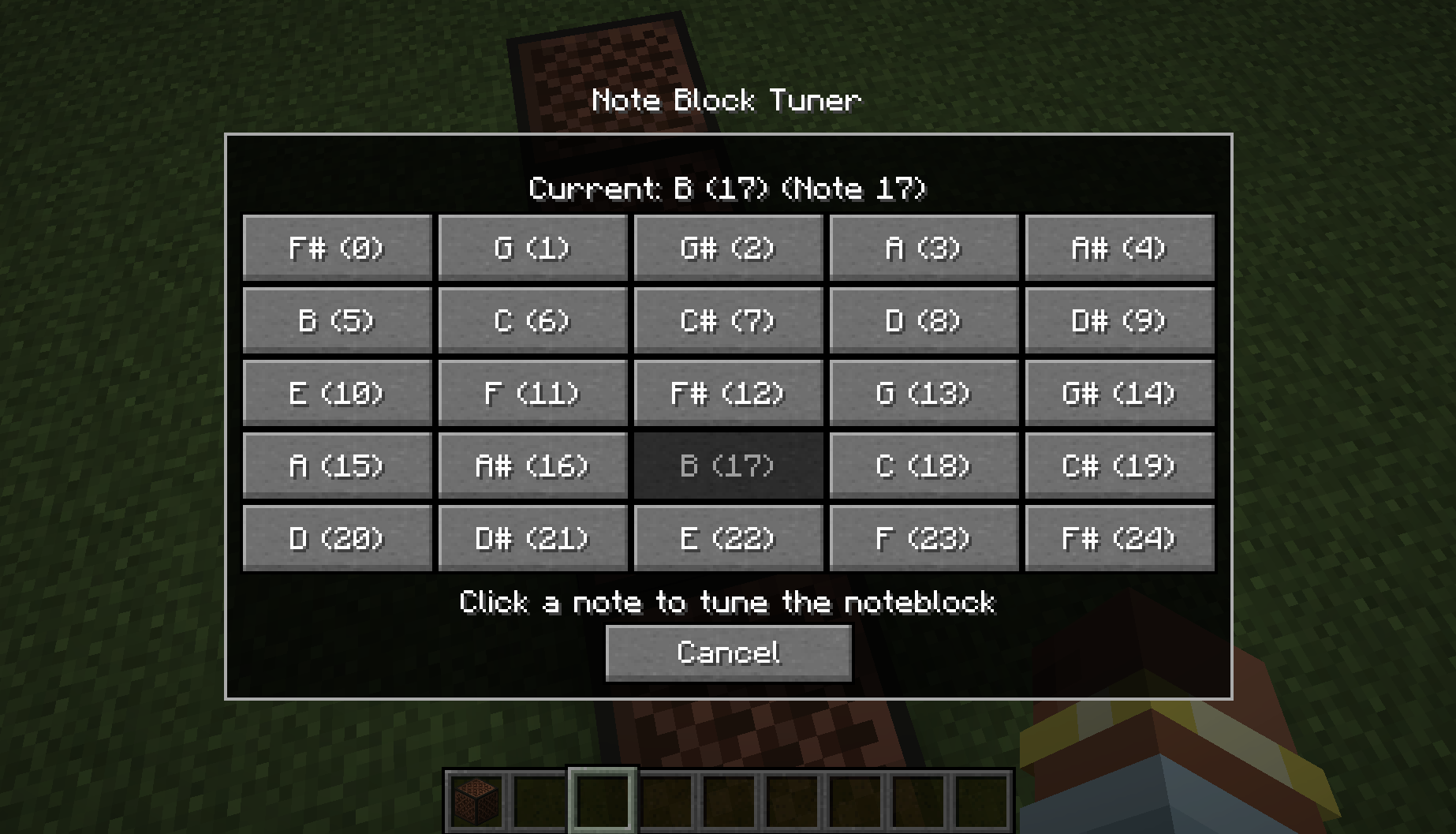
Simple Client-side mod that adds a new GUI for Note Blocks. GUI provides a clear choice of Notes which will automatically tune the block to the selected note.
Key Features
- Fully functional Client-side (works in multiplayer)
- GUI for Note selection
- Displays Current Note & Instrument
- Display all Notes as selectable buttons
How to use
The GUI can be accessed by either sneak right-clicking with an empty hand or opened when placing the Note Block (disable by default, see commands below). Once in the menu simply clicking one of the Note buttons will automatically queue and begin to the tune the Note Block to the desired Note.

By default you can queue up to 3 Note Blocks to be tuned at once. Ones after will be added to the queue and will begin processing once available. The mod will automatically adjust the delay between changing notes (this is to primarily avoid desync when on servers). You change the basic delay between cycles with the command (see below) however it won’t effect the delay when in range of the target Note.
If you wish to completely stop all tuning process, active and queued for whatever reason. You can use the Stop All keybind (default \) which will completely stop all processes and clear the queue. This keybind can be changed through the in-game keybinds menu
Commands
/notedelay [1-20] – Change the delay between cycles. This is how many client-ticks to wait between each change.
/notequeue [1-5] – Change the concurrent tuning amount. This sets how many Note Blocks can be tuned at once.
/noteplace [true/false] – Change the menu to appear after placing the Note Block.
/notecolour [true/false] – Change the menu to display the Note colours on the Buttons.
#
Feel free to use this mod in other modpacks but keep the download within the Modrinth Ecosystem and do not reupload
Other Mods


常见问题
Note Block Tuner 支持哪些 Minecraft 版本?
Note Block Tuner 支持 Minecraft Java 版 1.21–26.3,共 17 个版本,可用的加载器:Fabric。下载时注意选择和你游戏版本一致的文件。
Note Block Tuner 怎么安装?
先用 PCL2 或 HMCL 启动器安装对应版本的 Fabric,再把下载的 .jar 文件放进游戏目录的 mods 文件夹,重新启动游戏即可。开启了版本隔离的,mods 文件夹在 versions/版本名 下面。运行环境:仅客户端。
A5ho9999 的其他作品
查看全部 →
Totem Party Popper
Change the particle colours (and display settings) of your Totems and the Totem pop

Hopper The Hedgehog (Faster Hoppers/Dispensers)
Increase the Transfer Speed or Amount of Hoppers, Dispensers & Droppers. Quick and configurable

Smelter The Hedgehog (Fast Furnace/Smelting)
Increase the speed of Furnaces, Blast Furnaces and Smokers. Quick and configurable

Stonecutter GUI Remastered
Changes the Stonecutter GUI to a more clear GUI with enlarged Icons and automatic refill
评论
登录后评论和评分