
Hopper The Hedgehog (Faster Hoppers/Dispensers)
Increase the Transfer Speed or Amount of Hoppers, Dispensers & Droppers. Quick and configurable
截图

介绍
Hopper The Hedgehog
What does it do? Well very simply, it allows you to increase the speed at which items are transferred through, into and out of Hoppers as well as transferring up to a stack (64) at a time.
It also allows you to change how many items a Dispenser or Dropper shoot out, with it’s own toggle and amount, tired of all those ender pearls taking hours to get yeeted into the void? Well this will help clear those out!
Important Troubleshooting
Recommend Usage
Auto-sorters
If you wish to use this mod in combination with auto-sorters, these are the recommended settings.
- Item Transfer speed of 4
- This will let both hopper logic and redstone ticks keep up with the items. Going below 4 will increase the chance a hopper is ignored (I don’t know why this is a thing, but there is nothing I can do to fix this without major changes to vanilla hoppers)
- Item Transfer amounts of 1 to 5
- Using these amounts should allow redstone ticks to keep up and lock the hoppers fast enough before they emptied, ruining the filter. If you are worried about it, it’s best to just leave this option as 1.
- Dispensers & Droppers shouldn’t have any real game breaking functions so Amounts can be which ever you prefer.

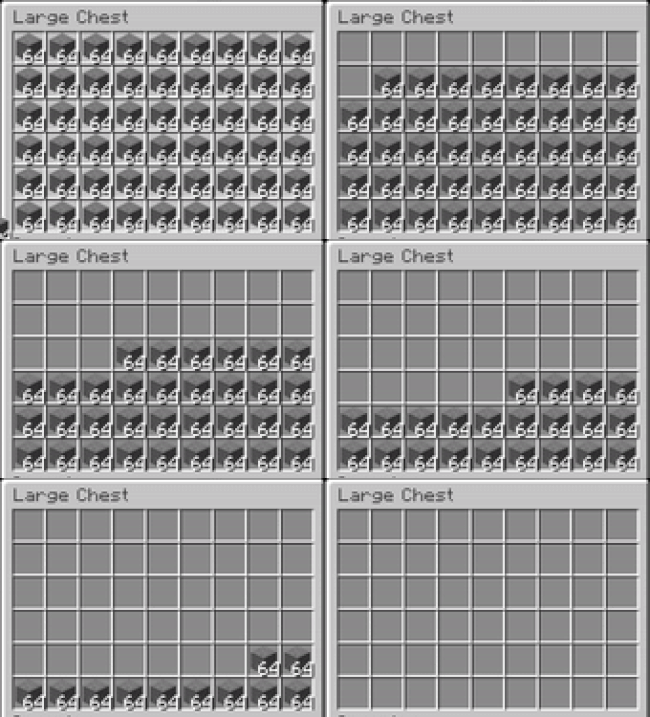
This displays the chance of skipping a hopper with speeds between 1 and 4. Soul Torches displaying the skipped hoppers
Lithium Users
If you encounter issues with the Transfer Amount and you are also using Lithium you will need to disable the Hopper fixes to use the different amounts however the speed should work just fine.
To disable, locate your games Config Folder and add mixin.block.hopper=false to the lithium.properties file. (this is done for you in v2.0.0+)
Transfer Amounts can break many functions
Using Transfer Amounts above 1 will break many functions, this includes mainly Auto-sorting systems.
Commands
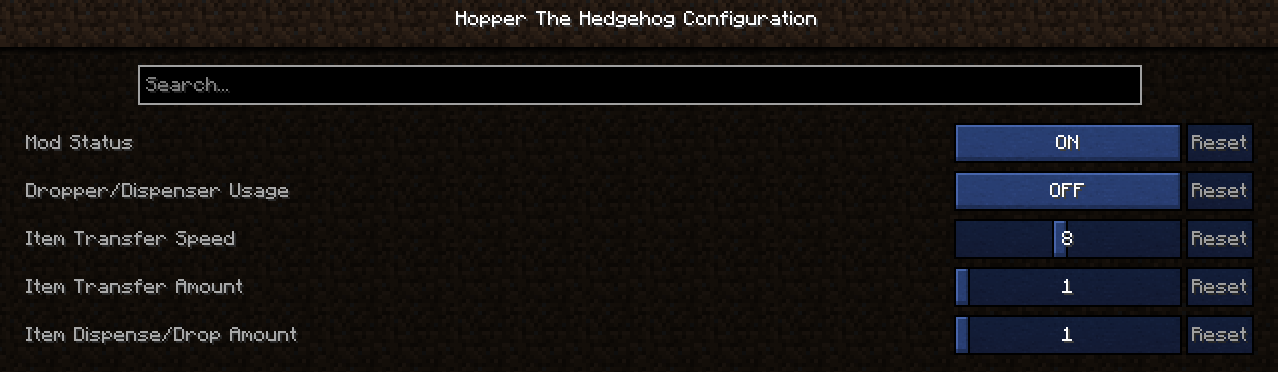
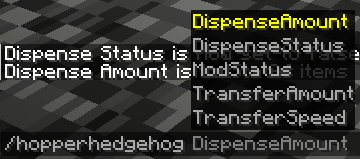
You can adjust the Mod Settings using Mod Menu or by Commands
/hopperhedgehog HopperFunctions [true/false]
/hopperhedgehog DispenseFunctions [true/false]
/hopperhedgehog DispenseAmount [1-64]
/hopperhedgehog TransferAmount in [1-64]
/hopperhedgehog TransferAmount out [1-64]
/hopperhedgehog TransferSpeed [1-16]
Feel free to use this mod in other modpacks but keep the download within the Modrinth Ecosystem and do not reupload
Other Mods


常见问题
Hopper The Hedgehog (Faster Hoppers/Dispensers) 支持哪些 Minecraft 版本?
Hopper The Hedgehog (Faster Hoppers/Dispensers) 支持 Minecraft Java 版 1.19–26.3,共 29 个版本,可用的加载器:Fabric。下载时注意选择和你游戏版本一致的文件。
Hopper The Hedgehog (Faster Hoppers/Dispensers) 怎么安装?
先用 PCL2 或 HMCL 启动器安装对应版本的 Fabric,再把下载的 .jar 文件放进游戏目录的 mods 文件夹,重新启动游戏即可。开启了版本隔离的,mods 文件夹在 versions/版本名 下面。运行环境:仅服务端。
A5ho9999 的其他作品
查看全部 →
Totem Party Popper
Change the particle colours (and display settings) of your Totems and the Totem pop

Smelter The Hedgehog (Fast Furnace/Smelting)
Increase the speed of Furnaces, Blast Furnaces and Smokers. Quick and configurable

Stonecutter GUI Remastered
Changes the Stonecutter GUI to a more clear GUI with enlarged Icons and automatic refill

Stacks Are Stacks
Increases stack size for all items to 64, including Shulker Boxes, Totems, Enchanted Books & Potions. Now configurable!
评论
登录后评论和评分