Backup Manager List
This mod adds a clean, native-feeling backup management screen directly to your Minecraft world selection menu. No more manually hunting through your .minecraft/saves folder—view, inspect, and restore your world backups in seconds with a single click.
截图
介绍
Backup Manager List
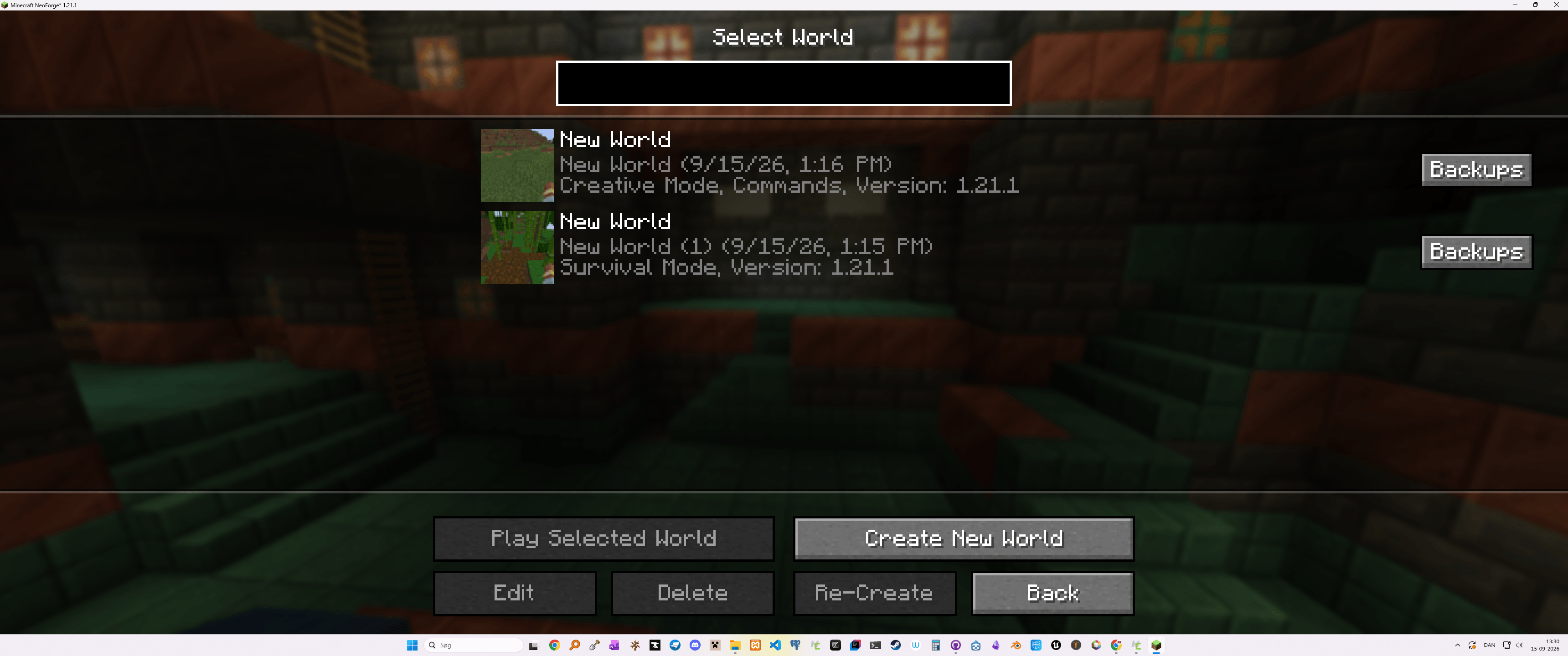
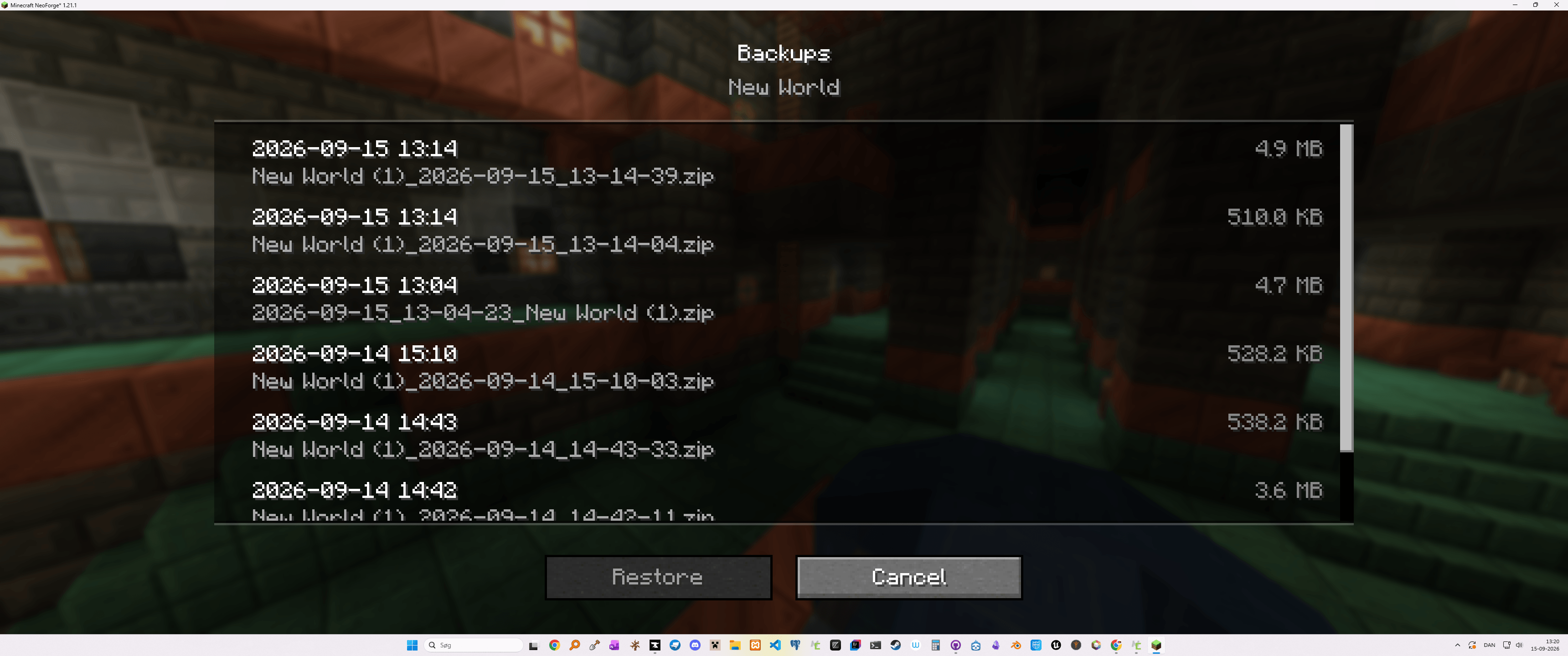
Backup Manager List is a lightweight, client-side utility mod that adds a native backup management screen directly to your Singleplayer world selection menu. Easily browse, manage, and restore your .zip world backups without ever leaving the game!
🌟 Key Features
- Direct Menu Button: Adds a compact Backups button next to every world in the singleplayer list.
- Easy File Browsing: View all
.zipbackup archives for a specific world, complete with formatted creation dates and file sizes. - Clean & Safe Extraction: Automatically purges outdated world files before unzipping to prevent safe-state corruption and orphaned region files.
- Fail-Safe Overwrite Prompts: Native confirmation dialogs prevent accidental restores and lost progress.
- Toast Alerts: Built-in Minecraft system toast notifications alert you as soon as a restore finishes.
🛠️ How It Works
- Open your Singleplayer world menu.
- Click the Backups button on the world entry you wish to restore.
- Select a
.zipbackup archive from the list. - Click Restore, confirm the prompt, and launch your restored world!
📌 Requirements & Compatibility
- Side: Client-side ONLY (No server installation required).
- Mod Loader: ONLY for NeoForge (More coming if needed).
- Missing Features: At the moment I write this, this mod can NOT write backups, ONLY read or list backups.
常见问题
Backup Manager List 支持哪些 Minecraft 版本?
Backup Manager List 支持 Minecraft Java 版 1.21.1,可用的加载器:NeoForge。下载时注意选择和你游戏版本一致的文件。
Backup Manager List 怎么安装?
先用 PCL2 或 HMCL 启动器安装对应版本的 NeoForge,再把下载的 .jar 文件放进游戏目录的 mods 文件夹,重新启动游戏即可。开启了版本隔离的,mods 文件夹在 versions/版本名 下面。
HandsOnDigits 的其他作品
查看全部 →
Food Expiry Date
This mod adds an expiration date to all food items + some new ways to store food and make it last longer.

Limited Water
A mod that run /gamerule waterSourceConversion false by default.

Shift Right Click and Pick Glass with a Stick
Shift Right Click and Pick Glass with a Stick

Extra Survival
A simple mod that adds a wooden cauldron, animal traps and some extra!
评论
登录后评论和评分