Shift Right Click and Pick Glass with a Stick
Shift Right Click and Pick Glass with a Stick
介绍
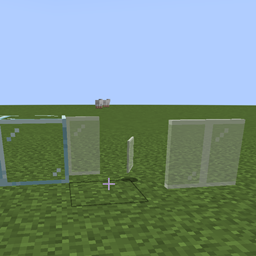
If you hold down the ‘Shift’ key on your keyboard while right-clicking with a stick in your hand, you’ll be able to safely remove glass blocks without breaking them. This special interaction allows you to collect the glass block intact, rather than it shattering as it normally would when broken by hand or with most tools. It’s a useful technique for relocating glass without wasting materials, especially if you want to reuse the blocks elsewhere in your build.
常见问题
Shift Right Click and Pick Glass with a Stick 支持哪些 Minecraft 版本?
Shift Right Click and Pick Glass with a Stick 支持 Minecraft Java 版 1.20.1–1.21.1,共 2 个版本,可用的加载器:Forge / NeoForge。下载时注意选择和你游戏版本一致的文件。
Shift Right Click and Pick Glass with a Stick 怎么安装?
先用 PCL2 或 HMCL 启动器安装对应版本的 Forge / NeoForge,再把下载的 .jar 文件放进游戏目录的 mods 文件夹,重新启动游戏即可。开启了版本隔离的,mods 文件夹在 versions/版本名 下面。
HandsOnDigits 的其他作品
查看全部 →
Food Expiry Date
This mod adds an expiration date to all food items + some new ways to store food and make it last longer.

Limited Water
A mod that run /gamerule waterSourceConversion false by default.

Extra Survival
A simple mod that adds a wooden cauldron, animal traps and some extra!

Simple, remove the credits….
A mod that removes the end credits.
评论
登录后评论和评分