
code-mc (pymc, pythonmc, xos, xpy)
作者:verbii
Write python inside of minecraft to control the world as a developer.
截图
介绍
中文介绍正在准备中,下面暂时显示原文。
code-mc
Write python inside of minecraft to control the world as a developer.
Inspired by computer craft.
Please join our discord!
Note: Highly experimental! More to come!
Video Demonstration
Usage
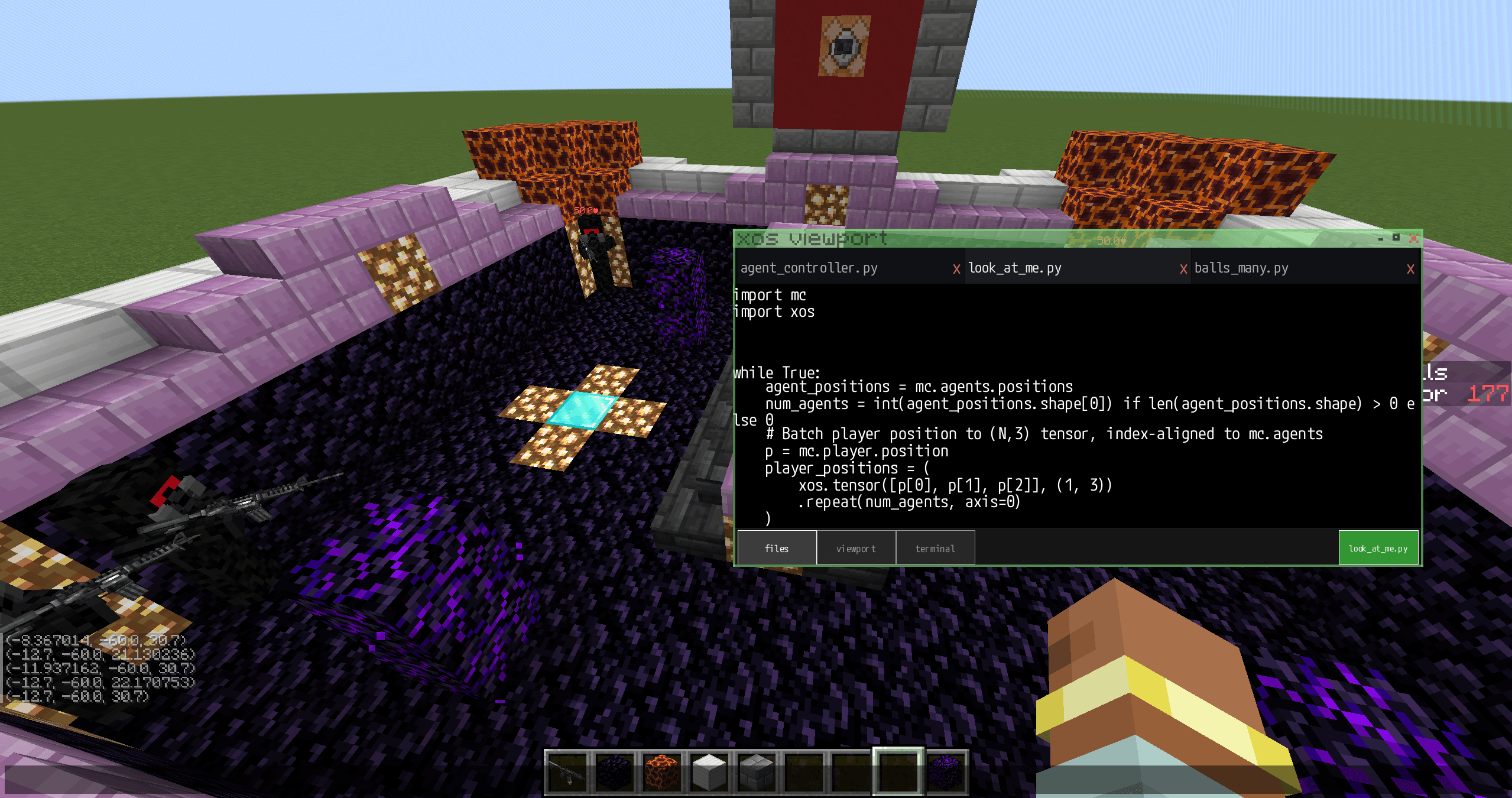
Open in-game chat and click the top left button that says “xos viewport”. Next, click “files” in the bottom left of the screen, and select a script you want to read/run. Now, click the green button in the bottom left to execute the script.
There are 3 buttons, files, viewport, and terminal for navigation, you can swap between those tabs to see if there were any pixel outputs.
More examples and advanced coding features coming soon, including an AI code generator!
For news and updates on developments, please join our discord!
Technical Details
Built for Forge 47.4.3 on Minecraft 1.20.1 and Java 17 (will update as development continues).
常见问题
code-mc (pymc, pythonmc, xos, xpy) 支持哪些 Minecraft 版本?
code-mc (pymc, pythonmc, xos, xpy) 支持 Minecraft Java 版 1.20.1,可用的加载器:Forge。下载时注意选择和你游戏版本一致的文件。
code-mc (pymc, pythonmc, xos, xpy) 怎么安装?
先用 PCL2 或 HMCL 启动器安装对应版本的 Forge,再把下载的 .jar 文件放进游戏目录的 mods 文件夹,重新启动游戏即可。开启了版本隔离的,mods 文件夹在 versions/版本名 下面。


评论
登录后评论和评分