
截图
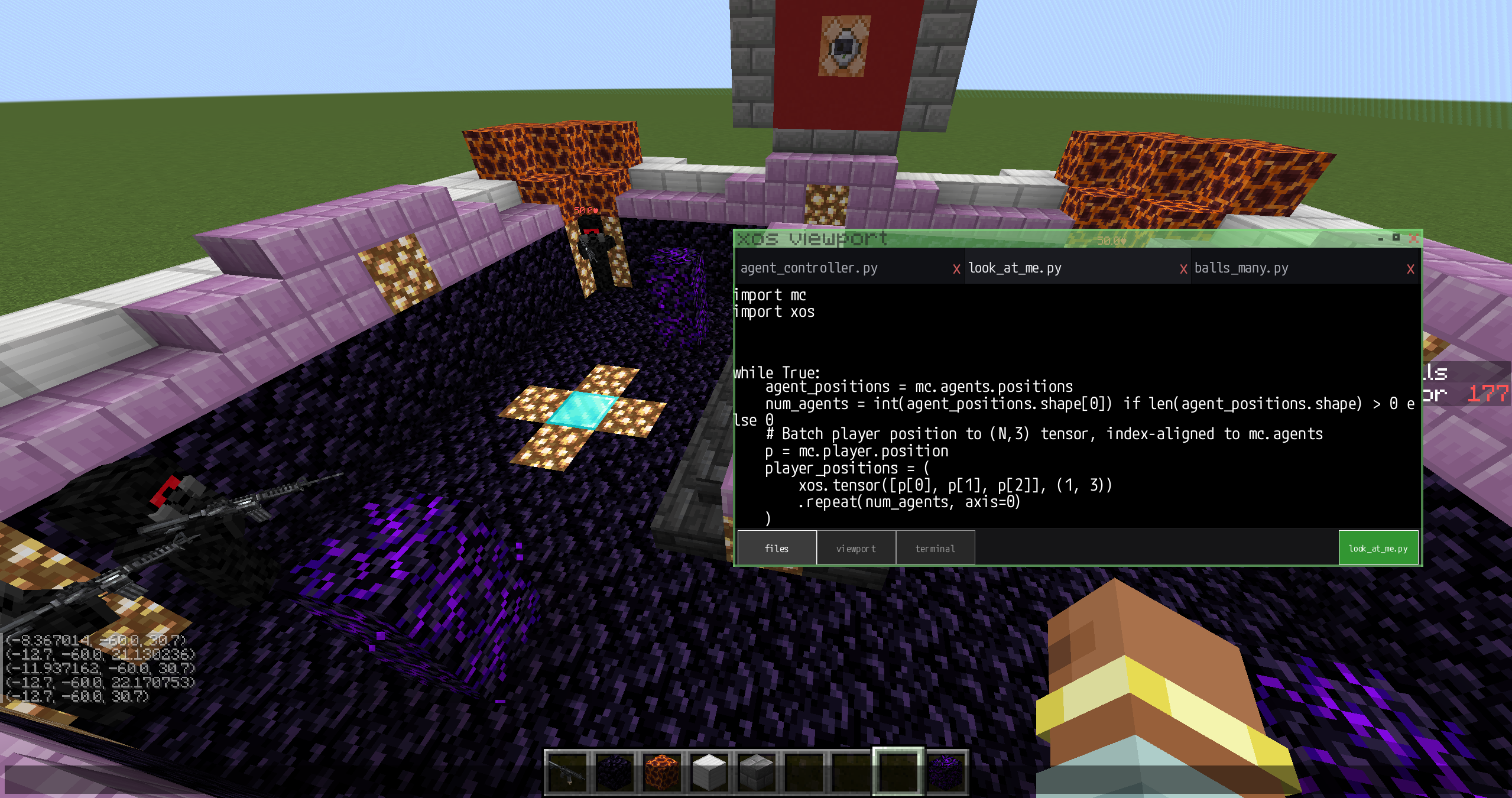
介绍
code-mc
Write and run XPY programs inside Minecraft using an embedded XOS runtime.
code-mc adds an XOS framebuffer directly to Minecraft, allowing programs to render graphics, receive output, and interact with the Minecraft world from an in-game development environment.
Inspired by ComputerCraft.
Experimental preview: code-mc is an early demonstration of XOS embedding and may contain bugs, incomplete features, or breaking changes.
Usage
- Open the in-game chat.
- Select XOS Viewport in the top-left corner.
- Open Files from the bottom navigation.
- Select the script you want to view or run.
- Press the green Run button to execute it.
The interface contains three primary views:
- Files — browse and select XPY programs.
- Viewport — view framebuffer and graphical output.
- Terminal — inspect textual output and runtime messages.
Showcase Dev Vlog
Technical details
- Minecraft 1.20.1
- Forge 47.4.3
- Java 17
- Embedded XOS runtime with JNI compatibility
- XPY program execution
- Integrated XOS framebuffer
Compatibility and features will continue to evolve as XOS develops.
For updates, examples, and discussion, join the xlate Discord.
常见问题
code-mc 支持哪些 Minecraft 版本?
code-mc 支持 Minecraft Java 版 1.20.1,可用的加载器:Forge。下载时注意选择和你游戏版本一致的文件。
code-mc 怎么安装?
先用 PCL2 或 HMCL 启动器安装对应版本的 Forge,再把下载的 .jar 文件放进游戏目录的 mods 文件夹,重新启动游戏即可。开启了版本隔离的,mods 文件夹在 versions/版本名 下面。运行环境:客户端和服务端都要装。
评论
登录后评论和评分