
BulkCrafting
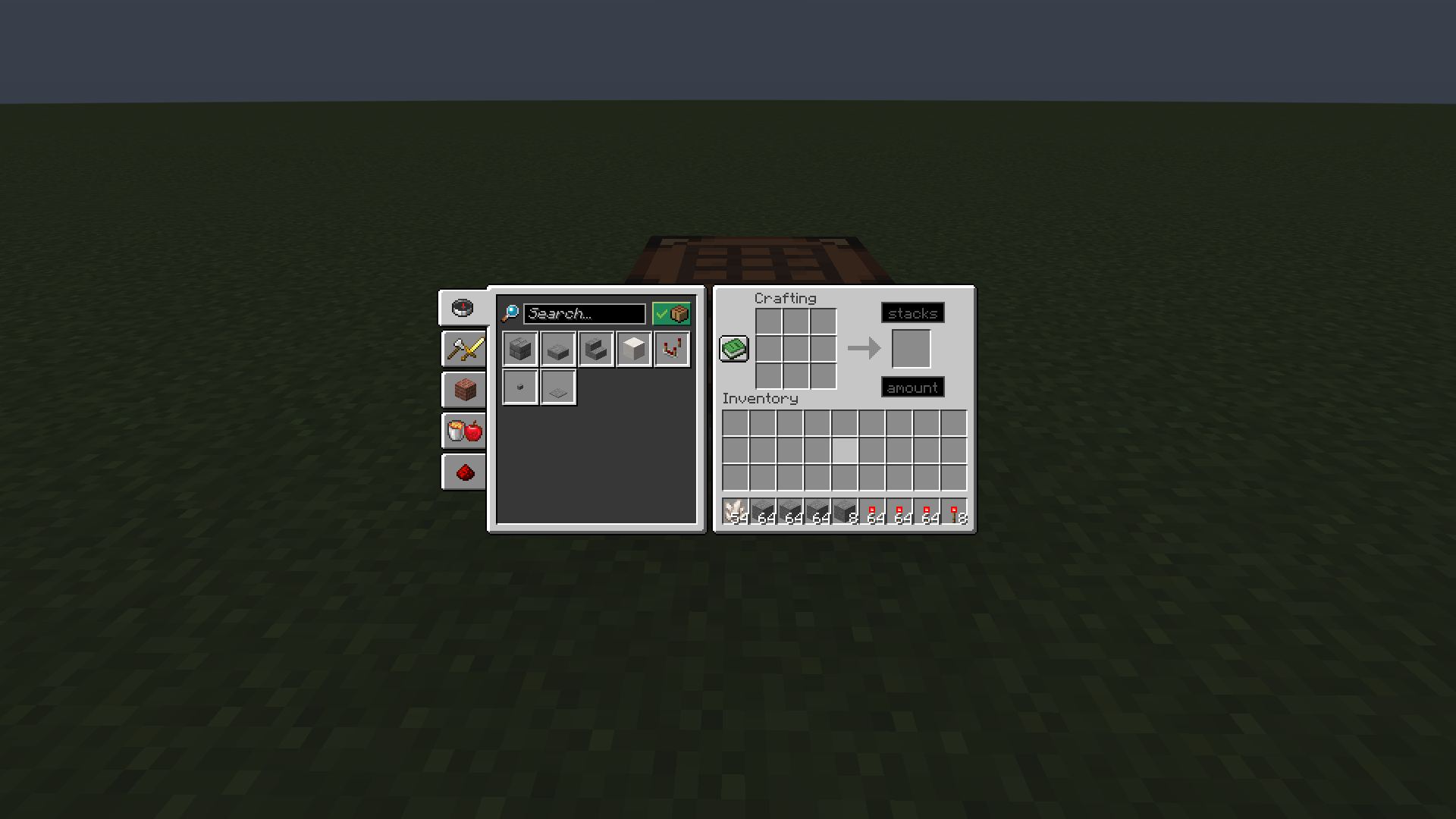
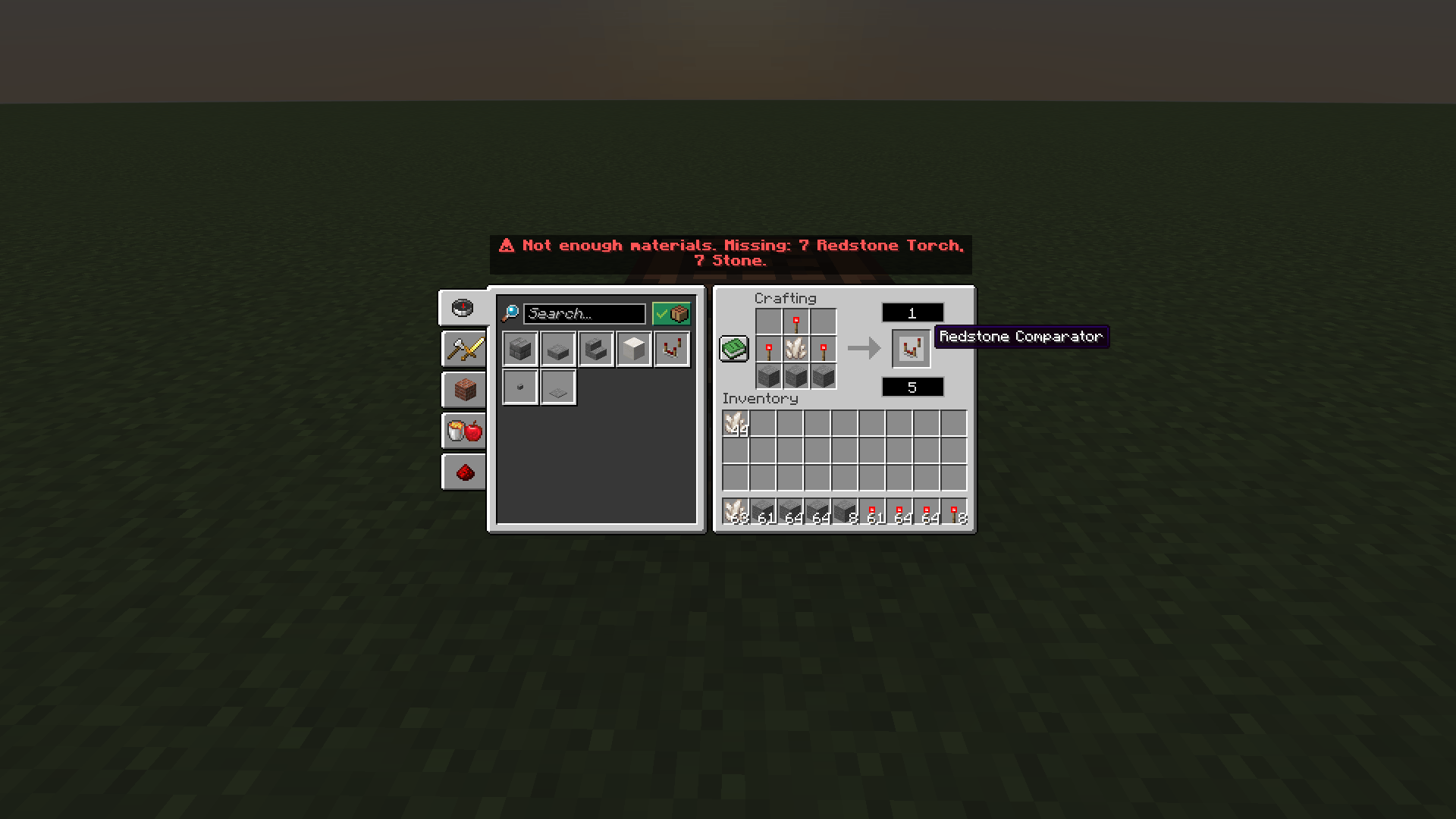
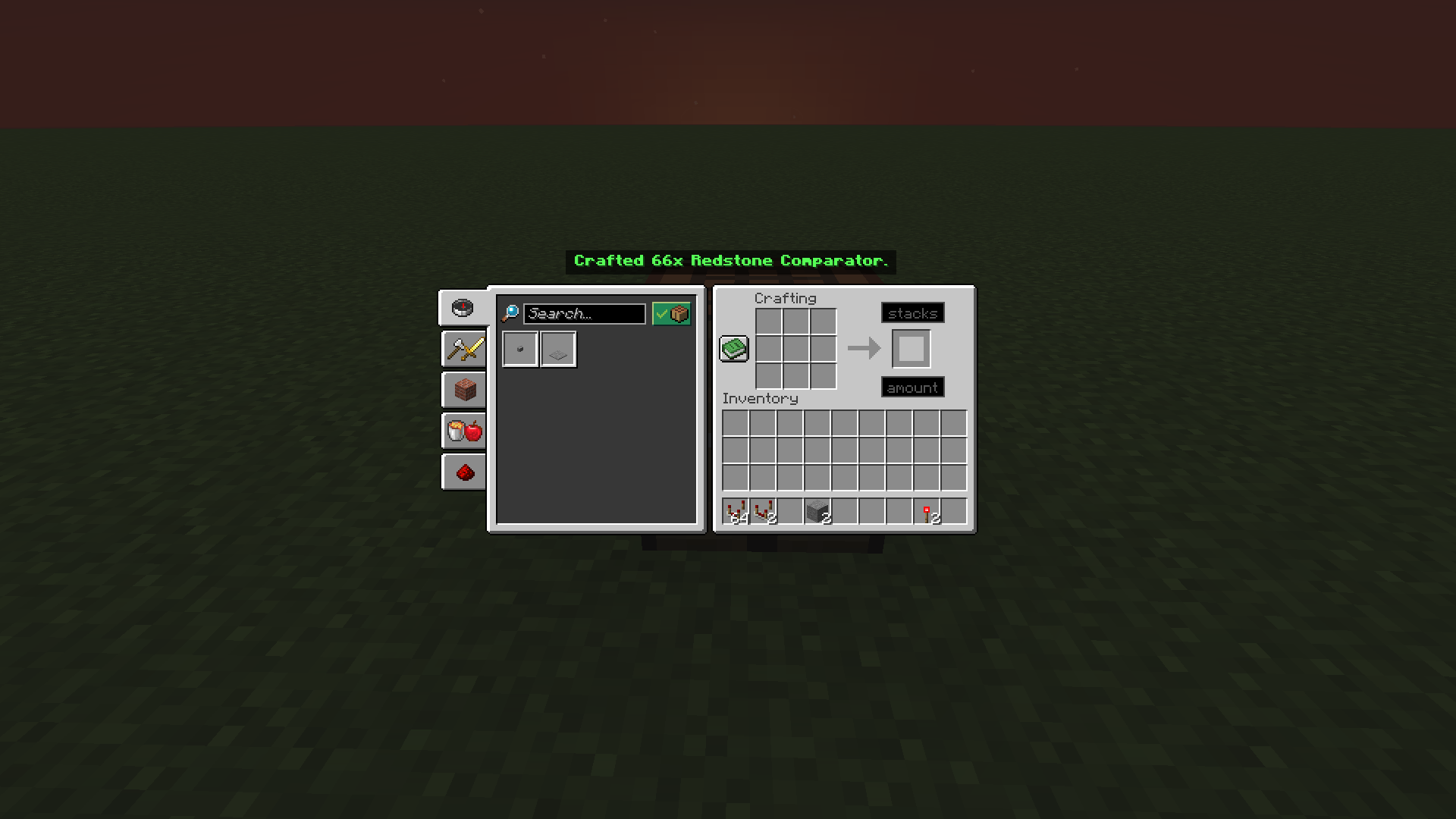
Type how many items you want (or how many stacks), shift-click the result, and craft huge no of items at once straight from your inventory. Clear warnings tell you exactly what you are missing, in stacks.
截图
介绍
Bulk Crafting
Stop shift-clicking the crafting result hundreds of times. Bulk Crafting adds two small number boxes to the crafting table so you can craft a huge amount in one click.
How to use
- Put a recipe in the crafting grid (by hand or with the recipe book).
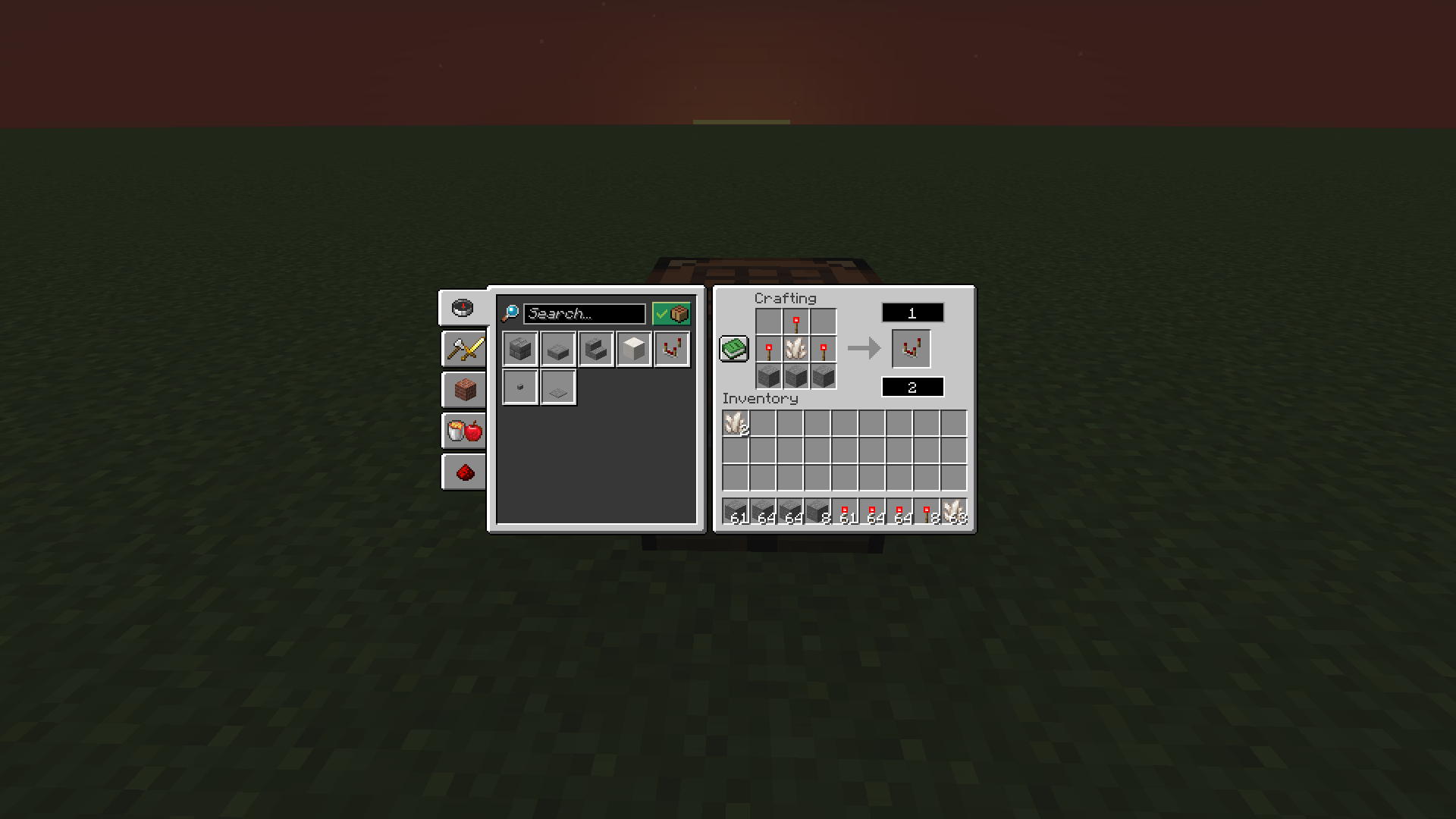
- Click a box and type a number:
- amount (under the result slot): the exact number of items you want.
- stacks (above the result slot): whole stacks of the result item. Typing 2 for an item that stacks to 64 means 128 items.
- Shift-click the result slot.
If you fill in both boxes, they are added together. Leave both empty and the crafting table works exactly like vanilla.
Features
- Craft up to 50,000 items in one go.
- Works with every recipe in the crafting table (3×3 grid).
- Materials are taken from the grid first, then from your inventory and off-hand.
- Amounts are rounded up to whole crafts: asking for 10 planks from a recipe that gives 4 crafts 3 times and gives you 12.
- If your inventory is full, the extra items are dropped on the ground next to you instead of being lost.
- Clear warnings above the crafting menu instead of in chat. If you are short on materials, it adds up the same ingredient across all grid slots and shows the missing amount in stacks, for example
Missing: 31 stacks + 17 Stone. - The boxes only work while a recipe is in the grid. Whole numbers only; no decimals.
- Typing grows outward from the middle of the box, and Ctrl+A / Ctrl+C / Ctrl+X / Ctrl+V, Backspace and Tab work as you would expect.
Installation
- Requires NeoForge (see the supported versions on the Files tab).
- Install on both the client and the server. In single player, one install is enough.
- Drop the jar into your
modsfolder.
Notes
- Server-side crafting: all crafting is validated by the server, so it cannot be used to craft without the materials.
- This mod does not add any blocks, items or recipes.
常见问题
BulkCrafting 支持哪些 Minecraft 版本?
BulkCrafting 支持 Minecraft Java 版 1.21.1–26.3,共 6 个版本,可用的加载器:NeoForge。下载时注意选择和你游戏版本一致的文件。
BulkCrafting 怎么安装?
先用 PCL2 或 HMCL 启动器安装对应版本的 NeoForge,再把下载的 .jar 文件放进游戏目录的 mods 文件夹,重新启动游戏即可。开启了版本隔离的,mods 文件夹在 versions/版本名 下面。
user_5r3ht2xu88btoe3x 的其他作品
查看全部 →
no fog
Removes rendering fog from the game world for clearer, longer-distance visibility. The effect is fully toggleable — press F8 at any time to switch fog on or off, so you can quickly compare views or restore vanilla fog if needed.
low on fire
Reduces the visual intensity/size of fire and flame effects in-game. Unlike the No Fog mod, this one is always active with no toggle — fire will render at a lower intensity by default whenever the mod is installed.

Fullbright F9
Toggle fullbright with a keybind to see clearly in caves, at night, and in the Nether.

AFK Autoclicker
Lightweight AFK autoclicker with click/hold modes, configurable timing, and anti-AFK camera nudge.
评论
登录后评论和评分