low on fire
Reduces the visual intensity/size of fire and flame effects in-game. Unlike the No Fog mod, this one is always active with no toggle — fire will render at a lower intensity by default whenever the mod is installed.
截图
介绍
Low Fire
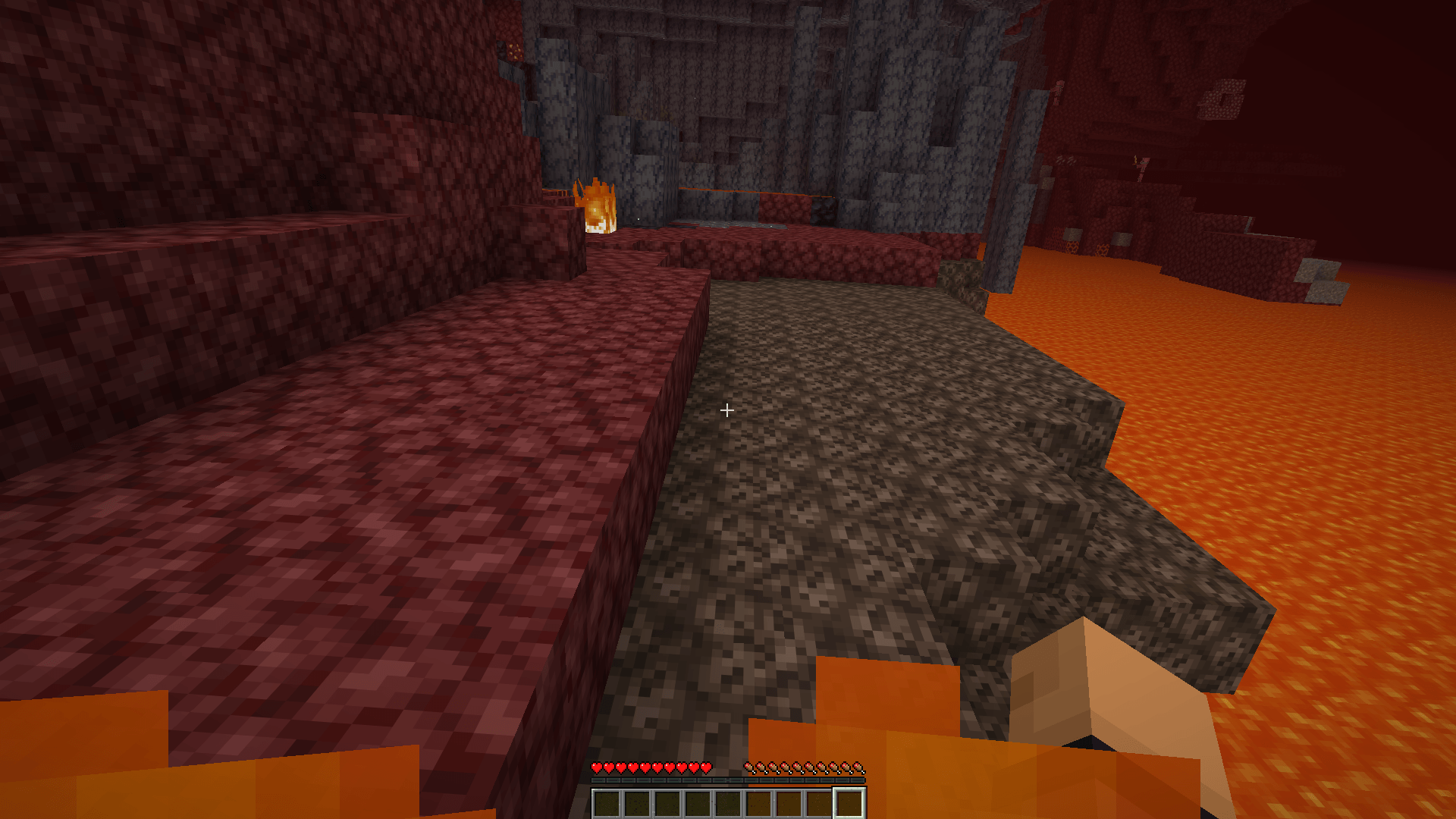
Low Fire reduces the size of the fire animation overlay that covers your screen when your player character catches on fire, making the effect less visually overwhelming without hiding your view of the game.
Features:
- Shrinks the on-screen fire animation shown when you’re burning
- Always active — no toggle needed, works automatically once installed
- Purely visual — doesn’t affect burn damage, duration, or fire mechanics
- Improves visibility and reduces screen clutter while on fire
Note: This mod only affects the player’s own burning animation overlay — it doesn’t change fire blocks, campfires, or other fire effects in the world. It’s always-on by design, with no keybind or config toggle.
常见问题
low on fire 支持哪些 Minecraft 版本?
low on fire 支持 Minecraft Java 版 26.1.2–26.3,共 3 个版本,可用的加载器:NeoForge。下载时注意选择和你游戏版本一致的文件。
low on fire 怎么安装?
先用 PCL2 或 HMCL 启动器安装对应版本的 NeoForge,再把下载的 .jar 文件放进游戏目录的 mods 文件夹,重新启动游戏即可。开启了版本隔离的,mods 文件夹在 versions/版本名 下面。
评论
登录后评论和评分