
Main Menu Background Changer
A mod that allows you to change the background of your main menu in Minecraft!
介绍
Menu Background
100 Downloads and I’ll port this to other versions!
Replace Minecraft’s rotating main menu panorama with your own picture or animated GIF. Pick a file in-game and it’s applied instantly, with no resource packs and no config editing.
Features
– Any image: PNG, JPG, BMP and GIF are supported
– Animated GIFs: GIFs play as a moving background
– In-game picker: a “Background” button in the top-left of the main menu opens the settings screen
– Drag and drop: drop a file onto the game window while the settings screen is open
– Scaling options: Fill, Fit or Stretch
– Darken slider: dim the background from 0% to 80% so menu buttons stay readable
– One-click reset: go back to the default Minecraft panorama at any time
Your background also shows on the other menu screens that normally use the panorama, such as Options and the world list.
How to use
1. Open the main menu and click **Background** in the top-left corner.
2. Click **Choose image or GIF…** and select a file, or drag one onto the window.
3. Adjust the scaling and darkening to taste, then click **Done**.
Your choice is saved and loads automatically the next time you start the game.
Good to know
– Video files (MP4, WebM and so on) aren’t supported yet. Convert the clip to a GIF to use it for now.
– Large GIFs are scaled down (up to 1280×720) to keep memory use reasonable.
– The mod reads the image from where it is on your PC, so if you move or delete the file, the background returns to the default.
– Settings are stored in `config/menubg.properties`.
Issues and suggestions
Found a bug or have an idea? Leave a comment on this page.
常见问题
Main Menu Background Changer 支持哪些 Minecraft 版本?
Main Menu Background Changer 支持 Minecraft Java 版 1.21.1,可用的加载器:Fabric / Forge。下载时注意选择和你游戏版本一致的文件。
Main Menu Background Changer 怎么安装?
先用 PCL2 或 HMCL 启动器安装对应版本的 Fabric / Forge,再把下载的 .jar 文件放进游戏目录的 mods 文件夹,重新启动游戏即可。开启了版本隔离的,mods 文件夹在 versions/版本名 下面。
LuxLuckyyy 的其他作品
查看全部 →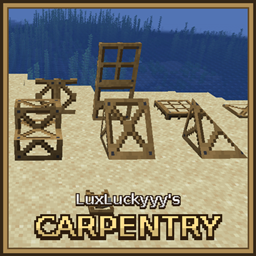
LuxLuckyyy’s Carpentry
Frame blocks like doors, stairs, slopes and fences that take on the look and properties of any block you right-click them with.

LuxLuckyy’s Clean UI
Makes Minecrafts UI look more modernized and clean!

LuxLuckyyy’s Food
A fast food and cooking mod
评论
登录后评论和评分