
介绍
LuxLuckyyy’s Clean UI
Give Minecraft a cleaner, modern look. Clean UI restyles the menus, buttons, HUD, inventories, chat and tooltips with smooth panels, soft corners and an accent colour of your choice, and you can customise almost all of it.
What it restyles
Buttons and Sliders: Flat, modern buttons with an accent outline and glow when you hover over them.
Text Boxes: Clean input fields that light up when you click into them.
Menu Backgrounds: A clean dark backdrop instead of the dirt texture or default overlay.
Lists: Cleaner world, server and resource pack lists with an accent-coloured selection.
Inventories: Chests, furnaces, crafting tables and the rest get a sleek panel with clean slots.
Chat: Themed chat background and a tidy input box with an accent underline.
Tooltips: Rounded, themed item tooltips.
HUD
Clean Hotbar: A smooth panel with your choice of Box, Underline or Fill for the selected slot.
Health and Hunger Bars: Swap the hearts and food icons for clean bars, with or without numbers, or keep the classic icons.
Saturation Line: See your saturation as a thin line on the hunger bar.
XP Bar: A smooth, clean experience bar.
Hotbar Size: Shrink the hotbar anywhere from 60 to 100 percent.
Customisation
Themes: Dark, Glass, Midnight, Black, or a fully Custom theme.
Accent Colours: Nine presets, or pick any colour you like with RGB sliders or a hex code.
Opacity: Make panels anywhere from see-through to solid.
Corners and Borders: Square, small, medium or large corners, with no border, a thin border or a thick border.
Shadows and Hover Glow: Turn them on or off.
Pick and Choose: Turn the clean look on or off for each part of the UI separately.
Presets and Sharing
Save up to 5 presets of your own looks and switch between them with one click.
Copy your look as a theme code and share it with friends. They can paste it in to get the exact same style.
Opening the settings
Press U in game (you can change this in Controls), click the Clean UI button on the Options screen, or use the Config button in Forge’s mods list.
Client side only. It works in singleplayer and on any server, and the server does not need it installed.
常见问题
LuxLuckyy’s Clean UI 支持哪些 Minecraft 版本?
LuxLuckyy’s Clean UI 支持 Minecraft Java 版 1.20.1–26.3,共 19 个版本,可用的加载器:Fabric / Forge。下载时注意选择和你游戏版本一致的文件。
LuxLuckyy’s Clean UI 怎么安装?
先用 PCL2 或 HMCL 启动器安装对应版本的 Fabric / Forge,再把下载的 .jar 文件放进游戏目录的 mods 文件夹,重新启动游戏即可。开启了版本隔离的,mods 文件夹在 versions/版本名 下面。
LuxLuckyyy 的其他作品
查看全部 →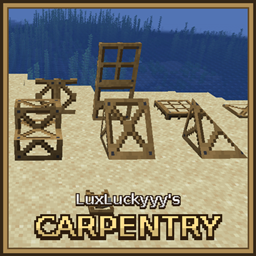
LuxLuckyyy’s Carpentry
Frame blocks like doors, stairs, slopes and fences that take on the look and properties of any block you right-click them with.
Main Menu Background Changer
A mod that allows you to change the background of your main menu in Minecraft!

LuxLuckyyy’s Food
A fast food and cooking mod
评论
登录后评论和评分