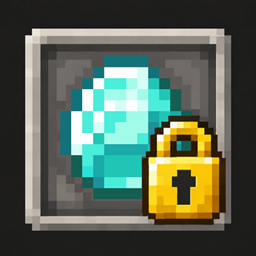
截图
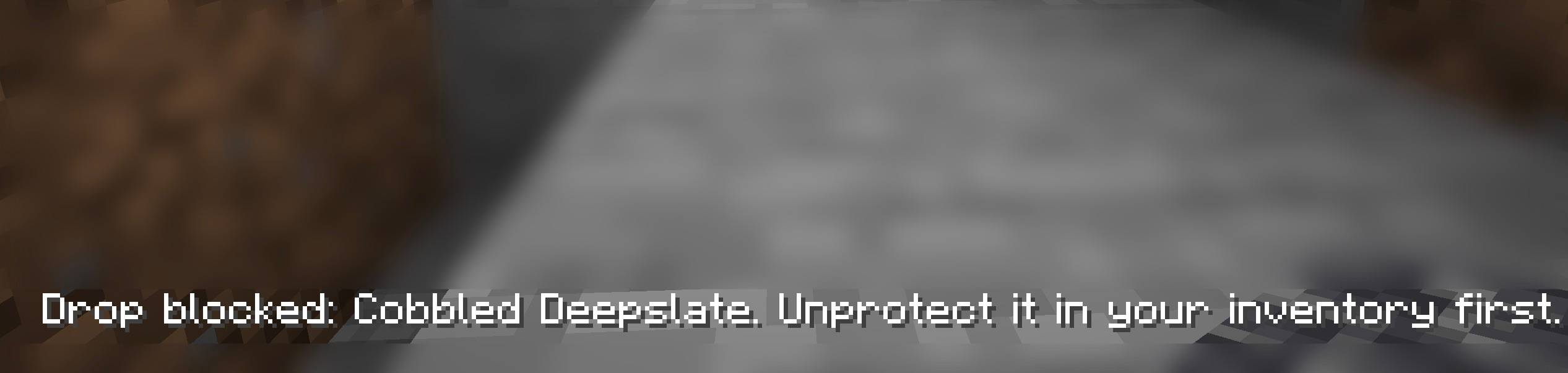
介绍
Don’t Drop That!
Accidentally pressed Q and dropped your best gear? Keep your valuables protected with a simple toggle!
✨ Easy protection — Open your inventory, hover over an item, and press Alt/Option + Right Click to protect or unprotect its type.
🔒 Protect every copy — Protecting diamonds covers all your diamonds. Protecting a sword type covers every sword of that type, including renamed and enchanted versions.
🚫 Block accidental drops — Prevents Q, Ctrl+Q, and dropping protected items outside inventory screens.
💛 Clear tooltips — Protected items display a gold reminder.
💾 Remembers your choices — Protection settings save locally between sessions.
🪶 Lightweight & private — Client-side, no Fabric API required, and no telemetry or network requests.
⚠️ Protects against manual drops. Items can still be lost through death, Creative trash, server actions, or closing an inventory with a cursor stack when your inventory is full.
常见问题
Don’t Drop That 支持哪些 Minecraft 版本?
Don’t Drop That 支持 Minecraft Java 版 1.21.11–26.3,共 2 个版本,可用的加载器:Fabric。下载时注意选择和你游戏版本一致的文件。
Don’t Drop That 怎么安装?
先用 PCL2 或 HMCL 启动器安装对应版本的 Fabric,再把下载的 .jar 文件放进游戏目录的 mods 文件夹,重新启动游戏即可。开启了版本隔离的,mods 文件夹在 versions/版本名 下面。
imCinq 的其他作品
查看全部 →
FPS Tune (Particle + Weather Optimizer)
FPS Tune 是一款客户端 FPS 与帧时间稳定性模组。在粒子效果或天气场景特别繁重时,它会限制部分可选的本地渲染任务,帮助减少较长的帧时间尖峰。
Water Optimiser
一个客户端 Fabric 和 NeoForge 模组,通过隐藏水体剔除、减少水体几何、粒子优化、可配置预设和安全原版回退来改善水体密集场景的性能。

Reactive Totems
Reactive Totems makes the Totem of Undying dynamically react to your environment and health with smooth colors, glowing eyes, cracks, and animated visual effects.
Pure Metal [Mac]
Native Apple Metal renderer for Minecraft Java on Apple Silicon Macs: higher FPS and steadier frame times than OpenGL, works with Sodium and other mods, with optional render scaling and MetalFX.
评论
登录后评论和评分