
Pure Metal [Mac]
Native Apple Metal renderer for Minecraft Java on Apple Silicon Macs: higher FPS and steadier frame times than OpenGL, works with Sodium and other mods, with optional render scaling and MetalFX.
截图
介绍
New releases may be available on GitHub before they appear on CurseForge due to moderation delays.
Pure Metal ⚡
Pure Metal is a client-side Fabric performance mod for Minecraft Java on Apple Silicon Macs. It replaces OpenGL with a native Apple Metal renderer and works with Sodium. The game looks the same, it just runs on Metal.
Performance 📊
MacBook Air M2 (fanless), fullscreen 3420×2148, render distance 16, vsync off, same flight route every run. Medians of several runs in alternating order.
Measured on Pure Metal 0.4.0 with its default settings.
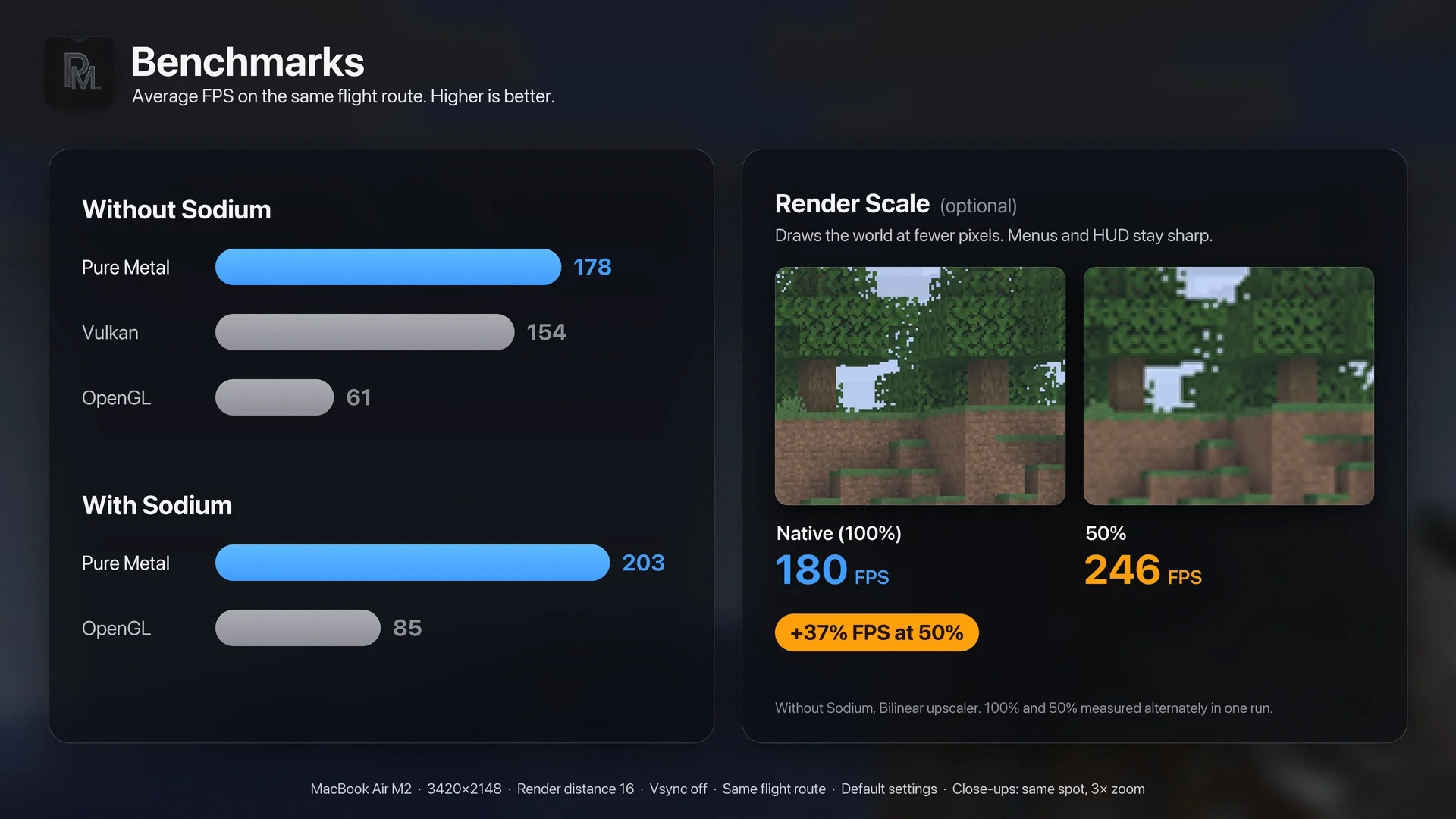
With Sodium
| Renderer | Avg FPS | 1-in-50 slowest frame (p98) |
|---|---|---|
| Pure Metal | 203 | 7.3 ms |
| OpenGL | 85 | 19.8 ms |
Without Sodium
| Renderer | Avg FPS | 1-in-50 slowest frame (p98) |
|---|---|---|
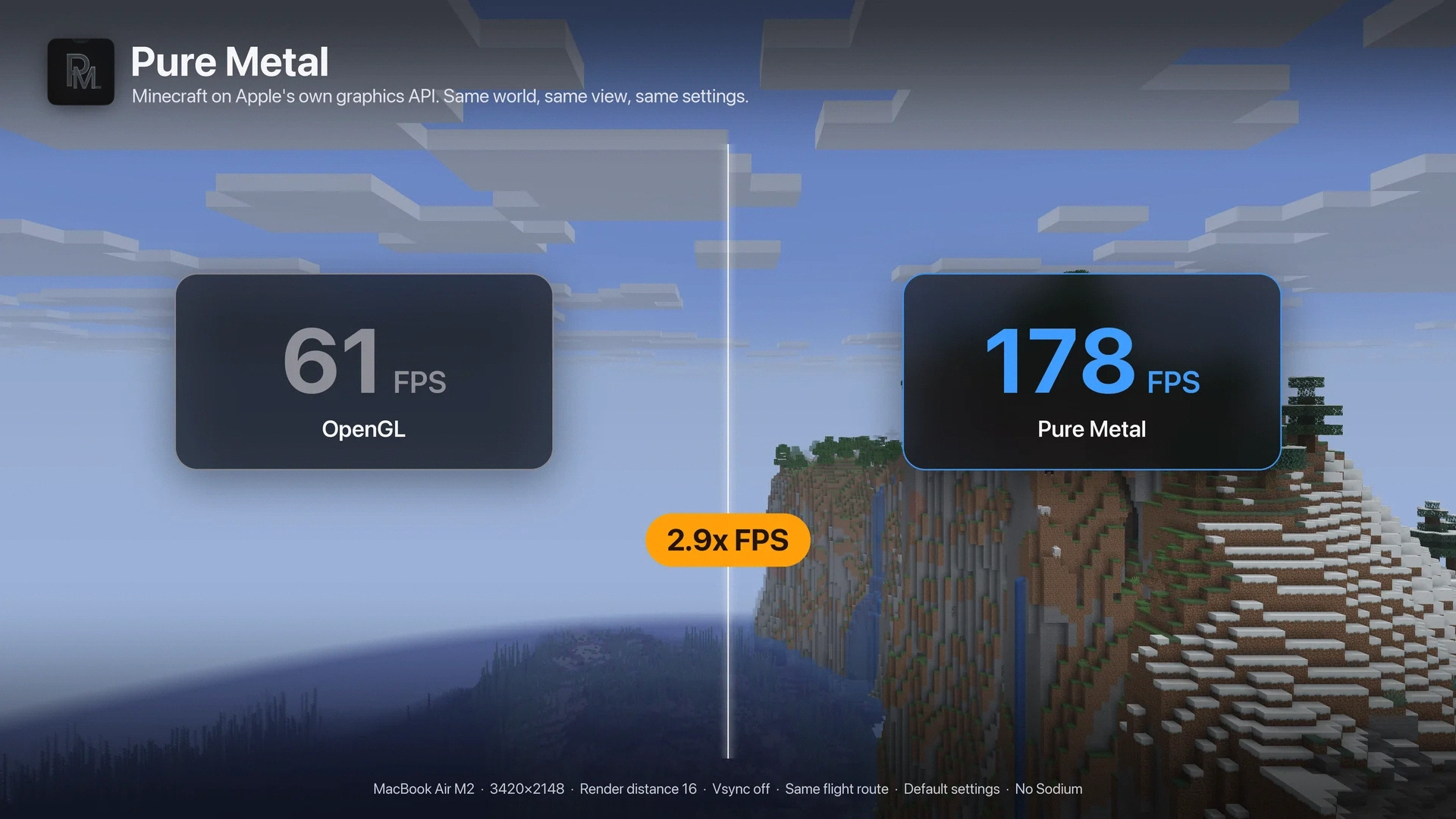
| Pure Metal | 178 | 8.5 ms |
| OpenGL | 61 | 23.9 ms |
Render Scale vs Vulkan (without Sodium)
| Renderer | Avg FPS | 1-in-200 slowest frame (p99.5) |
|---|---|---|
| Pure Metal, 50% scale | 246 | 8.0 ms |
| Pure Metal, Native (100%) | 180 | 9.4 ms |
| Vulkan (MoltenVK) | 154 | 11.3 ms |
Pure Metal vs mcopt (1920×1080 window)
| Renderer | Avg FPS | 1-in-200 slowest frame (p99.5) |
|---|---|---|
| Pure Metal + Sodium, 50% scale | 465 | 2.8 ms |
| mcopt | 464 | 4.5 ms |
| Pure Metal + Sodium | 298 | 4.2 ms |
| Pure Metal | 247 | 4.9 ms |
| OpenGL (no Sodium) | 91 | 20.0 ms |
Separate test from the tables above: one 20-second flight per renderer, same world and path.
Pure Metal 0.4.2, Sodium 0.9.3-beta.1, mcopt 0.3.0-alpha.2.
Render Scale 🎚️
Optional, off by default. Draws the 3D world at fewer pixels and scales it up. Menus, chat and the HUD stay sharp.
- Render Scale: Native, or 50 to 100%.
- Auto Render Scale: off by default. Lowers the scale when your GPU can’t reach your FPS target and raises it when it can (100, 85, 70 or 60%).
- Upscaler: Bilinear (fastest), MetalFX Spatial (sharper) or MetalFX Temporal (sharpest, may ghost on fast motion).
Find it on the Pure Metal screen in Video Settings or on the Pure Metal page in Sodium’s settings.
More options ⚙️
- Terrain LOD: on by default at render distance 16+. Simplifies distant terrain, leaves, plants and water. Nearby terrain and glass stay unchanged.
- Faster World Generation: off by default, singleplayer only. While chunks near you are still missing, FPS is limited to twice your refresh rate so the CPU can build chunks faster. Normal FPS returns once they have loaded.
- Smooth Frame Pacing (Experimental): off by default, needs vsync. Shows frames at an even pace.
- Metal 4 (Experimental): off by default, needs macOS 26. Metal 3 is currently faster.
- F3 screen: shows the active renderer, GPU, upscaler and render scale, and whether the Distant Horizons path is on.
How it’s built 🔧
- Sodium works without patches or add-ons. Its terrain renderer runs natively on Metal.
- Vsync off removes the FPS cap without screen tearing.
- The screen always shows the newest finished frame, so input stays responsive.
- Built around how Apple GPUs work, cutting the memory traffic that slows them down.
Privacy and safety 🔒
- No network access and no telemetry.
- If Metal can’t start, Minecraft falls back to its default renderer. You can switch to OpenGL or Vulkan in Video Settings at any time.
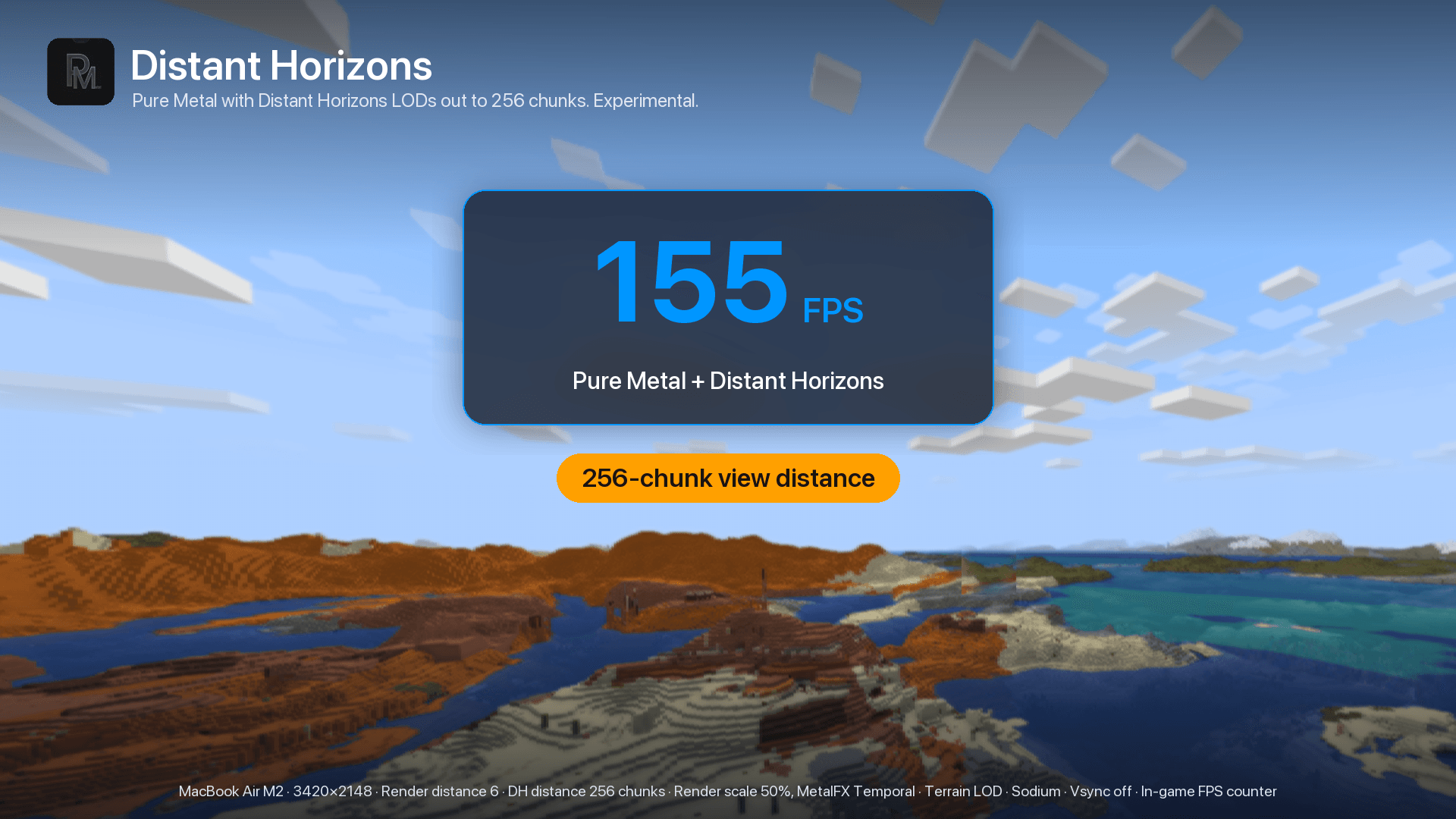
Distant Horizons 🌄 (Experimental)
Pure Metal 0.4.1+ can run Distant Horizons 3.3.4 on Metal. Add this to your launcher’s JVM arguments:
-Dpuremetal.experimentalDistantHorizons=trueKeep DH’s rendering engine on AUTO. Distant terrain may take time to generate. Not supported with Iris. If it can’t run, the F3 screen shows why.
Requirements
- Apple Silicon Mac (M1 or newer), macOS 14 or newer
- Minecraft 26.3, Fabric Loader, Java 25
- Sodium is optional but recommended
Shader packs aren’t supported.
常见问题
Pure Metal [Mac] 支持哪些 Minecraft 版本?
Pure Metal [Mac] 支持 Minecraft Java 版 26.3,可用的加载器:Fabric。下载时注意选择和你游戏版本一致的文件。
Pure Metal [Mac] 怎么安装?
先用 PCL2 或 HMCL 启动器安装对应版本的 Fabric,再把下载的 .jar 文件放进游戏目录的 mods 文件夹,重新启动游戏即可。开启了版本隔离的,mods 文件夹在 versions/版本名 下面。
imCinq 的其他作品
查看全部 →
FPS Tune (Particle + Weather Optimizer)
FPS Tune is a client-side FPS and frame-time stability mod for Minecraft. It helps reduce long frame-time spikes during unusually heavy particle and weather scenes by limiting optional local rendering work.
Water Optimiser
A client-side Fabric and NeoForge mod that improves performance in water-heavy scenes with hidden-water culling, reduced water geometry, particle optimisations, configurable profiles, and safe vanilla fallbacks.

Reactive Totems
Reactive Totems makes the Totem of Undying dynamically react to your environment and health with smooth colors, glowing eyes, cracks, and animated visual effects.

Totem Ghost Effect
Adds smooth fading ghost afterimages behind the vanilla Totem of Undying animation, making every totem pop feel more satisfying without changing its behavior.
评论
登录后评论和评分