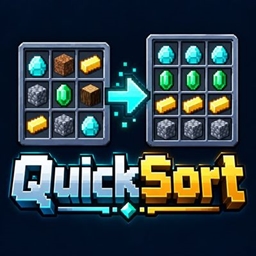
QuickSort by Fox Studios
Sort inventories, chests, shulker boxes, and Ender Chests in one click while keeping your hotbar untouched.
介绍
QuickSort organizes your inventory and storage screens with compact sorting buttons. Spend less time arranging stacks and more time exploring.
Features
• Sorts the 27 main inventory slots while leaving the hotbar, equipment, and crafting slots untouched.
• Organizes single, double, and trapped chests, all standard shulker box colors, and your Ender Chest.
• Combines matching stacks and moves empty spaces to the end.
• Groups tools, equipment, blocks, and resources in a consistent order.
• Keeps names, enchantments, damage, and other item details with their items; differently customized items stay separate.
In a storage screen, choose Sort Container to organize storage contents or Sort Inventory to organize your backpack. Hover over either compact pixel-style button to see its action.
QuickSort waits for the server to confirm each inventory click. Sorting takes a little time, and the controls pause while it works. Empty your cursor before starting. If the menu closes or its contents change unexpectedly, sorting stops. A partially completed sort may leave an item on your cursor, so check your inventory before continuing.
QuickSort supports standard inventory and storage screens. Custom menus and server inventory restrictions may affect compatibility; layouts it cannot safely identify are not sorted.
常见问题
QuickSort by Fox Studios 支持哪些 Minecraft 版本?
QuickSort by Fox Studios 支持 Minecraft Java 版 26.3,可用的加载器:Fabric。下载时注意选择和你游戏版本一致的文件。
QuickSort by Fox Studios 怎么安装?
先用 PCL2 或 HMCL 启动器安装对应版本的 Fabric,再把下载的 .jar 文件放进游戏目录的 mods 文件夹,重新启动游戏即可。开启了版本隔离的,mods 文件夹在 versions/版本名 下面。
Fox_Studios_by_teolm30 的其他作品
查看全部 →
Ultra Shaders
目前优化效果最好的光影

Wearable Lantern
Wearable Lantern 在盔甲栏旁新增专用灯笼栏位,让你把原版灯笼挂在腰间,走到哪儿都能照亮周围。

Mine’s Minimap
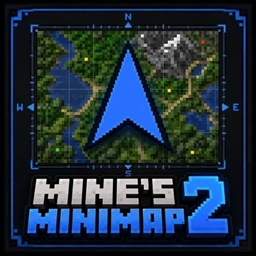
A 250×250 live minimap showing nearby terrain, players, hostile mobs, and friendly mobs. You are a blue directional arrow at the center. Toggle it with M.
Mine’s Minimap 2
The updated and supported version of Mine's Minimap, featuring a compact 380×380 live map, directional arrow, compass, coordinates, and layer-aware mob markers.
评论
登录后评论和评分