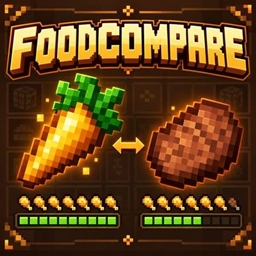
FoodCompare
See hunger and saturation points in food tooltips. Compare each food with your selected hotbar food using clear, compact nutrition differences.
介绍
Choose food with useful numbers at a glance.
FoodCompare adds hunger and saturation points to food tooltips. Select another food in your hotbar to see how the hovered food compares: green differences show more nutrition, red differences show less, and equal values stay neutral.
Features
- Hunger and saturation points from the item’s available food information.
- Compact tooltips, with an optional expanded layout.
- Automatic comparison with your selected food.
- Support for compatible custom food components.
- English and Greek text.
- Local options for hunger, saturation, comparisons, layout, and decimal values.
Hover over food to see its base nutrition. These numbers describe the item’s contribution before your current hunger and saturation limits are applied. Foods with unknown or invalid nutrition receive no extra statistics.
FoodCompare keeps existing names, lore, and other tooltip details. It changes no food properties or inventory contents and needs no activation key.
Developed by Fox Studios by teolm30.
常见问题
FoodCompare 支持哪些 Minecraft 版本?
FoodCompare 支持 Minecraft Java 版 26.3,可用的加载器:Fabric。下载时注意选择和你游戏版本一致的文件。
FoodCompare 怎么安装?
先用 PCL2 或 HMCL 启动器安装对应版本的 Fabric,再把下载的 .jar 文件放进游戏目录的 mods 文件夹,重新启动游戏即可。开启了版本隔离的,mods 文件夹在 versions/版本名 下面。
Fox_Studios_by_teolm30 的其他作品
查看全部 →
Ultra Shaders
目前优化效果最好的光影
Wearable Lantern
Wearable Lantern 在盔甲栏旁新增专用灯笼栏位,让你把原版灯笼挂在腰间,走到哪儿都能照亮周围。

Mine’s Minimap
A 250×250 live minimap showing nearby terrain, players, hostile mobs, and friendly mobs. You are a blue directional arrow at the center. Toggle it with M.
Mine’s Minimap 2
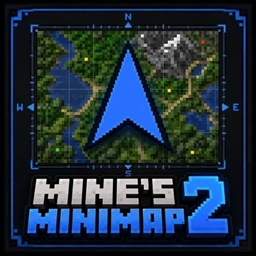
The updated and supported version of Mine's Minimap, featuring a compact 380×380 live map, directional arrow, compass, coordinates, and layer-aware mob markers.
评论
登录后评论和评分