
截图
介绍
An addon for Create

You built a great Create factory, but it only makes things when a Factory Gauge’s stock
runs low. Need 16 of something right now? You end up changing a slider and waiting for the
numbers to catch up.
Create: On Demand lets you simply ask for it. Open the Stock Keeper, pick a
product, choose a quantity and confirm. Your factory builds exactly that, including every
component it needs, using the recipes and ingredient connections you already set up on
your Factory Gauges.
There are no new blocks, items or recipes to learn. It works with the Stock Keeper and
Factory Gauges you already have.

Three things: ordering, tracking and delivery.
Order anything your gauges can make
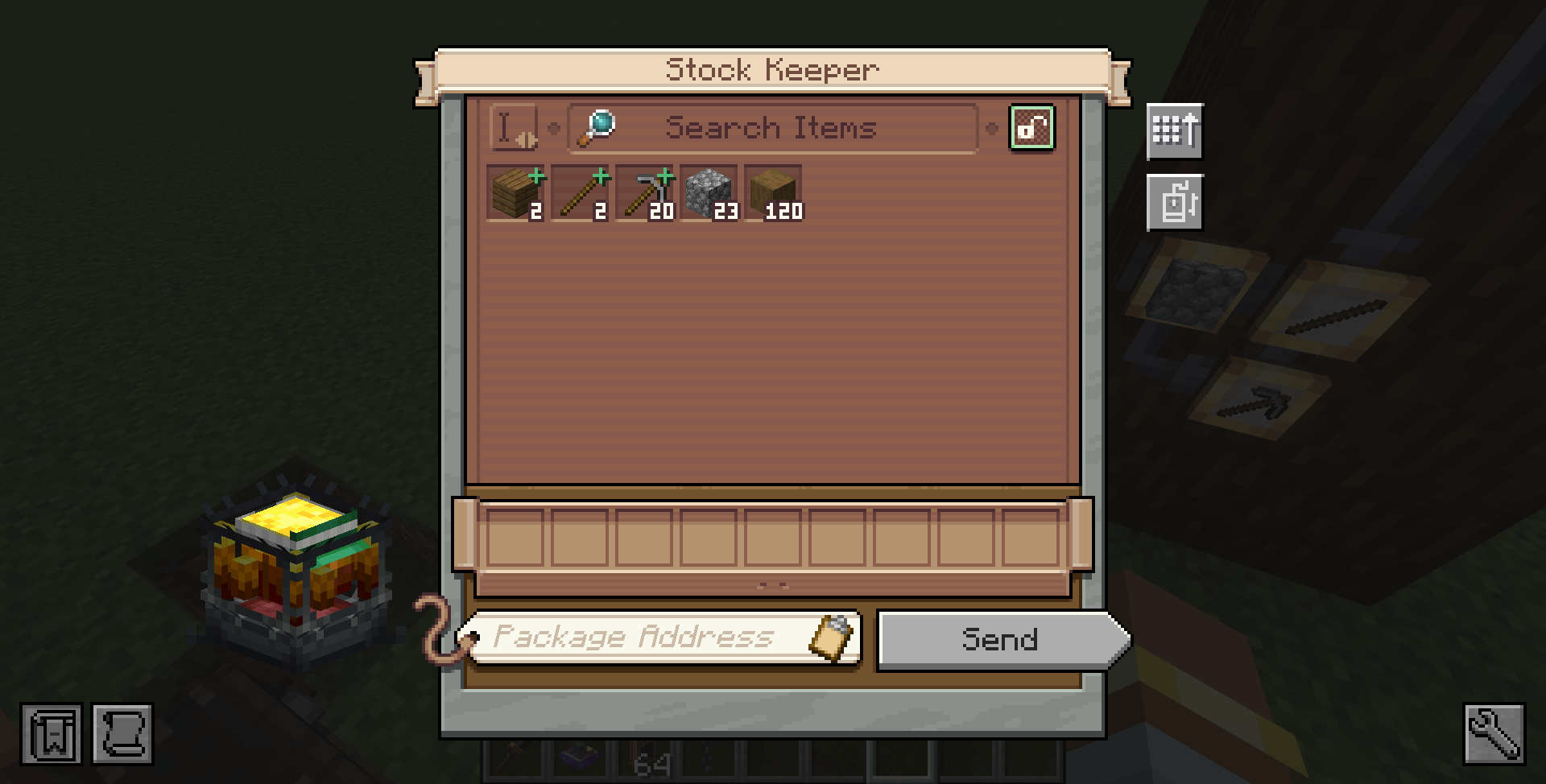
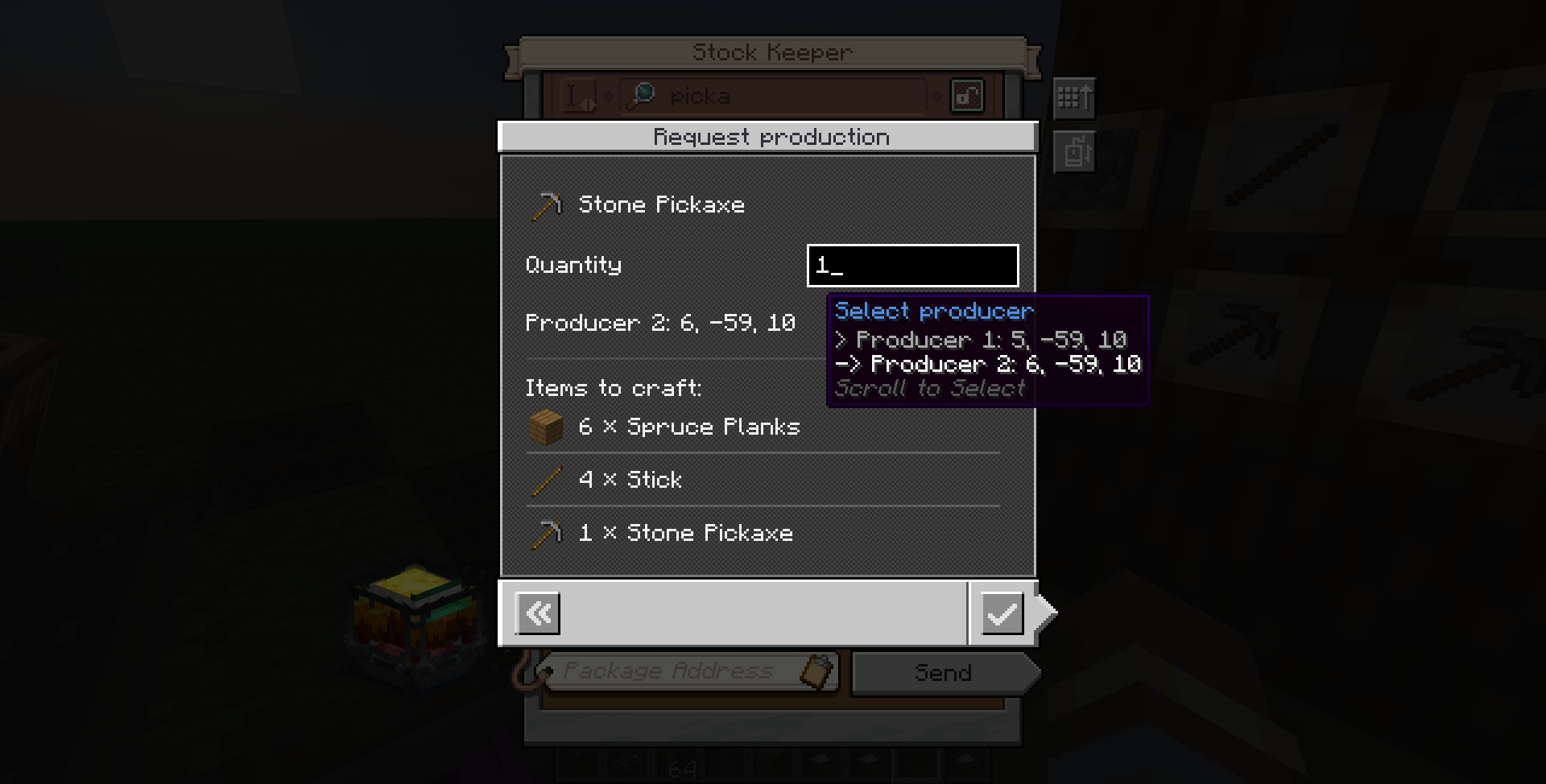
Request any published product, even when its stock is zero. Craftable products show up
in the Stock Keeper with a green mark. Click one with no stock to open the order screen.
Ctrl + left-click one that does have stock when you want fresh crafting anyway.
- Requesting 16 items means crafting 16 new items. Recipe batches that produce extras
leave them in storage. - Connected components are crafted too, and ingredients already in storage are reused
instead of crafted again. - If several gauges make the same item, you choose which one produces it.
See the plan before you commit
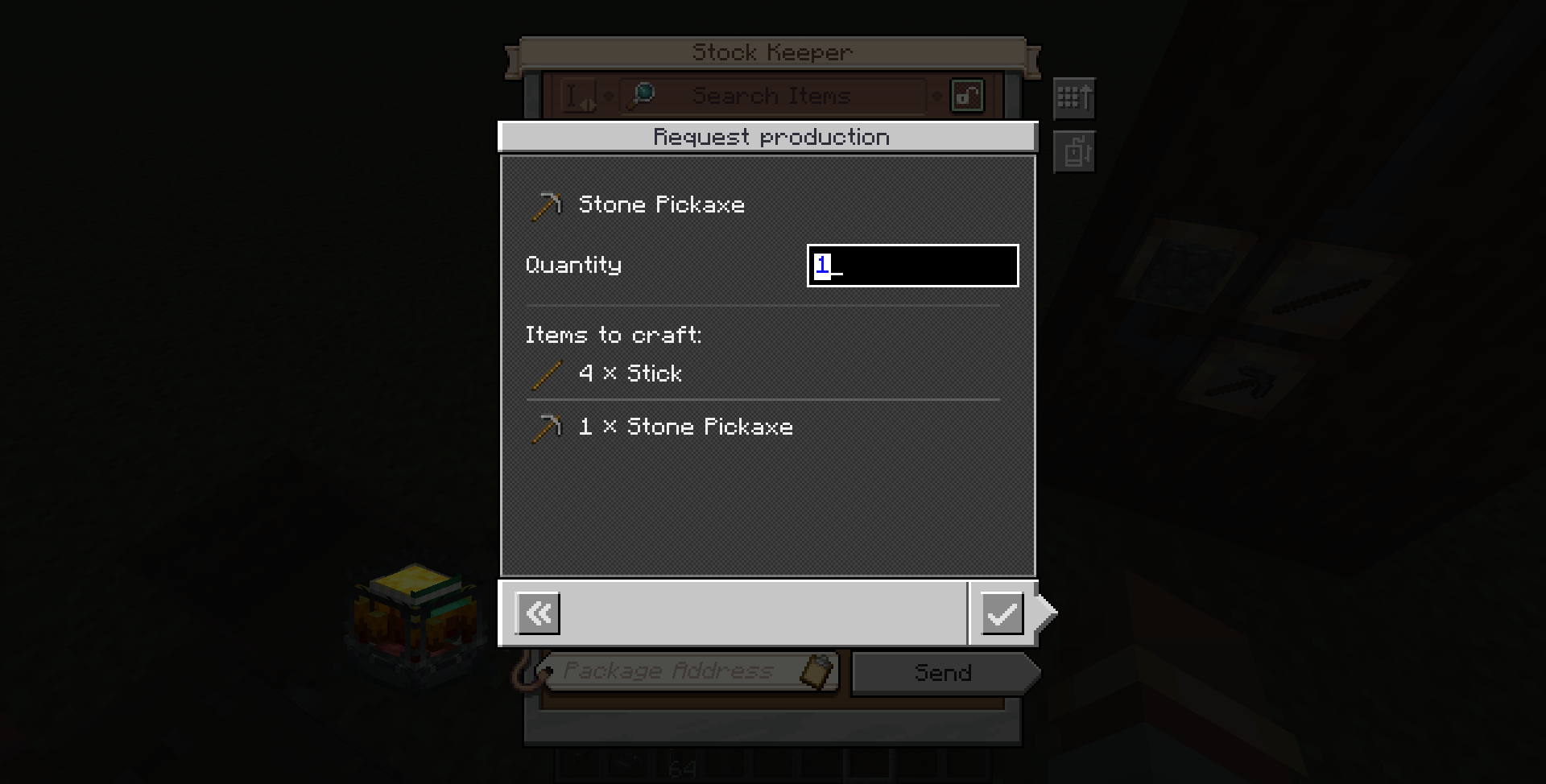
The order screen shows what will happen before you confirm:
- Items to craft: every step in production order, components first and the final
product last. - Missing materials: shown instead when supplies are short. You can still confirm, and
the order waits until the materials are replenished.
Track it, cancel it, grab it
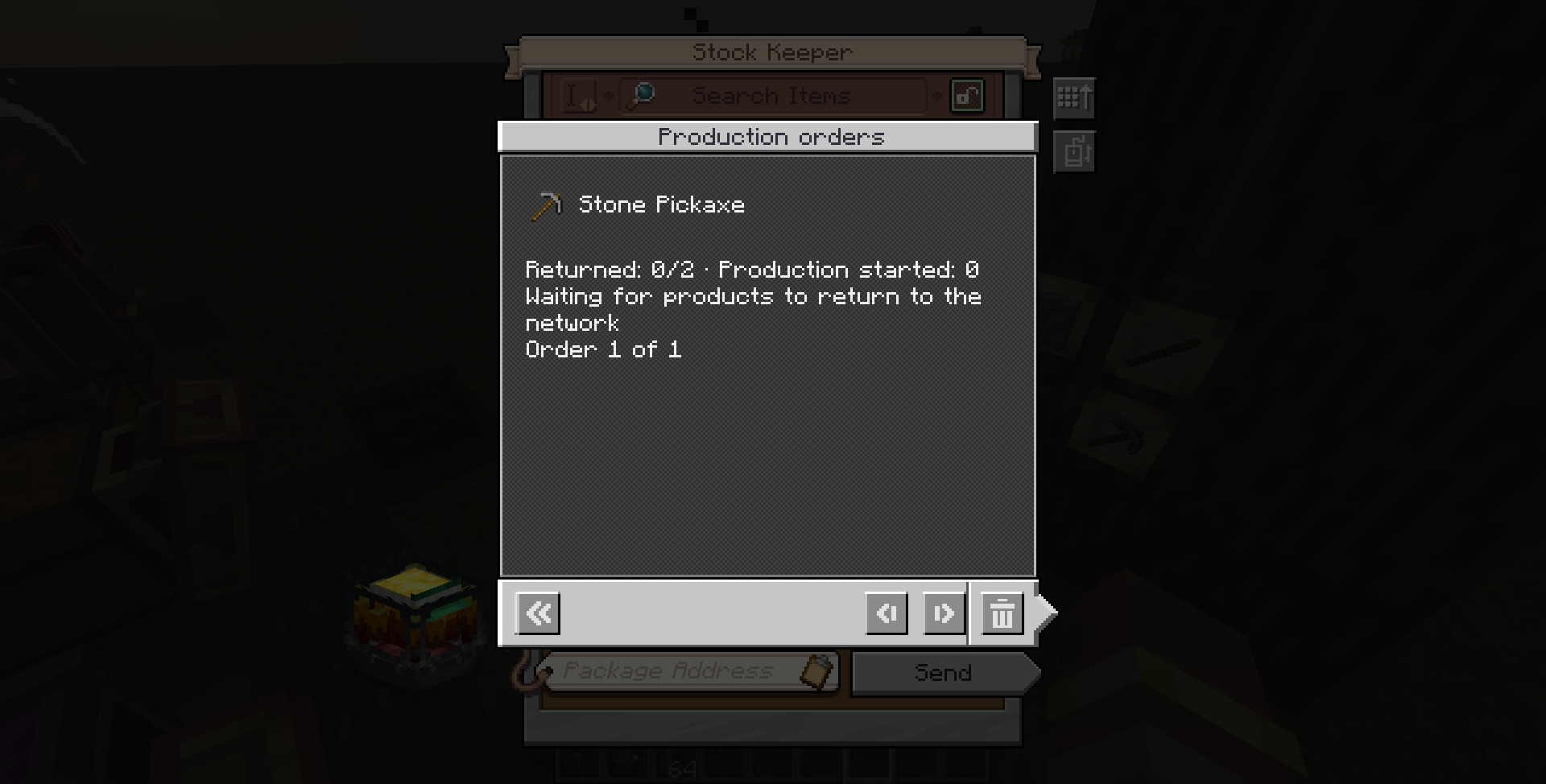
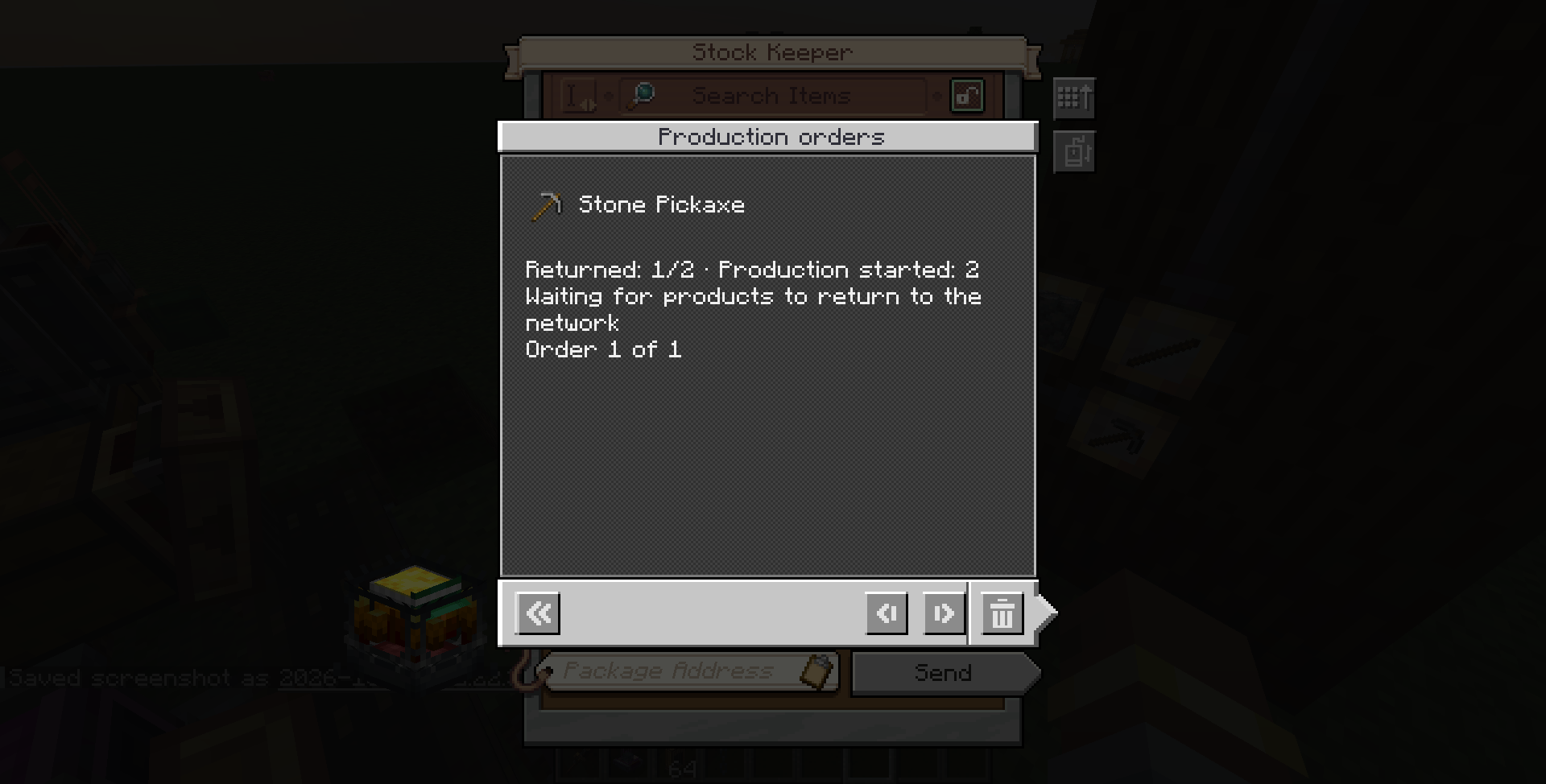
The Orders panel lists your active orders and lets you cancel them. When an order
finishes, the product is waiting in your network’s storage, and the next time you open
the Stock Keeper it is highlighted with a green border so you can spot it.
Ship it to an address
Type an address into the Stock Keeper before confirming and the finished order is packaged
for that address: exactly the quantity you asked for, possibly across several boxes, with
any surplus kept in storage. The Orders panel shows the destination and the packaging
progress.

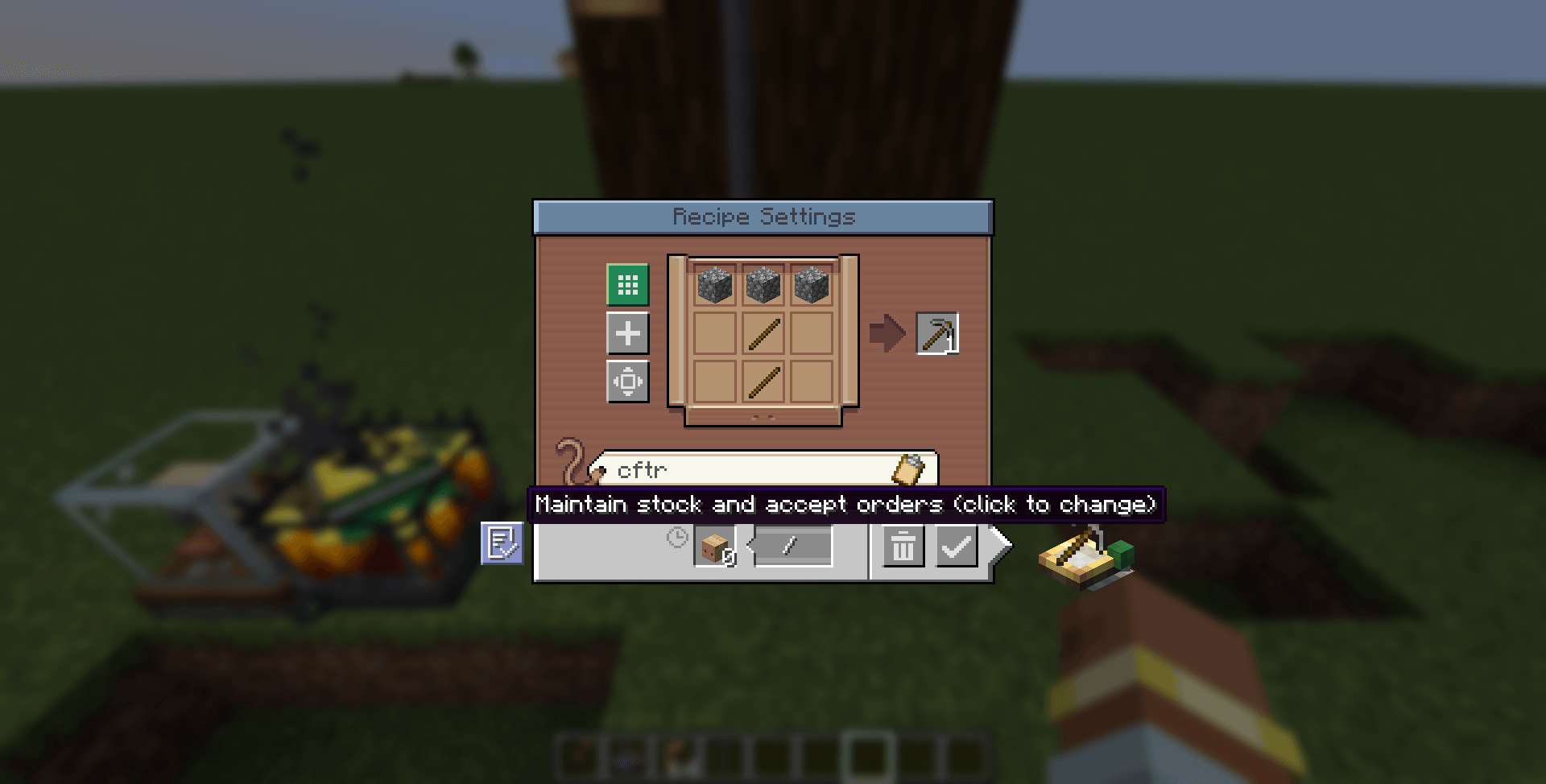
- Set up your gauges. Configure recipes on your Factory Gauges and connect their
ingredient gauges. New gauges use Maintain stock and accept orders by default. - Build the factory. Build and power the machines. Route ingredient packages to their
processing addresses and return the products to storage monitored by the producing
gauge’s network. - Open the Stock Keeper and click a craftable product (or Ctrl + left-click if it’s
in stock). - Pick a quantity, review the materials and confirm. Quantity accepts typing and mouse
wheel scrolling; hold Shift to scroll faster.
Two modes per gauge. The button on the side of the recipe screen switches between
Maintain stock and accept orders (default) and Maintain stock. The original stock
slider works in both: a target of 10 still keeps 10 in stock on its own. Choose
Maintain stock on a gauge you don’t want to take orders.
Heads up: only gauges that accept orders take part in building components. An
ingredient made by a gauge on Maintain stock is treated as a material to be
replenished by its own slider, not crafted on demand.
What it won’t do. The mod follows the connections you configured. It doesn’t discover
recipes from JEI and doesn’t craft something just because a consumer ran out. Machines,
rotation, storage, Packagers and transport are still your job, and orders don’t load
chunks. Cancelling stops new work but doesn’t recover ingredients already sent out.

- Minecraft 1.21.1 with NeoForge 21.1.236 or newer, and Create 6.0.10
- Minecraft 1.20.1 with Forge 47.4.0, and Create 6.0.8
Install the matching JAR alongside Create on both the client and the server.

Open an issue and include your Minecraft version, the mod versions and a description of
what happened. A screenshot of your Factory Gauge setup helps a lot.

Yes, go ahead! Create: On Demand is released under the AGPL-3.0 License. A link
back to this page is appreciated.
Developing or contributing? See CONTRIBUTING.md and the
technical documentation (in Portuguese). Release notes are in
CHANGELOG.md.
常见问题
Create: On Demand 支持哪些 Minecraft 版本?
Create: On Demand 支持 Minecraft Java 版 1.21.1,可用的加载器:NeoForge。下载时注意选择和你游戏版本一致的文件。
Create: On Demand 怎么安装?
先用 PCL2 或 HMCL 启动器安装对应版本的 NeoForge,再把下载的 .jar 文件放进游戏目录的 mods 文件夹,重新启动游戏即可。开启了版本隔离的,mods 文件夹在 versions/版本名 下面。
radaeli 的其他作品
查看全部 →
Create: Copycat Replace!
Replace a Copycat's material in a single click - Work with connected blocks and supports Copycats+
Sophisticated Backpacks: Digital Storage Expansion (AE2, RS, SCC)
Connect your Sophisticated Backpack to your digital storage! Supports Applied Energistics 2 (AE2), Refined Storage (RS), Super Cool Calculator (SCC), and Tom's Simple Storage.

[DEPRECATED] – Create: Stock Market – Updated Numismatics
DEPRECATED - Use the official mod - This one is gonna be deleted soon.
Simply Light: Smart!
An addon for Simply Light that adds redstone-dimmable lights and Smart Switch controls for linked lighting networks.
评论
登录后评论和评分