Better Radio
Take control of Minecraft’s music with playlists, smart background tracks, and simple in-game playback controls.
截图
介绍
Minecraft’s soundtrack, on your terms

Minecraft’s background music and discs can be hard to control while you’re playing. Better Radio puts them in a personal player, so you can choose what to hear, manage a playlist, and return to tracks from your history.

Free flow
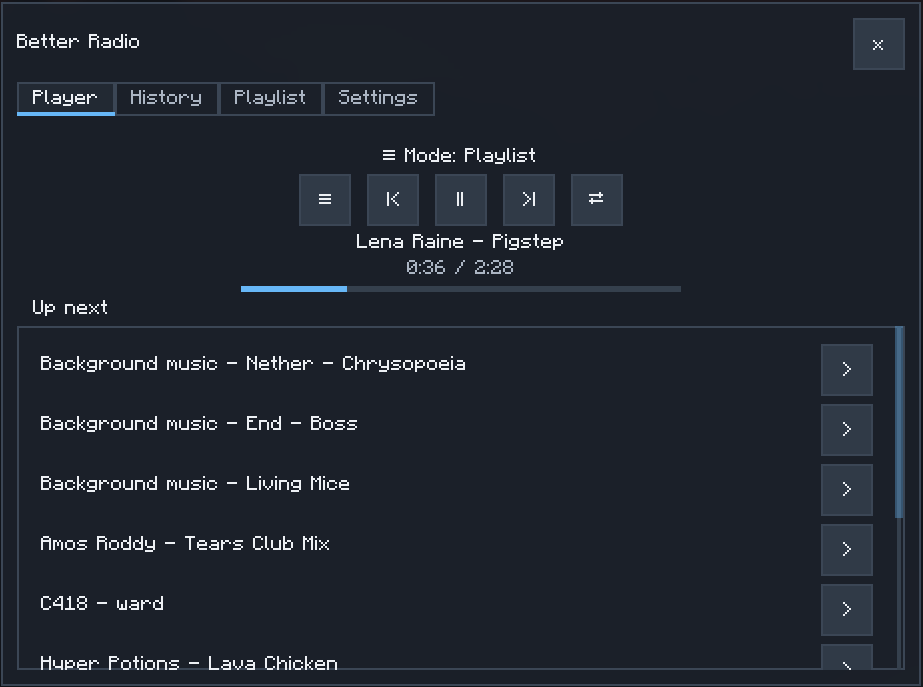
Let the game choose the next track. Free flow draws from eligible background music and discs, with a preference for tracks associated with your biome.
Playlist
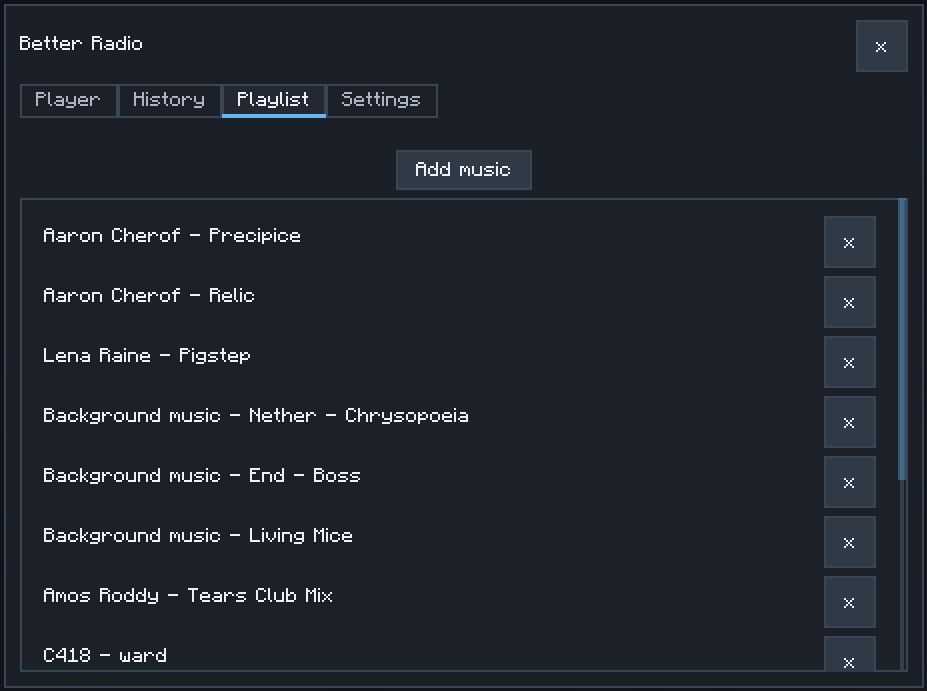
Make a personal mix and play it on repeat. Add tracks from the library or your listening history, then shuffle the upcoming playlist when you want a different order.
Player, history, and library
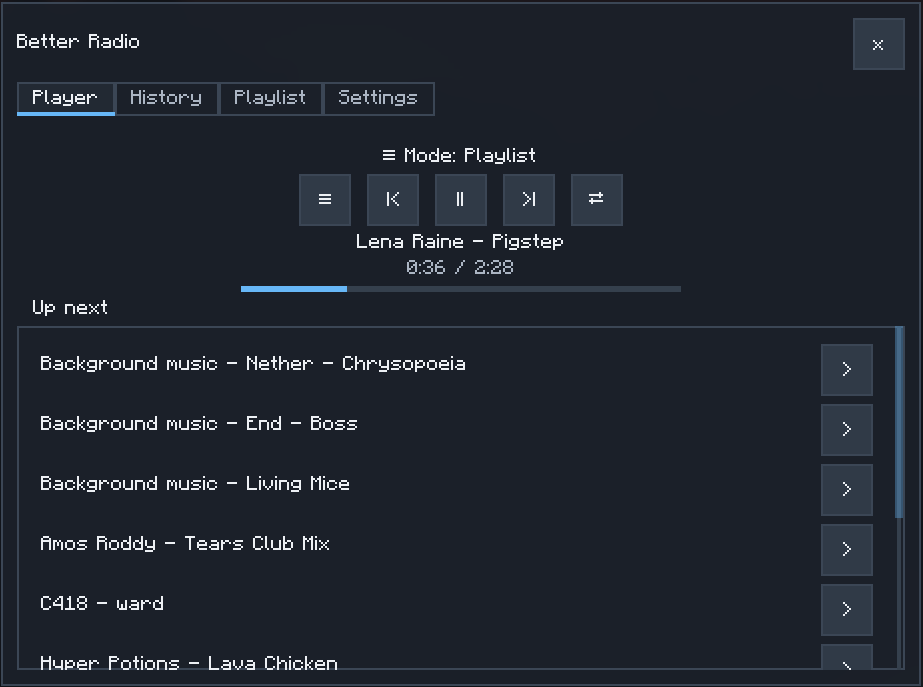
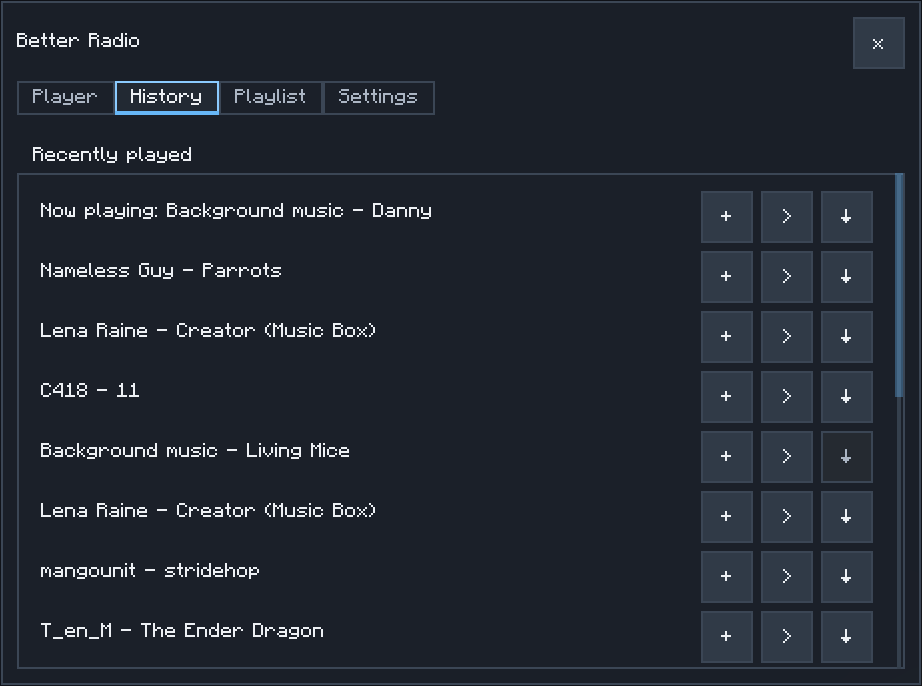
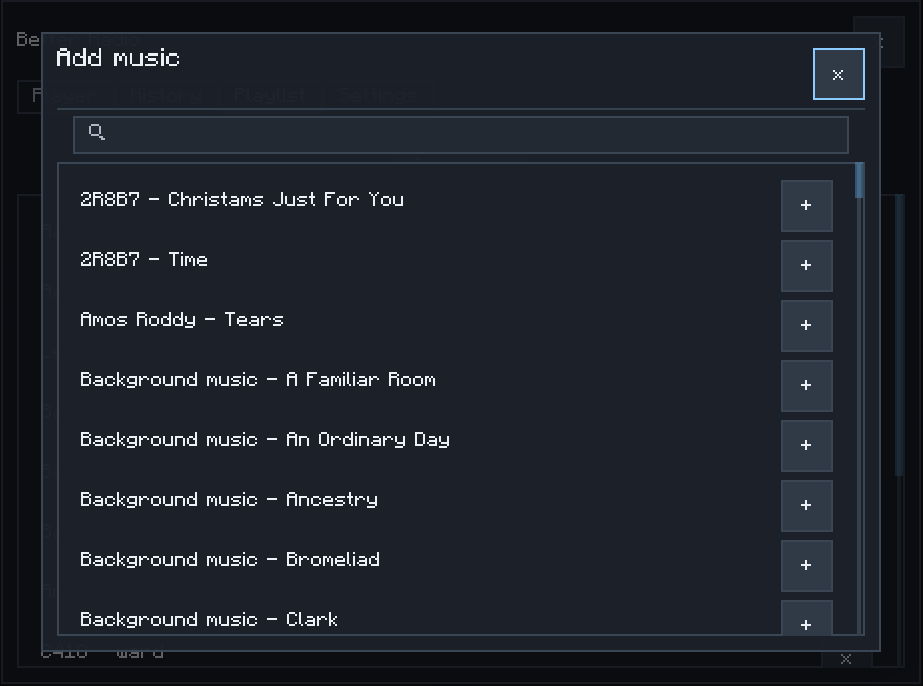
Control playback without leaving your world. Open the player to pause or resume, skip tracks, browse what you heard, search the library, and add favorites to your playlist. Music from compatible mods can appear in the library too.

- Press F6 to open Better Radio. The key can be changed in Options → Controls → Key Binds → Better Radio.
- Use Player, History, Playlist, and Settings to choose music and control playback.
- Press F7 for the previous track, F8 to play or pause, and F9 for the next track. These shortcuts also work while the player is open.
- Adjust playback volume with the Music slider in Music & Sounds.
Heads up: Better Radio controls gameplay background music and music discs. Menu and credits music remain under Minecraft’s control.

Yes. Open the Settings tab to choose how music plays:
| Setting | Default | What it does |
|---|---|---|
| Free flow interval | Balanced | Sets the silence between tracks: Frequent (1–2 min), Balanced (2–5 min), Occasional (5–10 min), or Non-stop (2–4 sec). |
| Playlist interval | Non-stop | Sets the pause between playlist tracks using the same choices, independently of Free flow. |
| Biome preference | 100% | Controls how strongly Free flow favors music associated with the current biome. At 100%, biome-associated tracks are favored, but other eligible tracks can still play. |
| Starting mode | Last used | Choose whether a world starts in your last mode, Free flow, or Playlist. |

Better Radio is a client-side mod. Install it and R-UI Lib on each client that will use the player; no server installation is needed.
- Minecraft 1.20.1 with Forge 47.4.20
- Minecraft 1.21.1 with NeoForge 21.1.236
- R-UI Lib 0.5.0 or newer, required on the client

Open an issue on GitHub. Include your Minecraft, loader, Better Radio, and R-UI Lib versions, plus the listening mode and steps that led to the issue. Screenshots of the player or settings can help.

Yes. Better Radio is licensed under the MIT License. See LICENSE.
For details about the player and playback controls, see the player guide and CHANGELOG.
常见问题
Better Radio 支持哪些 Minecraft 版本?
Better Radio 支持 Minecraft Java 版 1.20.1–1.21.1,共 2 个版本,可用的加载器:Forge / NeoForge。下载时注意选择和你游戏版本一致的文件。
Better Radio 怎么安装?
先用 PCL2 或 HMCL 启动器安装对应版本的 Forge / NeoForge,再把下载的 .jar 文件放进游戏目录的 mods 文件夹,重新启动游戏即可。开启了版本隔离的,mods 文件夹在 versions/版本名 下面。
radaeli 的其他作品
查看全部 →
Create: Copycat Replace!
一键替换伪装者的材质——支持连接方块并兼容Copycats+
Sophisticated Backpacks: Digital Storage Expansion (AE2, RS, SCC)
将你的精妙背包连接到你的数字存储!支持应用能源2(AE2)、精致存储(RS)、Super Cool Calculator(SCC)和 Tom's Simple Storage。

[DEPRECATED] – Create: Stock Market – Updated Numismatics
DEPRECATED - Use the official mod - This one is gonna be deleted soon.
Simply Light: Smart!
An addon for Simply Light that adds redstone-dimmable lights and Smart Switch controls for linked lighting networks.
评论
登录后评论和评分