截图
介绍
PackForge
I got tired of alt tabbing to a text editor every time I wanted to change one recipe, so I made this.
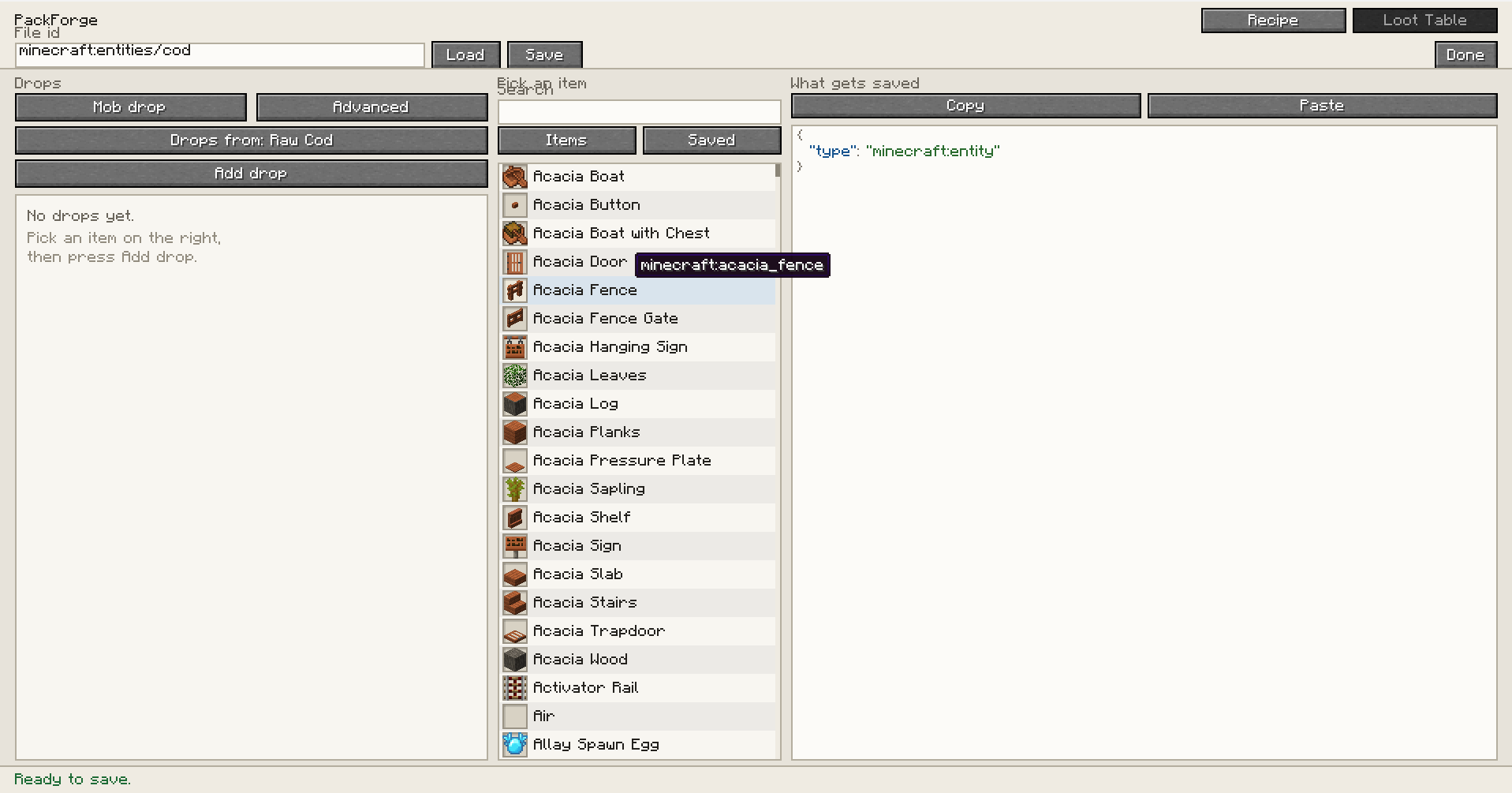
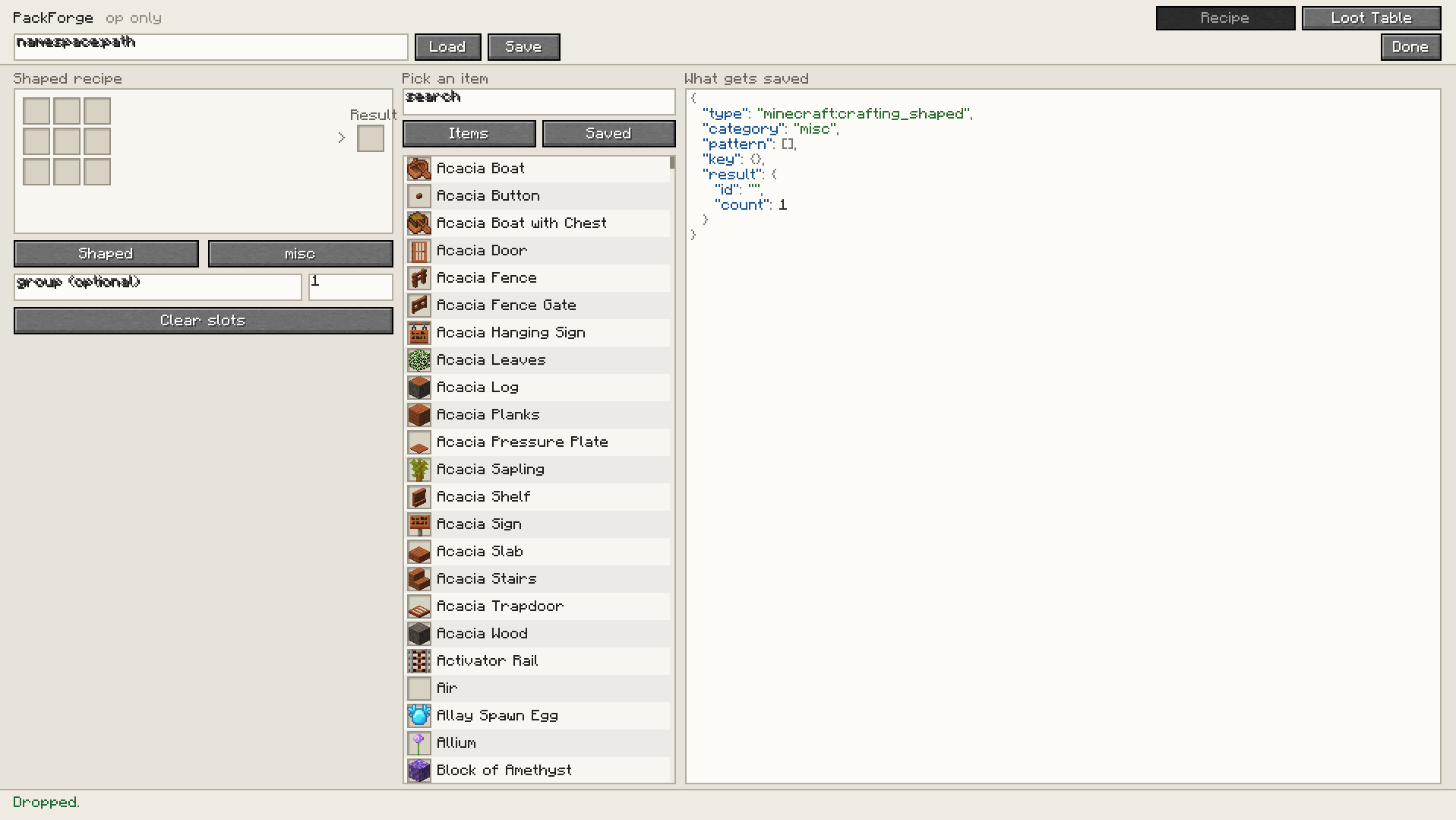
Run /packforge and you get an editor with three columns: the thing you’re building on the left, a searchable item list in the middle, live JSON on the right. Drag an item into a crafting slot, set the result, hit Save. The file lands in <world>/datapacks/packforge/ and the game reloads it. No restart, no leaving the world.
Recipes
Shaped, shapeless, smelting, smithing and stonecutting. The 3×3 grid writes the pattern exactly where you put things, no auto-shaping. Ingredient slots take item tags as well as items.
Loot tables
Opens as a plain list of drops: pick a mob or a block, add items, set counts and a percentage chance. If you want the real structure, one button switches to a full tree of pools, entries, functions and conditions, and switching back only works if the table still fits the simple view it won’t quietly throw away parts it can’t display.
You can also import what’s already loaded. Type skel, hit Import next to minecraft:entities/skeleton, and you get the actual table the server is using right now, other datapacks included. Change one thing, save it back.
The JSON is real
PackForge doesn’t build strings. Everything goes through the game’s own Recipe.CODEC and LootTable.DIRECT_CODEC decoded to prove it loads, then re-encoded, and that output is what gets written. If something’s wrong you get the game’s own error before you save, not a broken file afterwards.
Op only
The client sends the document, the server writes it. Every save checks permission level 2 on the server, rate-limits per player, caps the payload, and refuses any path that resolves outside its own datapack folder. Hiding the button isn’t the check.
常见问题
PackForge 支持哪些 Minecraft 版本?
PackForge 支持 Minecraft Java 版 1.21.11–26.2,共 4 个版本,可用的加载器:Fabric / NeoForge。下载时注意选择和你游戏版本一致的文件。
PackForge 怎么安装?
先用 PCL2 或 HMCL 启动器安装对应版本的 Fabric / NeoForge,再把下载的 .jar 文件放进游戏目录的 mods 文件夹,重新启动游戏即可。开启了版本隔离的,mods 文件夹在 versions/版本名 下面。
Skatric_ 的其他作品
查看全部 →
TrimsEffects – 2.1 NOW AVAILABLE!
盔甲纹饰现在将赋予一些特殊效果

Crab Claws – Place/Break blocks from a distance!
有了这些蟹钳,你就能在 8 格外放置方块、破坏方块或进行交互!

Elemental Maces | 4 New Maces with Effects!
元素权杖旨在扩充游戏中的权杖数量,同时加入丰富多样的有趣效果。
Item Collector
在一个自定义菜单中追踪所有已安装模组中每种物品的收集情况。
评论
登录后评论和评分