Item Collector
Track your collection of every item from every installed mod in one custom menu
截图

介绍


Item Collector turns your entire modpack into one giant scavenger hunt!
On world load, Item Collector auto-generates a collection quest for every obtainable item from every mod you have installed, and you can quickly blacklist items with the click of a button. Install it alongside 2 mods or 500, and it’ll create an entry for every item no matter when you add a mod!
The Collection Book
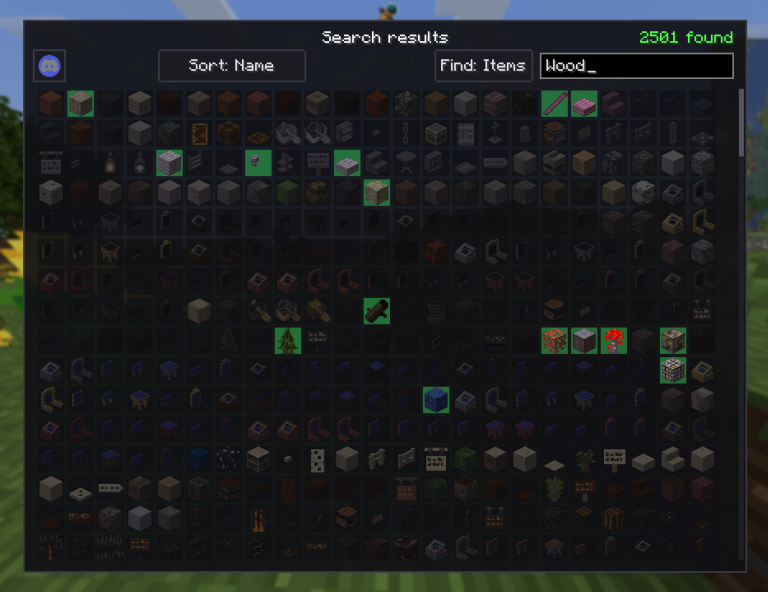
Press B (rebindable) or type /collection to open the collection menu:
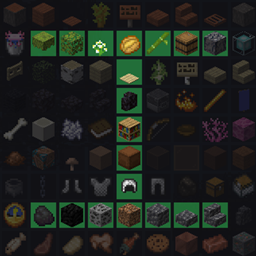
- Collected items glow with a green highlight, missing ones stay dimmed, and blacklisted items will have a red “X” over them.
- You can search for individual mods to check your progress in each of their dedicated pages, or search from a mega-list of every item in all your mods. Hundreds of mods to look through? No problem!
- Additional “Sort” options are available for items as well!
- Items can be blacklisted just by right-clicking on them, no config needed.
- The main menu and mods will have respective “collected/total” counts next to them, so you can quickly track your progress.

How It Works
Normal items are collected the moment they enter your inventory.
Unobtainable blocks (bedrock, end portal frames, modded indestructibles) are collected just by looking at them through a spyglass or while crouching for 3 seconds (configurable).
Creative-only items (command blocks, spawn eggs, and anything else hidden from the survival creative tabs) are excluded automatically, so you don’t have to blacklist them yourself.

Easily Configurable For Any Playstyle
Everything runs automatically, but config/itemcollector.json lets you fine-tune:
forceBlacklist— Item IDs to exclude from the collection completely, such as “minecraft:bedrock”.forceInclude— Item IDs to force into the collection even if they are normally blacklisted as creative only.announceToChat— Whether or not a chat message should be shown when you collect an item for the first time.showToasts— Whether or not the advancement popup should be shown in the top-right corner when you collect an item for the first time.stareSeconds— How many seconds you must look at an unobtainable block (such as bedrock) for it to be “collected.”blacklistBlocksCollection— When true, blacklisted items are not recorded at all, and cannot be collected until unblacklisted. When false, the blacklist will hide its items from the total count, but will still record if the items are collected.stareBlocksAlsoCollectable— When true, blocks that are normally only collected by looking at them will also be collected if you obtain the item. Helps with modded blocks that are mistakenly marked as unobtainable.
All of your blacklisted items are also stored in the separate config file, itemcollector-blacklist.json.

Multi-loader & Multi-version
Available for Fabric, Forge, and NeoForge across a range of Minecraft versions. Grab the file that matches your setup. (Requires Fabric API on Fabric. No API dependency on Forge/NeoForge.)
Mod created by Skatric with help from SobGoth <3
常见问题
Item Collector 支持哪些 Minecraft 版本?
Item Collector 支持 Minecraft Java 版 1.19.2–26.2,共 8 个版本,可用的加载器:Fabric / Forge / NeoForge。下载时注意选择和你游戏版本一致的文件。
Item Collector 怎么安装?
先用 PCL2 或 HMCL 启动器安装对应版本的 Fabric / Forge / NeoForge,再把下载的 .jar 文件放进游戏目录的 mods 文件夹,重新启动游戏即可。开启了版本隔离的,mods 文件夹在 versions/版本名 下面。
Skatric_ 的其他作品
查看全部 →
TrimsEffects – 2.1 NOW AVAILABLE!
盔甲纹饰现在将赋予一些特殊效果

Crab Claws – Place/Break blocks from a distance!
有了这些蟹钳,你就能在 8 格外放置方块、破坏方块或进行交互!

Elemental Maces | 4 New Maces with Effects!
元素权杖旨在扩充游戏中的权杖数量,同时加入丰富多样的有趣效果。
评论
登录后评论和评分