
Living Menu
作者:Salut_46
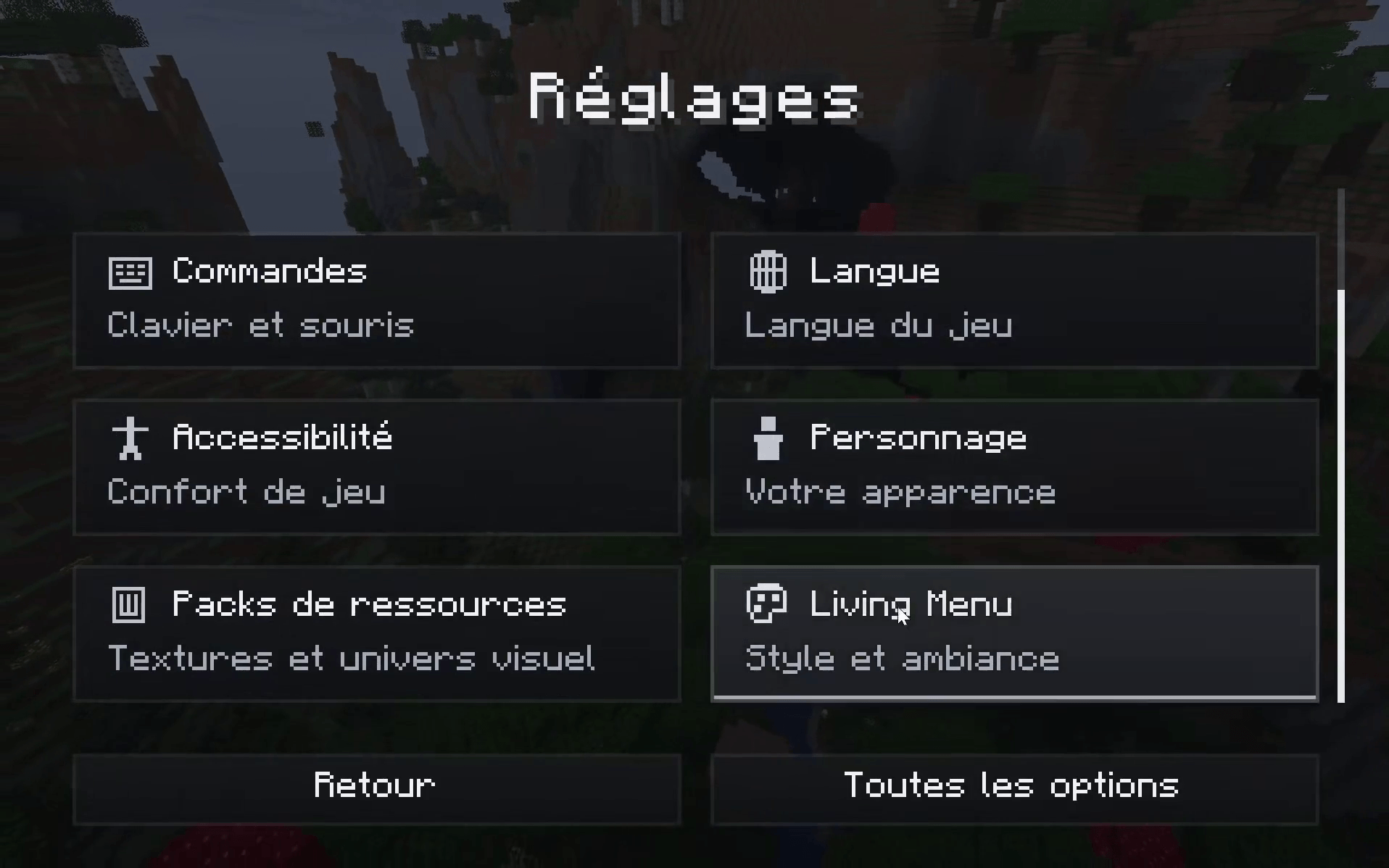
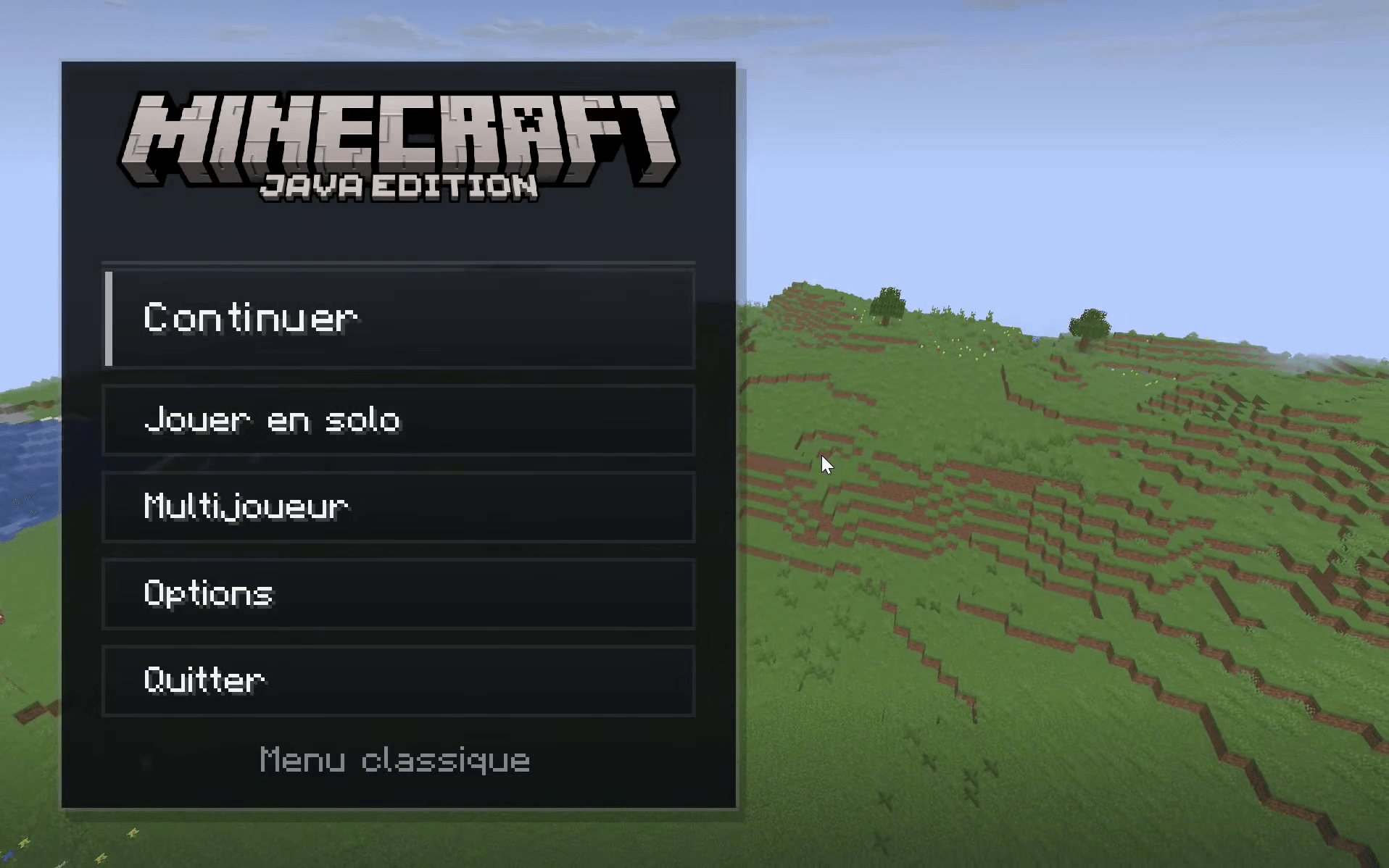
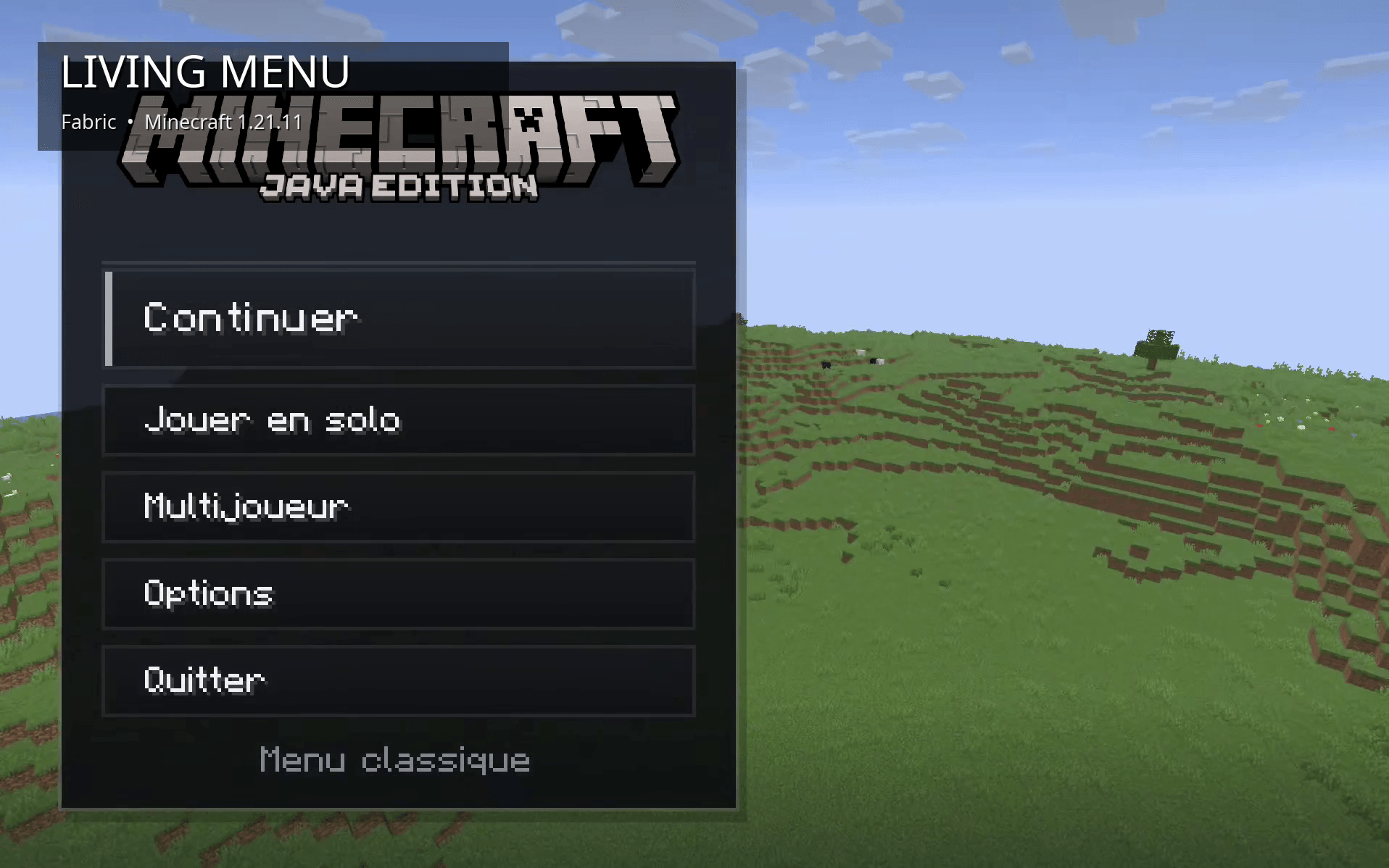
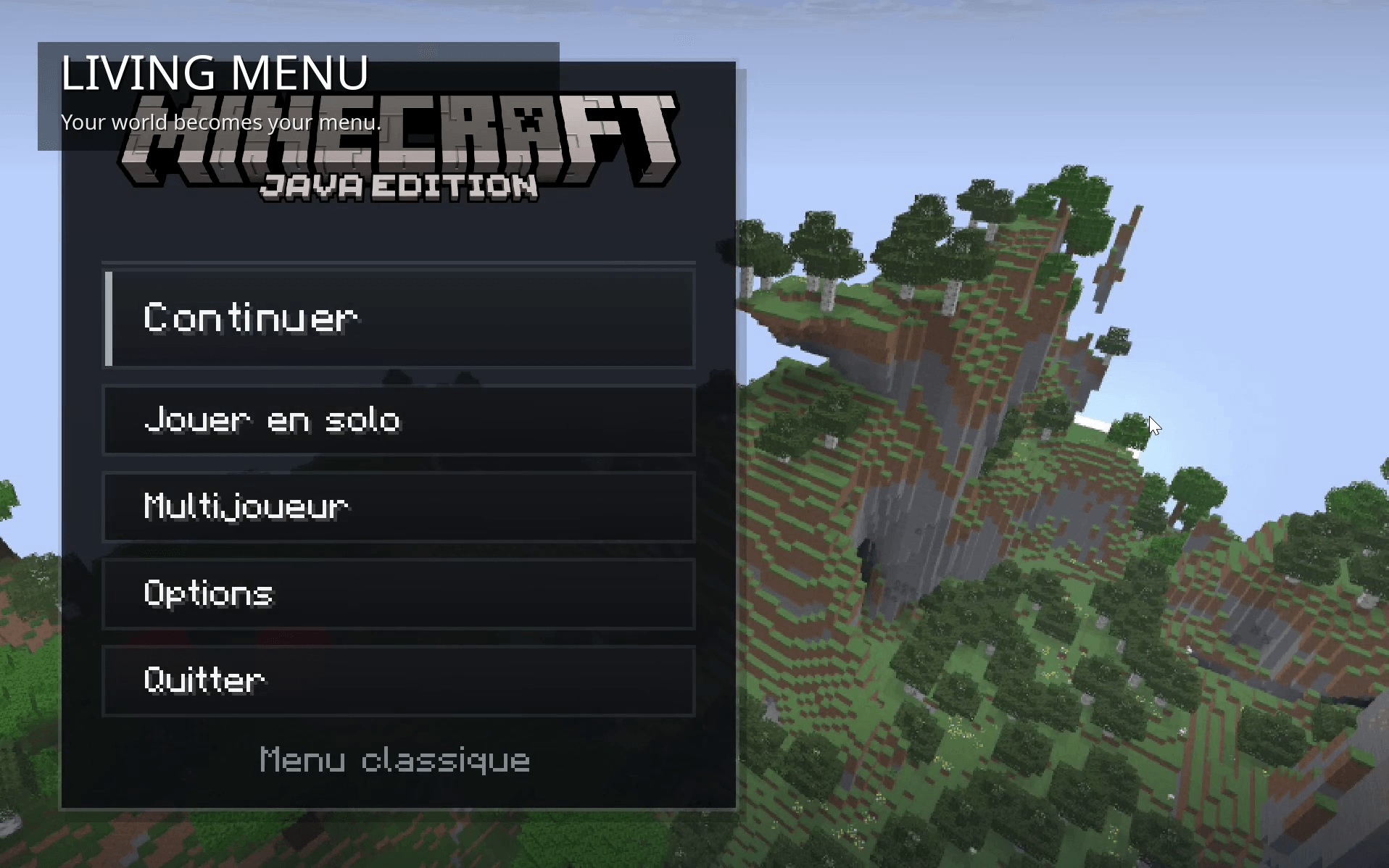
Living Menu transforms Minecraft's main menu into a dynamic and immersive experience.
截图
介绍
中文介绍正在准备中,下面暂时显示原文。
Living Menu
Living Menu completely refreshes Minecraft’s main menu by replacing the usual static experience with a dynamic view connected to your worlds.
The goal is simple: make the time spent in Minecraft’s menus feel like part of the game itself.
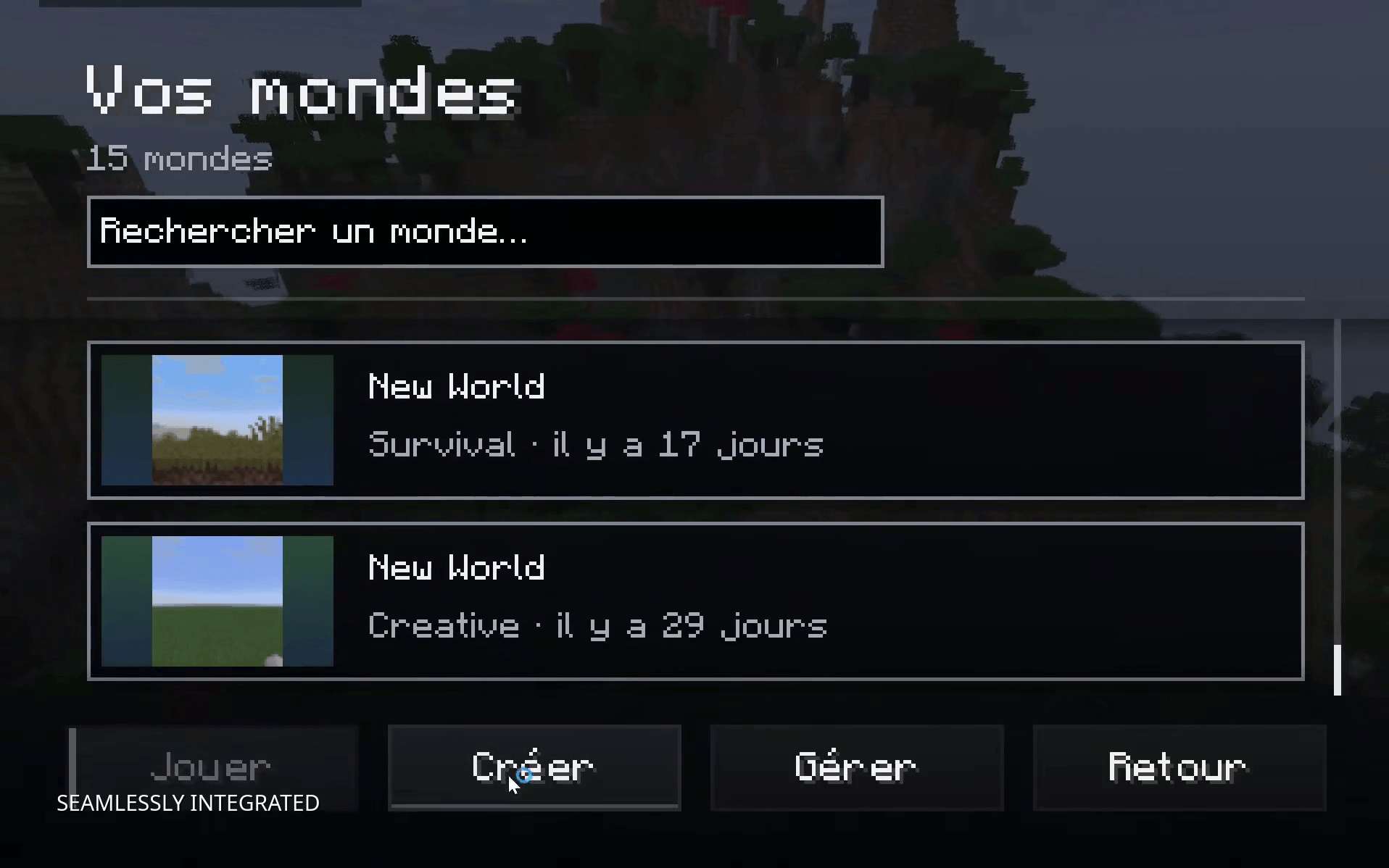
Your worlds can become the background of the main menu, creating a more immersive and personalized experience every time you launch the game. Living Menu also redesigns several interface elements and keeps the visual style consistent across the main menu, world selection and loading screens.
Features
– Dynamic Minecraft main menu
– Live world backgrounds
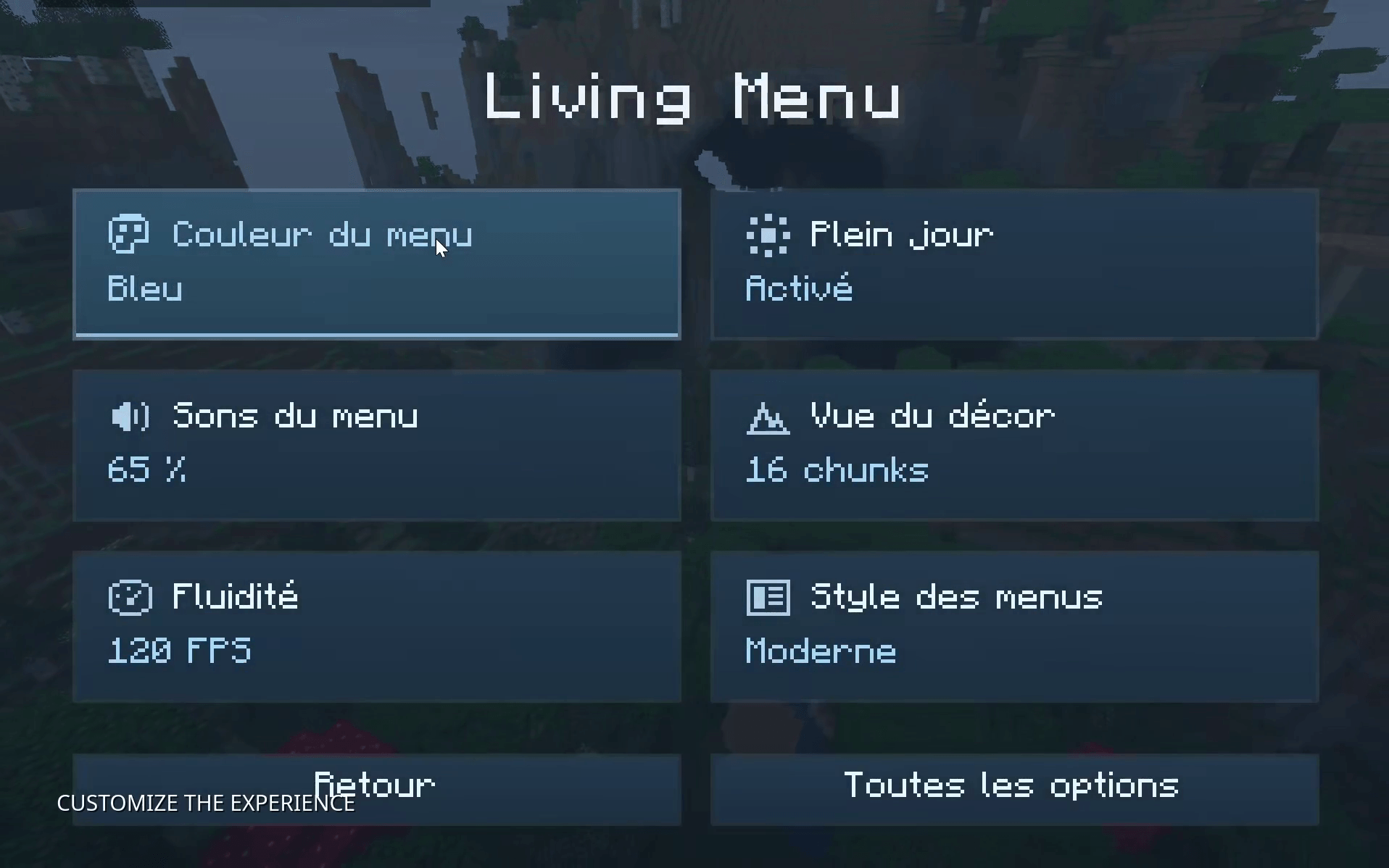
– Modern and customizable interface
– Menu color customization
– Configurable sounds and animations
– Daytime customization
– Adjustable render distance
– Animation smoothness settings
– Redesigned world selection experience
– Immersive world loading screen
– Smooth visual transitions
– Seamless integration with Minecraft’s existing menus
Living Menu is designed to make Minecraft feel alive from the moment the game opens, while still keeping the interface familiar, practical and easy to use.
Compatibility
– Minecraft 1.21.11
– Fabric
常见问题
Living Menu 支持哪些 Minecraft 版本?
Living Menu 支持 Minecraft Java 版 1.20.1–26.3,共 5 个版本,可用的加载器:Fabric。下载时注意选择和你游戏版本一致的文件。
Living Menu 怎么安装?
先用 PCL2 或 HMCL 启动器安装对应版本的 Fabric,再把下载的 .jar 文件放进游戏目录的 mods 文件夹,重新启动游戏即可。开启了版本隔离的,mods 文件夹在 versions/版本名 下面。
Salut_46 的其他作品
查看全部 →
Rubidium ( Salut_46 )
by Salut_46
An exact and automatic optimization of generation calculations around structures. Fabric and Fabric API, with no configuration required.
1,067
1 个月前
CurseForge

EventHorizon
by Salut_46
EventHorizon is a remix of the Complementary R4.7 shader.
827
2 个月前
Modrinth

InSurvival
by Salut_46
Economy mod in Minecraft SOLO!
247
1 个月前
CurseForge

BetterShulkure
by Salut_46
This mod allows you to quickly find items inside your shulker boxes without wasting hours searching through all of them.
212
6 个月前
Modrinth · CurseForge
评论
登录后评论和评分