
BetterShulkure
This mod allows you to quickly find items inside your shulker boxes without wasting hours searching through all of them.
截图
介绍
Better Shulkure
Better Shulkure is a Minecraft Fabric mod that enhances the user experience with Shulker Boxes by adding customizable visual display features.
Features
Visual Display of Shulker Boxes
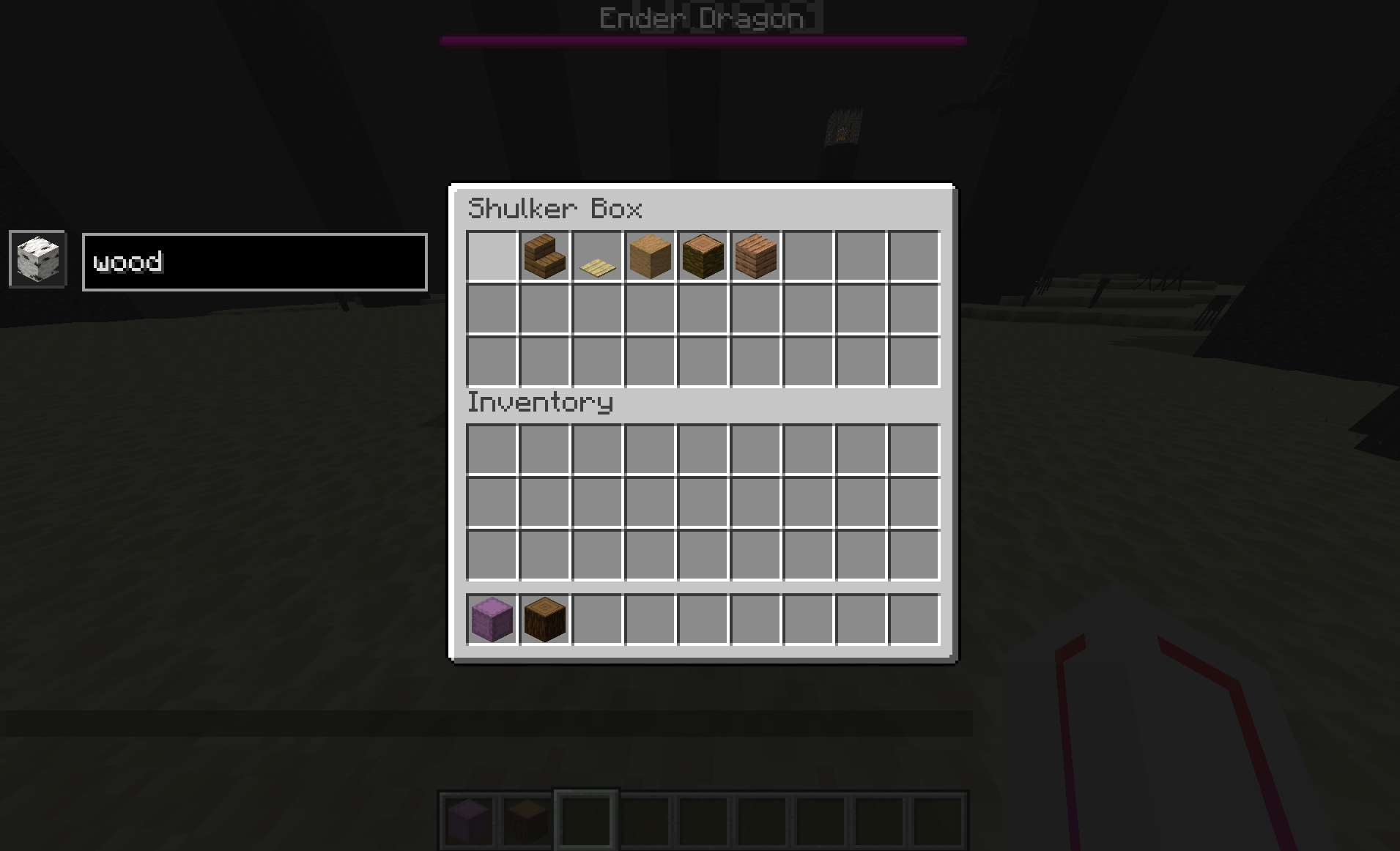
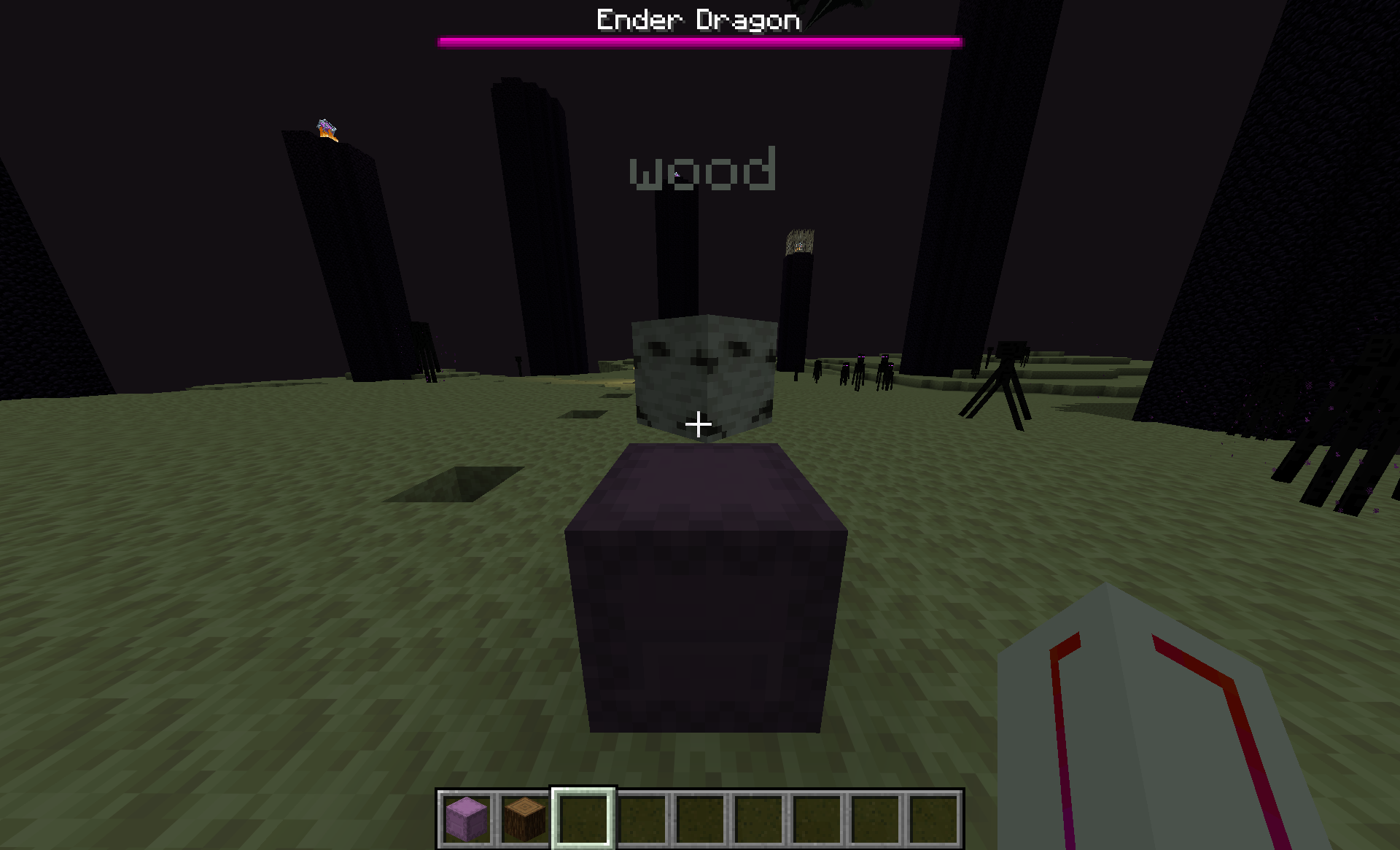
- Representative Item Display: Shulker Boxes can display a floating item above them to indicate their contents.
- Custom Text Display: Add descriptive text to your Shulker Boxes (up to 80 characters).
- Rotation Mode: Three modes available:
- Lock: The item stays fixed in a given direction.
- Rotate: The item slowly rotates around the Shulker Box.
- Follow: The item follows the player’s direction.
Advanced Configuration
- Visibility Radius: Control the maximum distance at which displays are visible (15-320 blocks).
- Scale and Position: Adjust the size and height of displayed items.
- Rotation Speed: Customize the rotation speed of items.
- Text Color: Choose the color of the displayed text.
- Switch Mode: Rotate through multiple representative items at regular intervals.
How to Use
Activation/Deactivation
- Press G to toggle the global display on/off.
- Press J to open the configuration screen.
Configuring Shulker Boxes
- Open a Shulker Box.
- Use commands or the interface to set the representative item and text.
- Close the Shulker Box – data is automatically saved.
Configuration Screen
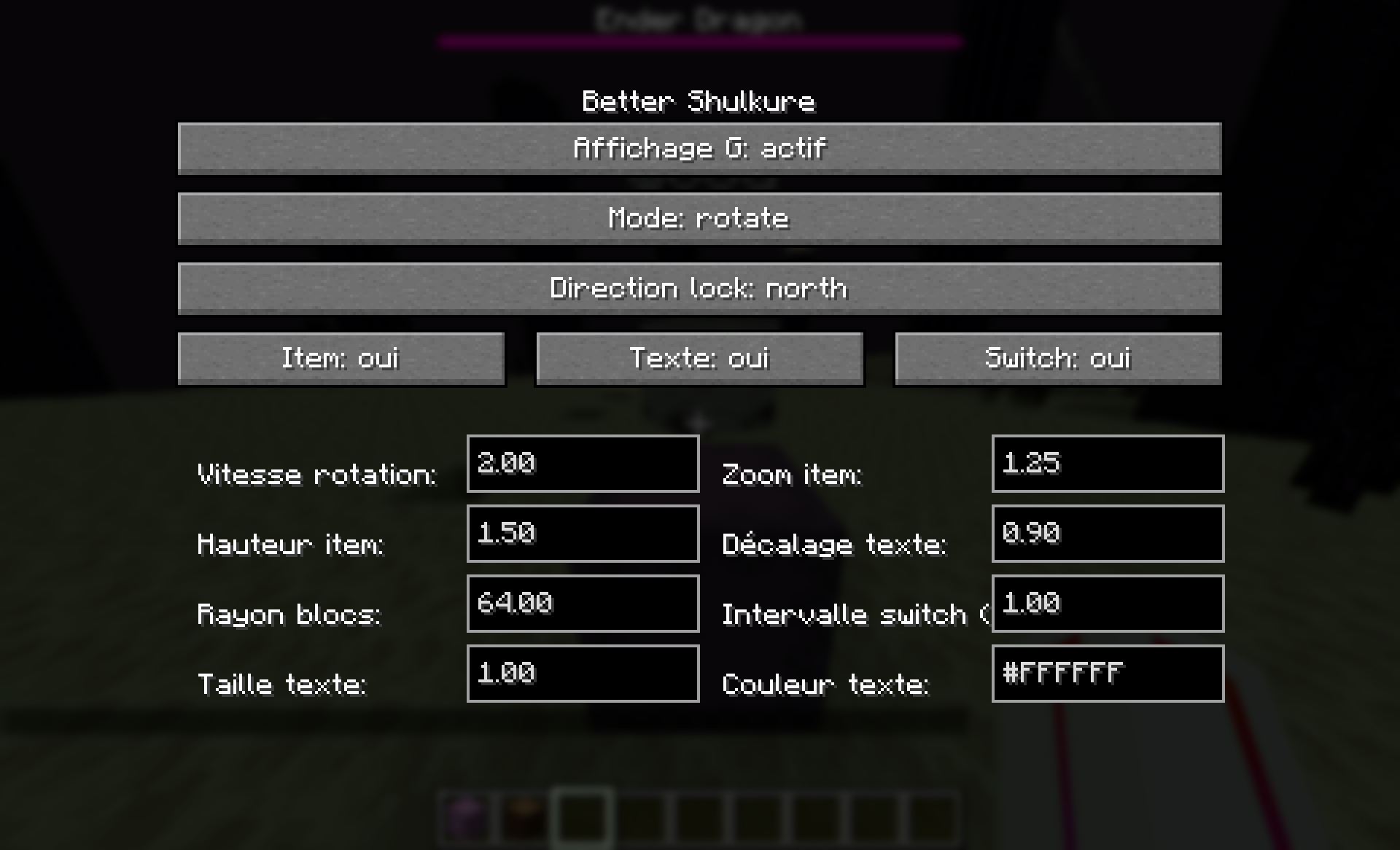
The configuration screen (J key) allows you to customize:
- General Display: Enable/disable display.
- Rotation Mode: Choose between Lock, Rotate, and Follow.
- Fixed Direction: For Lock mode, choose the direction (North, East, South, West, Up, Down).
- Display Options: Enable/disable item and text display.
- Visual Settings: Adjust scale, height, radius, speed, etc.
- Text Settings: Size, vertical offset, color.
Compatibility
- Minecraft: 1.21.11
- Fabric Loader: >= 0.18.4
- Fabric API: Required
- Java: >= 21
Installation
- Install Fabric Loader and Fabric API.
- Download the mod JAR file.
- Place the file in your Minecraft instance’s
modsfolder. - Launch the game!
Configuration
The client configuration file is located at .minecraft/config/better-shulkure-client.json.
Example configuration:
{
  "enabled": true,
  "rotationMode": "ROTATE",
  "lockedDirection": "NORTH",
  "rotationSpeed": 4.0,
  "scale": 1.25,
  "verticalOffset": 1.5,
  "displayRadius": 64.0,
  "itemSwitch": false,
  "switchIntervalSeconds": 3.0,
  "textColor": 16777215,
  "textScale": 1.0,
  "textVerticalOffset": 0.95,
  "showItem": true,
  "showText": true
}
常见问题
BetterShulkure 支持哪些 Minecraft 版本?
BetterShulkure 支持 Minecraft Java 版 1.21.11,可用的加载器:Fabric。下载时注意选择和你游戏版本一致的文件。
BetterShulkure 怎么安装?
先用 PCL2 或 HMCL 启动器安装对应版本的 Fabric,再把下载的 .jar 文件放进游戏目录的 mods 文件夹,重新启动游戏即可。开启了版本隔离的,mods 文件夹在 versions/版本名 下面。运行环境:客户端和服务端都要装。
Salut_46 的其他作品
查看全部 →
Rubidium ( Salut_46 )
An exact and automatic optimization of generation calculations around structures. Fabric and Fabric API, with no configuration required.

EventHorizon
EventHorizon is a remix of the Complementary R4.7 shader.

InSurvival
Economy mod in Minecraft SOLO!

InSuvival
Economy mod in Minecraft SOLO!
评论
登录后评论和评分