
Quest Lang Files
Stores FTB Quests text in per-language lang files instead of inline in the chapter files, so one pack can ship several languages and follow the player's game language.
介绍
Quest Lang Files
Quest text belongs in language files, not in the middle of your quest data.
On Minecraft 1.20.1, FTB Quests keeps every title, subtitle and description inline inside
config/ftbquests/quests/chapters/*.snbt. That means a pack can only ever be in one language at a
time — to ship a translation you have to keep a whole second copy of the quest folder and swap it,
and every structural change has to be redone in both.
Newer FTB Quests versions solved this by moving the text into per-language files. This mod brings
that layout to 1.20.1, using the same file names, the same key format and the same folder
structure — so a lang file written here is readable by newer FTB Quests, and the other way round.
What changes
Before — text and structure tangled together:
chapters/mining.snbt
    quests: [{
        id: "44A5523F7A909209"
        title: "Punch a Tree"
        description: ["No tools, no house, no plan."]
        x: 0.0d  y: 0.0d
        ...
    }]
After — structure in the chapter, text in the lang files:
config/ftbquests/quests/
├── chapters/            ← structure only
├── reward_tables/
├── chapter_groups.snbt
├── data.snbt
└── lang/
    ├── en_us.snbt
    ├── ru_ru.snbt
    └── zh_cn.snbt
lang/en_us.snbt
quest.44A5523F7A909209.title: "Punch a Tree"
quest.44A5523F7A909209.quest_desc: ["No tools, no house, no plan."]
lang/ru_ru.snbt
quest.44A5523F7A909209.title: "Ударь дерево"
quest.44A5523F7A909209.quest_desc: ["Ни инструментов, ни дома, ни плана."]Players see the quest book in their own game language, switching live when they change it. A
slot with no translation falls back to the pack’s language, so a half-finished translation degrades
gracefully instead of leaving blanks.
Why you might want it
- Ship several languages in one pack. No more parallel copies of the quest folder.
- Translators touch one file. They never open a chapter file, so they cannot break your quest
structure, dependencies or layout. - Diffs stop being unreadable. Chapter files change only when the quests actually change; text
changes land in the lang file. Version control becomes usable again. - Your work moves forward with you. The lang files are in the format newer FTB Quests versions
already use, so an eventual port does not mean redoing the translation.
Requirements
| Minecraft | 1.20.1 |
| Loader | Forge 47.x or Fabric Loader 0.15+ |
| FTB Quests | 2001.4.x |
| FTB Library | 2001.2.x |
| Architectury API | 9.2+ |
| Fabric API | required on Fabric only |
Install on both client and server. The FTB Quests version range is pinned on purpose: this mod
reaches into FTB Quests internals, so an untested version refuses to load rather than risk
mangling a pack.
Converting an existing pack
Drop the mod in and start the game. Every inline title, subtitle and description is moved into the
lang files, and the chapter files are rewritten without it. Nothing to run by hand.
Your original files are copied to config/ftbquests/quests-backup-<timestamp>/ first,
automatically, before anything is rewritten. Keep that folder until you are happy with the result.
One thing to set beforehand: if the text currently in your pack is not English, add this line to
config/ftbquests/quests/data.snbt before the first launch, or it will be filed under en_us:
fallback_locale: "ru_ru"To convert immediately instead of waiting for the next autosave, run /ftbqlang save.
Editing quests afterwards
The in-game editor keeps working exactly as before. When you rename a quest, the new text goes into
the lang file for your game language, and the chapter file stays clean. Duplicating a quest
copies its text across too.
To write a translation for a language other than the one your game is set to:
/ftbqlang editlocale de_de     … now your edits are saved as German
/ftbqlang editlocale -         … back to your game language
Commands
All server-side, permission level 2.
| Command | What it does |
|---|---|
/ftbqlang info |
Pack language and how many entries each language has |
/ftbqlang reload |
Re-read the lang files from disk and push them to every player |
/ftbqlang save |
Save quests and write the lang files now |
/ftbqlang cleanup |
List entries whose quest no longer exists |
/ftbqlang cleanup true |
Remove them |
/ftbqlang prefill <locale> |
Copy the pack language into <locale> as a starting point for a translator |
/ftbqlang fallback <locale> |
Set the pack’s own language |
/ftbqlang editlocale <locale> |
Write your quest edits in <locale> |
Compatibility
FTB Quests’ own network format is left untouched. Quest objects still carry their text over the
wire in the pack’s language, and each client’s language is applied on top of that. A hiccup in the
language data shows up as the wrong language, never as an empty quest book.
Text is only ever stripped from a chapter file when the mod can prove it has that text stored.
Anything it does not recognise stays where it is, so nothing can be silently lost on save.
Known limits
- Minecraft 1.20.1 only.
- The editing-language override is a command rather than a dropdown in the quest editor, and there
is no “missing translation” highlight in the editor. - Tested in single player and on an integrated server. A dedicated server with several remote
clients in different languages at once has not been exercised in practice.
Licence and credits
This is an unofficial add-on. It is not made by, endorsed by, or affiliated with Feed The Beast
Ltd. “FTB” and “FTB Quests” belong to their respective owners and are named here only to say which
mod this extends.
No FTB source code is included. What is reused is the file format — the folder layout, the key
shape and the slot names — because reproducing it exactly is the whole point: a lang file has to be
readable by other FTB Quests versions. The format was worked out from real lang files and
implemented independently.
The mod’s own code is MIT licensed. FTB Quests must be installed separately.
常见问题
Quest Lang Files 支持哪些 Minecraft 版本?
Quest Lang Files 支持 Minecraft Java 版 1.20.1,可用的加载器:Fabric / Forge。下载时注意选择和你游戏版本一致的文件。
Quest Lang Files 怎么安装?
先用 PCL2 或 HMCL 启动器安装对应版本的 Fabric / Forge,再把下载的 .jar 文件放进游戏目录的 mods 文件夹,重新启动游戏即可。开启了版本隔离的,mods 文件夹在 versions/版本名 下面。
yungspiderq 的其他作品
查看全部 →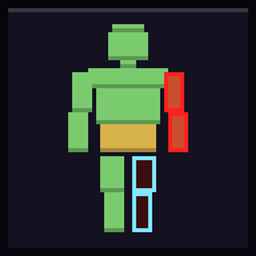
Triage (Health System)
Seven body parts, each with its own health, instead of one health bar.

Muscle Memory
Five skill branches that level themselves. Fighting feeds Combat, mining feeds Mining - and each branch spends only its own points. Passive buffs, active abilities on a keybind, and uncapped mastery once a branch is done.

All The RNG 1
A quest-driven adventure modpack with a twist — the mod list is randomized, so every playthrough is different. Hundreds of FTB quests guide you from bare hands through magic, tech, factions and darkness to a grand finale.
Dead-Signal MC
Zombie-apocalypse survival: the dead don't burn in daylight, they dig through anything softer than iron, and the ruined cities hold everything worth having. 295 quests, EN+RU.
评论
登录后评论和评分