CNPC Lines
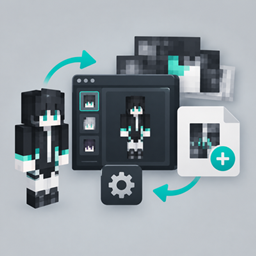
CNPC Line adds a modern skin manager and dialogue display for Custom NPCs. Search skins by name, use uppercase English, Chinese, Korean, emojis and more, and organize skin files for resource packs. NPC dialogue gets a cleaner, modern presentation.
介绍
CNPC Line
CNPC Line is a utility and visual enhancement addon for Custom NPCs, focused on improving skin management and modernizing NPC dialogue presentation.
Skin Manager
CNPC Line provides a more convenient way to manage and search Custom NPC skins.
- Search skins directly by name
- Supports uppercase English, Chinese, Korean, emojis, and other Unicode characters in skin names
- Makes large skin collections easier to navigate
- Simplifies adding and organizing skin files
- Makes it more convenient to build and maintain resource packs containing Custom NPC skins
The goal is to make working with large skin libraries much less tedious, especially for maps and modpacks containing many custom NPCs.
Modern Dialogue Display
CNPC Line also provides an alternative presentation for NPC dialogue.
Inspired by the dialogue presentation approach of CNPC Additions, this feature replaces the traditional Custom NPC dialogue text display with a more modern and visually polished presentation.
It is designed to make NPC conversations easier to read and more suitable for modern adventure maps, RPGs, and story-driven content, while retaining the original purpose of Custom NPC dialogue.
Compatibility
CNPC Line is designed as an addon for Custom NPCs, rather than a replacement or fork.
It focuses on extending the existing Custom NPC workflow while keeping its original content and scripting ecosystem intact.
Credits
CNPC Line’s dialogue presentation is inspired by the ideas and presentation approach of CNPC Additions.
- Custom NPCs — Noppes
- CNPC Additions — inspiration for the dialogue presentation concept
常见问题
CNPC Lines 支持哪些 Minecraft 版本?
CNPC Lines 支持 Minecraft Java 版 1.12.2–1.21.1,共 3 个版本,可用的加载器:Forge / NeoForge。下载时注意选择和你游戏版本一致的文件。
CNPC Lines 怎么安装?
先用 PCL2 或 HMCL 启动器安装对应版本的 Forge / NeoForge,再把下载的 .jar 文件放进游戏目录的 mods 文件夹,重新启动游戏即可。开启了版本隔离的,mods 文件夹在 versions/版本名 下面。
xiaobiniaox 的其他作品
查看全部 →
CNPC: Dangerous Script Extension
为 CNPC 添加了一些危险但适合地图使用的脚本方法。

CNPC-npcpathfinding
为 CustomNPCs 提供更智能的寻路系统。添加可选的高级寻路功能,支持跑酷、疾跑、拦截式寻路、更高性能,以及可配置的方块白名单/黑名单。兼容原版 CNPC 寻路。
CNPC-plus-Fix
CNPCPlus 是一款由社区驱动的 CustomNPCs 增强模组,包含错误修复、性能提升、兼容性补丁和新功能,并提供长期维护,同时保持与现有世界和项目的兼容性。
CNPC-BetterCombat
为 CustomNPCs 启用 Better Combat 的攻击机制与动画
评论
登录后评论和评分