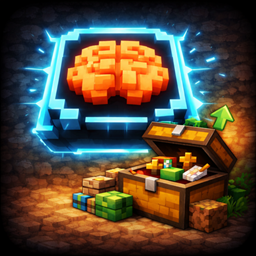
SlotMind
SlotMind is a client-side mod for intent-based inventory management. Tag slots, lock layouts, refill hotbar stacks, replace tools, sort around reserved slots, and use chest roles for restock, junk, and dump workflows.
介绍
SlotMind
Your inventory, but organized on Purpose.
SlotMind is a client-side Fabric and NeoForge mod for players who want inventory rules, cleaner sorting, tool-aware hotbar behavior, and chest workflows without turning Minecraft into a full automation mod.
Instead of treating every slot like temporary storage, SlotMind lets you assign intent to player slots and chest slots, then automates normal inventory actions around those rules.
Mod Menu or with /slotmind configWhat SlotMind does
- Tag player inventory slots and chest slots
- Open a context menu directly on the hovered slot
- Lock important slots and preserve your layout during sorting
- Keep refillable stacks topped off
- Switch to the right tool for mining and keep a weapon selected when combat starts
- Replace tagged tools and weapons
- Sort around reserved slots instead of fighting them
- Mark chests for
General,Restock,Dump, orJunkworkflows - Show a readable slot overlay while you manage inventory
Core Features
Slot Intent
- Tool and weapon categories with subtype support
- Food, block, utility, memory, junk, refillable, and locked slot behaviors
- In-place context menu for tagging and slot actions
- Visible slot markers, including a top-right
Rindicator for refillable slots
Inventory Automation
- Auto-refill for tagged stacks
- Background hotbar refill support from your own inventory
- Auto tool switching for targeted blocks, combat weapon preference, and optional switch-back after mining
- Break protection with a configurable durability warning threshold
- Tool and weapon replacement
- Intent-aware sorting that fills tagged destinations first and compacts matching stacks
- Sorting targets the inventory area your mouse is currently hovering
- Sorting runs at one click per tick by default, with optional
Quick Sort
Storage Workflows
- Chest role button inside chest and ender chest screens
- Restock chests refill matching player slots
- Junk chests accept marked junk items
- Dump chests move only untagged inventory items
- Chest sorting respects tagged and locked chest slots
- Chest slot tagging persists across double chests
- Vanilla ender chests share one per-player SlotMind profile
Controls
Modifierdefaults toLeft CtrlSort Keydefaults toMiddle ClickToggle Tool Switch Keydefaults toHLeft Ctrl + Right Click: open the SlotMind menuLeft Ctrl + Scroll: cycle slot rolesLeft Ctrl + Middle Click: clear a ruleMiddle Clickor the brain button: run your default sortH: toggle auto tool switching
All SlotMind keys can be changed in Minecraft’s keybind menu.
Commands
/slotmind config: open the settings screen withoutMod Menu/slotmind controls: show the control reference in chat/slotmind features: show the feature summary in chat/slotmind status: show current toggles and keybinds in chat
Client-Side Scope
SlotMind is client-side and uses ordinary inventory interactions.
It does:
- automate valid inventory clicks the client could already perform
- refill hotbar stacks from your own inventory even when no inventory screen is open
- run chest workflows only while the relevant container screen is open
It does not:
- create server-side automation
- interact with unopened remote containers
- bypass anti-cheat or custom server inventory rules
Requirements
- Fabric Loader
- Fabric API
- Minecraft
26.1.x - Java 25
Mod Menu is optional.
Support
常见问题
SlotMind 支持哪些 Minecraft 版本?
SlotMind 支持 Minecraft Java 版 26.1–26.3,共 5 个版本,可用的加载器:Fabric / NeoForge。下载时注意选择和你游戏版本一致的文件。
SlotMind 怎么安装?
先用 PCL2 或 HMCL 启动器安装对应版本的 Fabric / NeoForge,再把下载的 .jar 文件放进游戏目录的 mods 文件夹,重新启动游戏即可。开启了版本隔离的,mods 文件夹在 versions/版本名 下面。
评论
登录后评论和评分