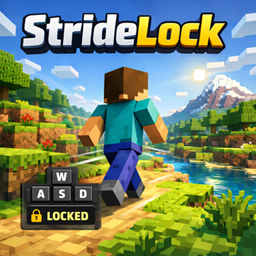
StrideLock
Client-side Fabric mod for Minecraft 26.1.x that adds a configurable hotkey to toggle auto walk, sprint, strafe, and sneak with simple state-aware movement control and on-screen status messages.
介绍
StrideLock Project Description
Overview
StrideLock is a lightweight client-side Fabric mod for Minecraft 26.1.x that lets the player
lock persistent movement with a configurable hotkey. It is designed for simple, predictable travel
without needing to hold movement keys continuously.
Core Behavior
When StrideLock is enabled, it captures the player’s current movement state and keeps that movement active
until the hotkey is pressed again or the game context changes.
The mod supports:
- walking and sprinting
- forward and backward movement
- left and right strafing
- sneak as part of the active movement state
While active, the movement state can still react to player input in controlled ways. For example,
walking can be promoted into sprinting, movement direction can be adjusted, and sneak can be toggled
without disabling StrideLock.
Design Goals
StrideLock is built around a few practical goals:
- stay client-side and lightweight
- expose a normal configurable keybind through Minecraft controls
- preserve predictable movement behavior instead of introducing automation complexity
- provide clear on-screen feedback when the movement lock state changes
Intended Use
This mod is intended for players who want a small quality-of-life travel tool for long walks,
straight-line movement, controlled strafing, or sneak-assisted movement without constantly
holding keys down.
Default Keybind
- Toggle StrideLock:
V
Technical Notes
- Mod loader: Fabric
- Target Minecraft range:
26.1.x - Java target:
25 - Distribution type: client-side only
常见问题
StrideLock 支持哪些 Minecraft 版本?
StrideLock 支持 Minecraft Java 版 26.1–26.1.2,共 3 个版本,可用的加载器:Fabric。下载时注意选择和你游戏版本一致的文件。
StrideLock 怎么安装?
先用 PCL2 或 HMCL 启动器安装对应版本的 Fabric,再把下载的 .jar 文件放进游戏目录的 mods 文件夹,重新启动游戏即可。开启了版本隔离的,mods 文件夹在 versions/版本名 下面。

评论
登录后评论和评分