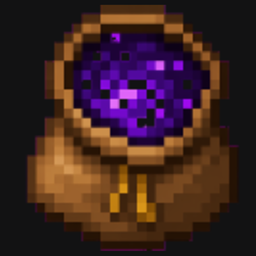
Bundle dimension
On 26.2 you can now have your own portable dimension anywhere.
介绍
New diamond bundle added gives a 15x15x8 room
recipe
1 Bundle
4 Ender pearls
4 Diamonds
🔨 Crafting Recipe
Craft the Pocket Bundle using:
-
1 Bundle
-
4 Ender Pearls
-
4 Iron Ingots
📖 How to Use
-
Craft a Pocket Bundle.
-
Place it anywhere in your world.
-
Right-click the block to enter your personal pocket dimension.
-
Use the Exit Block to return next to your Pocket Bundle.
-
Pick up and move your Pocket Bundle whenever you want—your room will always be waiting for you.
Whether you’re exploring caves, traveling thousands of blocks, or preparing for your next adventure, your personal pocket room is always just one click away.
常见问题
Bundle dimension 支持哪些 Minecraft 版本?
Bundle dimension 支持 Minecraft Java 版 26.2–26.3,共 2 个版本,可用的加载器:Fabric。下载时注意选择和你游戏版本一致的文件。
Bundle dimension 怎么安装?
先用 PCL2 或 HMCL 启动器安装对应版本的 Fabric,再把下载的 .jar 文件放进游戏目录的 mods 文件夹,重新启动游戏即可。开启了版本隔离的,mods 文件夹在 versions/版本名 下面。
Fox_Studios_by_teolm30 的其他作品
查看全部 →
Ultra Shaders
The best optimized shaders
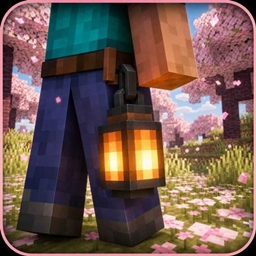
Wearable Lantern
Wearable Lantern adds a dedicated lantern slot next to your armor, letting you wear vanilla lanterns at your waist and carry their light wherever you go.

Mine’s Minimap
A 250×250 live minimap showing nearby terrain, players, hostile mobs, and friendly mobs. You are a blue directional arrow at the center. Toggle it with M.
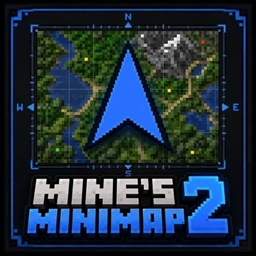
Mine’s Minimap 2
The updated and supported version of Mine's Minimap, featuring a compact 380×380 live map, directional arrow, compass, coordinates, and layer-aware mob markers.
评论
登录后评论和评分