
Free Camera
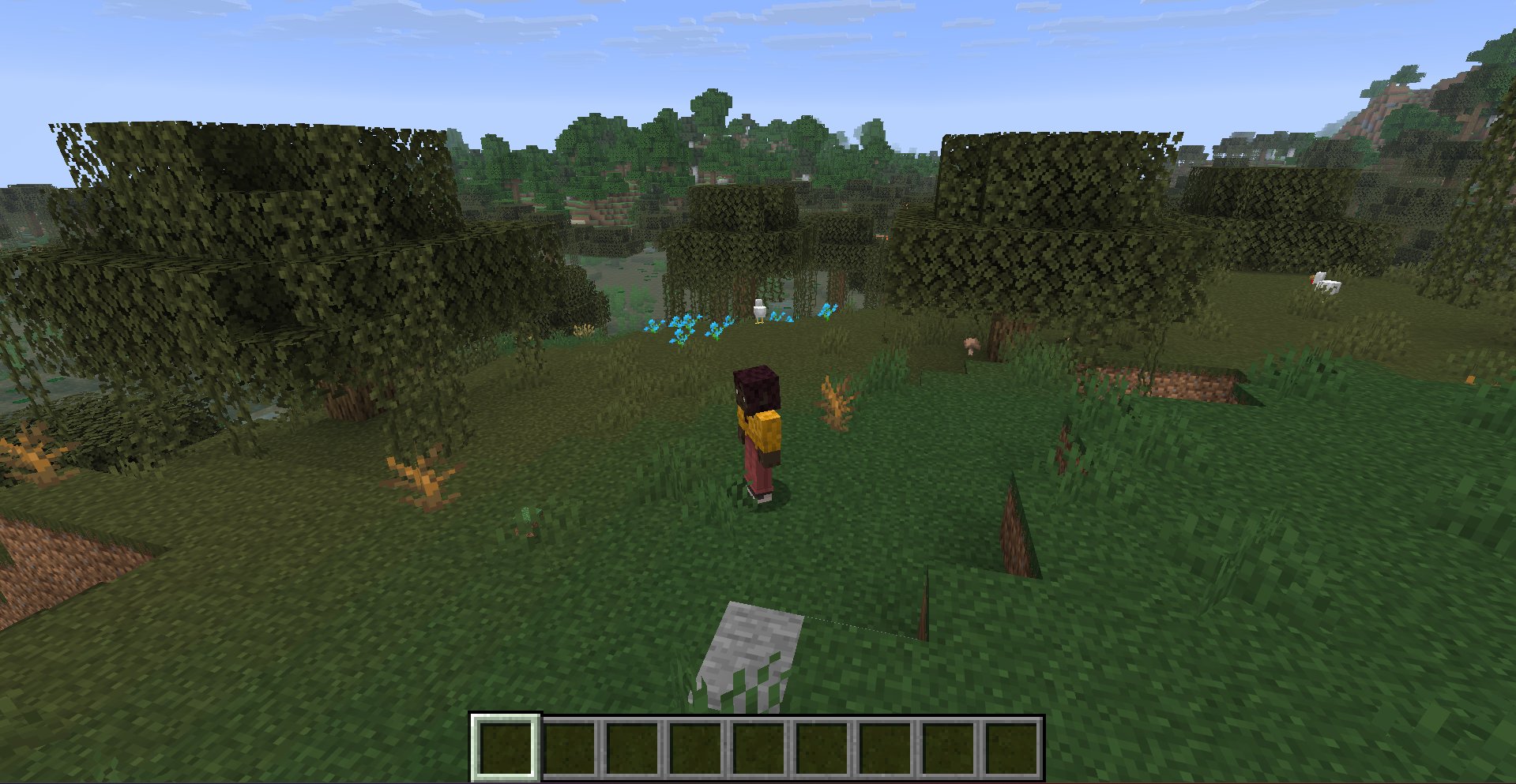
A powerful client-side cinematic camera mod with Free, Orbit, Tripod, Follow, recording, paths, roll, zoom, and collision.
截图
介绍
🎥 Free Camera 3.0
A lightweight, fully client-side cinematic camera toolkit for Minecraft.
Available for Fabric, Forge, and NeoForge on Minecraft 26.1.2 and 26.2.
Fly freely, orbit around your subject, lock the camera in place, follow entities, record camera movement, and create smooth keyframe paths — all without moving your real player.
✨ Camera Modes
🕊️ Free Camera
Detach the camera and explore freely using WASD, mouse, Space, and Shift.
🔄 Orbit
Create smooth rotating shots around your player with adjustable distance and height.
📌 Tripod
Lock the camera in place while controlling your character normally.
🎯 Follow
Follow players, mobs, boats, minecarts, armor stands, and other supported entities.
Includes four profiles:
- Chase
- Side
- Fixed Angle
- Look At
🎬 Cinematic Tools
- Smooth cinematic movement
- Continuous 360° camera roll
- Smooth configurable zoom
- Off, Soft, and Vanilla collision modes
- Camera movement recording and playback
- Keyframe-based camera paths
- Linear and smooth Catmull-Rom interpolation
- Loop, reverse, and ping-pong playback
- Optional cinematic letterbox
- Customizable camera status HUD
🕹️ Controls
| Key | Action |
| — | — |
| F6 | Activate or deactivate the camera |
| Hold F6 | Open the radial mode menu |
| F9 | Toggle Cinematic mode |
| F10 | Open settings |
| G | Select a Follow target |
| Z / C | Roll right / left |
| V | Hold to zoom |
| R | Straighten roll, then reset the camera |
| WASD | Camera or mode-specific movement |
| Space / Shift | Vertical movement |
| Scroll | Adjust speed or distance |
All controls are rebindable.
⚙️ Built-In Settings
Press F10 to open the complete settings screen.
Customize:
- Movement speed and smoothing
- Orbit and Follow behavior
- Collision modes
- Roll and zoom
- HUD visibility
- View bobbing and hurt shake
- Recording and path playback
- Cinematic presets
Mod Menu is optional.
🎞️ Recording & Paths
Record your final visible camera movement, then play it back with adjustable speed, looping, reverse playback, roll, and zoom.
Create cinematic paths by adding camera keyframes and choosing their duration, easing, and interpolation.
Files are stored locally in:
config/free-camera/recordings/config/free-camera/paths/
🛡️ Client-Side Safety
- No server installation required
- Does not move your real player
- Does not modify player physics
- Does not manipulate movement packets
- Does not force chunk loading
- Does not modify followed entities
- Cleans up safely after death, disconnect, dimension changes, and perspective changes
Some multiplayer servers may restrict free-camera mods. Always follow the server’s rules.
✅ Current Release
Free Camera 3.0.0
| Platform | Minecraft | Required Version |
| — | — | — |
| Fabric | 26.1.2 | Fabric Loader 0.18.5+ and Fabric API 0.145.4+26.1.2 |
| Fabric | 26.2 | Fabric Loader 0.19.3+ and Fabric API 0.154.2+26.2 |
| Forge | 26.1.2 | Forge 64.0.12+ |
| Forge | 26.2 | Forge 65.0.6+ |
| NeoForge | 26.1.2 | NeoForge 26.1.2.84+ |
| NeoForge | 26.2 | NeoForge 26.2.0.28-beta+ |
- Requires Java 25
- Fully client-side
- Server installation is not required
Make sure you download the correct file for your Minecraft version and mod loader.
📦 Legacy Versions
Older releases remain available for:
Fabric
- 1.20.1
- 1.21.1
- 1.21.4
Forge
- 1.20.1
- 1.21.1
- 1.21.4
NeoForge
- 1.21.1
- 1.21.4
Legacy versions may not include all Free Camera 3.0 features.
Developer: Cukkoo
License: MIT
常见问题
Free Camera 支持哪些 Minecraft 版本?
Free Camera 支持 Minecraft Java 版 1.20.1–26.2,共 10 个版本,可用的加载器:Fabric / Forge / NeoForge。下载时注意选择和你游戏版本一致的文件。
Free Camera 怎么安装?
先用 PCL2 或 HMCL 启动器安装对应版本的 Fabric / Forge / NeoForge,再把下载的 .jar 文件放进游戏目录的 mods 文件夹,重新启动游戏即可。开启了版本隔离的,mods 文件夹在 versions/版本名 下面。运行环境:仅客户端。
Cukkoo 的其他作品
查看全部 →
Sound Culling
Dynamically limits and dampens overlapping sounds to reduce audio clutter and improve performance in sound-heavy areas.

Sound Culling
Dynamically limits and dampens overlapping sounds to reduce audio clutter and improve performance in sound-heavy areas.

PingDisplay
See exact player ping in the Tab list with customizable colors, thresholds and display modes.

Auto Replant Tree
Automatically replants saplings when a player breaks a log block. Supports all vanilla tree types across Fabric, Forge, and NeoForge.
评论
登录后评论和评分