介绍
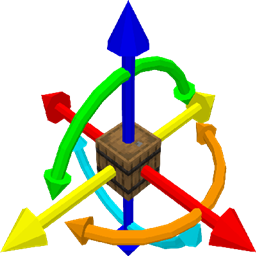
ItemModelTransformer allows interactive editing of display transforms for item models. Existing transforms can be loaded and the modified transforms can be exported as JSON or as a code snippet for datagen with NeoForge’s ItemModelProvider and ItemModelBuilder. To modify the transforms of a model, the item using said model must be held in the main hand.
The default keys for interacting with the editor are as follows:
- Enable/disable editor: I
- Show/hide usage: H
- Previous category: up arrow
- Next category: down arrow
- Previous element: left arrow
- Next element: right arrow
- Increment: numpad +
- Decrement: numpad –
- Clear values: C
- Load values from held item: L
- Copy JSON
"display"block to clipboard: P - Copy datagen code snippet to clipboard: G
The step size of increment and decrement can be changed by holding the following keys:
- Inc/dec by 10: Alt
- Inc/dec by 0.1: Shift
- Inc/dec by 0.01: Control
- Inc/dec by 0.001: Shift + Control
This mod is heavily inspired by TheGreyGhost’s ItemTransformHelper
常见问题
ItemModelTransformer 支持哪些 Minecraft 版本?
ItemModelTransformer 支持 Minecraft Java 版 1.20.4–26.3,共 16 个版本,可用的加载器:NeoForge。下载时注意选择和你游戏版本一致的文件。
ItemModelTransformer 怎么安装?
先用 PCL2 或 HMCL 启动器安装对应版本的 NeoForge,再把下载的 .jar 文件放进游戏目录的 mods 文件夹,重新启动游戏即可。开启了版本隔离的,mods 文件夹在 versions/版本名 下面。

评论
登录后评论和评分