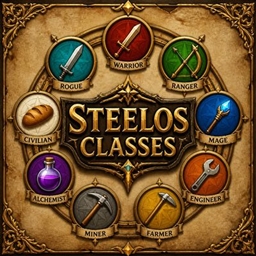
截图
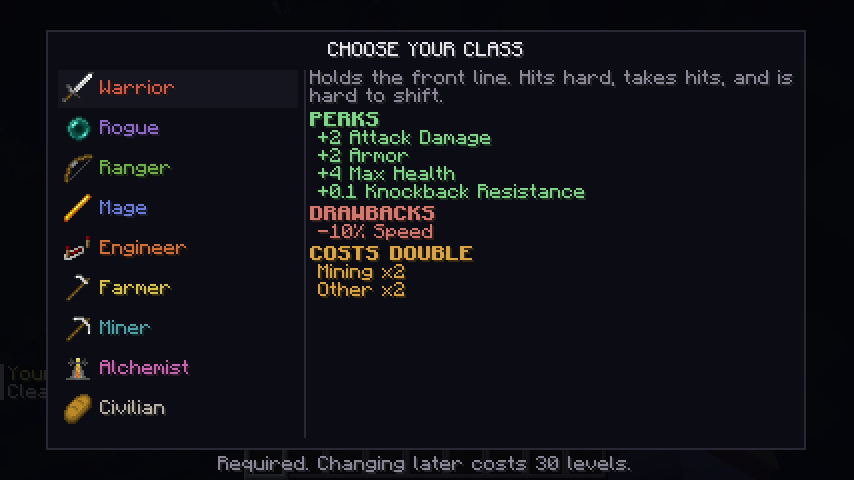
介绍
Choose who you are.
- Pick a class the moment you join — the screen has no close button and Escape does nothing. The choice is not optional.
- Nine classes: Warrior, Rogue, Ranger, Mage, Engineer, Farmer, Miner, Alchemist — or Civilian.
- A class is a trade, not a bonus. Every specialist has perks, a real drawback, and two areas of the skill tree that cost them double.
- Warrior — strong and solid, but slow. Mining and Other cost double.
- Rogue — fast and sneaky, but fragile. Defense and Other cost double.
- Ranger — reach and mobility, but weak up close. Fighting and Defense cost double.
- Mage — lucky, warded and fireproof, but poorly armoured. Fighting and Mining cost double.
- Engineer — long reach and quick hands, but no fighter. Fighting and Defense cost double.
- Farmer — well fed and hard to wear down, but slow to swing. Fighting and Mining cost double.
- Miner — digs fast and takes a knock, but slow. Fighting and Other cost double.
- Alchemist — protected by potion, not by flesh. Mining and Defense cost double.
- Civilian is the other side of the bargain — no perks and no class path, but nothing costs extra and nothing is taken away. The generalist’s choice.
- Change your mind for 30 experience levels. The first pick is free; every change after that is paid for, and refunds your class skills in full.
/class,/class list,/class selectfor players;/class setand/class clearfor operators.- Server-authoritative — the client only asks; the server decides. A modified client gains nothing.
- Your class survives death, saves with your character, and works in singleplayer and on servers.
- Hosts addons. Steelo on its own is the class system; addons like the Skill Tree build on top of it.
常见问题
Steelo’s Classes 支持哪些 Minecraft 版本?
Steelo’s Classes 支持 Minecraft Java 版 26.2–26.3,共 2 个版本,可用的加载器:Fabric / NeoForge。下载时注意选择和你游戏版本一致的文件。
Steelo’s Classes 怎么安装?
先用 PCL2 或 HMCL 启动器安装对应版本的 Fabric / NeoForge,再把下载的 .jar 文件放进游戏目录的 mods 文件夹,重新启动游戏即可。开启了版本隔离的,mods 文件夹在 versions/版本名 下面。
LLSTEELO 的其他作品
查看全部 →
MINEBHOP
将 CS2 风格的兔子跳带入 Minecraft。连续跳跃、保持惯性、空中转向,用技巧提升移动速度。掌握这些技巧,以前所未有的速度穿越世界。

Solo Economy
Sell what you gather and buy what you need, at a market whose prices move with supply and demand.
Steelo’s Skill Tree
A Minecraft skill progression mod with four paths: Mining, Fighting, Defense, and Other. Earn Skill Points, unlock powerful abilities, and customize your playstyle with upgrades that make you stronger, faster, tougher, and more efficient.

Steelo’s Progressions: Constellation
Progression as a star chart: earn points from deeds, then light stars to unlock crafting, gear, workstations and dimensions.
评论
登录后评论和评分