截图

介绍
❌ 不再弹窗 💬









✨ 功能
- 移除“新配方已解锁!”弹窗
- 移除教程弹窗
- 移除进度弹窗
- 移除系统弹窗
- 移除旁白弹窗
- 移除资源包警告
- 移除多人游戏警告
- 移除实验性世界警告
- 移除聊天栏中的进度消息(默认禁用)
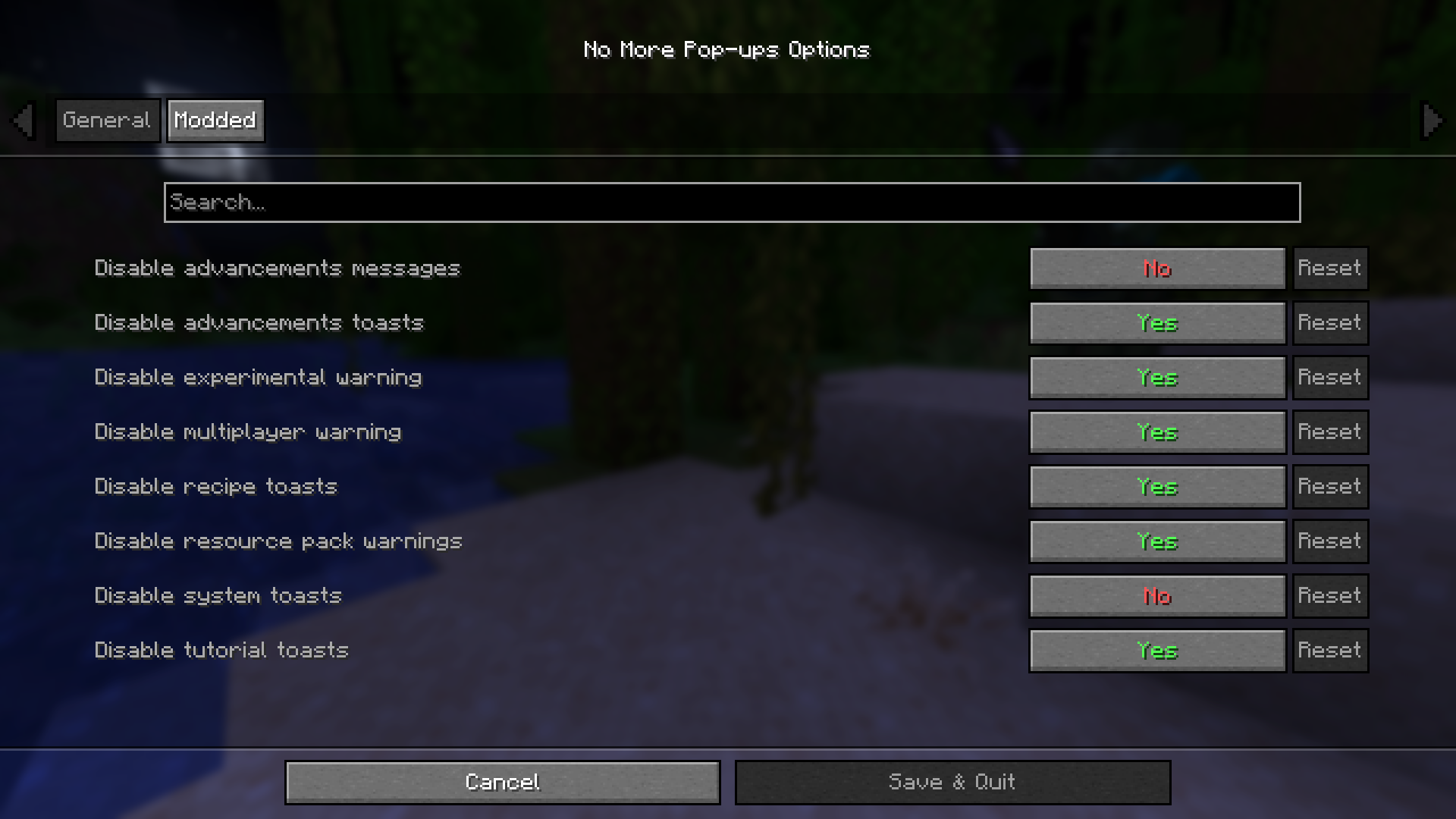
- 包含用于配置显示哪些弹窗的设置(需配合 ModMenu 和 Cloth Config API 使用)
- 移除部分模组的弹窗或消息(默认关闭):
- Chunks Fade In
- FastQuit
- FrozenLib (Wilder Wild)
- Nether Weather
- Terralith
🔄 版本
| Minecraft | Fabric/Quilt | Forge | NeoForge |
|———–|————–|——-|———-|
| 1.20.1 | ✅ | ✅ | ✅ |
| 1.20.2-4 | ✅ | ✅ | ❌ |
| 1.20.5-6 | ✅ | ❌ | ❌ |
| 1.21.1 | ✅ | ❌ | ✅ |
| 1.21.2-11 | ✅ | ❌ | ❌ |
| 26.1-26.3 | ✅ | ❌ | ✅ |
Fabric >= 0.16.4 / 0.18.4
Forge >= 47.1.47
NeoForge >= 21.1.229 / 26.1.0.1-beta / 26.2.0.57
🚀 计划功能
目前暂无,但欢迎提出你想要的任何功能!
📦 整合包
欢迎在整合包中加入 No More Pop-ups。
🌐 想找服务器?同时支持我!
想和朋友一起玩?通过 Wabbanode 获取专属服务器。
使用代码 WILDLIGHT 支持我,还可享受 75 折优惠。

常见问题
No More Pop-ups 支持哪些 Minecraft 版本?
No More Pop-ups 支持 Minecraft Java 版 1.20–26.3,共 24 个版本,可用的加载器:Fabric / Forge / NeoForge / Quilt。下载时注意选择和你游戏版本一致的文件。
No More Pop-ups 怎么安装?
先用 PCL2 或 HMCL 启动器安装对应版本的 Fabric / Forge / NeoForge / Quilt,再把下载的 .jar 文件放进游戏目录的 mods 文件夹,重新启动游戏即可。开启了版本隔离的,mods 文件夹在 versions/版本名 下面。运行环境:仅客户端。
Alfakynz 的其他作品
查看全部 →
Crystal Tooltips
Adds beautiful borders to tooltips using the Legendary Tooltips mod
Legendary Tooltips x Equipment Compare
Fix tooltip rendering issues when Legendary Tooltips and Equipment Compare are installed by ensuring that the stack count is always hidden behind the tooltips.

Legendary Tooltips x Equipment Compare
Fix tooltip rendering issues when Legendary Tooltips and Equipment Compare are installed by ensuring that the stack count is always hidden behind the tooltips.
Default Gamemode
This mod let you change the default world gamemode (survival, hardcore, creative, spectator)
评论
登录后评论和评分