
Modpack Manager
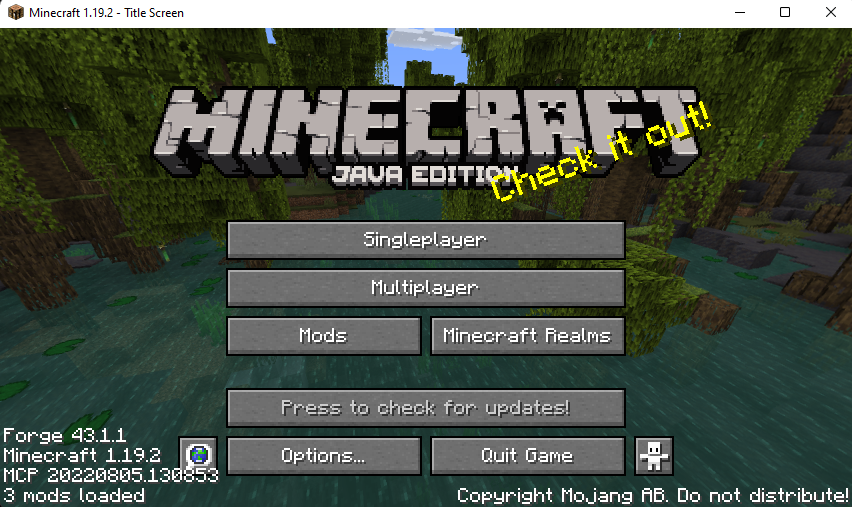
Allows the modpack creators to make changes in the game interface. New visuals included!
截图
介绍
Are you tired of installing too many mods for interface changes?
Are you tired of not finding an update check tool mod for your modpack?

So this is for YOU! a Modpack Manager.
A Loyal assistant
I designed this mod to make things easier for the modpack creators.
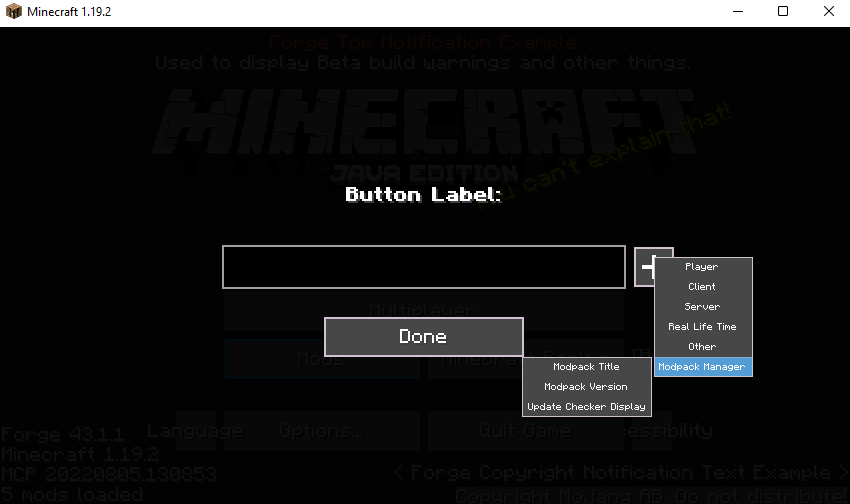
And it has some features! You can change the window title, And check for a newly released update.
You can change and adjust values in the config file as it suits you!
It’s a client-side mod! You don’t have to install it on the server.
For more information on how to get started, Visit the Wiki page!
Dependencies:
- FancyMenu 2.3.6+ (Optional)
Mod Features:
- Update Check Function (It will add a new button to the title screen! And you can now check if there is a new update available)
- Window Title Changer (It’s not just a title changer! It has a lot of functions than you think.)
- FancyMenu Compatibility (It has compatibility with FancyMenu Mod! You can use the same features in more stylish ways)
- Durability Display (It shows the durability on top of the items in-game UI, and you can switch OFF/ON and change the display size via KeyBinds whenever you want!)
Future Planning:
- Custom Loading Screen
- Customizable HUD
More Suggestions:
If you have any ideas that you think I should consider adding in the next update, Don’t hesitate to write them down on the GitHub page! I will appreciate it.
FAQ:
Can I use this mod in my modpack?
- Sure! You can use it freely.
Can I repost this mod on another website?
- No! Let’s be sensible. It’s like when you worked hard on something and got stolen in the end!
常见问题
Modpack Manager 支持哪些 Minecraft 版本?
Modpack Manager 支持 Minecraft Java 版 1.18.2–1.20.1,共 4 个版本,可用的加载器:Fabric / Forge。下载时注意选择和你游戏版本一致的文件。
Modpack Manager 怎么安装?
先用 PCL2 或 HMCL 启动器安装对应版本的 Fabric / Forge,再把下载的 .jar 文件放进游戏目录的 mods 文件夹,重新启动游戏即可。开启了版本隔离的,mods 文件夹在 versions/版本名 下面。运行环境:仅客户端。
ixDarkLorD 的其他作品
查看全部 →
CoolCatLib
Write it once, run it everywhere. Events, networking, registries and configs, with screen effects, custom skies, cutscenes and GUI widgets on top: the purr-fect foundation for your mods.

FTB Ultimine Addition (Forge/NeoForge/Fabric)
Lock the ability to use ultimine under conditions! Making the player experience more fun by completing some challenges to obtain the excavation skill.
评论
登录后评论和评分