介绍
中文介绍正在准备中,下面暂时显示原文。
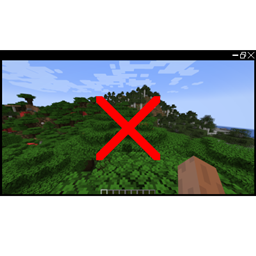
NoRender allows you to shut down the renderer to save resources when you want to keep a singleplayer world running in the background while doing something else.
Pressing the NoRender keybind (F12 by default) will disable the renderer and suppress all key inputs to prevent accidents. Pressing the key again or opening or closing the inventory will re-enable the renderer.
常见问题
NoRender 支持哪些 Minecraft 版本?
NoRender 支持 Minecraft Java 版 1.18.1–1.21.1,共 7 个版本,可用的加载器:Forge / NeoForge。下载时注意选择和你游戏版本一致的文件。
NoRender 怎么安装?
先用 PCL2 或 HMCL 启动器安装对应版本的 Forge / NeoForge,再把下载的 .jar 文件放进游戏目录的 mods 文件夹,重新启动游戏即可。开启了版本隔离的,mods 文件夹在 versions/版本名 下面。


评论
登录后评论和评分