截图
介绍
中文介绍正在准备中,下面暂时显示原文。
Simple Movable Grid
Adds a simple movable grid on client
Client-side mod for 1.17.1 – 1.20 (Forge/Fabric), 1.16.5 (Forge)
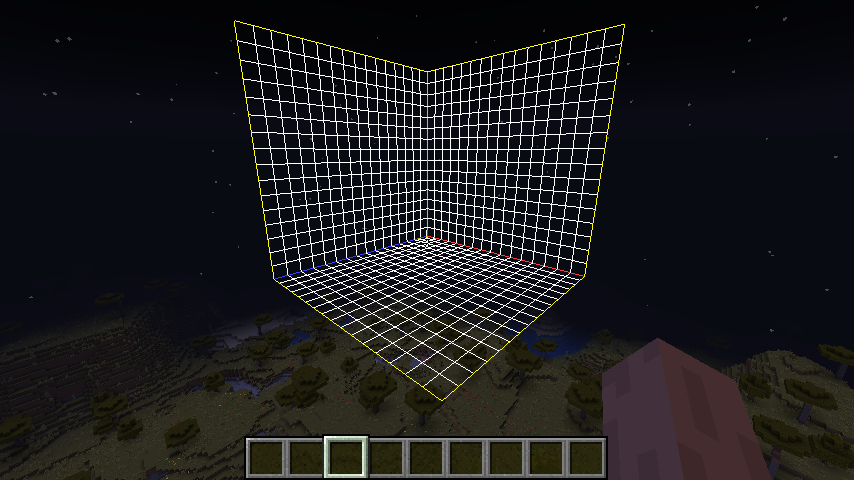
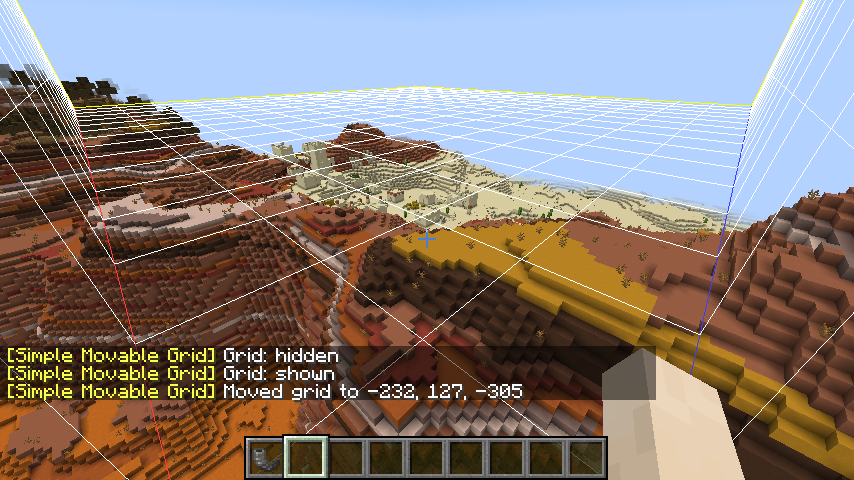
Each small square is 2×2 in size, and the grid covers 32x32x32.
- [Forge] v1.20-1.5.0 (1.20 Forge)
- [Fabric] v1.20-1.5.0 (1.20 Fabric)
Requirements
Forge Version
- Minecraft Forge
Fabric Version
- Fabric Loader
- Fabric API
- Cloth Config
How to Get Started
- Open the screen of control settings in Minecraft (
Options...→Contlorls...) - Bind the hotkeys of
Toggle GridandSet Position - In a world, press
Set Positionkey to set the base position of the grid lines to the coordinates at your feet
Toggle Grid key switches the visibility of the grid lines.
When Mod Menu is installed in Fabric version, you can open the config screen of this mod from in-game mod list.
常见问题
Simple Movable Grid 支持哪些 Minecraft 版本?
Simple Movable Grid 支持 Minecraft Java 版 1.16.5–1.20.4,共 15 个版本,可用的加载器:Fabric / Forge。下载时注意选择和你游戏版本一致的文件。
Simple Movable Grid 怎么安装?
先用 PCL2 或 HMCL 启动器安装对应版本的 Fabric / Forge,再把下载的 .jar 文件放进游戏目录的 mods 文件夹,重新启动游戏即可。开启了版本隔离的,mods 文件夹在 versions/版本名 下面。
Iunius118 的其他作品
查看全部 →
ToLaserBlade
by Iunius118
一把带有激光刃的剑
37.3万
19 天前
CurseForge
ToLaserBlade-Fabric (Older Versions)
by Iunius118
一把带有激光刃的剑
7.9万
1 个月前
CurseForge
O.F.Device (Ore Farming Device)
by Iunius118
新增矿石种植装置
6.6万
1 个月前
CurseForge
ToLaserBlade-ExtraModels
by Iunius118
A ToLaserBlade add-on to add more laser blade shapes. Requires ToLaserBlade.
3.8万
2 个月前
CurseForge
评论
登录后评论和评分