Carry Mechanics
Pick up, carry, and place blocks and entities with your bare hands! A lightweight, configurable successor to Carry On.
介绍
✋ Carry Mechanics
Pick up, carry, and place blocks and entities with your bare hands.




✨ Overview
|
Carry Mechanics lets you pick up, carry, and place blocks (with their block entities — chests, furnaces, spawners…) and entities using only your empty hands. Heavier objects slow you down, you can’t jump while carrying, and datapack tags control exactly what is grabbable. A fork of Carry On by Tschipp and PurpliciousCow, rebranded and reworked by Stalking Dragons. Distributed under the same license (LGPL-3.0). Gameplay dynamics differ from Carry On — the crouch-to-pick-up behaviour, grab rules, carry conditions and rendering are modified. Not affiliated with or endorsed by the Carry On authors. |
|
🎯 Features
📦 Pick up anything
Grab blocks with block entities by holding Sneak and right-clicking with empty hands. Also works on mobs, animals, and other players.
📍 Place anywhere
Right-click on any surface to place what you’re carrying — blocks, entities, or players.
🗻️ Entity stacking
Stack carried entities on top of others like a totem pole. Configurable stack limits and size checks.
🏋️ Weight & slowness
Heavier objects slow you down and block jumping. Weight depends on object size and NBT.
📋 Whitelist / Blacklist
Control what can be picked up via datapack tags for blocks, entities and stacking (six tag types), in whitelist or blacklist mode.
📜 Scripting system
Datapack-powered JSON scripts with conditions (game stage, advancement, XP, gamemode) and custom commands on init / loop / place.
⚙️ Fully configurable
25+ options: max distance, entity size limits, slowness multipliers, hit prevention, player-pickup toggle and more.
💻 Commands
/carrymechanics debug— show current carry state/carrymechanics clear [player]— clear carry data/carrymechanics place [player]— place the carried object
🧱 Mod Structure
| Area | What it provides |
|---|---|
carry |
The carry-data model, per-player storage and sync, and the pickup / placement logic. |
pickupcondition / scripting |
The datapack-driven pickup conditions and the JSON script engine. |
client/render |
Rendering the carried block / entity on the player and in first person. |
mixin |
The vanilla patches for pickup interaction, movement penalties, inventory locking and the carried-object render layer. |
compat |
Optional GameStages integration for script conditions. |
📋 Requirements
| Minecraft / NeoForge / Java | see Available Versions below |
| Dependencies | None |
| Side | Client and Server (required on both) |
📦 Available Versions
| Minecraft | NeoForge | Java | Latest build | Status |
|---|---|---|---|---|
| 26.2 | 26.2.0.57+ | 25 | 1.1.0 |
Stable |
| 26.1.2 | 26.1.2.78+ | 25 | 1.0.2 |
Stable |
| 1.21.1 | 21.1.259+ | 21 | 1.0.2 |
Stable |
Both versions share this CurseForge project. Pick the file that matches your Minecraft version.
🎮 How to Use
- Hold Sneak and right-click a block or entity with empty hands.
- It is now stored in your carry data.
- Right-click any surface to place it; right-click a carried entity on another entity to stack them.
- Check your state with
/carrymechanics debug.
🙏 Credits & License
Carry Mechanics is a fork of Carry On by Tschipp and PurpliciousCow, rebranded and reworked by Stalking Dragons.
License: GNU LGPL v3.0 (LGPL-3.0-or-later), the same license as Carry On. Under its copyleft terms this fork stays under the LGPL, keeps the original Carry On copyright, and its complete corresponding source is published at gitlab.com/stalking-dragons/minecraft/carry-mechanics. The full licence text ships in the jar and the repository LICENSE file.
https://codex.skdragons.com/
Codex Stalking Dragons — Minecraft Modding
常见问题
Carry Mechanics 支持哪些 Minecraft 版本?
Carry Mechanics 支持 Minecraft Java 版 1.20.1–26.2,共 4 个版本,可用的加载器:Fabric / Forge / NeoForge。下载时注意选择和你游戏版本一致的文件。
Carry Mechanics 怎么安装?
先用 PCL2 或 HMCL 启动器安装对应版本的 Fabric / Forge / NeoForge,再把下载的 .jar 文件放进游戏目录的 mods 文件夹,重新启动游戏即可。开启了版本隔离的,mods 文件夹在 versions/版本名 下面。
LlaGuiT0 的其他作品
查看全部 →
Armor Cosmetic
同时穿两套盔甲——一套管属性,一套管外观。
Teleport Animation
Cinematic camera transitions when teleporting with Waystones or Create: Kinetic Waypoints.

EnchantVenture
Explore, fight, build, and progress through a handcrafted Minecraft adventure featuring immersive exploration, structured progression, magic, technology, optimized performance, official content, and a polished vanilla-friendly experience.
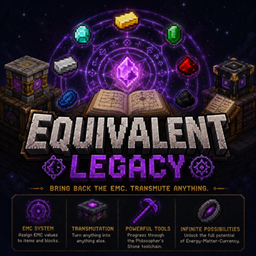
Equivalent Legacy
Equivalent Legacy brings the classic Equivalent Exchange-style gameplay to modern Minecraft (26.2 / NeoForge): assign an EMC (Energy-Matter-Currency) value to items, transmute them into each other, and progress through the Philosopher's Stone toolchain.
评论
登录后评论和评分