Grass Be Gone
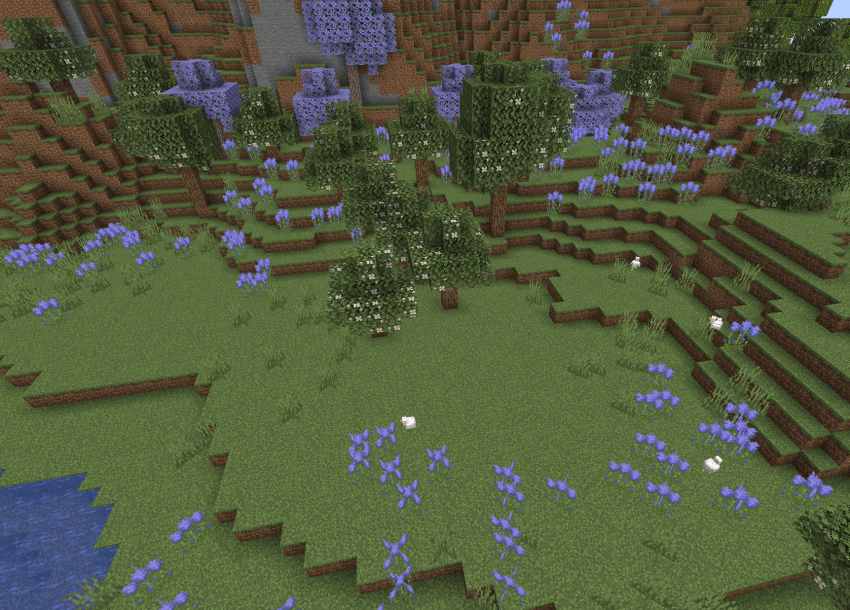
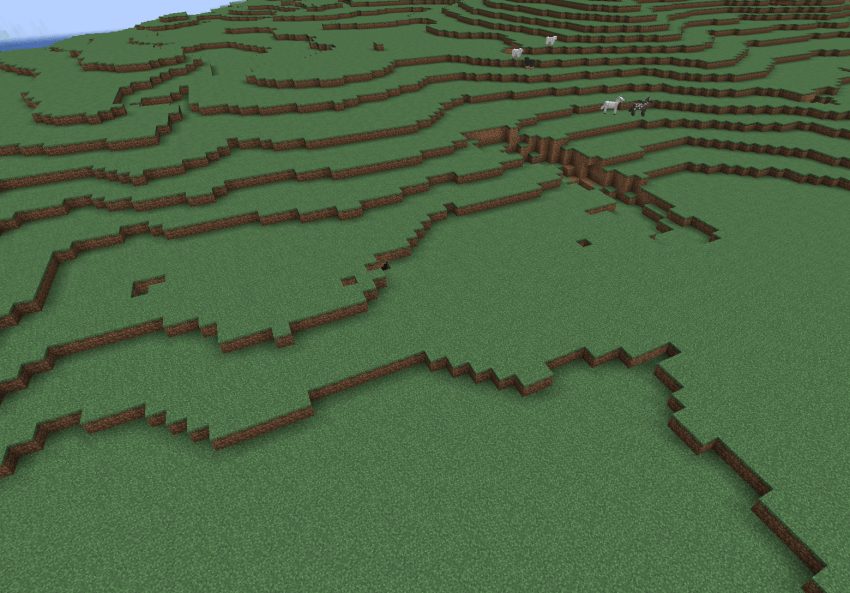
Let you blacklist specific grass, flowers, and block from world ground feature generation, with fine-tuned control.
截图
介绍
🌾 GrassBeGone – No More Annoying Grass
Sometimes you find the perfect flat land to build your base—only to see it covered in grass everywhere. So you spend time breaking them one by one or flooding them with water, only to end up with a backpack full of unwanted seeds.
Or maybe you just feel that certain plant blocks shouldn’t be generating on the surface, but editing data packs is too much trouble.
This mod is made for that exact pain.
By default, it disables the generation of minecraft:grass (not including tall grass, so you can still obtain seeds the usual way).
You can also configure GrassBeGone.toml to blacklist the generation of specific plants—including those from other mods.
It does not affect bone meal use—bone meal can still grow grass and flowers as usual.
Terrain generation (like stone and ores) is not affected by this mod.
有时候你找到了一块不错的平地,正想建造基地,却发现地上全是草。你只好一点点打掉或用水冲走,结果又捡了一地种子,把背包塞得满满的。
或者你就是觉得有些方块不该生成在世界表面,但是调整数据包很麻烦。
本模组就是为了解决这个问题。
默认禁止生成 minecraft:grass(不包括 tall_grass,高草依然可以打种子),
你也可以在配置文件 GrassBeGone.toml 中,禁止生成特定的花草(包括其他模组添加的)。
它不会影响骨粉催生草和花的机制。
地形生成(石头和矿物)不受mod此影响。
常见问题
Grass Be Gone 支持哪些 Minecraft 版本?
Grass Be Gone 支持 Minecraft Java 版 1.20.1,可用的加载器:Forge。下载时注意选择和你游戏版本一致的文件。
Grass Be Gone 怎么安装?
先用 PCL2 或 HMCL 启动器安装对应版本的 Forge,再把下载的 .jar 文件放进游戏目录的 mods 文件夹,重新启动游戏即可。开启了版本隔离的,mods 文件夹在 versions/版本名 下面。
Hakujoucho 的其他作品
查看全部 →
Armor Damage Limit
确保单次攻击造成的耐久损失不超过盔甲最大耐久度的一定百分比。

OPack2Reload
防止玩家没有真正更改所选资源包时 Minecraft 重新加载资源包。同时在 PackSelectionScreen 中添加一个“取消”按钮。

Cataclysm: Weapon Skill Config/ Incinerator’s Try Hard
让你可以自定义 L_Ender 's Cataclysm 中焚化者、焚灭者、潮汐之爪等武器的技能伤害、范围、蓄力时间等参数!

Virtual Witch Arrangement
调整 Iron's Spellbooks 的 Eldritch 研究界面,让大量 Eldritch 法术同时出现时更易阅读。
评论
登录后评论和评分