
AnkiNBT
Your next-generation NBT editor, suitable for novice/advanced users.(Even if you have no prior experience, you can easily edit it.)
截图
介绍
A modern client-side Minecraft editor for items, entities, and villager trades.
Supports Fabric and NeoForge for Minecraft 1.21–1.21.11 and 26.1–26.2.
Features
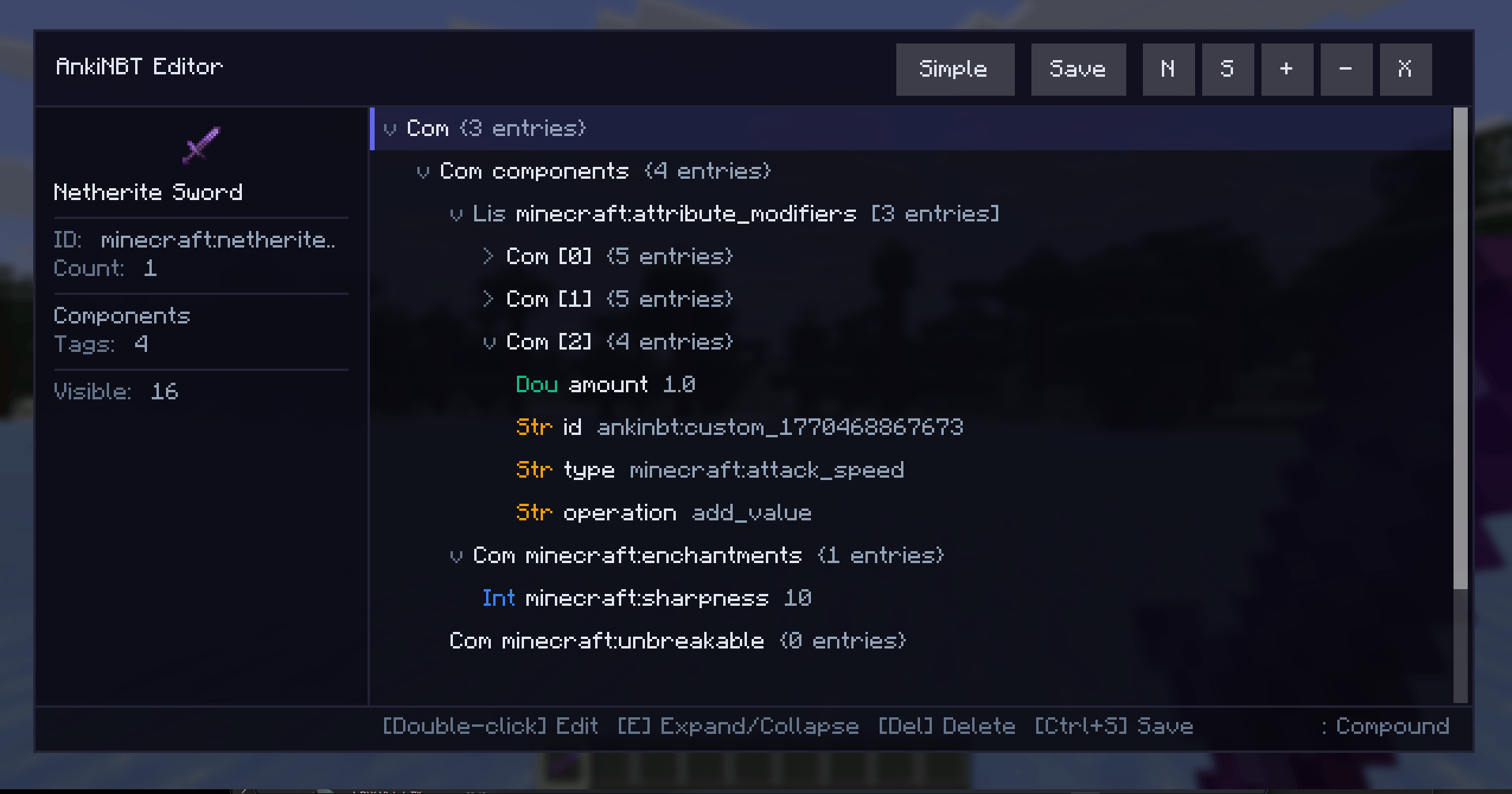
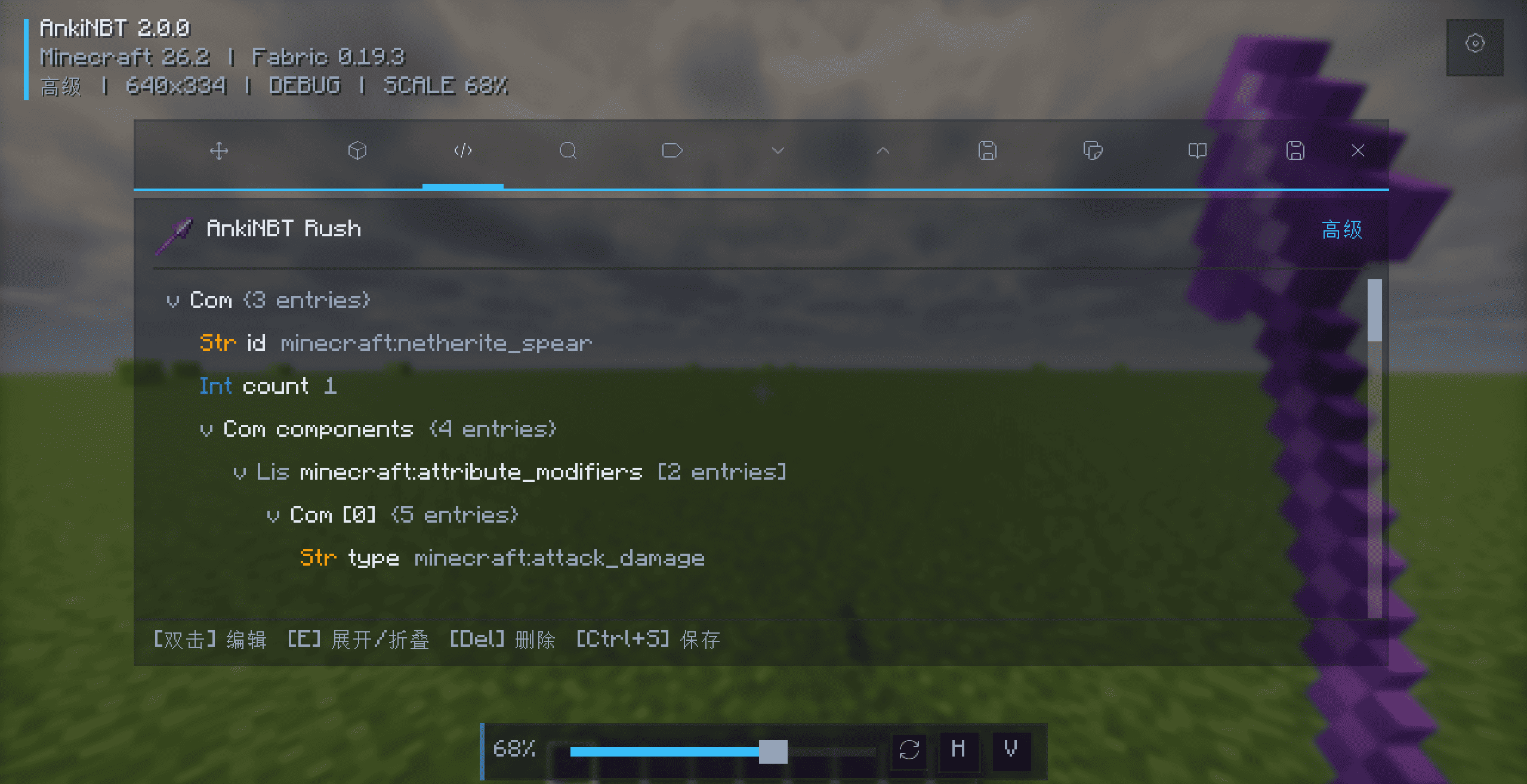
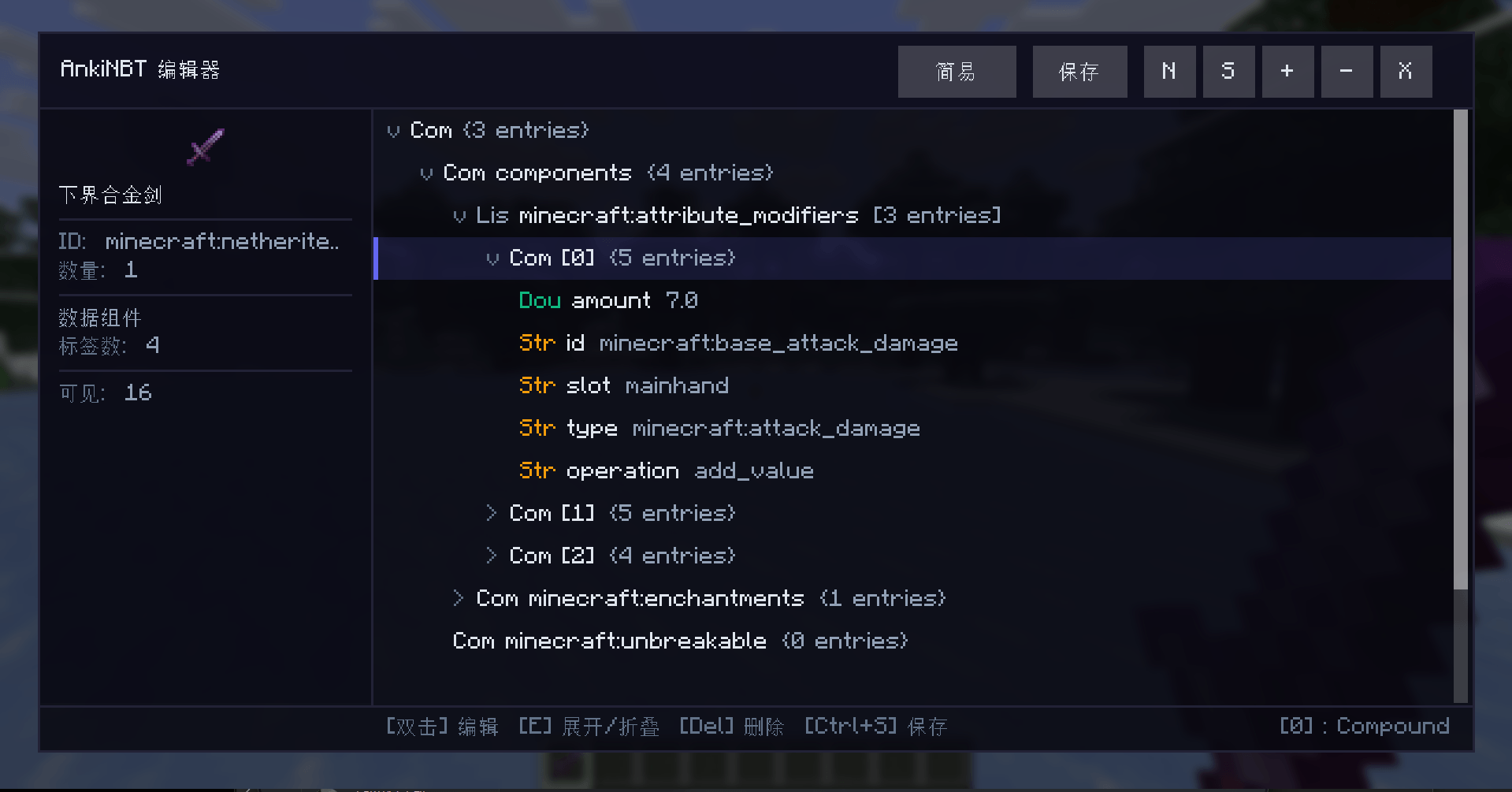
- Simple Mode and Advanced NBT tree editing
- Redesigned tabs, field groups, controls, and status feedback
- Main-hand and inventory-hover item editing
- Spawn-egg, live-entity, and villager-trade editing
- Searchable localized selectors and Chinese IME support
- Configurable size, scale, opacity, theme, and key bindings
- NBT import, export, categories, aliases, and custom save paths
- Creative Mode saving and view-only item editing in other modes
Editing Features
Items:
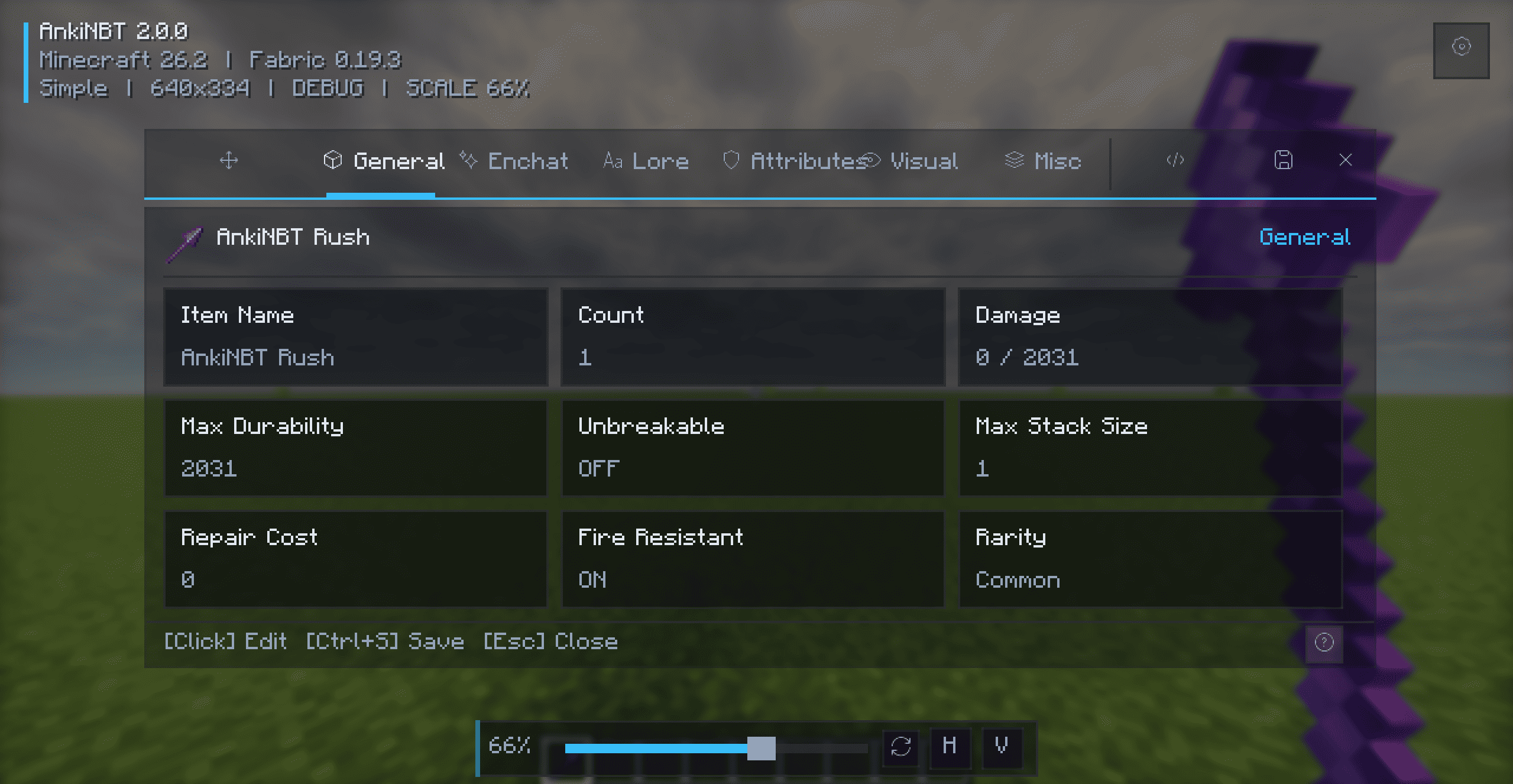
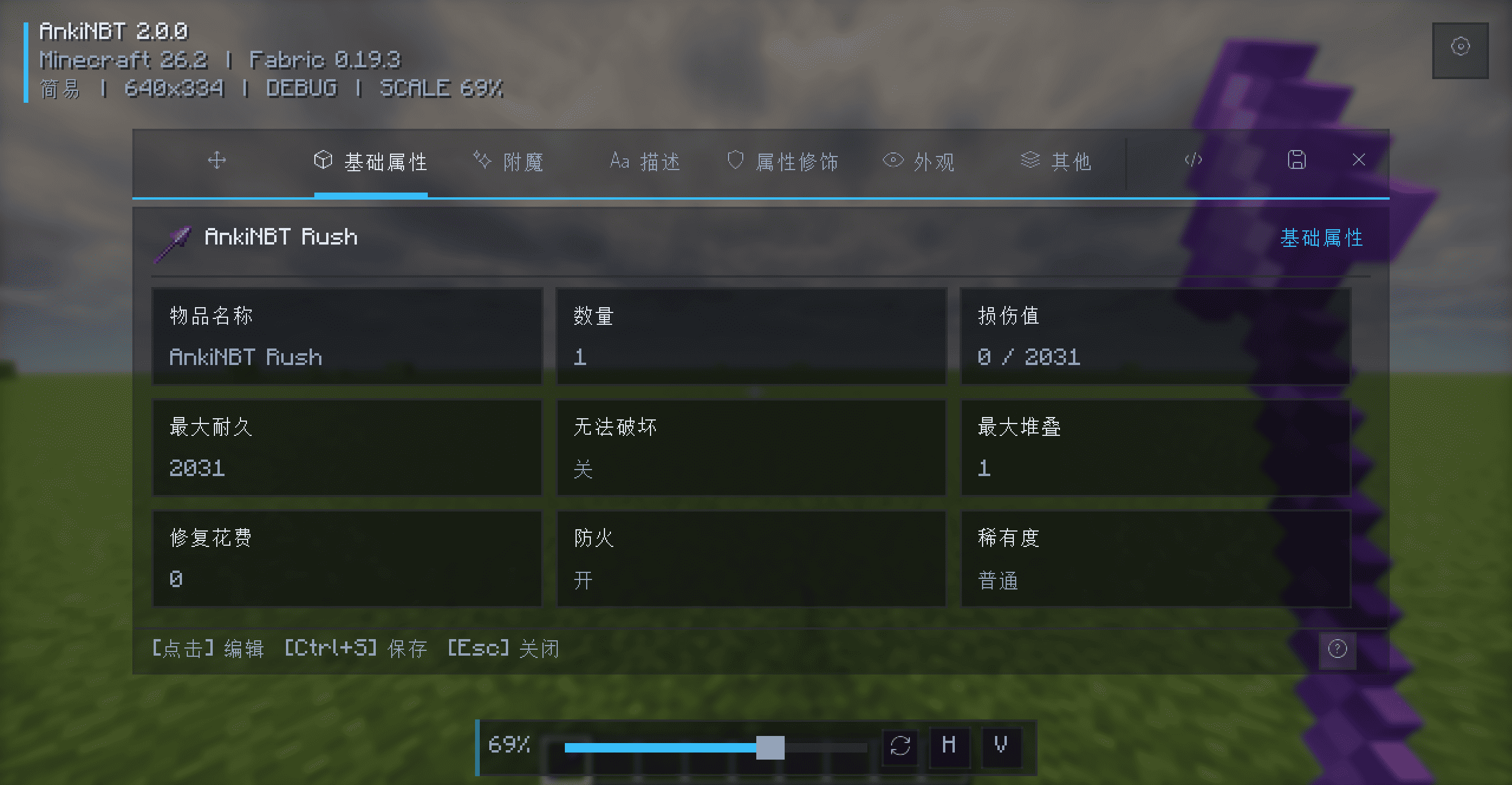
- General: Name, count, durability, maximum stack size, repair cost, rarity, fire resistance, unbreakable state, nutrition, and saturation
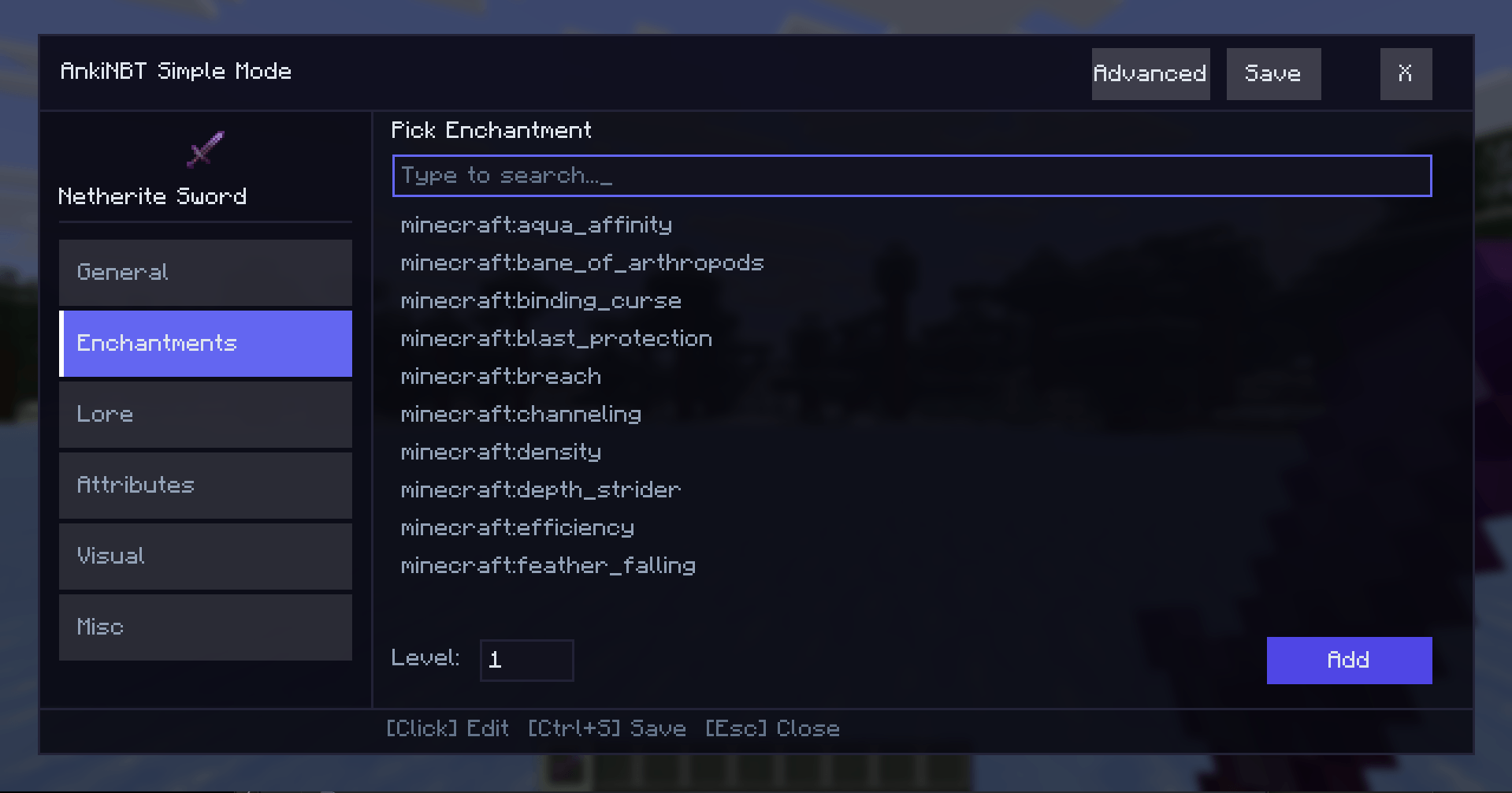
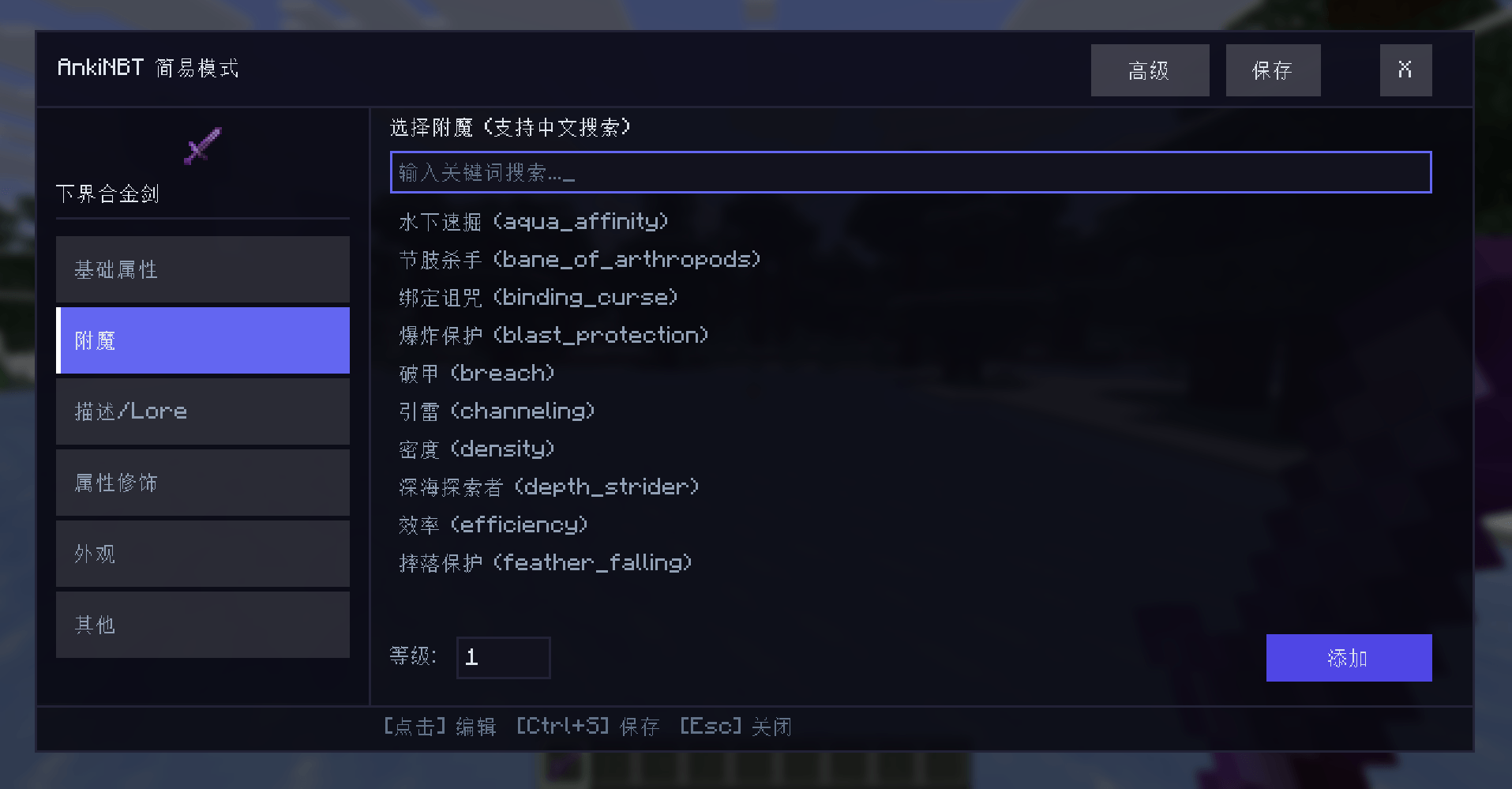
- Enchantments: Localized search, add, remove, level editing, item filtering, and clear all
- Lore: Multi-line editing, reordering, color codes, palette, live preview, keyboard selection, and mouse drag selection
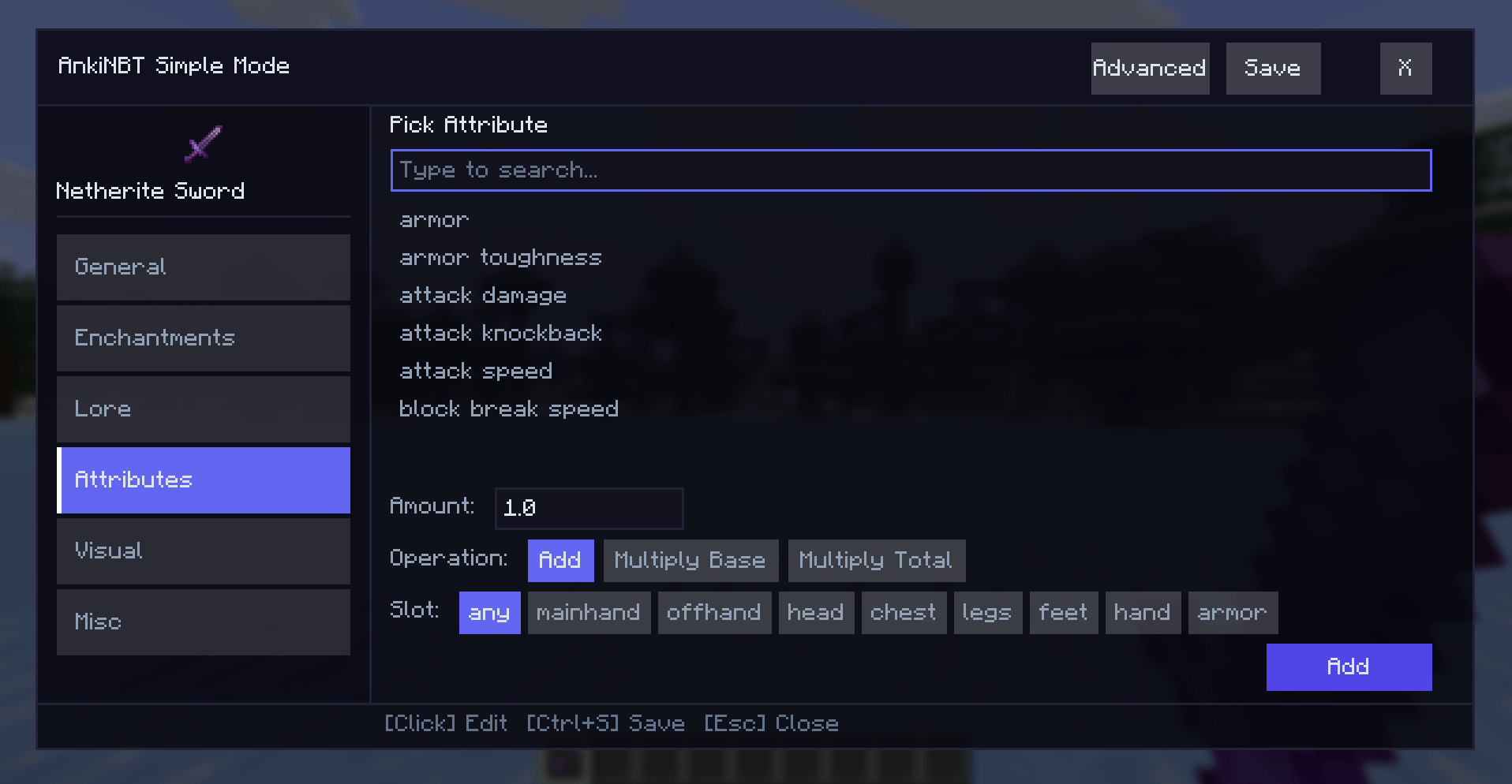
- Attributes: Localized search, modifier values, operations, equipment slots, and optional notes
- Potions and Appearance: Base potions, custom effects, colors, duration, amplifier, particles, icons, glint, dye color, name color, and tooltip visibility
- Tools: Copy NBT, copy
/givecommands, reset, import, and export
Entities: Edit spawn eggs and live entities; modify names, health, and common states; undo changes; save asynchronously; read final data from the server.
Villager Trades: Add, copy, move, delete, and undo offers; configure two buy items and one sell item; edit uses, XP, price multiplier, demand, special price, profession, level, and villager type.
Editing Modes
Simple Mode
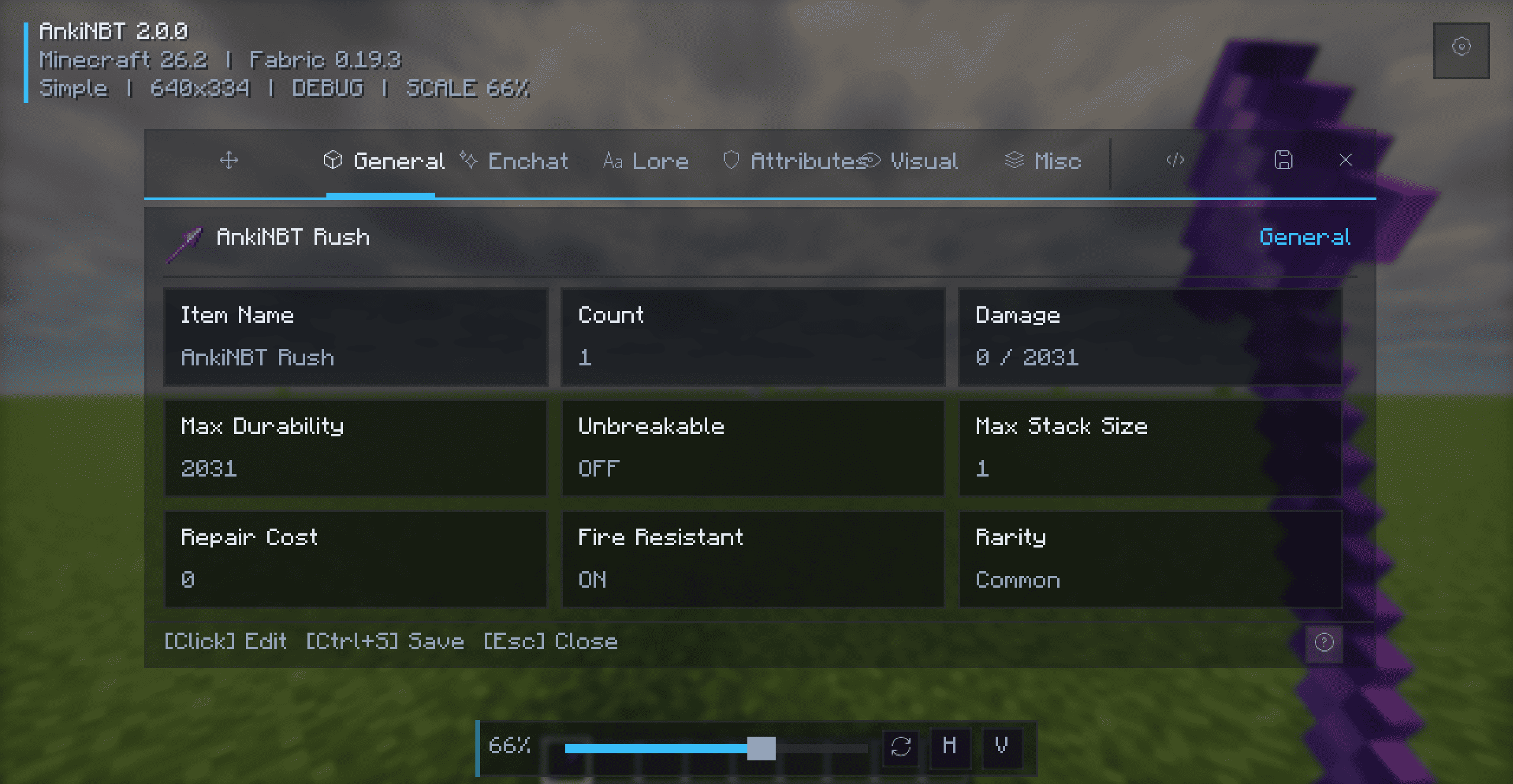
A visual editor organized into focused tabs with searchable selectors, grouped fields, row actions, and immediate feedback. No NBT knowledge is required.
Advanced Mode
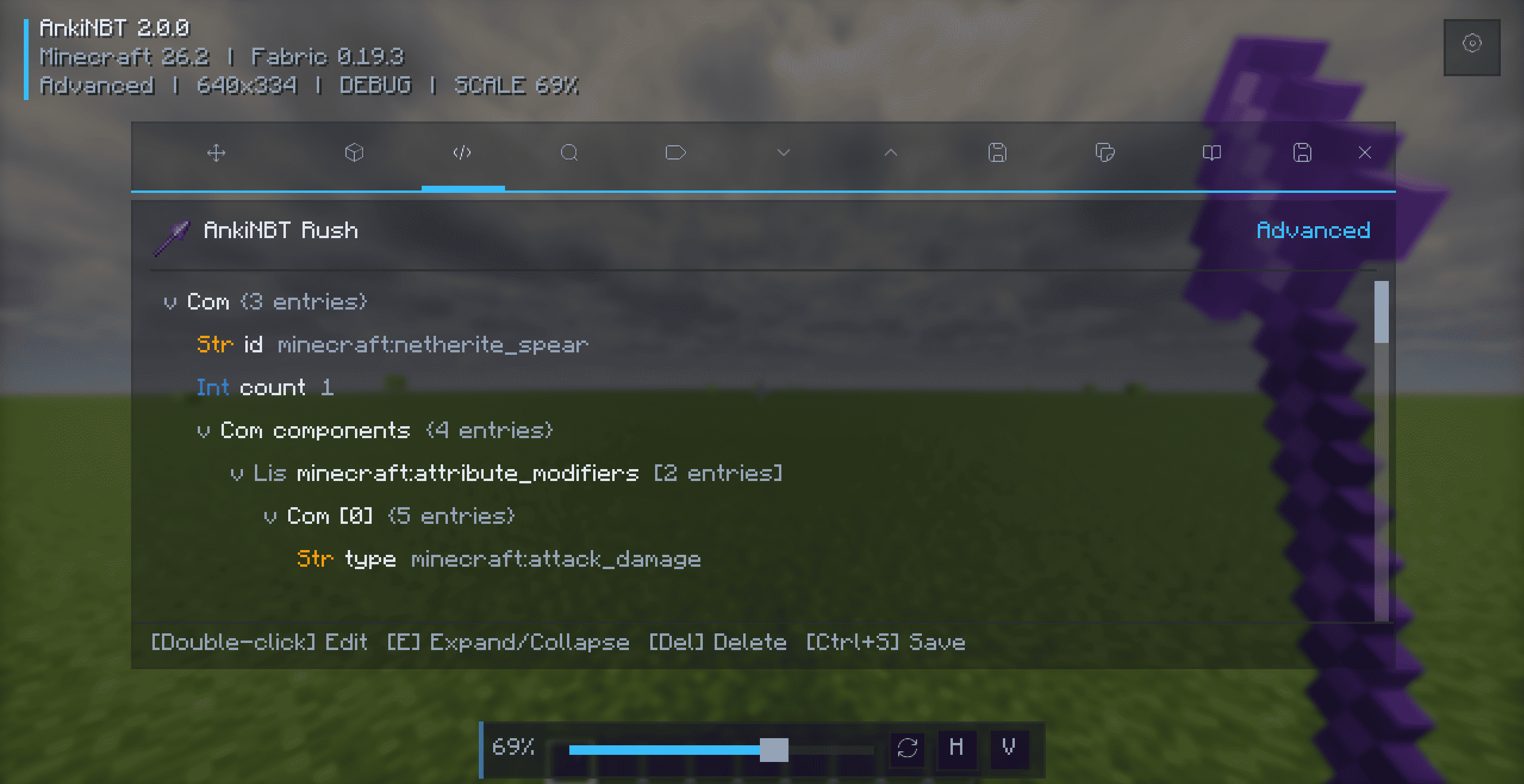
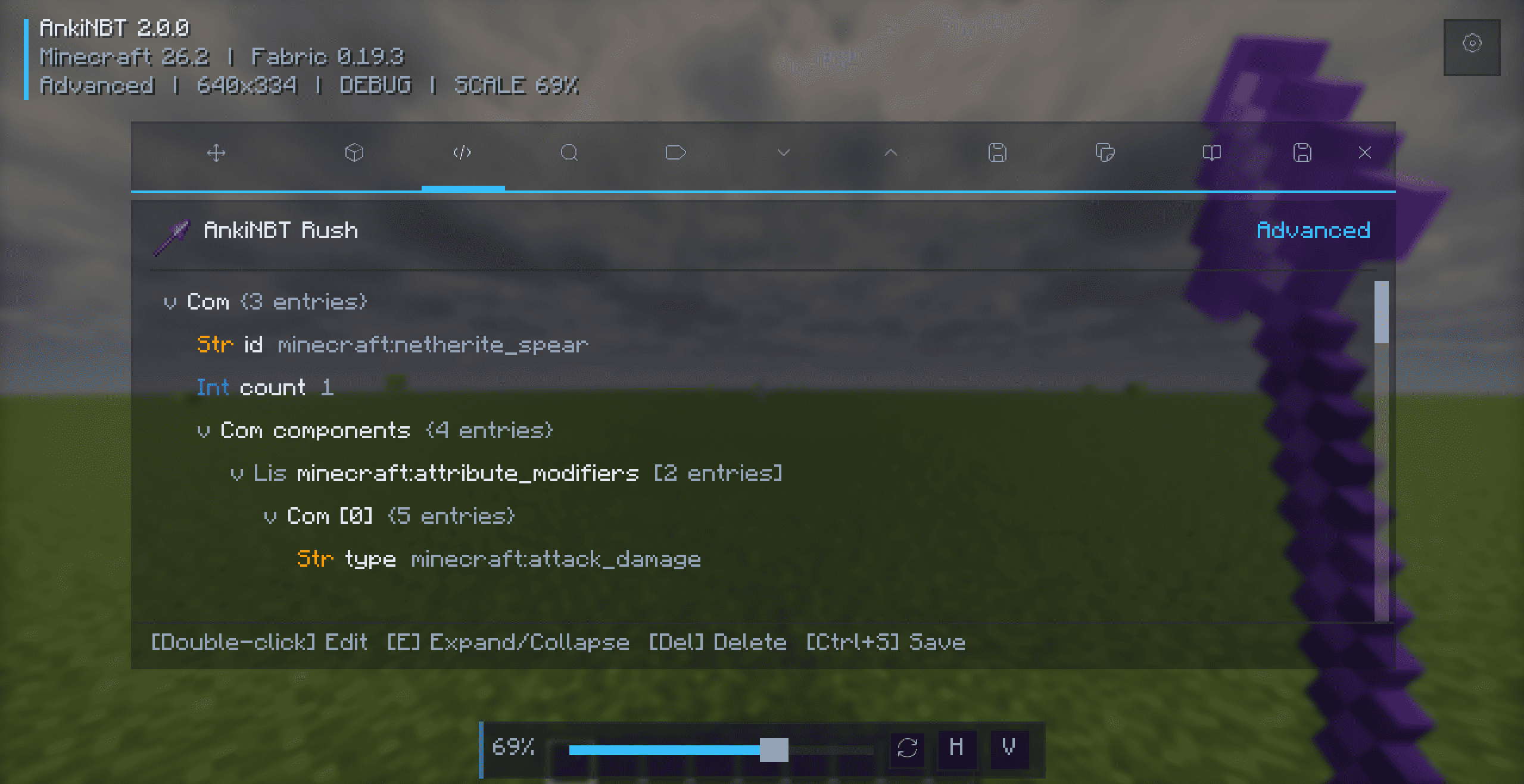
A complete NBT tree editor with color-coded types, key/value/type search, expand and collapse controls, tag creation, automatic type validation, and node removal.
Installation
- Install the matching Fabric or NeoForge loader.
- Install Fabric API when using Fabric.
- Download the JAR matching your loader and Minecraft version.
- Place the JAR in
.minecraft/mods/and launch the game.
Do not install Fabric and NeoForge builds together.
Usage and Shortcuts
Hold an item and press N, or hover over an inventory item and press N. Press Ctrl+S to save and Esc to close.
| Key | Action |
|---|---|
N |
Open the item editor |
Ctrl+S |
Save changes |
Esc |
Close the editor |
Ctrl+A |
Select all text |
| Double-click | Edit a value or expand/collapse a node |
E |
Expand or collapse the selected node |
Enter |
Edit the selected value |
Delete |
Remove the selected tag |
| Arrow keys | Navigate lists and NBT trees |
The editor key can be changed under Controls → AnkiNBT.
Compatibility
- Fabric: Minecraft 1.21–1.21.11, 26.1, 26.1.1, 26.1.2, and 26.2
- NeoForge: Minecraft 1.21–1.21.11, 26.1, 26.1.1, 26.1.2, and 26.2
- Java: Java 21 for Minecraft 1.21–1.21.11; Java 25 for Minecraft 26.1–26.2
- Fabric API: Required for Fabric builds
Always download the JAR matching your loader and Minecraft version.
Documentation
Full documentation, installation guides, feature descriptions, compatibility information, and changelogs:
常见问题
AnkiNBT 支持哪些 Minecraft 版本?
AnkiNBT 支持 Minecraft Java 版 1.21–26.2,共 16 个版本,可用的加载器:Fabric / NeoForge。下载时注意选择和你游戏版本一致的文件。
AnkiNBT 怎么安装?
先用 PCL2 或 HMCL 启动器安装对应版本的 Fabric / NeoForge,再把下载的 .jar 文件放进游戏目录的 mods 文件夹,重新启动游戏即可。开启了版本隔离的,mods 文件夹在 versions/版本名 下面。
Ankiw 的其他作品
查看全部 →
AnkiNBT
Your next-generation NBT editor, suitable for novice/advanced users.(Even if you have no prior experience, you can easily edit it.)

Soulbind
One for soulbinding mods, which bind items to a specific player, preventing the item from being used by other players.
评论
登录后评论和评分