
Soulbind
One for soulbinding mods, which bind items to a specific player, preventing the item from being used by other players.
截图
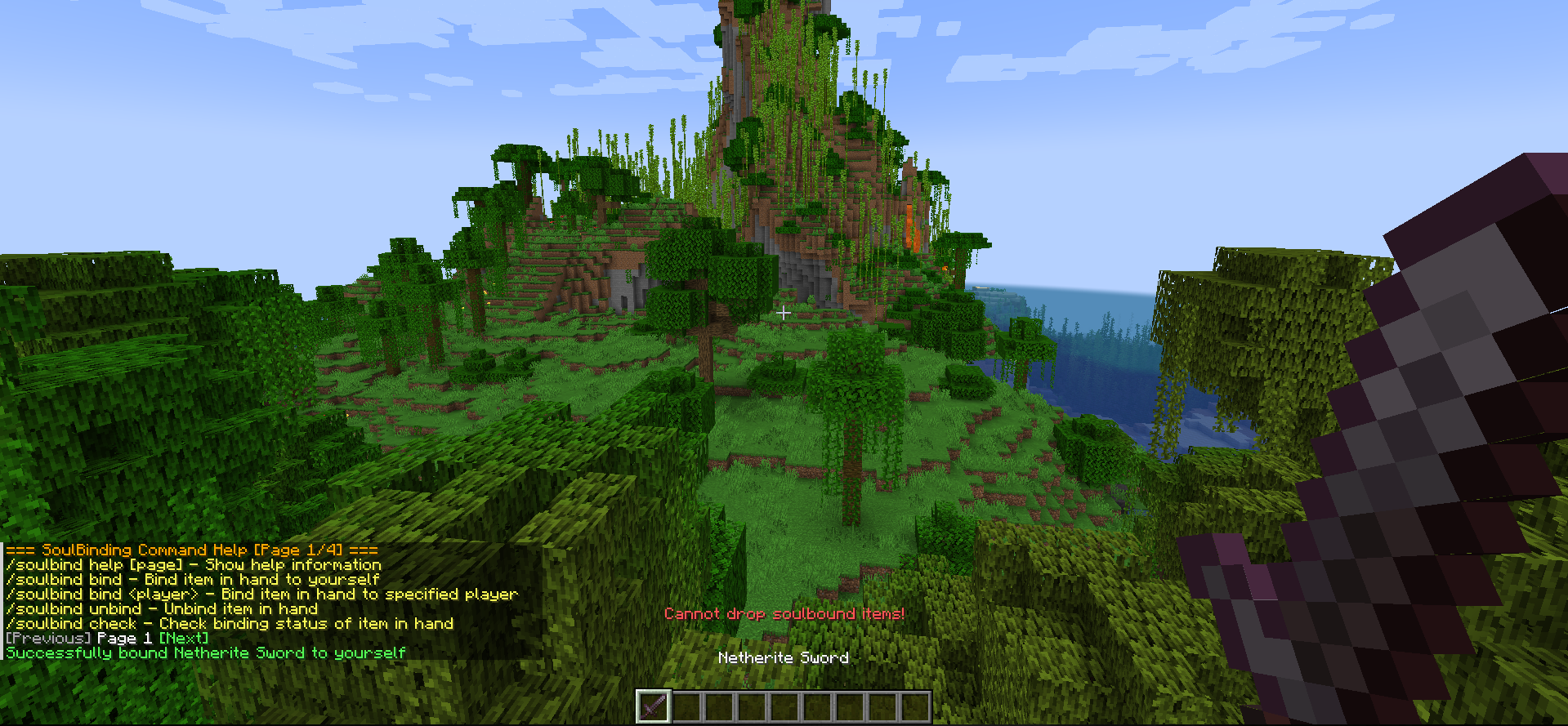
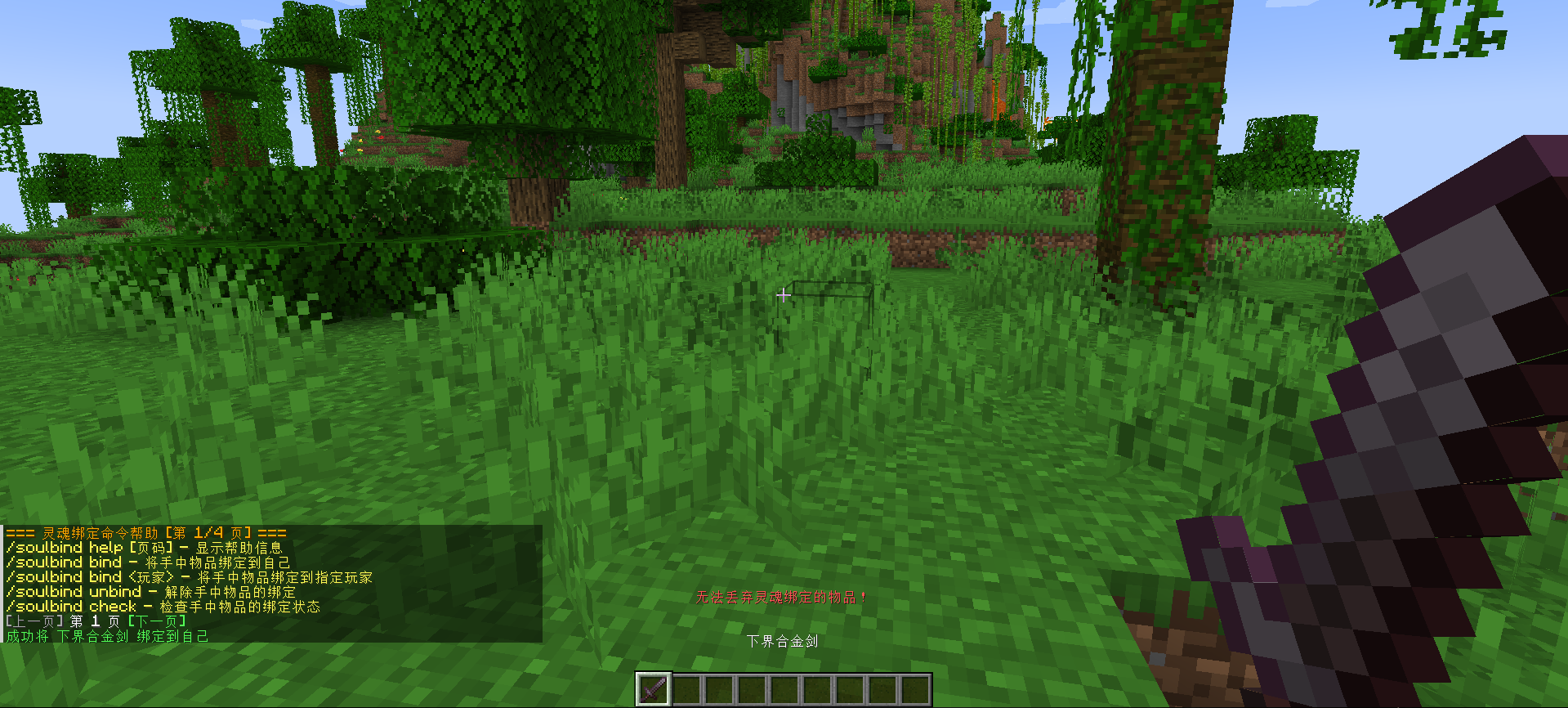
介绍
A soulbinding mod that binds items to a specific player, preventing them from being used by other players.
一个灵魂绑定模组,将物品绑定到特定玩家,防止其他玩家使用。
Features / 特点
- Item Binding — Bind items to a specific player, only the bound player can use them
物品绑定 — 将物品绑定到指定玩家,仅绑定者可使用
- Prevent Dropping — Bound items cannot be dropped by any means
禁止丢弃 — 绑定物品无法以任何方式丢弃
- Prevent Pickup — Other players cannot pick up bound items
禁止拾取 — 其他玩家无法拾取绑定物品
- Retain on Death — Bound items are kept on death (configurable)
死亡保留 — 死亡后保留绑定物品(可配置)
- Auto Bind — Automatically bind specified items upon first acquisition
自动绑定 — 首次获取指定物品时自动绑定
- Command System — Complete command system with multi-page help
命令系统 — 完整的命令系统,支持多页帮助
- Configurable — Customize all functionality via config file
可配置 — 通过配置文件自定义所有功能
Installation / 安装
- Install Fabric Loader and Fabric API
安装 Fabric Loader 和 Fabric API
- Place the JAR into
.minecraft/mods/.
将 JAR 文件放入 .minecraft/mods/ 目录
- Launch the game.
启动游戏
Command Usage / 命令用法
All commands require administrator privileges (default permission level: 2).
所有命令需要管理员权限(默认权限等级:2)。
Basic Commands / 基础命令
| Command / 命令 | Description / 说明 |
|:—|:—|
| /soulbind | Display help / 显示帮助信息 |
| /soulbind help [page] | Display help for a specified page / 显示指定页帮助信息 |
| /soulbind bind | Bind the held item to yourself / 将手持物品绑定到自己 |
| /soulbind bind <player> | Bind the held item to a specific player / 将手持物品绑定到指定玩家 |
| /soulbind unbind | Unbind the held item / 解绑手持物品 |
| /soulbind check | Check binding status of the held item / 查看手持物品绑定状态 |
| /soulbind list | List all bound items in inventory / 列出背包中所有绑定物品 |
| /soulbind reload | Reload config (requires permission level 3) / 重载配置文件(需要权限等级 3) |
Autobind Commands / 自动绑定命令
| Command / 命令 | Description / 说明 |
|:—|:—|
| /soulbind autobind add | Add the held item to autobind list / 将手持物品添加到自动绑定列表 |
| /soulbind autobind add <item ID> | Add specified item to autobind list / 将指定物品添加到自动绑定列表 |
| /soulbind autobind remove | Remove the held item from autobind list / 将手持物品从自动绑定列表移除 |
| /soulbind autobind remove <item ID> | Remove specified item from autobind list / 将指定物品从自动绑定列表移除 |
| /soulbind autobind list | List all autobind items / 列出所有自动绑定物品 |
| /soulbind autobind toggle | Toggle autobind feature (requires permission level 3) / 切换自动绑定功能(需要权限等级 3) |
Examples / 示例
/soulbind bind Steve
/soulbind unbind
/soulbind help 2
/soulbind autobind add minecraft:diamond_pickaxe
/soulbind autobind add
/soulbind autobind remove diamond_sword
/soulbind autobind list
Configuration / 配置
Configuration file located at .minecraft/config/soulbinding/soulbinding.json.
配置文件位于 .minecraft/config/soulbinding/soulbinding.json。
{
    "keepOnDeath": true,
    "allowUnbind": true,
    "showTooltip": true,
    "preventDrop": true,
    "preventPickup": true,
    "commandPermissionLevel": 2,
    "autoBindEnabled": true,
    "autoBindItems": [
        "minecraft:diamond_sword",
        "minecraft:netherite_sword",
        "minecraft:elytra"
    ],
    "language": "zh_cn"
}
| Field / 字段 | Description / 说明 |
|:—|:—|
| keepOnDeath | Keep bound items on death / 死亡后保留绑定物品 |
| allowUnbind | Allow players to manually unbind / 允许玩家手动解绑 |
| showTooltip | Show binding status in item tooltip / 在物品提示中显示绑定状态 |
| preventDrop | Prevent dropping bound items / 禁止丢弃绑定物品 |
| preventPickup | Prevent others from picking up bound items / 禁止其他玩家拾取绑定物品 |
| commandPermissionLevel | Minimum permission level for commands (0-4) / 命令最低权限等级 (0-4) |
| autoBindEnabled | Enable auto bind feature / 启用自动绑定功能 |
| autoBindItems | List of items to auto bind / 自动绑定物品列表 |
| language | Language code / 语言代码 |
Notes / 注意事项
- Bound items display purple italic binding info in inventory.
绑定物品会在物品栏中显示紫色斜体的绑定信息。
- Bound items can be freely moved between player inventory and containers.
绑定物品可以在玩家背包和容器之间自由移动。
- Admins can unbind any item.
管理员可以解绑任何物品。
- Use
/soulbind reloadafter modifying the config file.
修改配置文件后,可使用 /soulbind reload 重新加载。
- Auto-bound items are bound immediately when the player first obtains them.
自动绑定物品会在玩家首次获得时立即绑定。
- Auto binding supports the following acquisition methods:
自动绑定支持以下获取方式:
- Picking up from the ground / 从地面拾取
- Taking from containers / 从容器中取出
- Given via commands / 通过命令给予
- Obtained through crafting / 通过合成获得
- Taking in Creative mode / 创造模式中取出
Development / 开发信息
- Minecraft: 1.20.1
- Fabric Loader: 0.17.2
- Fabric API: 0.92.6+1.20.1
- Java 17
常见问题
Soulbind 支持哪些 Minecraft 版本?
Soulbind 支持 Minecraft Java 版 1.20–1.21.1,共 6 个版本,可用的加载器:Fabric / Forge。下载时注意选择和你游戏版本一致的文件。
Soulbind 怎么安装?
先用 PCL2 或 HMCL 启动器安装对应版本的 Fabric / Forge,再把下载的 .jar 文件放进游戏目录的 mods 文件夹,重新启动游戏即可。开启了版本隔离的,mods 文件夹在 versions/版本名 下面。运行环境:仅服务端。
评论
登录后评论和评分