
Resource Pack Organizer
Enhances the Resource Pack menu by adding folder support for easier pack organization, ability to search packs by name or description, new sorting options, and quick refresh button directly in the GUI. Supports Forge & Fabric.
截图
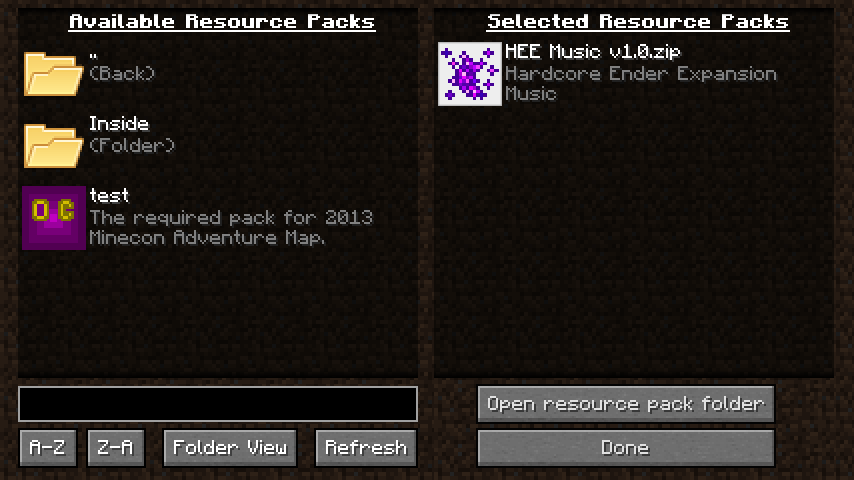
介绍
Resource Pack Organizer overhauls the Resource Pack screen to give you finer control and a couple new quality-of-life features. It supports the Forge and Fabric mod loaders.
- Organize resource pack into folders that you can navigate from within the game
- Choose between folder view (navigate in and out of folders) and flat view (packs from all folders shown in a single list)
- Search pack names and description (supports the * wildcard)
- Sort packs and folders alphabetically A-Z or Z-A
- Option to display a list of active packs on your screen (configurable position and color; Forge only)
- Hold Alt when clicking ‘Resource Packs…’ button to show the vanilla screen instead (it will still show packs from all folders like with flat view)
- Stop Minecraft from removing incompatible packs after each restart
Follow @chylexmc for development news and updates.
Installation
The mod supports both Forge and Fabric since Minecraft 1.15.2. Any older versions only support Forge.
Forge
Download and install Forge.
Download the mod file for your version, and place it into .minecraft/mods.
Fabric
Download and install Fabric Loader 0.6.4 or newer (you do not need to install the Fabric API).
Download the mod file for your version, and place it into .minecraft/mods.
License
The mod is licensed under MPL 2.0, which allows you to use it in modpacks.
The mod uses a folder icon by FatCow under the CC BY 3.0 US license: http://fatcow.com/free-icons
Screenshot
常见问题
Resource Pack Organizer 支持哪些 Minecraft 版本?
Resource Pack Organizer 支持 Minecraft Java 版 1.7.10–1.16.3,共 14 个版本,可用的加载器:Fabric / Forge。下载时注意选择和你游戏版本一致的文件。
Resource Pack Organizer 怎么安装?
先用 PCL2 或 HMCL 启动器安装对应版本的 Fabric / Forge,再把下载的 .jar 文件放进游戏目录的 mods 文件夹,重新启动游戏即可。开启了版本隔离的,mods 文件夹在 versions/版本名 下面。运行环境:仅客户端。
chylex 的其他作品
查看全部 →
Custom Window Title
客户端模组,可修改窗口标题(支持特殊占位符)和窗口图标。支持 Forge 和 Fabric】【。

Hardcore Ender Expansion
彻底重做末地,新增大量可探索区域、可挑战的Boss和可获取的奖励。

Better Sprinting
控制疾跑、潜行和飞行的新方式。
Java Version Checker
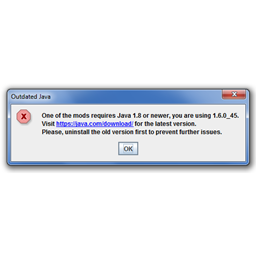
如果用户使用的是过时的 Java 版本,会发出提醒。适用于无法在 Java 6 或 7 上运行的整合包。
评论
登录后评论和评分