介绍

In short, this mod is meant to reduce the impact on your computer (cpu/gpu) when you’re idle, by reducing your FPS to a custom value (see screens). (This is now a default feature in newer mc versions though:p)
This mod does not give you more fps in the game

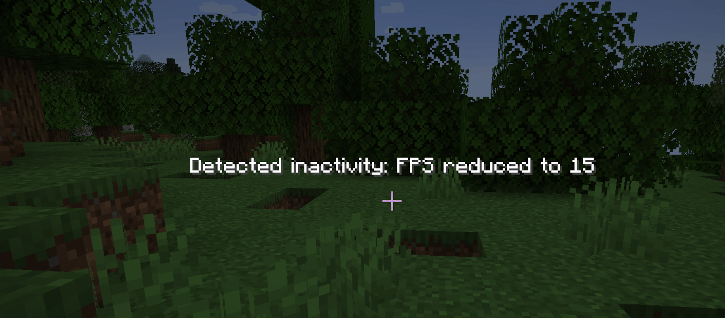
Default message (configurable) when idle, reducing FPS to 15.

You can configure in the mod’s configuration:
- Default FPS: The fps set when you’re not idle
- Idle FPS: The fps set when you’re idle
- AFK timeout: After how many seconds you’re considered as idle
- Show Idle Msg: If you want to show the message (basically enable the mod)
- Idle Message: What message you want it to be (%s for the amount of seconds)
- Dark background: If you want a dark background behind the message
Neoforge 1.21.1 config screen:
(there may be some differences between neoforge/forge GUI due to the different way they handle it..)
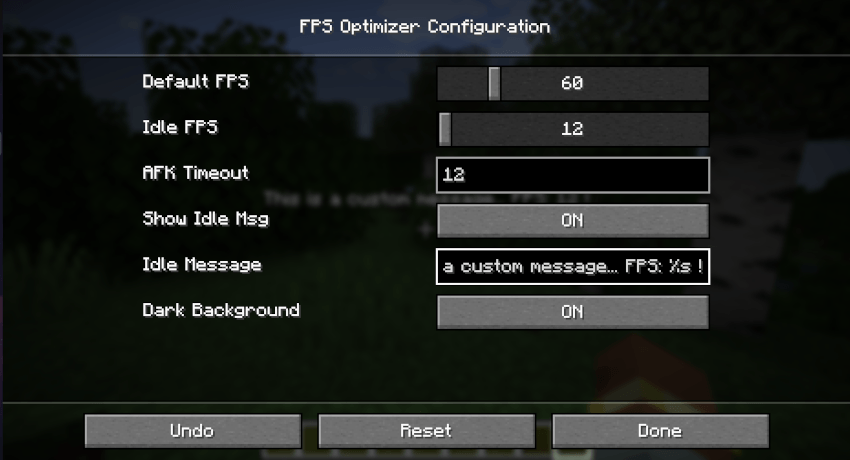
(You can access the config on main menu: “mod/fpsoptimizer/config“)

This mod support English (en_US.lang) and french (fr_FR.lang) translations.
Feel free to help me with the translations by making an issue or a Merge Request on github!
Feel free to add this in any modpack published on curseforge! This is highly appreciated. I will maintain the mod when needed.
The source code is available on github: https://github.com/AwesomeHippo/FpsOptimizer (MIT license)
常见问题
FPS Optimizer 支持哪些 Minecraft 版本?
FPS Optimizer 支持 Minecraft Java 版 1.12.2–1.21.1,共 8 个版本,可用的加载器:Forge / NeoForge。下载时注意选择和你游戏版本一致的文件。
FPS Optimizer 怎么安装?
先用 PCL2 或 HMCL 启动器安装对应版本的 Forge / NeoForge,再把下载的 .jar 文件放进游戏目录的 mods 文件夹,重新启动游戏即可。开启了版本隔离的,mods 文件夹在 versions/版本名 下面。
AwesomeHippo 的其他作品
查看全部 →
Better Zoom
用滚轮和快捷键随心平滑缩放,简单易用且支持自定义

Restore Hardcore World
恢复任意经过自定义设置的单人极限模式世界。

Modern Fullbright
Modern fullbright, no more dark! See everything luminous in any server! (client-sided)

Item Scrapper Pack – TACZ ZC
Item Scrapper Support for ZombieCraft
评论
登录后评论和评分