
Simulated Nights
Simulates the passage of time when sleeping through the night by ticking entities and/or randomly ticking blocks proportional to the amount of time skipped. Also adds a command (/simulate) to simulate (and optionally set/add) time.
截图
介绍
Simulates the passage of time when sleeping through the night by ticking entities and/or randomly ticking blocks proportional to the amount of time skipped. Also adds a command (/simulate) to simulate (and optionally set/add) time.
Issues should be submitted via GitHub (here), if possible, but can be submitted internally, if need be.
This mod has been released into the public domain. Use it anywhere in any way.
This mod is specifically coded to work with Morpheus. It may or may not work with other mods that alter sleep.
A server with this mod can allow or disallow clients from connecting without this mod. Here are some things to keep in mind when deciding whether or not to allow them to connect:
- If allowed, and if the server is set to send command message lang keys to be translated on the client running the /simulate command (OPs only), clients without this mod will receive the raw lang keys, rather than the intended text.
- If allowed, and if 1) the night is set to simulate in a single server tick; 2) a sleep delay is used; and 3) the server is set to put players in a deep sleep; then clients without this mod will not be put in one. Since being in a deep sleep is what prevents players from leaving their beds during a sleep delay, players without this mod installed on their client will be able to leave and enter a will, while those with it installed will not be.
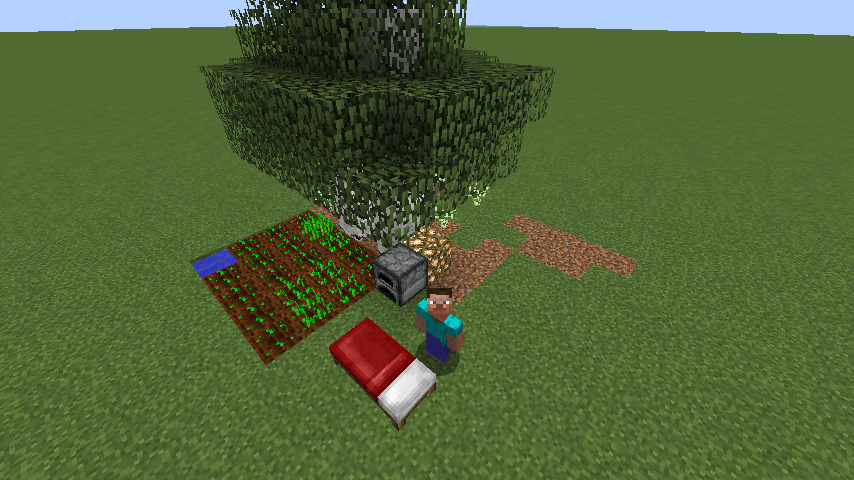
Before Night Simulation
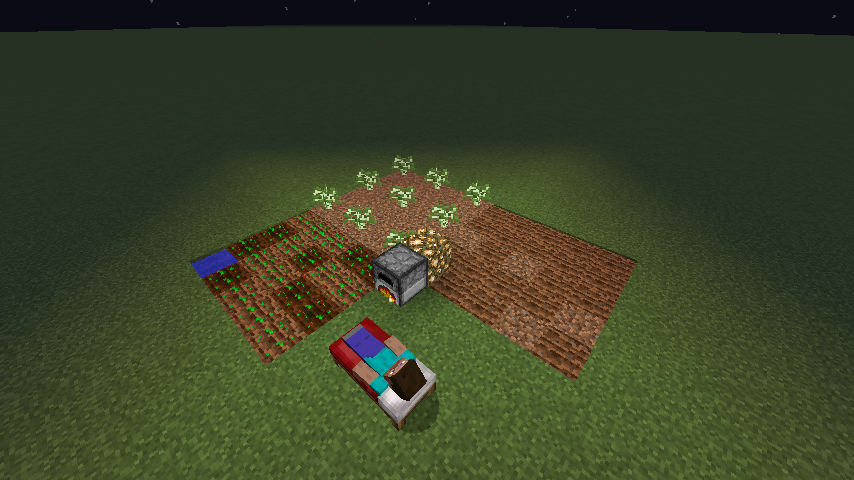
After Night Simulation
常见问题
Simulated Nights 支持哪些 Minecraft 版本?
Simulated Nights 支持 Minecraft Java 版 1.9.4–1.12.2,共 9 个版本,可用的加载器:Forge。下载时注意选择和你游戏版本一致的文件。
Simulated Nights 怎么安装?
先用 PCL2 或 HMCL 启动器安装对应版本的 Forge,再把下载的 .jar 文件放进游戏目录的 mods 文件夹,重新启动游戏即可。开启了版本隔离的,mods 文件夹在 versions/版本名 下面。
Phylogeny 的其他作品
查看全部 →
Extra Bit Manipulation
为 Chisels & Bits 模组增加更多游戏内微方块编辑功能。
Proportional Destruction Particles
一款客户端模组,使方块破坏粒子仅生成在方块的碰撞箱/边界框内。

JEI Enchantment Info
为附魔添加 JEI 信息条目。将鼠标悬停在带有单个附魔的书上时按下 R,即可查看该附魔的信息。

Bound Totems
Allows Totems of Undying to be bound to living entities and used anywhere in their inventory or in totem shelves in any dimension. Teleporting variants also teleport them to a saved location in any dimension.
评论
登录后评论和评分